

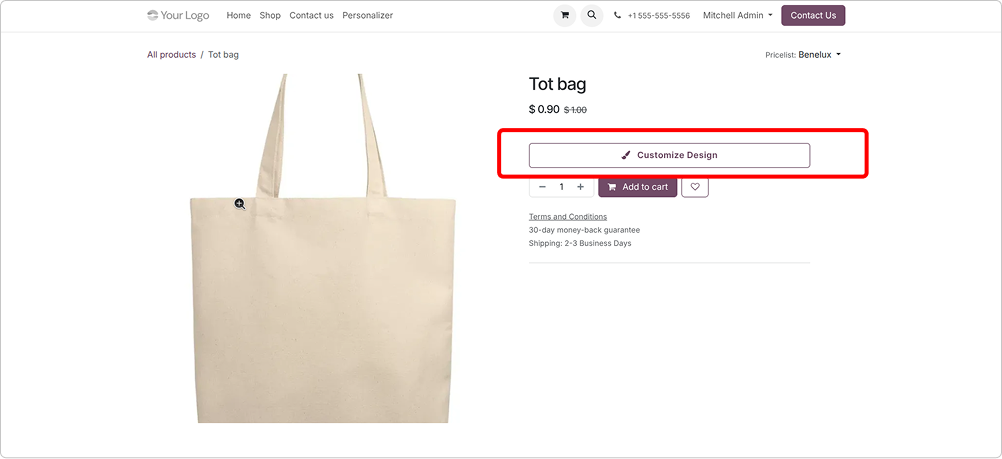
Live editor on product page
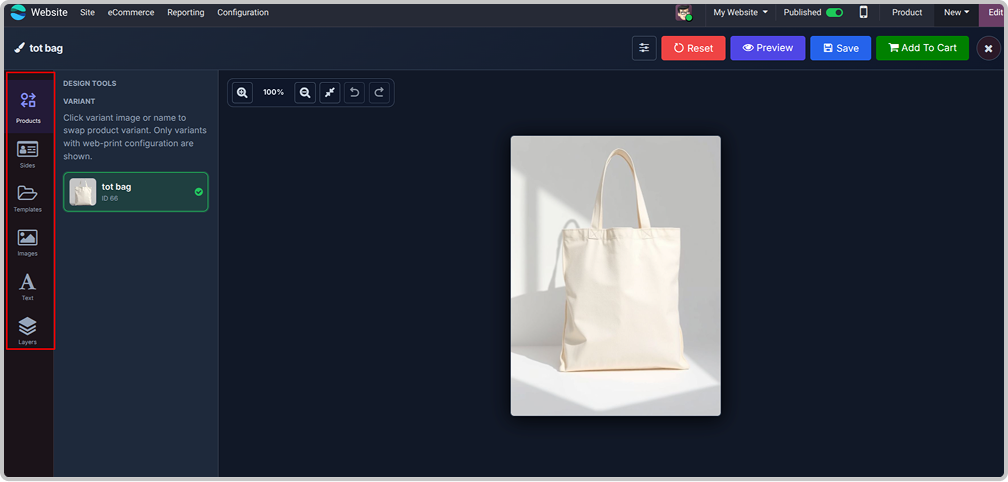
A "Customize Design" button opens a full
design studio on your website product page.
Customers see exactly what they will get.

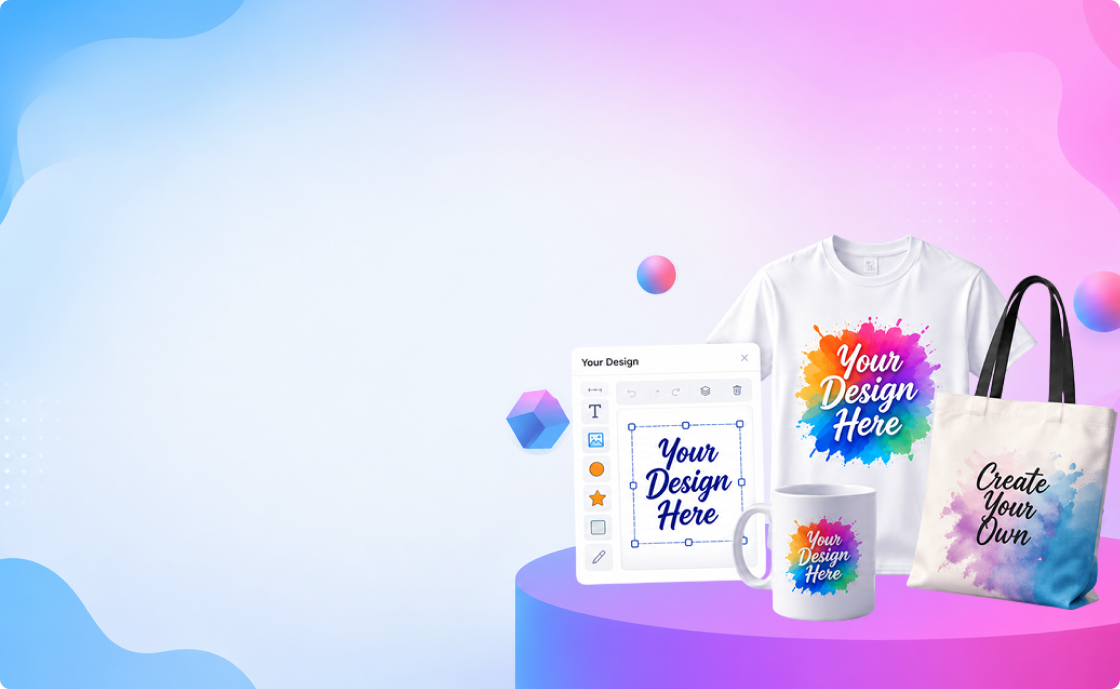

This app lets customers design their own products directly on your
website. They add text, images, shapes, and more on a live canvas,
and you receive the print-ready design right inside the sales order.

It is useful for businesses that print on t-shirts, mugs, phone covers,
mobile skins, bags, cards, and any other custom product. No external
design tool is needed; everything happens inside our app.



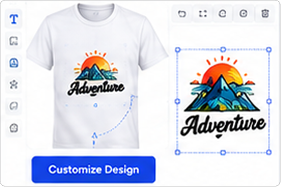
A "Customize Design" button opens a full
design studio on your website product page.
Customers see exactly what they will get.

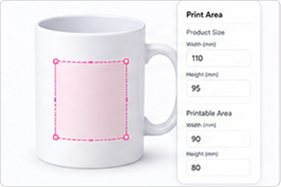
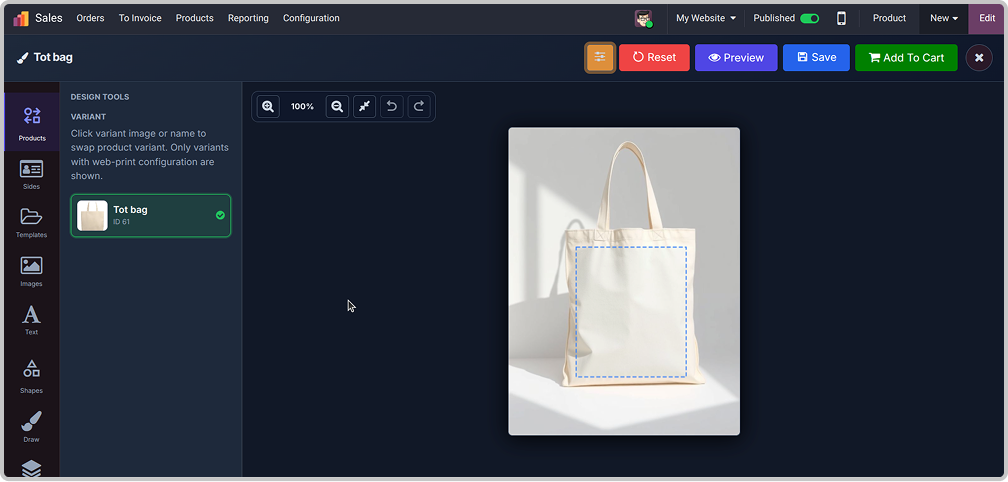
Define the product size and the printable area in millimeters, with a visual area selector. Customers can only design inside the allowed zone.

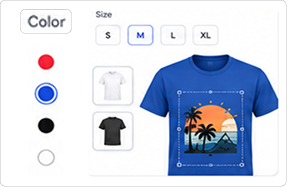
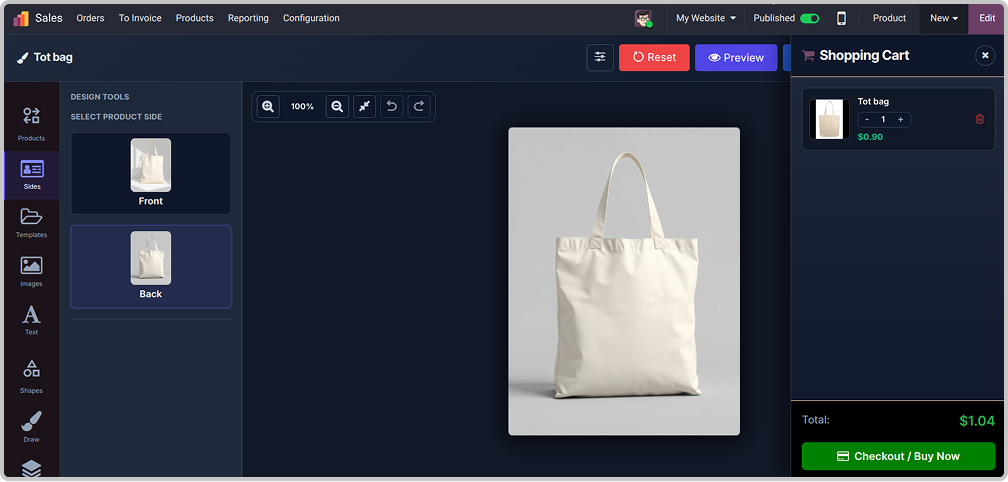
Each size or color variant can have its own base image and print area. The editor switches automatically when the customer changes the variant.

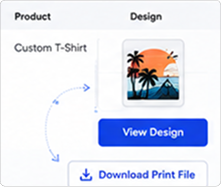
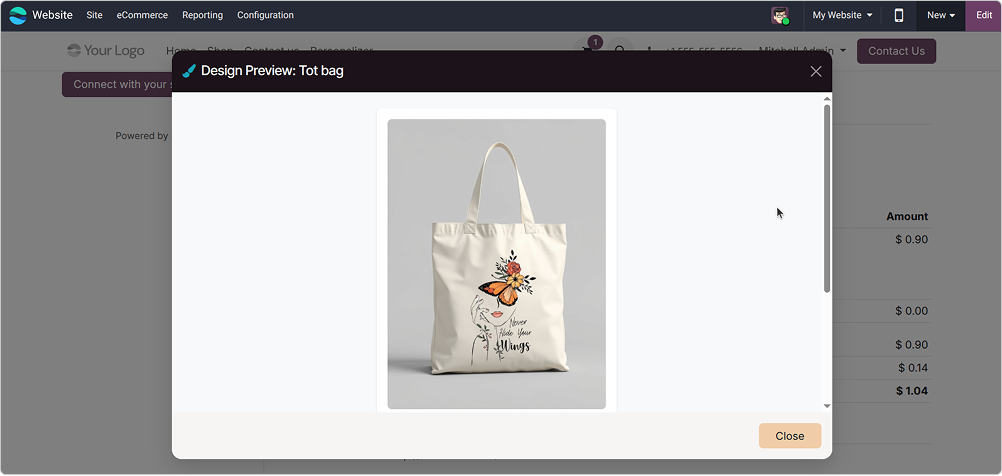
Every customer design is saved on the sale order line. Your team can view it in a popup and download print-ready files in one click.

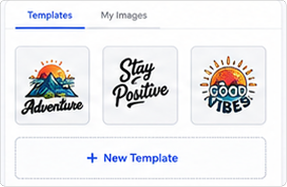
Customers save designs as reusable templates and keep an image library. Admins can also create public starting templates from the backend.

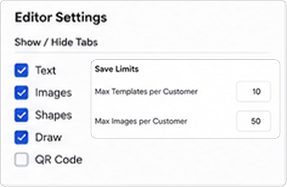
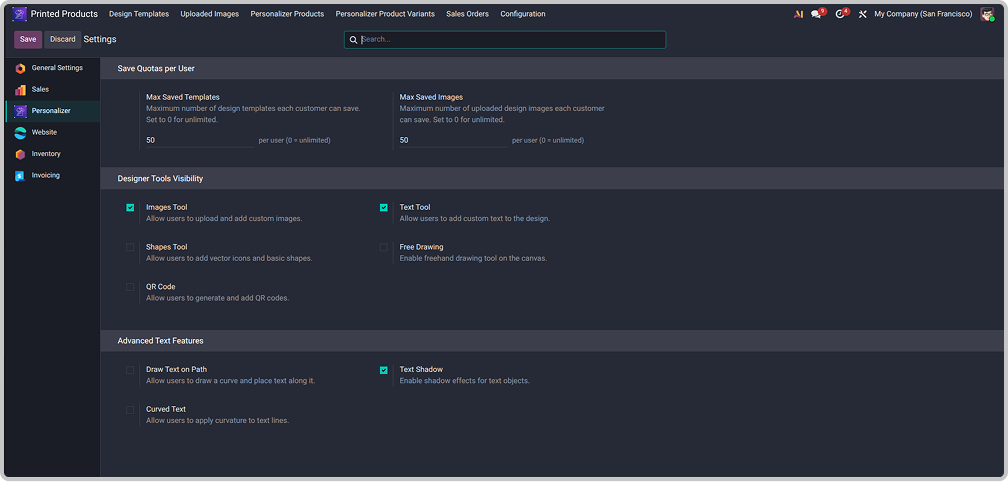
Show or hide editor tabs (Text, Images, Shapes, Draw, QR Code) and set how many templates/images each customer can save.


A complete design studio, and it opens right on the product page instead of sending the customer somewhere else.

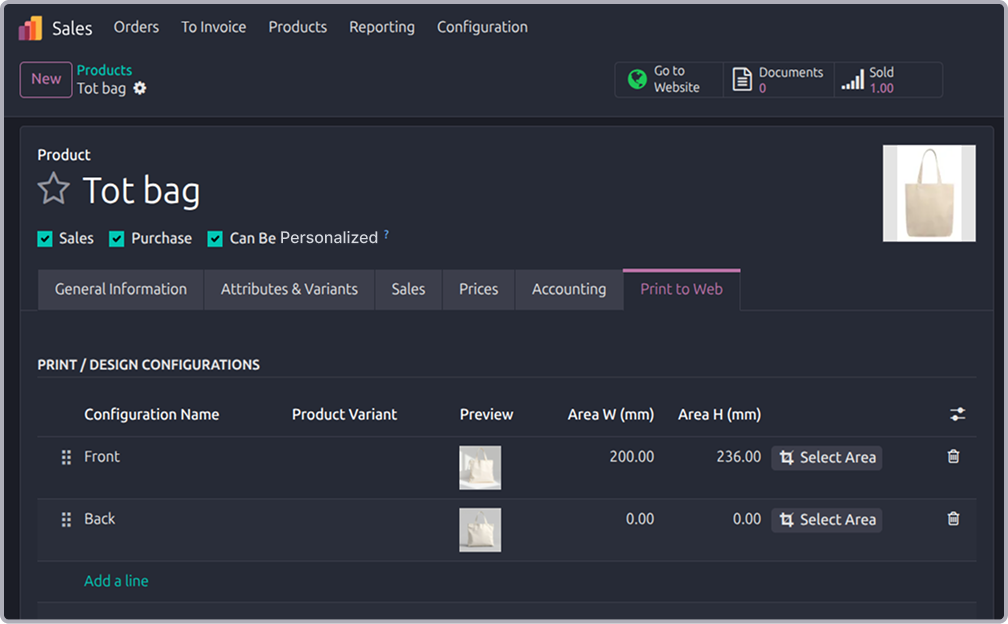
Enable "Personalized" on the product and set the print area in the Print to Web tab.
Print to web
Customer designs
Added to cart
You print it
Configuration

You can instantly find the answer you need here when
you're looking for a quick solution.
No. Anyone can open the editor and add a design to the cart. An account is only needed to save templates and images for later reuse.
Yes. You can add a print configuration per variant. The editor automatically loads the correct base image and print area when the customer switches the variant.
Yes. Add multiple print configurations (e.g. Front and Back). The customer designs each side, and you can download all sides together as one ZIP file.
Yes. Every editor tab and the advanced text options can be turned on or off from the module settings.
Yes, I do provide free support for 90 days for any queries or any bug/issue fixing.
In case of if any bug raised in the listed features of this module, I am committed to providing support free of cost. You will need to provide me server ssh access or database access in order to solve the issue.
Each update brings improvements to make the
app work better for you.


                                            Odoo Proprietary License v1.0

                                            This software and associated files (the "Software") may only be used (executed,
                                            modified, executed after modifications) if you have purchased a valid license
                                            from the authors, typically via Odoo Apps, or if you have received a written
                                            agreement from the authors of the Software (see the COPYRIGHT file).

                                            You may develop Odoo modules that use the Software as a library (typically
                                            by depending on it, importing it and using its resources), but without copying
                                            any source code or material from the Software. You may distribute those
                                            modules under the license of your choice, provided that this license is
                                            compatible with the terms of the Odoo Proprietary License (For example:
                                            LGPL, MIT, or proprietary licenses similar to this one).

                                            It is forbidden to publish, distribute, sublicense, or sell copies of the Software
                                            or modified copies of the Software.

                                            The above copyright notice and this permission notice must be included in all
                                            copies or substantial portions of the Software.

                                            THE SOFTWARE IS PROVIDED "AS IS", WITHOUT WARRANTY OF ANY KIND, EXPRESS OR
                                            IMPLIED, INCLUDING BUT NOT LIMITED TO THE WARRANTIES OF MERCHANTABILITY,
                                            FITNESS FOR A PARTICULAR PURPOSE AND NONINFRINGEMENT.
                                            IN NO EVENT SHALL THE AUTHORS OR COPYRIGHT HOLDERS BE LIABLE FOR ANY CLAIM,
                                            DAMAGES OR OTHER LIABILITY, WHETHER IN AN ACTION OF CONTRACT, TORT OR OTHERWISE,
                                            ARISING FROM, OUT OF OR IN CONNECTION WITH THE SOFTWARE OR THE USE OR OTHER
                                            DEALINGS IN THE SOFTWARE.

Comment on this module. Please Login