




 Last Updated : 21 JULY 2025 (v19.0.4.0.0)

Unlock the true potential of your data with AnalytiX Dashboard, a cutting-edge Odoo
dashboard module designed to revolutionize the way you visualize & analyze information.
Elevate your decision-making process with intuitive,interactive, & insightful dashboards
that empower you to confidently navigate your business landscape.
Build interactive, drag-and-drop business dashboards in Odoo - from ORM models, SQL,
external APIs or Excel/CSV - and let AI generate them for you in seconds.

AI dashboard builder

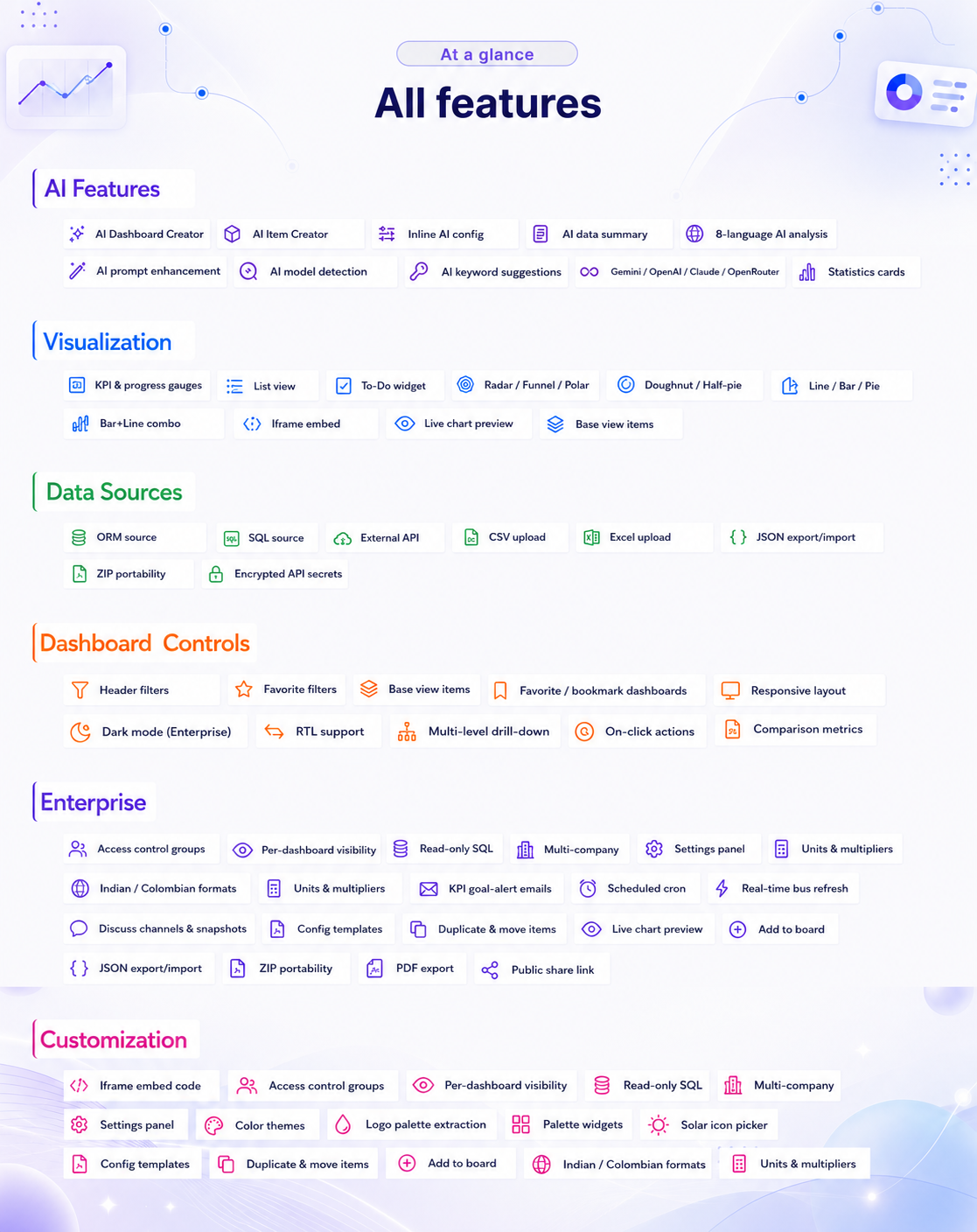
12+ widget
types

Custom themes & palettes

Public sharing & embed

Excel / CSV/ API

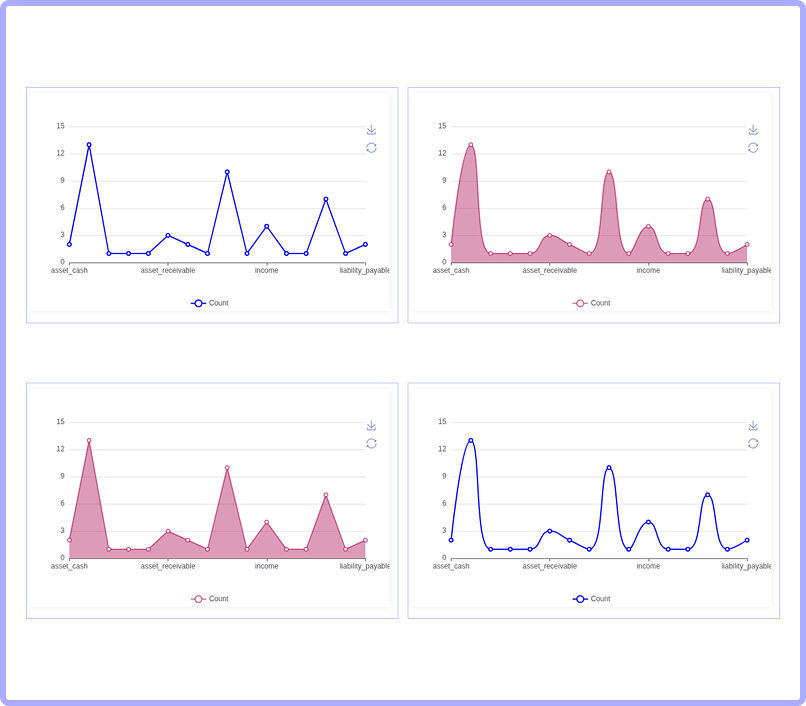
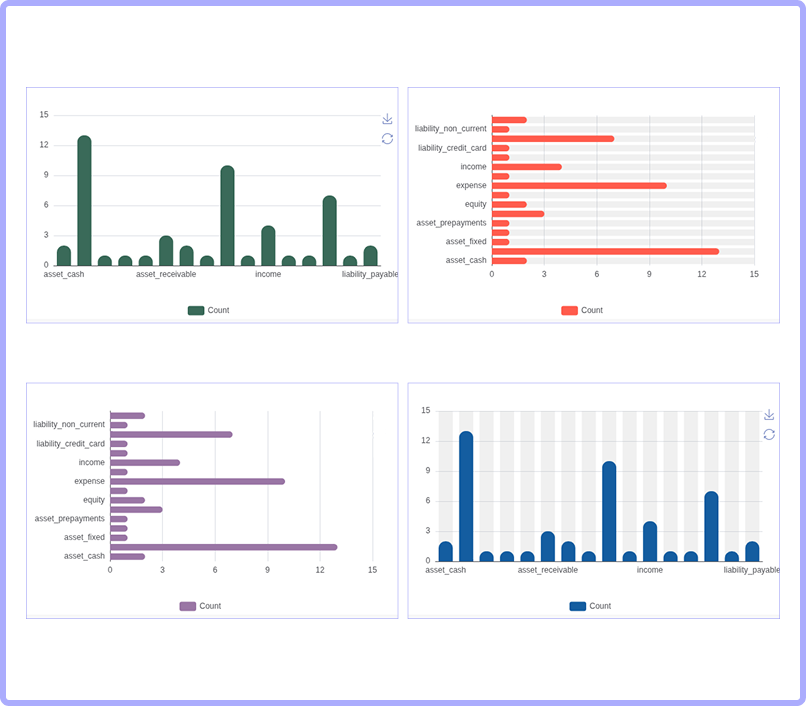
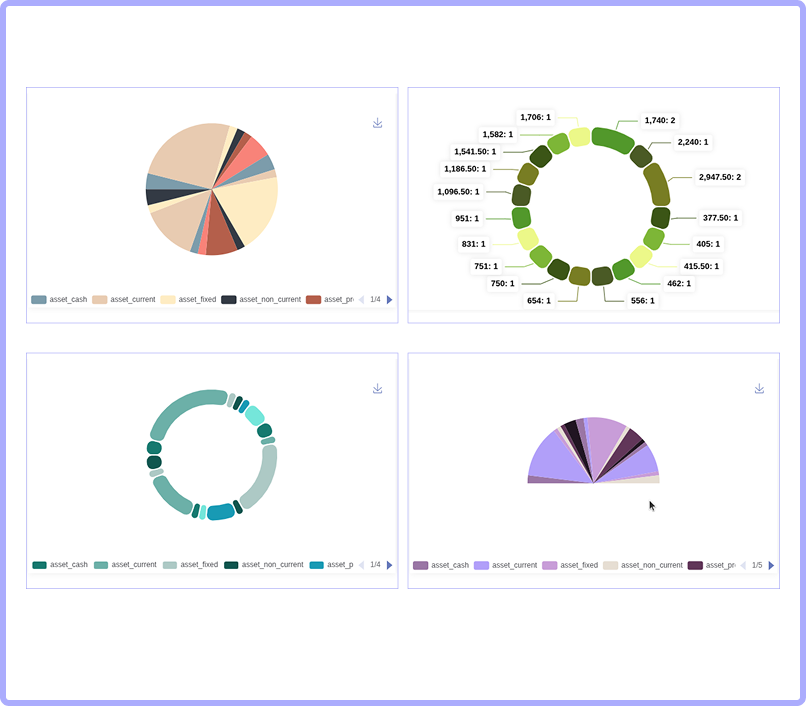
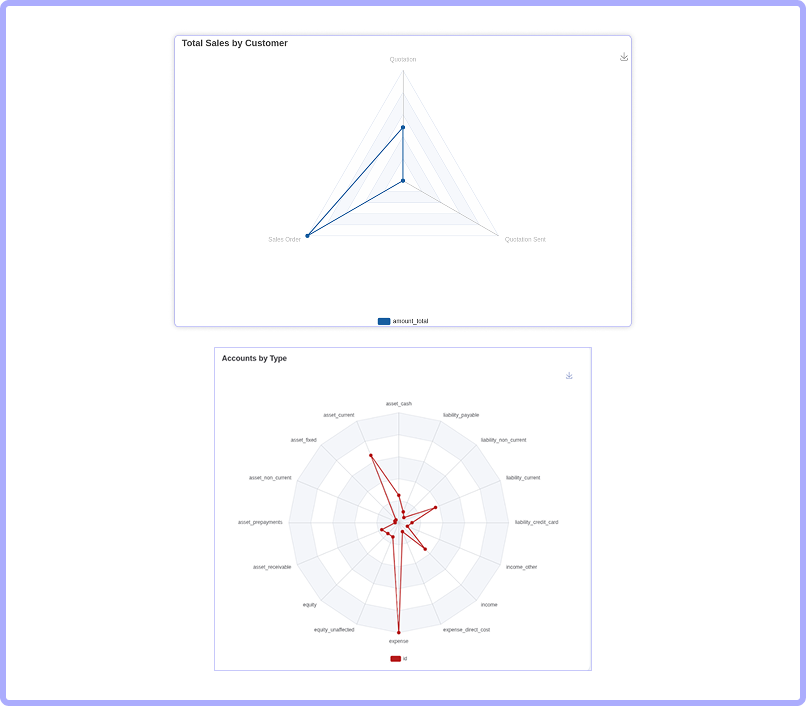
Smart data visualization

Real-time
analytics

Customization dashboard

User-Friendly interface

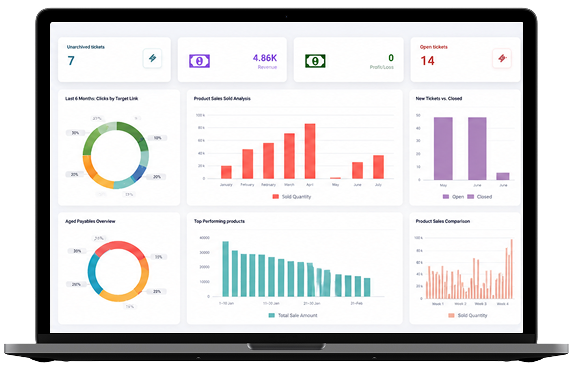
Dashboard at lightning speed
An enterprise-ready dashboard builder and visualizer that
makes data
analytics accessible to everyone in your company.
This will makes it easy to create charts from raw odoo data.
Suitable
for Analysts, Teams, Small Business & Developers
looking for quick insights.


10+
Chart & widget types

4
AI providers supported

5
Data sources (ORM/SQL/API/Excel/CSV)

25+
Timeframe filter presets
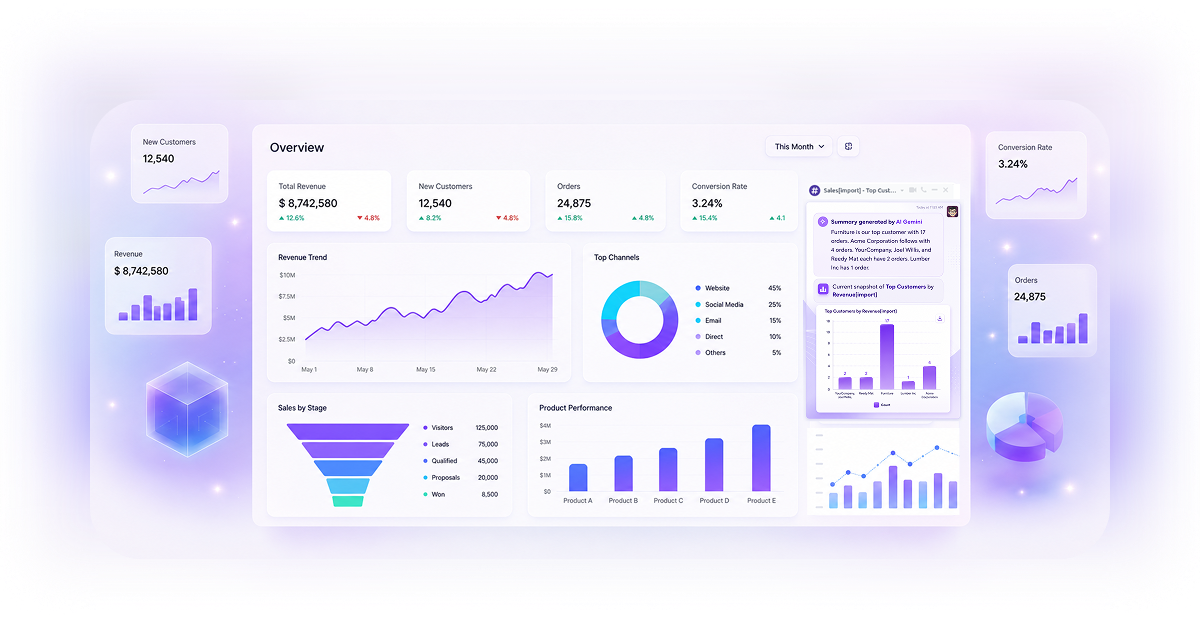
What's new in this release
A whole new AI & data layer
Everything from the classic dashboard builder is still here - now supercharged with AI
generation, task management, new data sources and smart alerts.

AI Dashboard
Builder
NEW
Describe what you want and AI builds a complete, balanced dashboard - KPIs, stats, charts and lists - in seconds.

To-Do Widget NEW
Task boards with statuses, deadlines, multi-assignee, kanban drag-drop and assignment emails.

Excel / CSV / API NEW
Feed dashboards from uploaded spreadsheets or live REST endpoints, not just Odoo models.

KPI Goal Alerts NEW
Automatic email alerts when a KPI hits its target, backed by a scheduled cron.
Artificial Intelligence
Your data, understood - and built - by AI
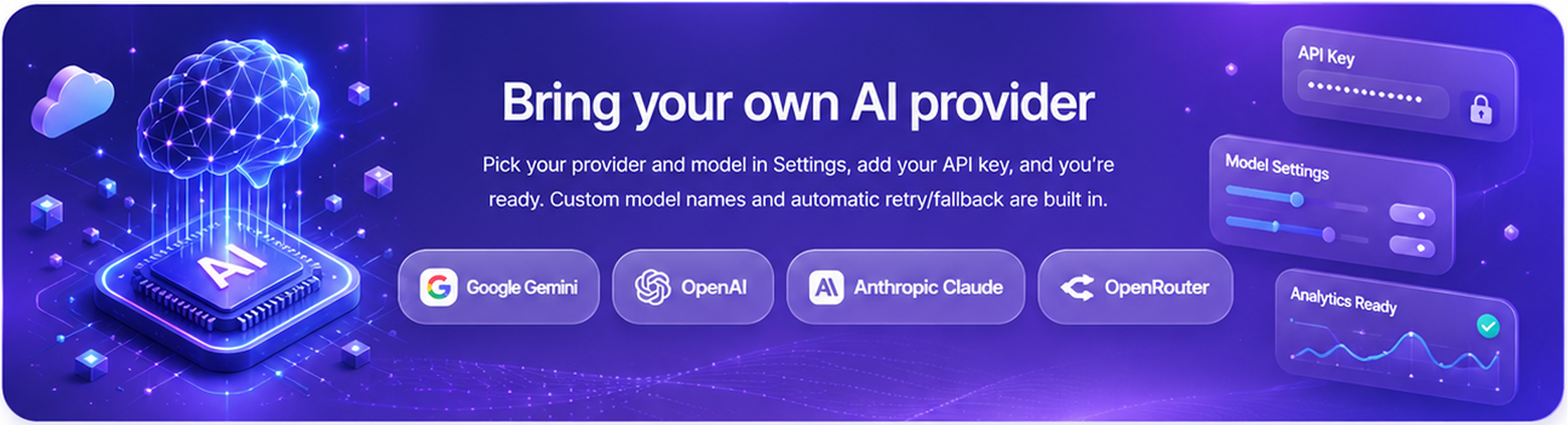
AnalytiX now ships a full AI engine. Connect your preferred provider once, then
generate entire dashboards, add individual widgets, auto-configure items and turn
raw numbers into written insights - all from plain language.
01
Describe it
Type what you need in plain words - “sales performance by team this year”. AI guesses the right Odoo model from your keywords.
02
Refine
AI enhances your prompt into a professional spec and suggests card titles. Pick the ones you want, add your own, or generate more.
03
Choose scale
Select the dashboard size - 10-12, 15-20 or 20-25 widgets - and AI plans a balanced mix of KPIs, stats, charts and lists.
04
Generate
Items are created, validated against installed models and auto-arranged on a tidy grid. Tweak anything afterwards.

AI Dashboard Creator
A guided, multi-step wizard that turns a one-line description into a complete, ready-to-use dashboard - no manual configuration required.

Smart model detection:- infers the target Odoo
model from natural-language keywords
Prompt enhancement:- rewrites your request
into a clear analytical brief
Title suggestions:- proposes card titles; select,
add or “generate more”
Balanced composition:- enforces a healthy mix
of KPI, statistics, charts & lists
Model validation:- checks required apps are
installed before creating
Auto-layout:- places every widget on a neat,
balanced grid
AI Item Creator & inline auto-config
Grow an existing dashboard one widget at a time - from keyword chips, or by simply typing keywords onto an item and letting AI wire it up.
Keyword chips per model:- AI suggests relevant
analytics, cached for speed
One or many:- generate a single item or a batch
in one go
Type control:- force a specific widget type, or let
AI pick at random
Inline AI Keywords:- auto-fills item type, measure,
group-by, domain, icon & list fields
Auto-placement:- each generated item
drops straight onto the grid
AI summaries & multi-language analysis
Every widget can explain itself. Get a one-click plain-language summary, or a full insight report with concrete, prioritized recommendations.
Instant summary:- plain-language read-out of
a widget's actual numbers
Detailed insight report:- narrative analysis plus
bullet-point action tips
8 languages:- English, French, Spanish, German,
Italian, Hindi, Arabic, Chinese
Chart-type preview switcher:- inside the
analysis view
Export to PDF:- share the AI analysis with your team

Ai-Powered Intelligence
Intelligence baked into every step

Model guessing
Maps free-text keywords to the correct Odoo model automatically.

Prompt enhancement
Turns rough requests into structured, professional analytics specs.

Keyword suggestions
Recommends analytical keywords tailored to the chosen model.

Domain sanitization
Cleans AI-generated filters & converts relative dates into proper date filters.

KPI target parsing
Understands shorthand targets like 50k / 1m & converts them to numbers.

Icon validation
Validates and normalizes AI-picked icons so every widget renders correctly.

AnalytiX Dashboard: Your Next-Generation
Data Visualization
Download AnalytiX Dashboard today and experience firsthand how these features will
revolutionize
your data
visualisation journey. Say hello to a brighter more efficient
future in data analysis.
.png)

For everyday decision-making
AnalytiX Dashboard alleviates the complexities often
associated
with data
analysis in Odoo. You don't have to
worry about exporting
records, selecting columns,
chart
types or creating pivot tables.
For your analysis
The immediate visual understanding through charts and
insights
saves data analysts valuable time.
It also prevents
the loss of opportunities that might otherwise
be spent sifting
through complex
data or engineering new features.

For your business
AnalytiX Dashboard enables business owners to gather data
and
insights independently, without
the need for external
consultants or complex analytical
platforms. The app provides
immediate
insights that help drive better decision-making by
understanding
key data drivers
and offering quick forecasts.
Why choose AnalytiX Dashboard?
AnalytiX Dashboard alleviates the complexities often
associated
with data
analysis in Odoo. You don't have to
worry about exporting
records, selecting columns,
chart
types or creating pivot tables.

Need any help ?


Support | Contact
info@terabits.xyz



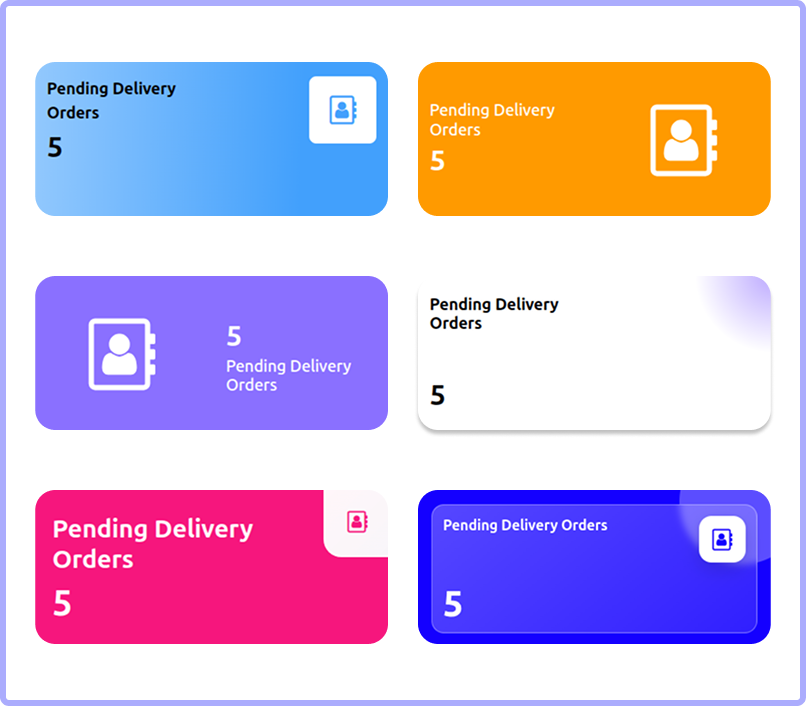
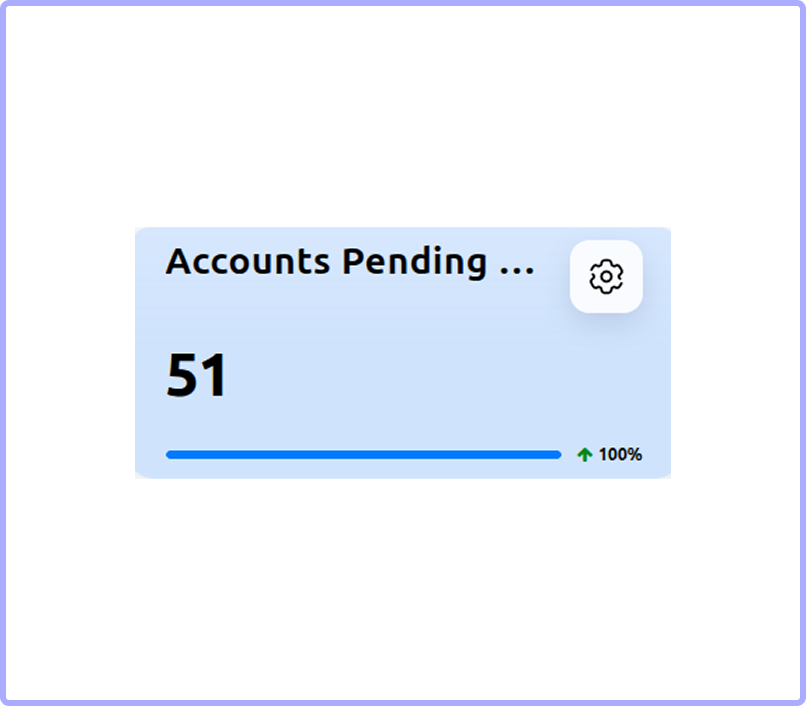
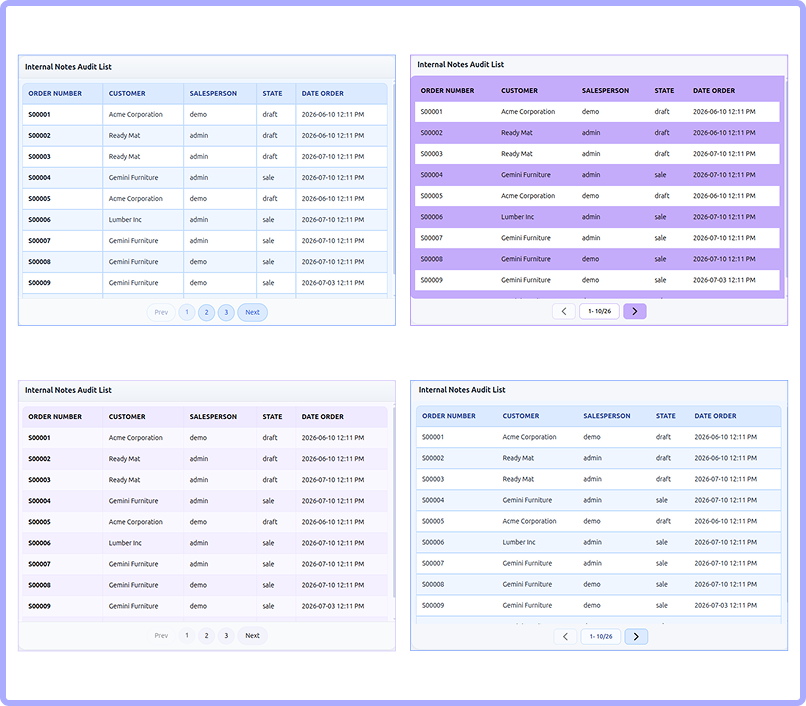
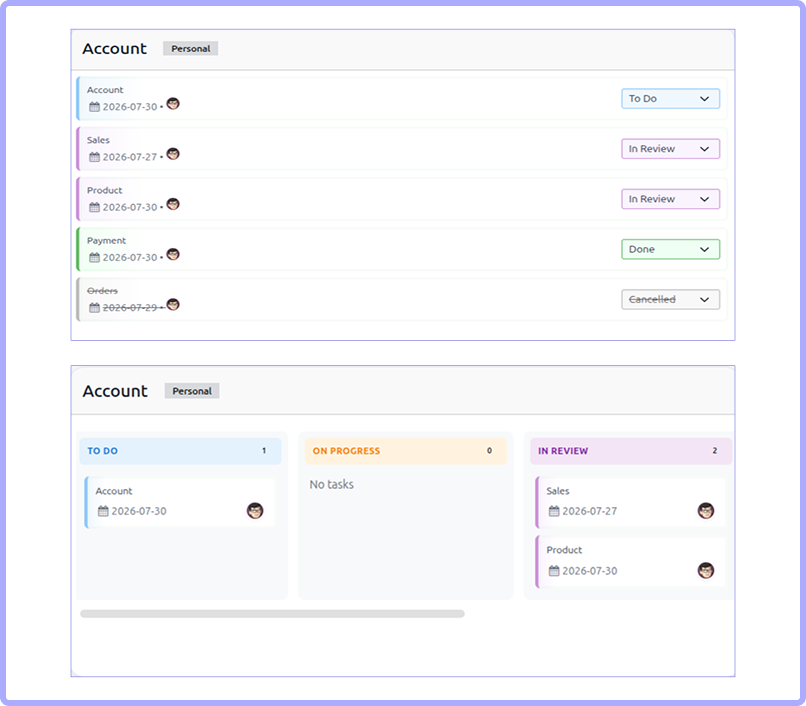

Data sources
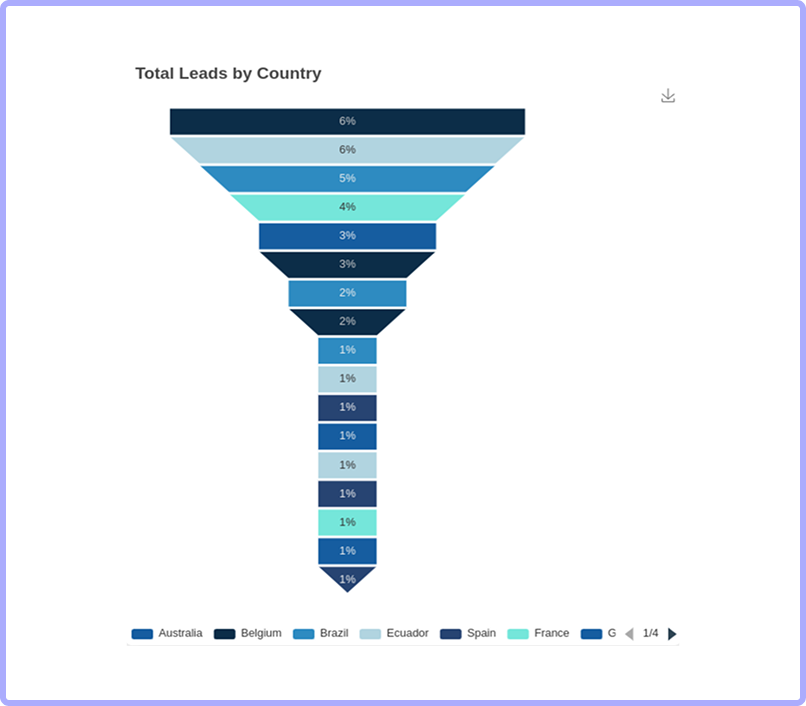
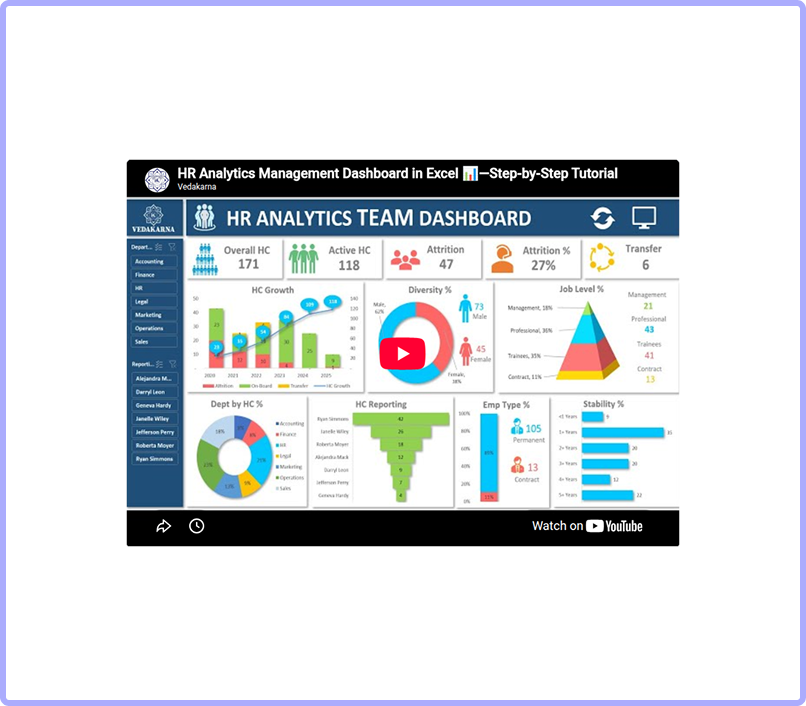
Connect data from anywhere
Five ways to power a widget - pick whichever fits your data.

Model Based
Standard Odoo ORM with measures, group-by, sub-group-by, date granularity (minute - year), sort & Sum/Count/Average.

SQL Query
Write read-only SQL and map result columns to chart X/Y or KPI values, with a live preview.

External Rest API
Pull JSON from any endpoint with custom (encrypted) headers and column mapping.

Excel Upload
Upload a workbook, pick the sheet, auto-detect columns, map them and sync into a live table.

CSV Upload
Import CSV files with header options, column mapping and sync-status tracking.

Advanced domains
Powerful per-item domain widget, including cross-field comparison filters.
SQL & smart data formatting
Query the database directly and format numbers exactly how your region reads them.
Read-only SQL with live preview
Number formats:- English (K/M/G), Indian
(Lakh/Crore), Colombian, exact
Unit types (monetary / percentage / custom)
& value multipliers
Task management
Built-in To-Do widget
Track work right on the dashboard - no extra app required.
List or Kanban view; public or personal visibility.
5 statuses: To-Do / On Progress / In Review / Done
/ Cancelled.
Deadlines, sequencing & multi-user assignment.
Drag-and-drop tasks across kanban columns.
Automatic email when a user is assigned a task.
Filters
Slice your data instantly
Interactive header filters and timeframes let viewers explore without editing anything.
Header filters on selection & relational fields.
25+ timeframe presets plus custom date
ranges, timezone-aware
Theming & appearance
Make it match your brand
Color themes (Custom / Light / Dark) with
6-color palettes
Auto-palette from your logo - extracts brand
colors
Dedicated palette widgets: chart, KPI, statistics,
list & icon
Solar / Streamline / Font-Awesome / custom
image icons
Per-item styling: backgrounds, font-color,
display Style, font sizes & opacities

Dark Mode Enterprise
Switch the whole dashboard to a sleek dark theme on Odoo Enterprise; your choice is remembered.

RTL & responsive
Works right-to-left and adapts cleanly to any screen size.

Per-item styling
Backgrounds, fonts, icons, borders, sizes & opacities per widget.
Widgets & charts
Click, drill and act

Multi-level drill-down
Chain group-by levels, each with its own chart type, date granularity, sort & limit - ending in a native Odoo action.

On-click actions
KPI and statistics cards can open a record or window action on click.

Comparison metrics
Show a second value with ratio / percentage calculation and custom labels.

Collaboration, alerts & real-time
Keep everyone in the loop
Dashboards don't just display data - they notify, discuss and
update themselves as things change.

KPI goal-alert emails
Automatic email to your chosen recipients the moment a KPI hits its target - with de-duplication so it only fires once.

Scheduled & real-time checks
A cron re-checks goals every 30 minutes, alongside instant checks - you never miss a milestone.

Live dashboard refresh
Over Odoo's bus, dashboards refresh automatically for online users when items, filters or themes change.
Discuss integration
Talk about the data, in context
Every widget can open its own discuss channel so your team can chat about exactly what they're looking at - and share a snapshot of it.
One-click Discuss channel per widget, named after
the dashboard & item
Post a rendered snapshot image of the widget straight
into the chat
Items are mail-thread enabled for followers & messages
Works with modern discuss.channel and legacy mail.channel
Productivity
Power-user niceties
The small touches that make building and living with dashboards effortless.

Favorite / Bookmark
Star your most-used dashboards to keep them one click away.

Config templates
Seed a new dashboard from a saved grid-layout template to start fast.

Duplicate & move
Deep-copy a whole dashboard, or copy / move a single widget to another one.

Live chart preview
See a live preview of your chart while you configure the item form.

Add to Board
Add any native Odoo action or view result to a dashboard as a widget.

Custom menu & icons
Place dashboards in the main menu or any parent, with custom names & icons.

Multi-company
Company-aware dashboards and widgets across your Odoo instance.

Archive & search
Archive dashboards you're not using and find any dashboard by name.

Portability & sharing
Move, share and export freely
Import / Export
Export a whole dashboard to JSON - or a ZIP bundle with uploaded files and encrypted API secrets. Re-import to any database and references are re-mapped automatically. Import/export single items too.
Public sharing & embed
Generate a tokenized public link, copy iframe embed code, and serve a standalone embed page that honors active favorite filters.
PDF export
Export the rendered dashboard, individual widgets, and AI summaries to PDF.
XLSX export
Export a widget's underlying data straight to an Excel file.
.png)
.png)

Need Help ?
You can instantly find the answer you need here when
you're looking for a quick solution.

AnalytiX Dashboard is a cutting-edge Odoo module designed to transform how you visualize and analyze data. It offers intuitive, interactive, and insightful dashboards that empower users to navigate their business landscapes confidently.
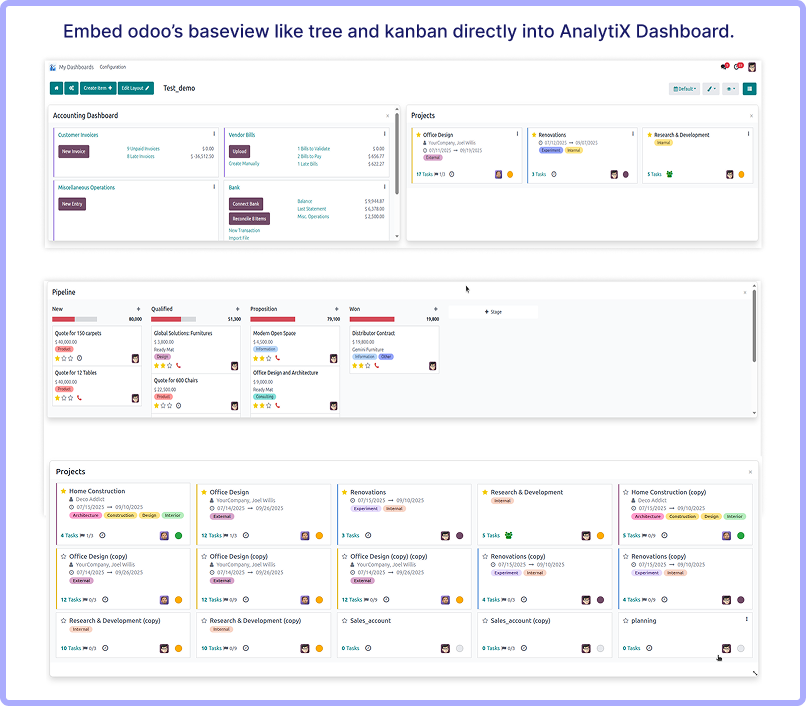
Absolutely! Base module views like forms, trees, kanbans, calendars, and pivots can be embedded into the dashboard with applied filters, allowing for a comprehensive view of relevant data.
Yes, it provides advanced date filters to load dashboard data with predefined filter types, enabling users to access data based on specific date ranges or criteria.
Users can seamlessly access and analyze specific data sets by crafting custom queries tailored to their business needs. This feature allows for detailed insights, information filtering, and targeted analysis.
Yes, users can share business statistics with customers and business groups by downloading dashboard items and the full dashboard in PDF format or by embedding the dashboard link on other websites.
Access controls are simplified by applying user groups, allowing for read-only or full access to dashboards. This feature ensures secure and personalized data visibility for different users or teams.
Yes, users have the flexibility to effortlessly rearrange and duplicate widgets between dashboards, enabling dynamic data presentation and management.
Absolutely! It provides various design options such as 9 tile item styles, 3 trend chart designs, 5 KPI progress designs, 4 list view designs, and 10+ theme color palettes, allowing users to create visually appealing dashboards aligned with their brand aesthetics.
Yes, I do provide free support for 90 days for any queries or any bug/issue fixing.
In case of if any bug raised in the listed features of this module, I am committed to providing support free of cost. You will need to provide me server ssh access or database access in order to solve the issue.
Changelog(s)
Each update brings improvements to make the
app work better for you.

Recommended Apps

Need any help for this module?
Contact us info@terabits.xyz for your queries
                                            Odoo Proprietary License v1.0

                                            This software and associated files (the "Software") may only be used (executed,
                                            modified, executed after modifications) if you have purchased a valid license
                                            from the authors, typically via Odoo Apps, or if you have received a written
                                            agreement from the authors of the Software (see the COPYRIGHT file).

                                            You may develop Odoo modules that use the Software as a library (typically
                                            by depending on it, importing it and using its resources), but without copying
                                            any source code or material from the Software. You may distribute those
                                            modules under the license of your choice, provided that this license is
                                            compatible with the terms of the Odoo Proprietary License (For example:
                                            LGPL, MIT, or proprietary licenses similar to this one).

                                            It is forbidden to publish, distribute, sublicense, or sell copies of the Software
                                            or modified copies of the Software.

                                            The above copyright notice and this permission notice must be included in all
                                            copies or substantial portions of the Software.

                                            THE SOFTWARE IS PROVIDED "AS IS", WITHOUT WARRANTY OF ANY KIND, EXPRESS OR
                                            IMPLIED, INCLUDING BUT NOT LIMITED TO THE WARRANTIES OF MERCHANTABILITY,
                                            FITNESS FOR A PARTICULAR PURPOSE AND NONINFRINGEMENT.
                                            IN NO EVENT SHALL THE AUTHORS OR COPYRIGHT HOLDERS BE LIABLE FOR ANY CLAIM,
                                            DAMAGES OR OTHER LIABILITY, WHETHER IN AN ACTION OF CONTRACT, TORT OR OTHERWISE,
                                            ARISING FROM, OUT OF OR IN CONNECTION WITH THE SOFTWARE OR THE USE OR OTHER
                                            DEALINGS IN THE SOFTWARE.
Comment on this module. Please Login