- All products
- Dynamic Captcha Manager – Secure Signup, Login & Contact Forms
- All products



Dynamic Captcha Manager -
Secure Signup, Login & Contact Forms

Keep your Odoo website safe from spam and bots with the Easy Captcha module. It adds smart
captcha protection to your Signup, Login, and Contact Us forms.
You can choose Google reCAPTCHA, Text captcha and a fun puzzle captcha - and even set a
different one for each form. Everything is easy to manage from the backend.
Best of all, it checks captchas both on the front end (browser) and back end (server), so no one
can bypass it using browser tools.

Key Features

Protects your website forms

Choose from 3 captcha options

Double protection = browser + server

Set different captchas for each form

Blocks spam and bots automatically

How to use it

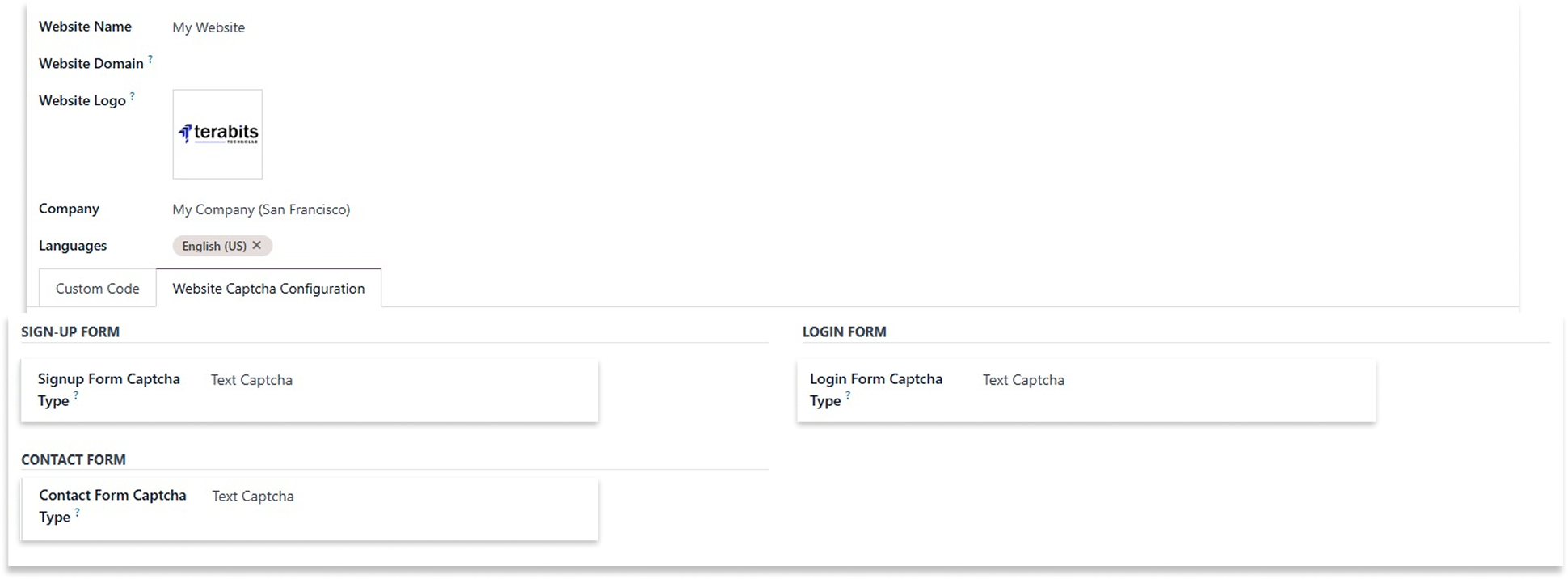
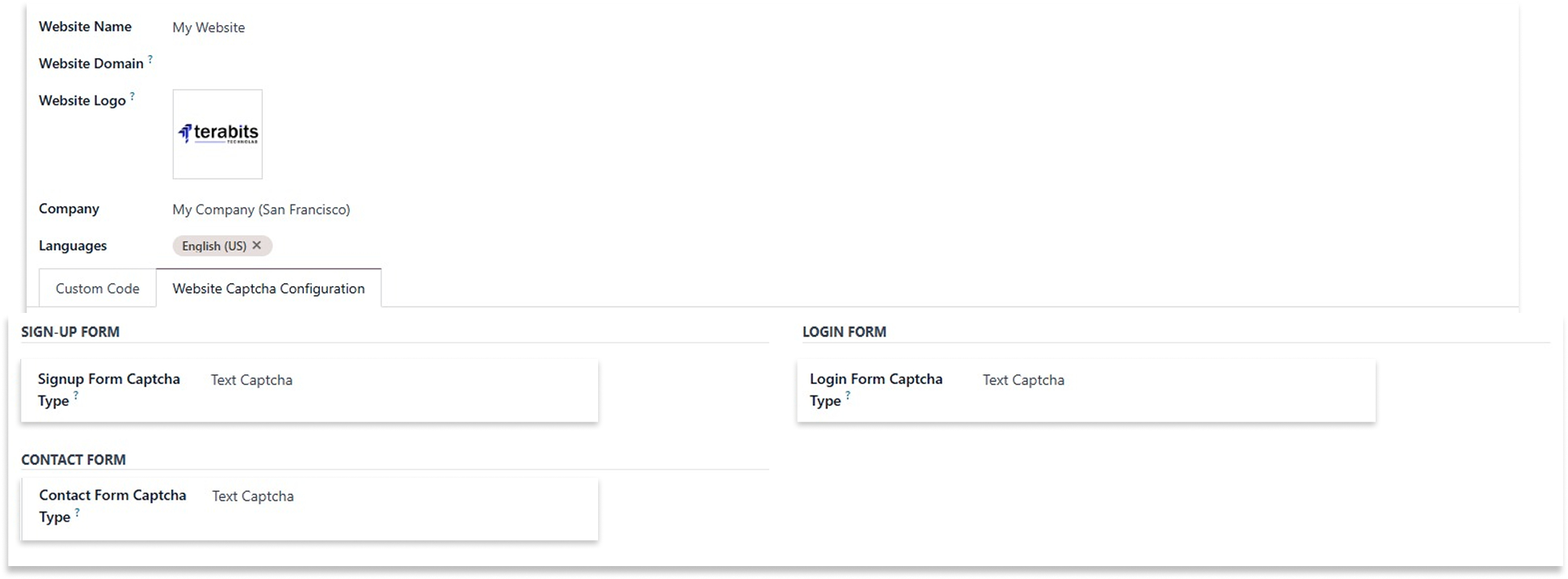
After installing the app, go to the Website > Configiration > Website.
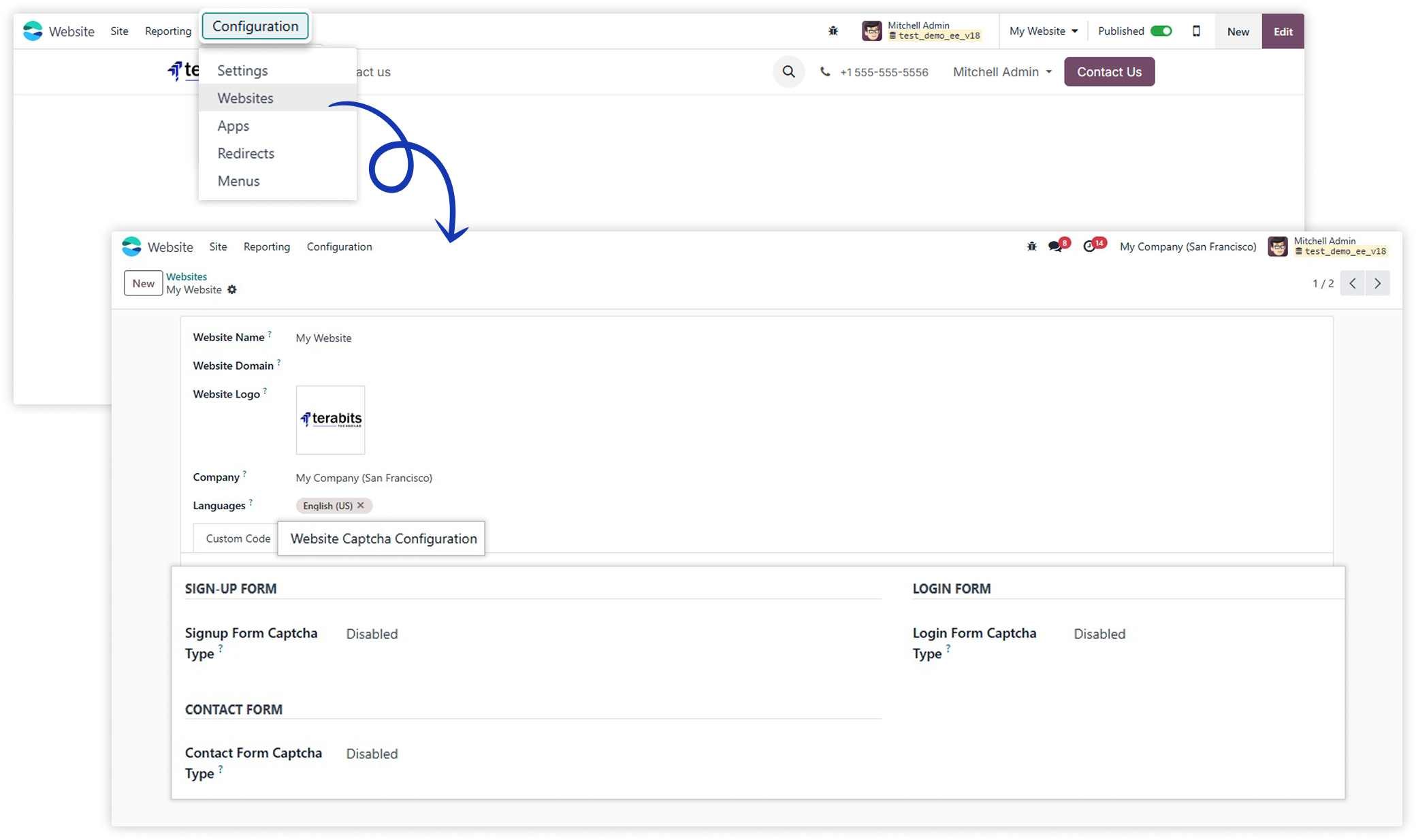
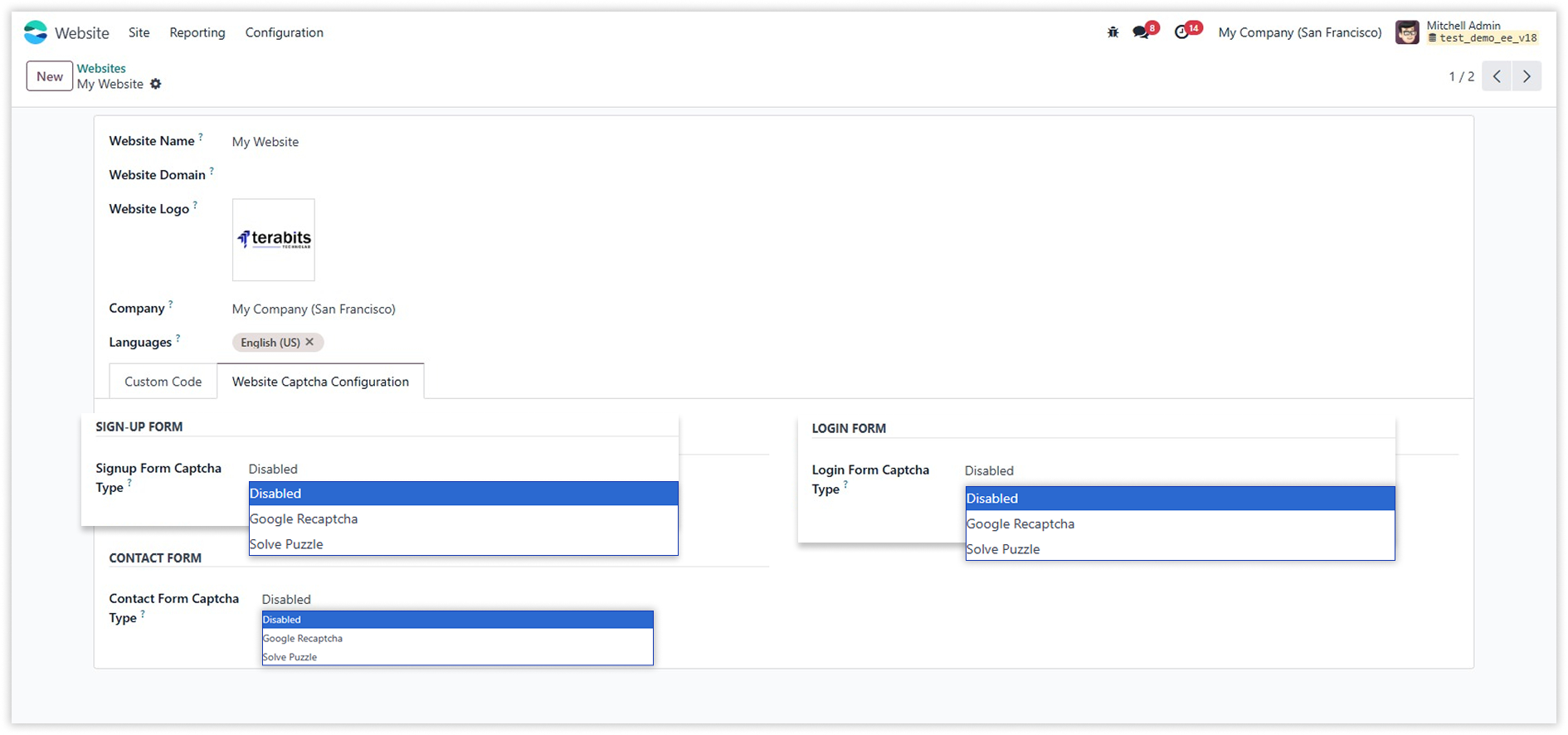
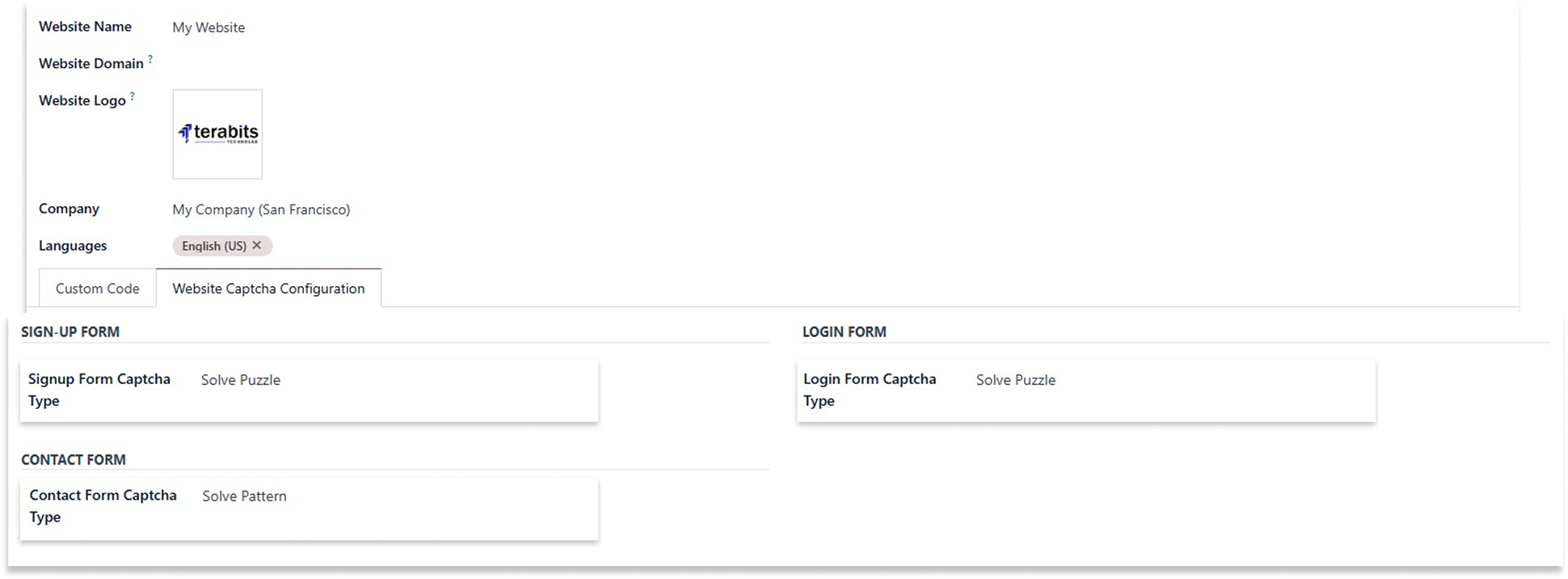
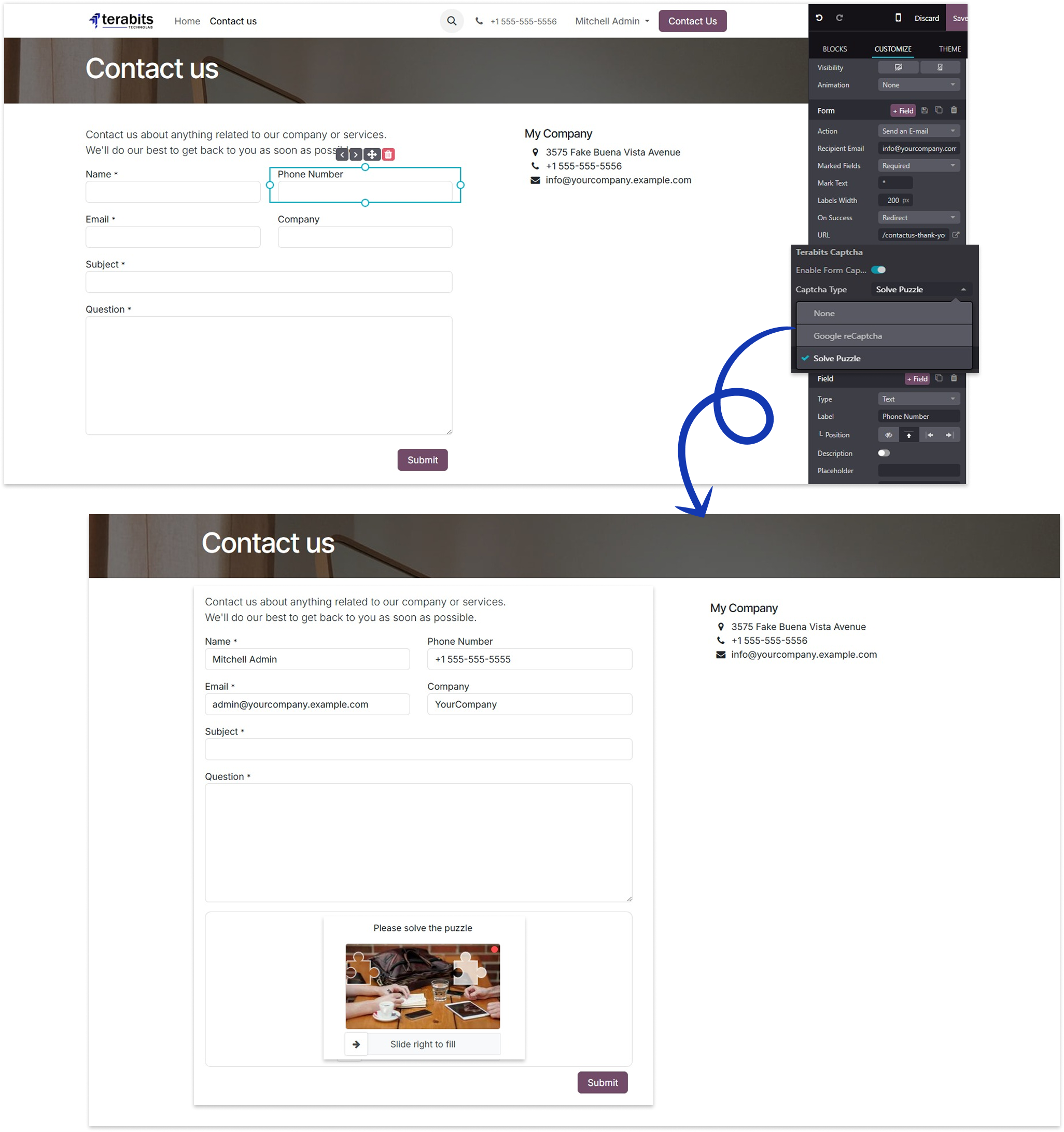
The sign-up, login, and contact forms support three captcha options: None, Google reCAPTCHA, and Solve Puzzle. Users can choose based on the form's needs.

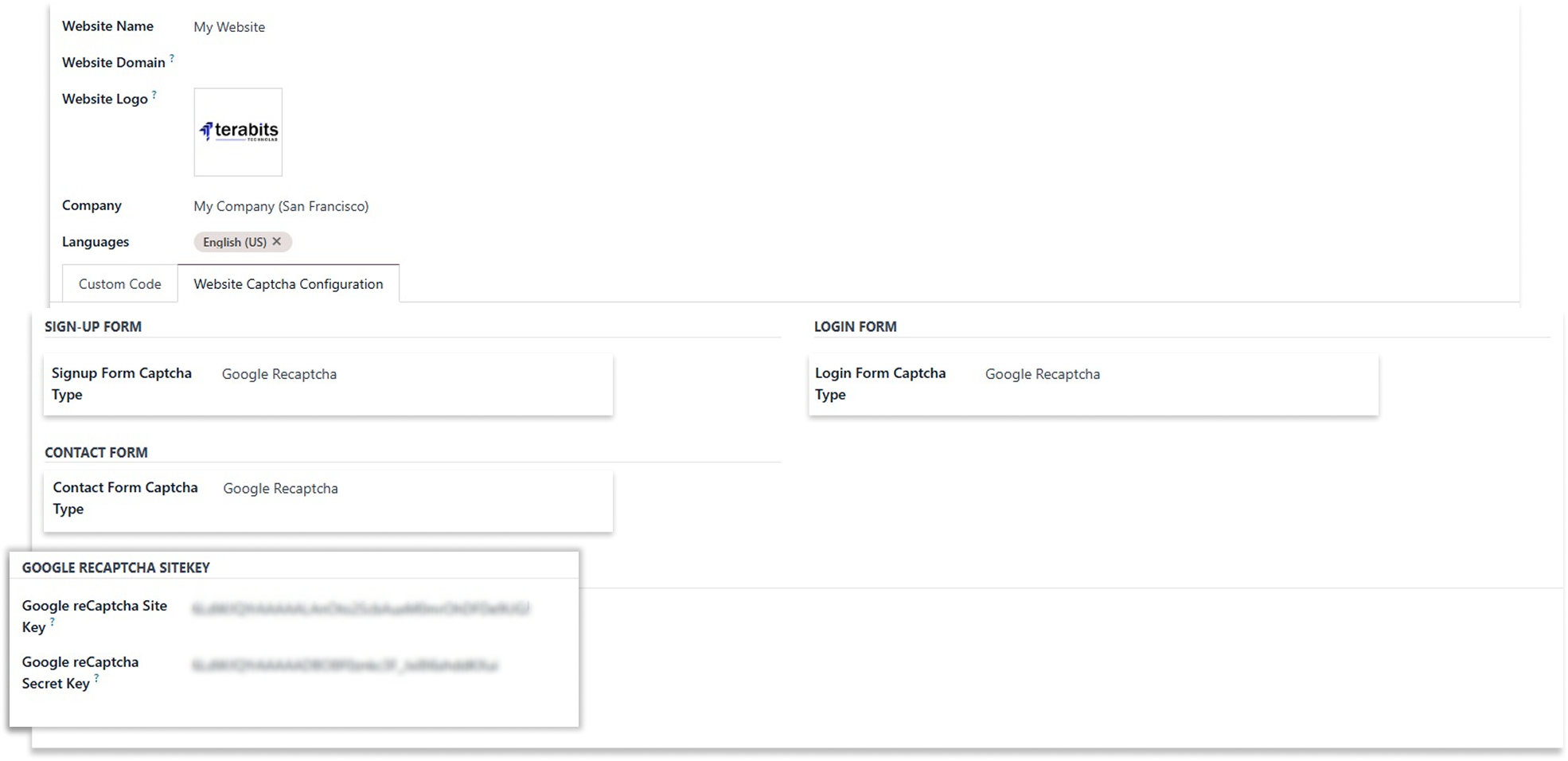
Google reCAPTCHA
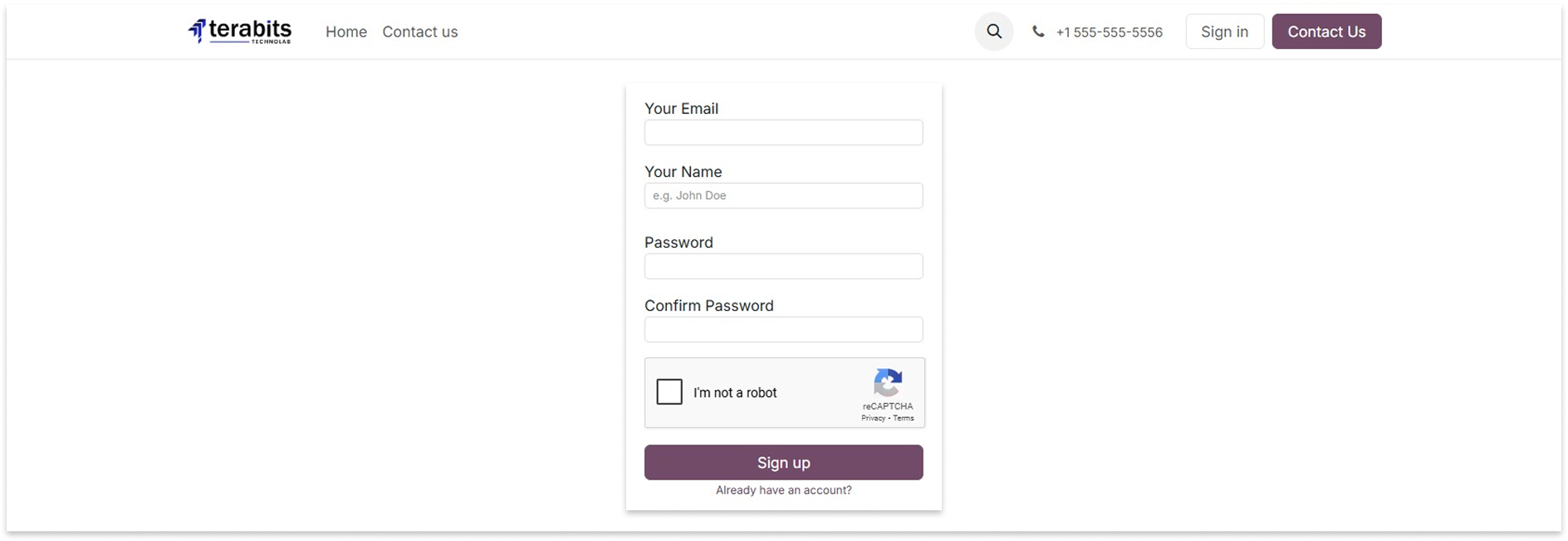
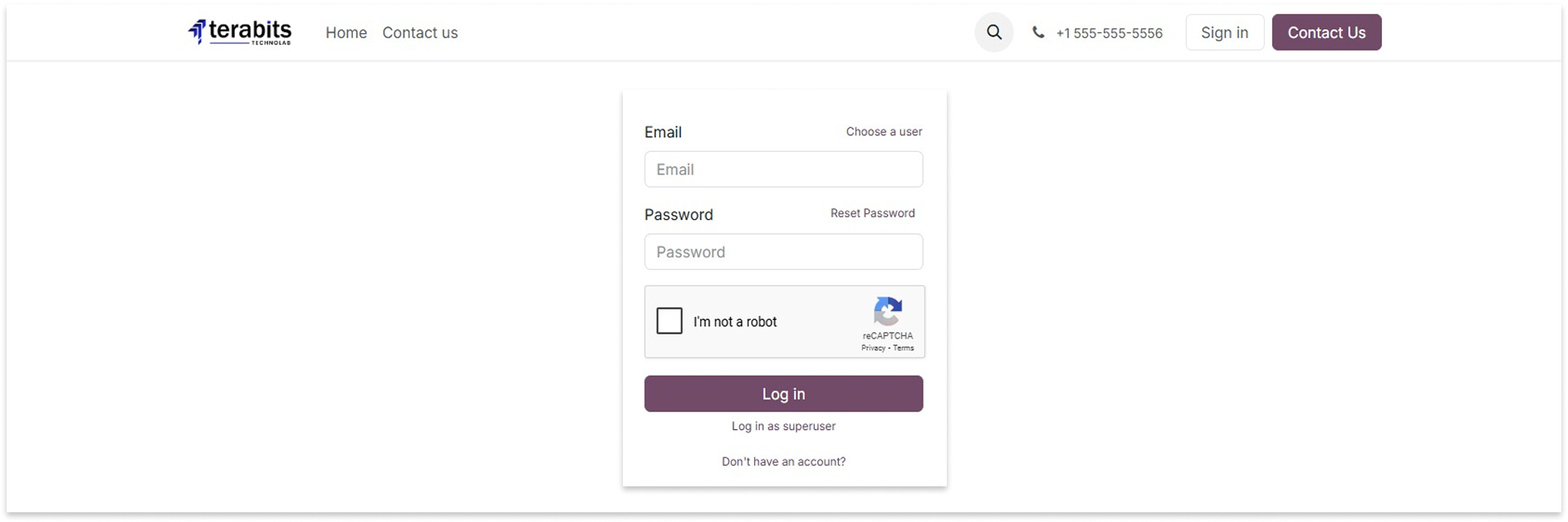
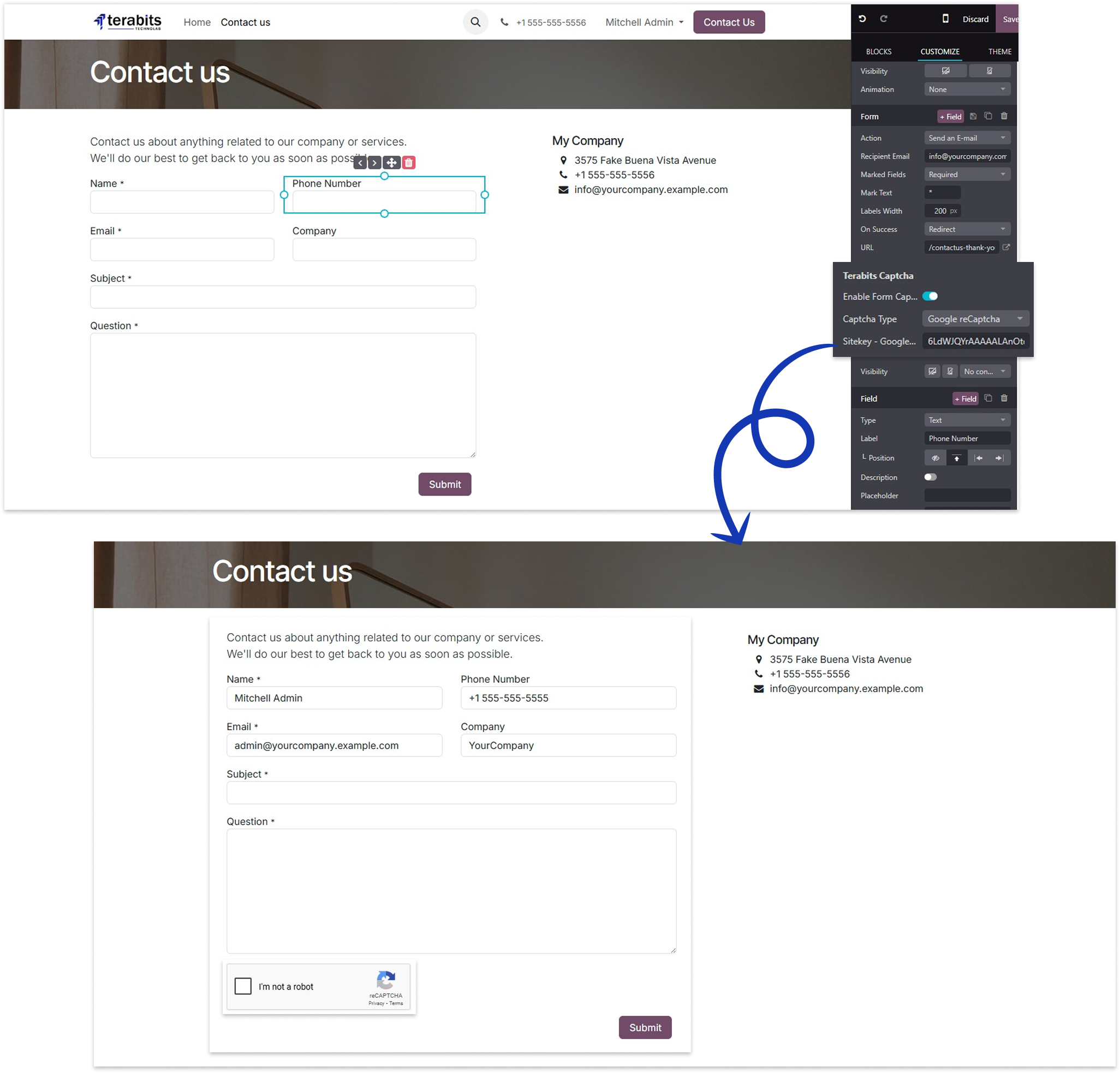
When Google reCAPTCHA option is selected for sign-up, login, or contact forms, you have to add a Google reCaptcha site key and secret key.
Sign-up Form
Login Form
Contact Form
How to create google reCaptcha sitekey/secretkey ?

Solve Puzzel
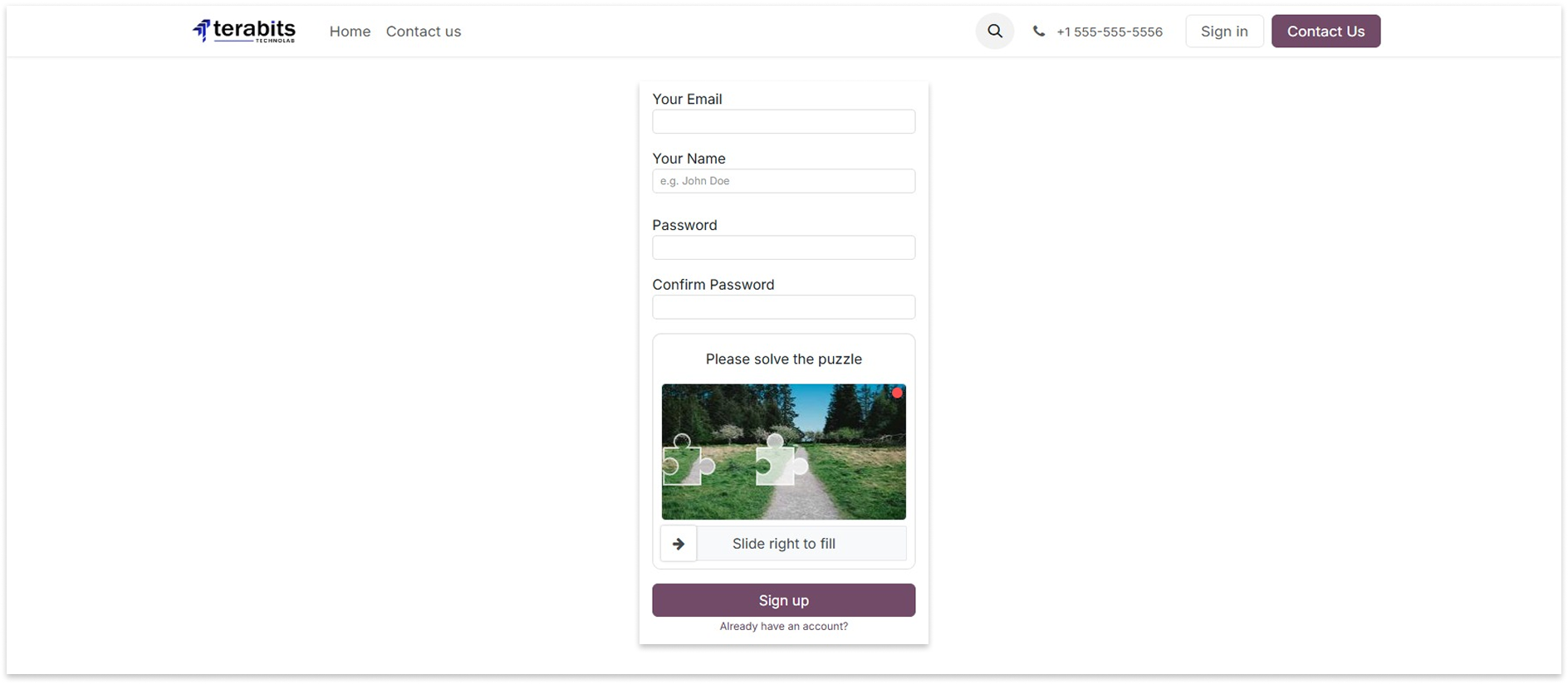
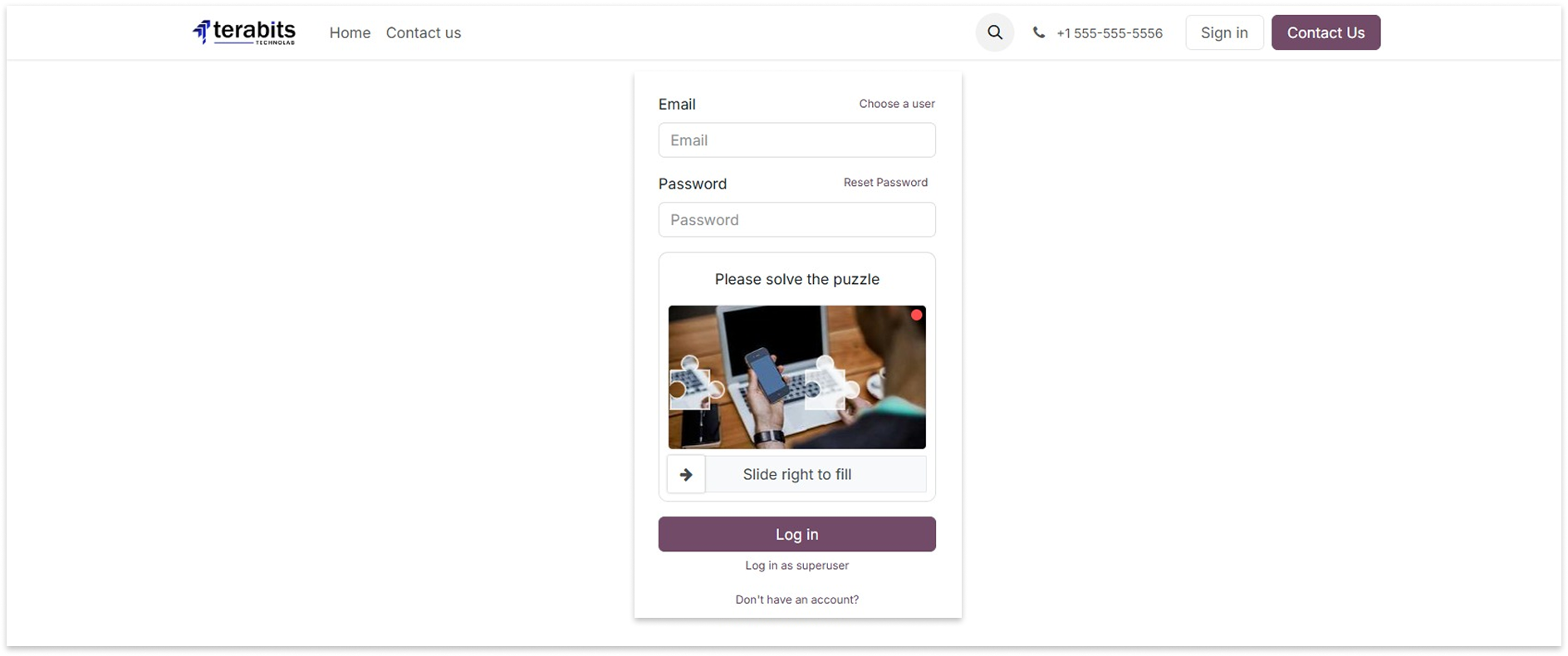
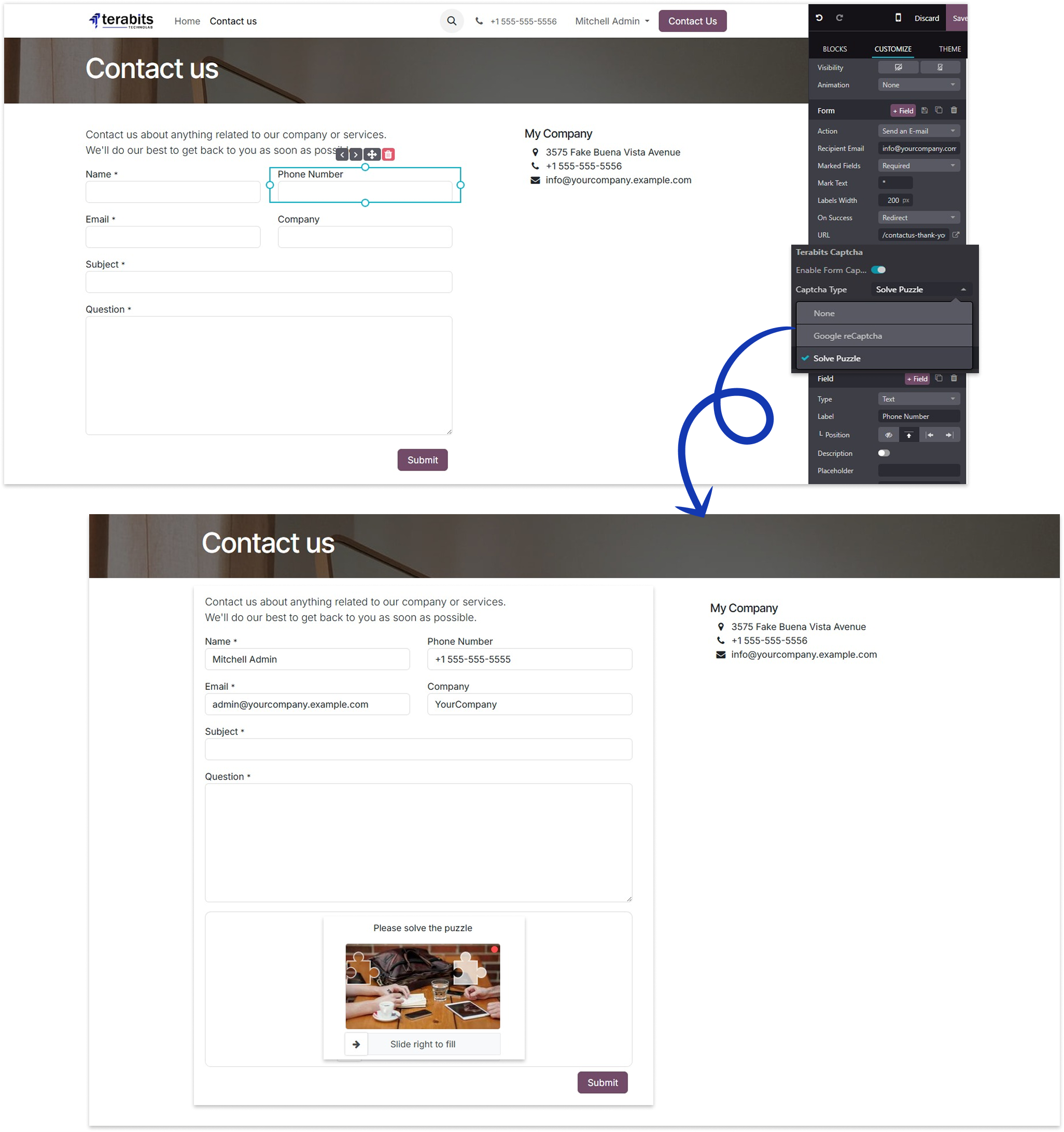
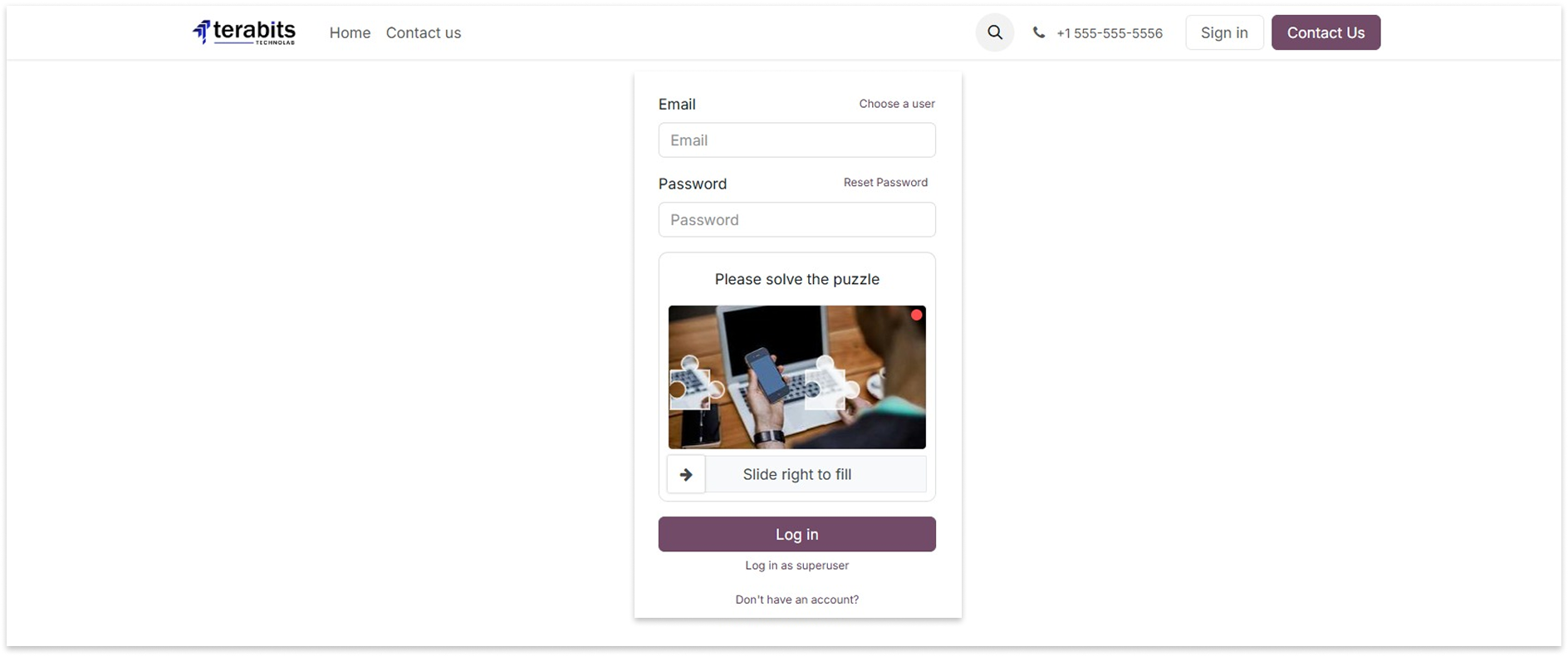
Select the Solve Puzzle option to display the puzzle CAPTCHA on the forms.
Sign-up Form
Login Form
Contact Form
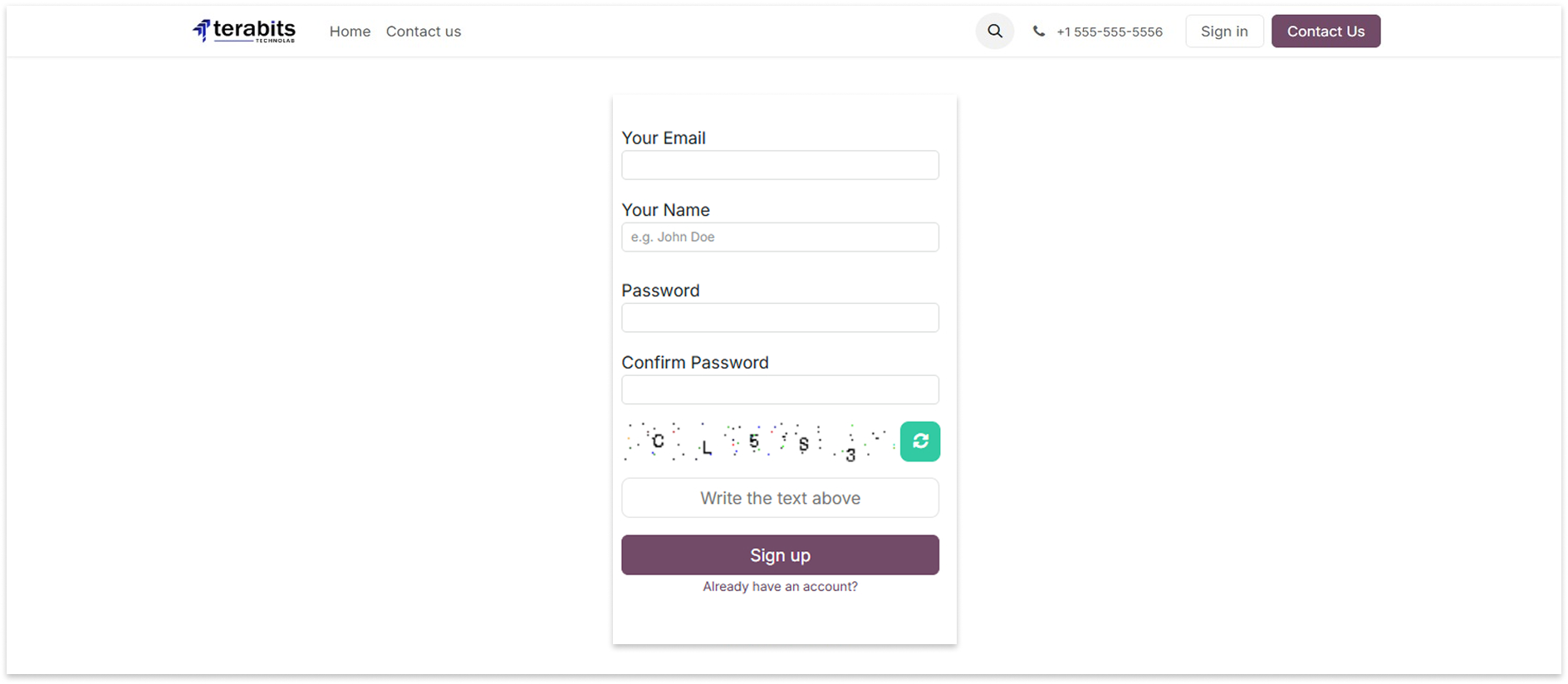
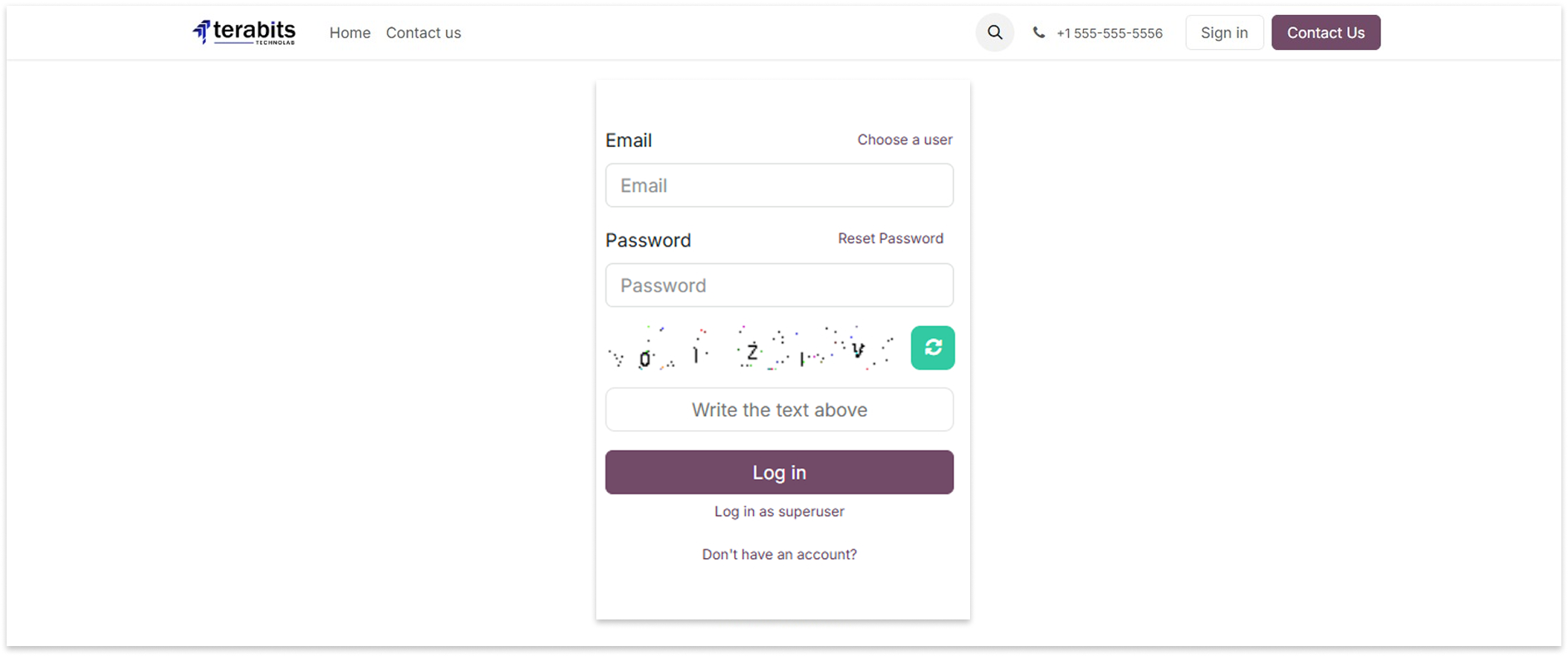
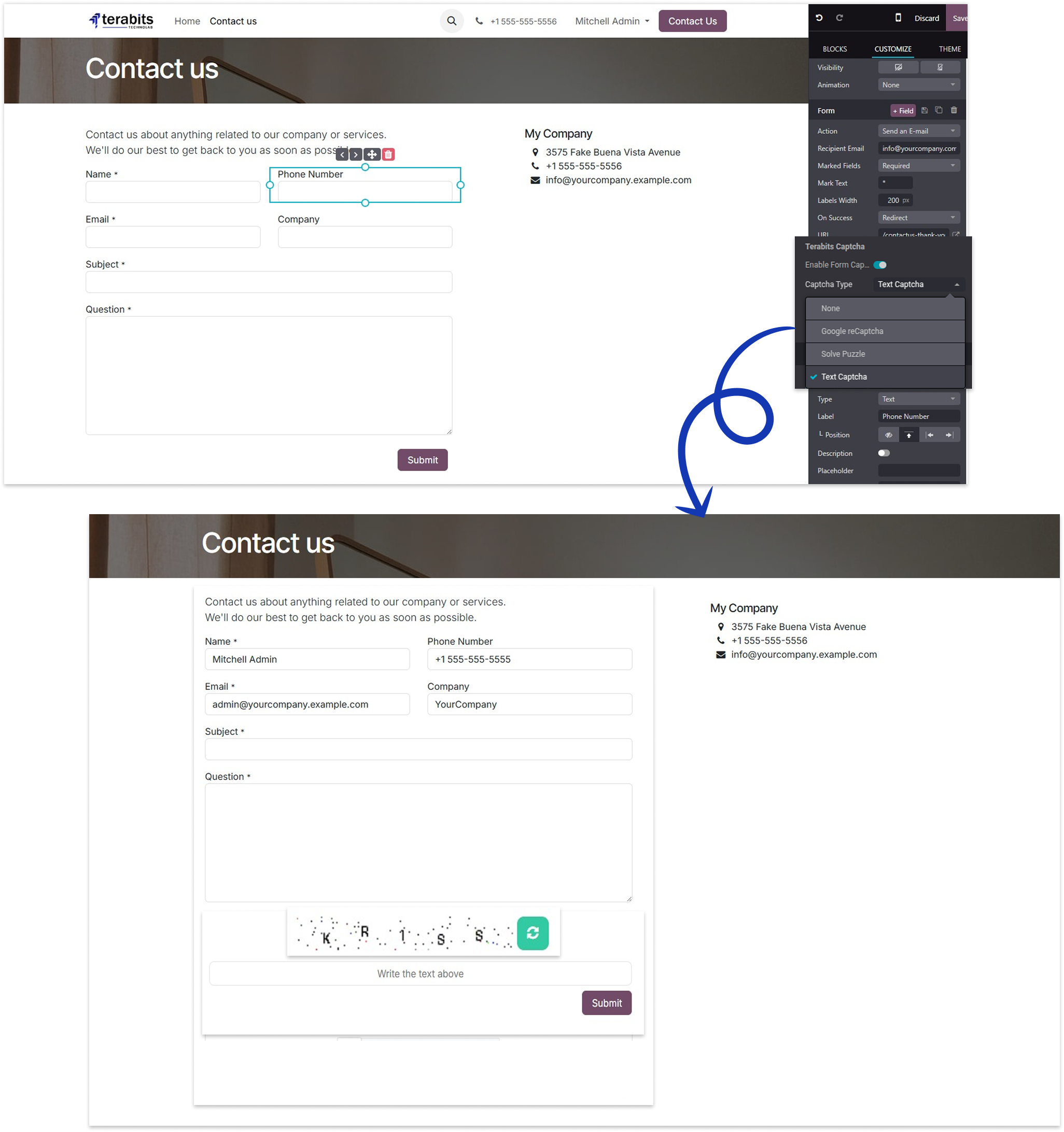
Text Captcha
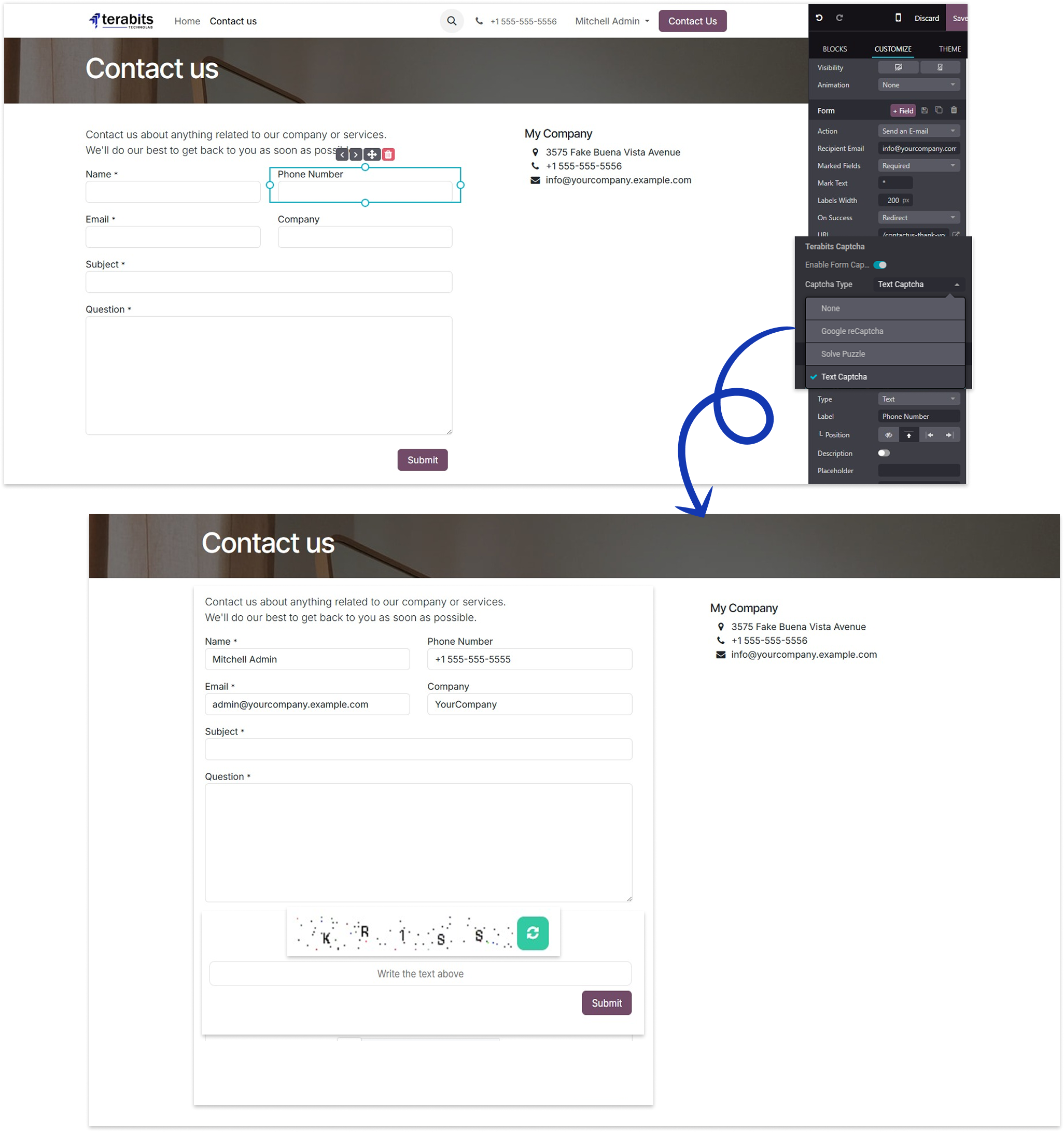
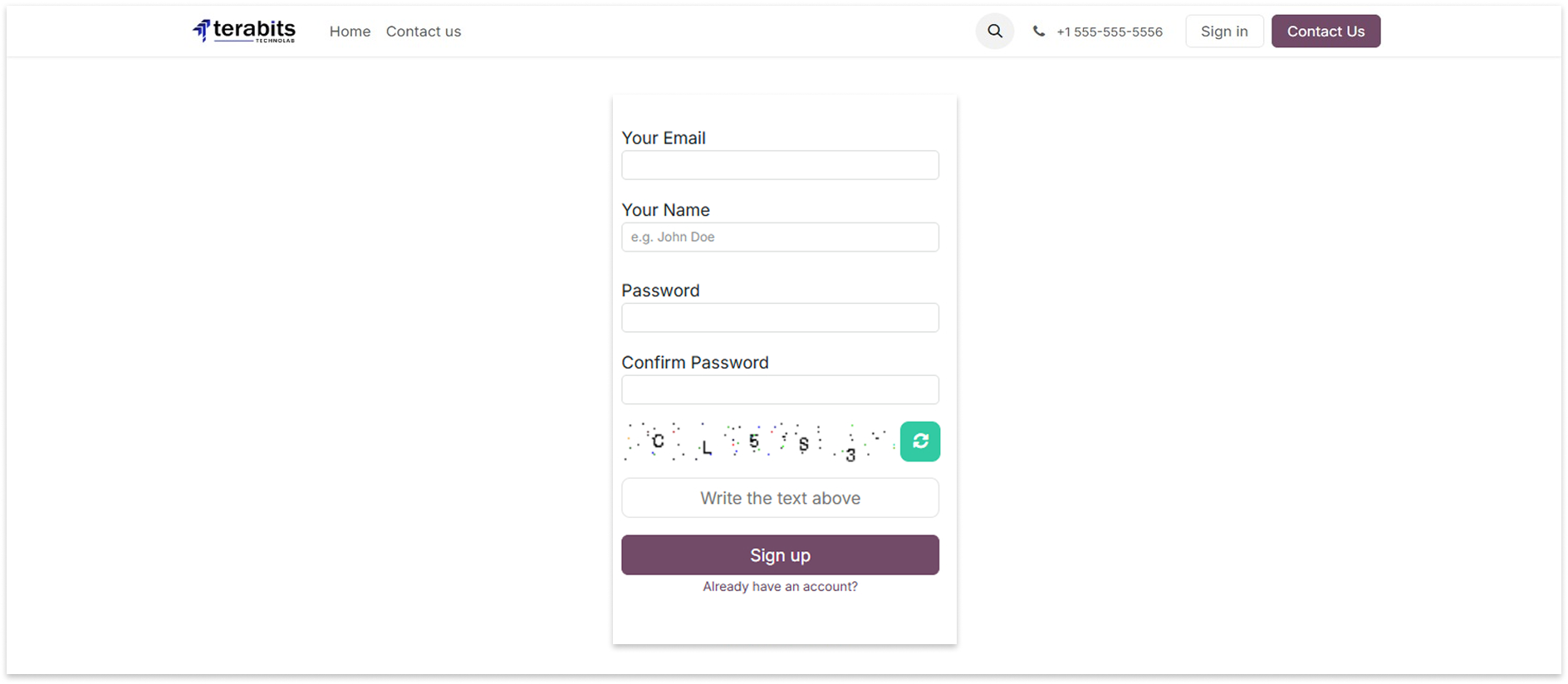
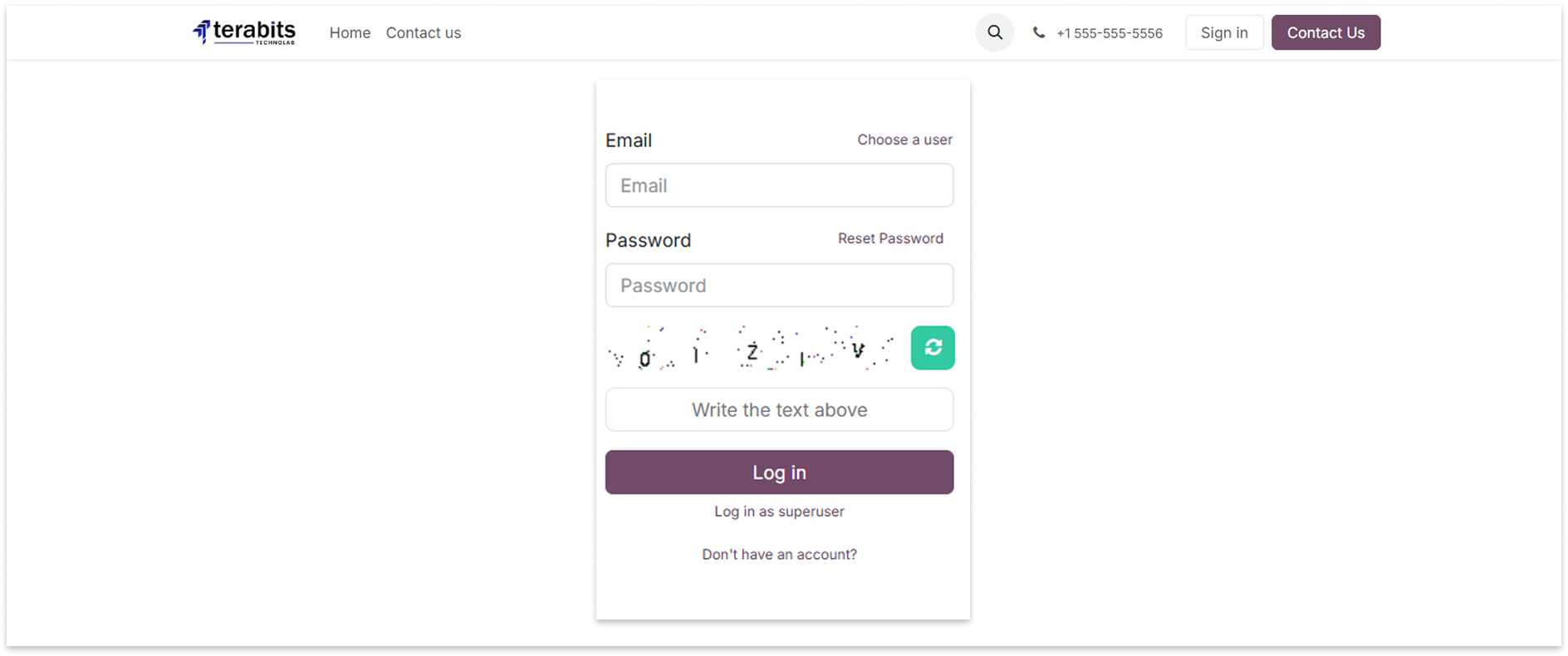
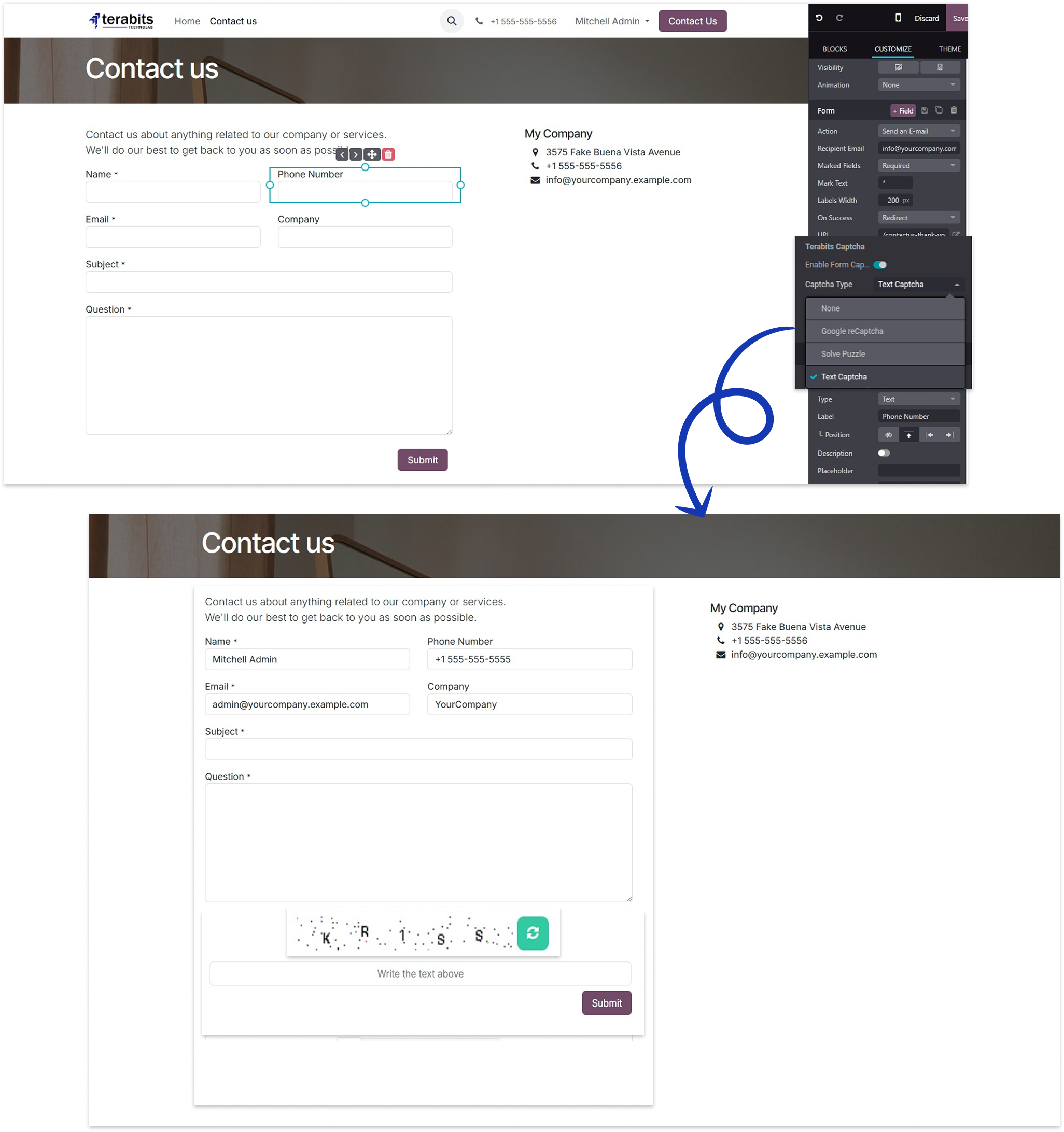
Select the Text Captcha option to display the text captcha and write the captcha text above on the forms.
Sign-up Form
Login Form
Contact Form

Changelog(s)
Each update brings improvements to make the
app work better for you.

Recommended Apps


Need any help for this module?
Contact us info@terabits.xyz for your queries



Dynamic Captcha Manager -
Secure Signup, Login & Contact Forms

Keep your Odoo website safe from spam and bots with the Easy Captcha module. It adds smart
captcha protection to your Signup, Login, and Contact Us forms.
You can choose Google reCAPTCHA, Text captcha and a fun puzzle captcha - and even set a
different one for each form. Everything is easy to manage from the backend.
Best of all, it checks captchas both on the front end (browser) and back end (server), so no one
can bypass it using browser tools.

Key Features

Protects your website forms

Choose from 3 captcha options

Double protection = browser + server

Set different captchas for each form

Blocks spam and bots automatically

How to use it

After installing the app, go to the Website > Configiration > Website.
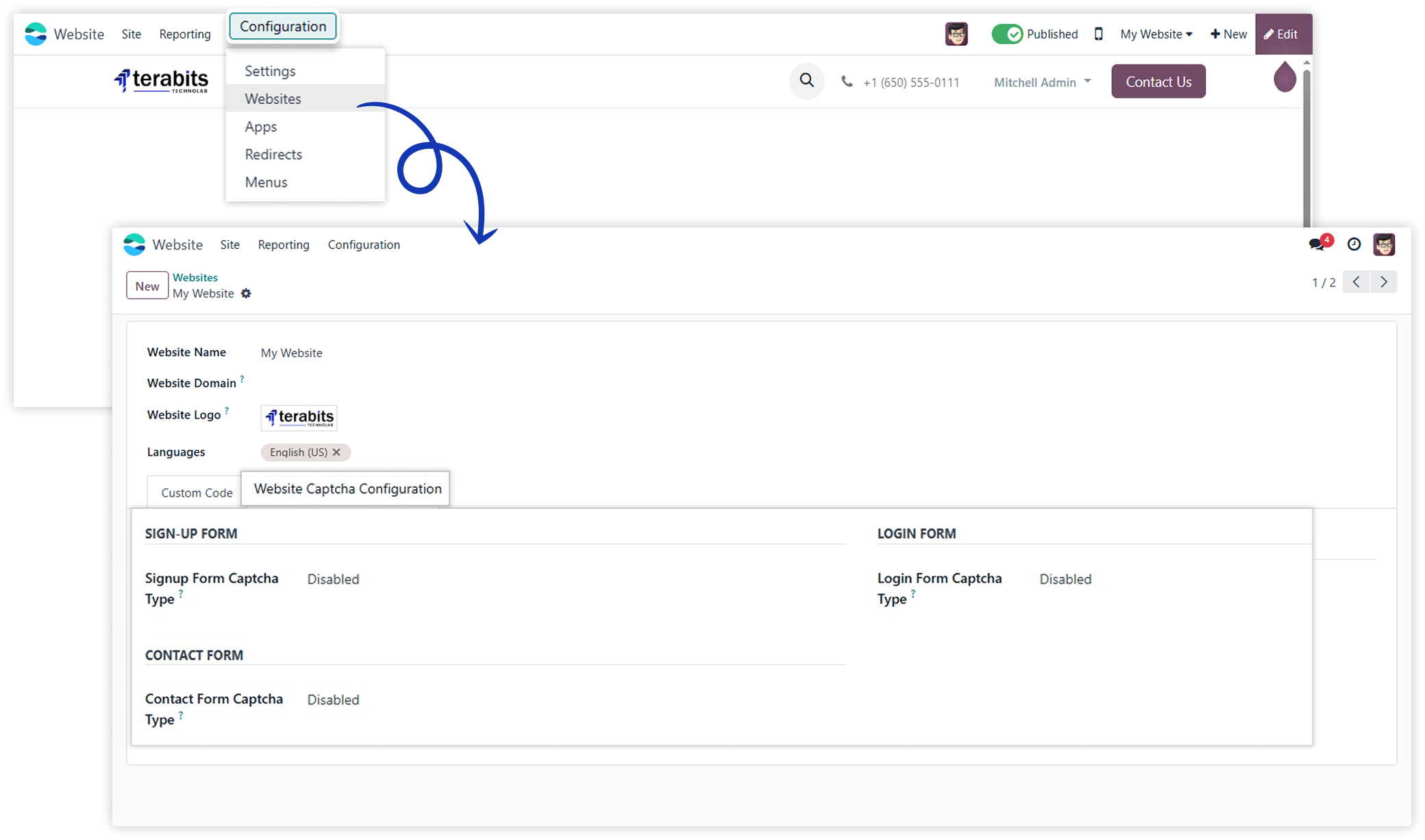
The sign-up, login, and contact forms support three captcha options: None, Google reCAPTCHA, and Solve Puzzle. Users can choose based on the form's needs.
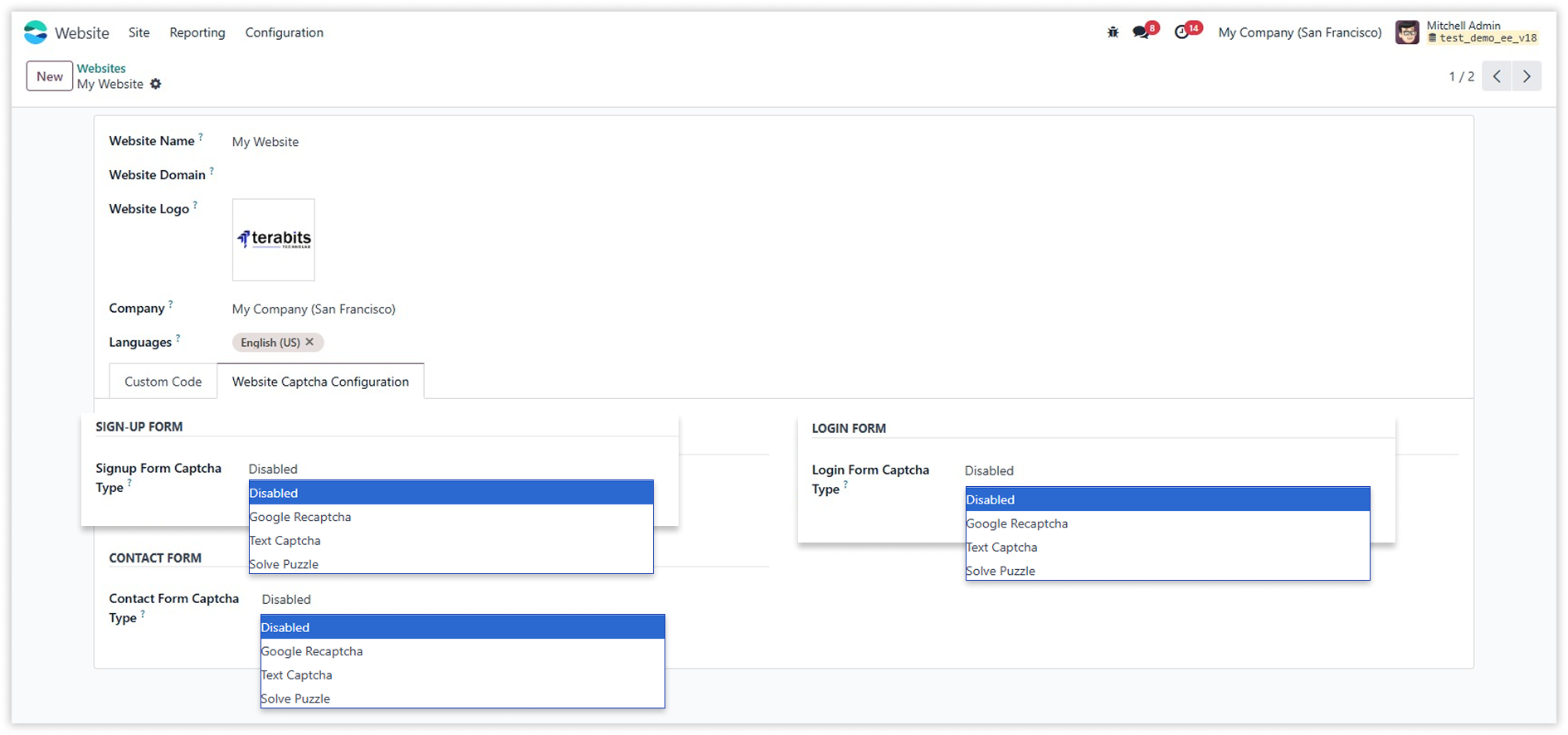

Google reCAPTCHA
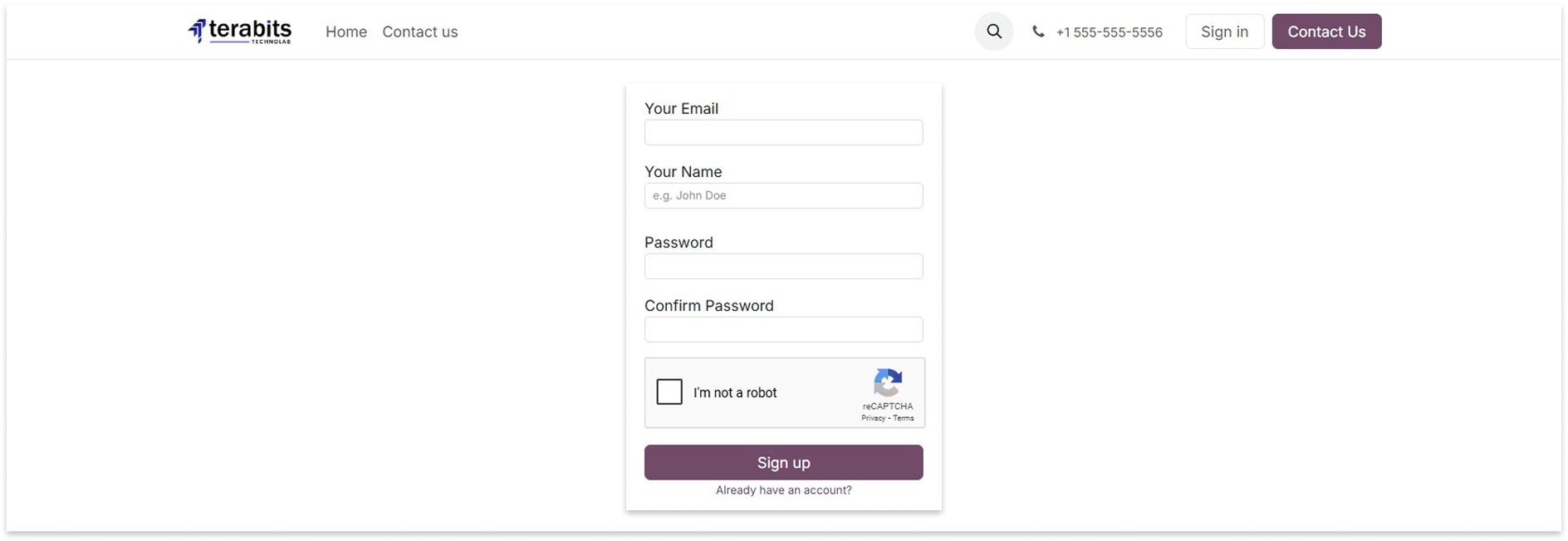
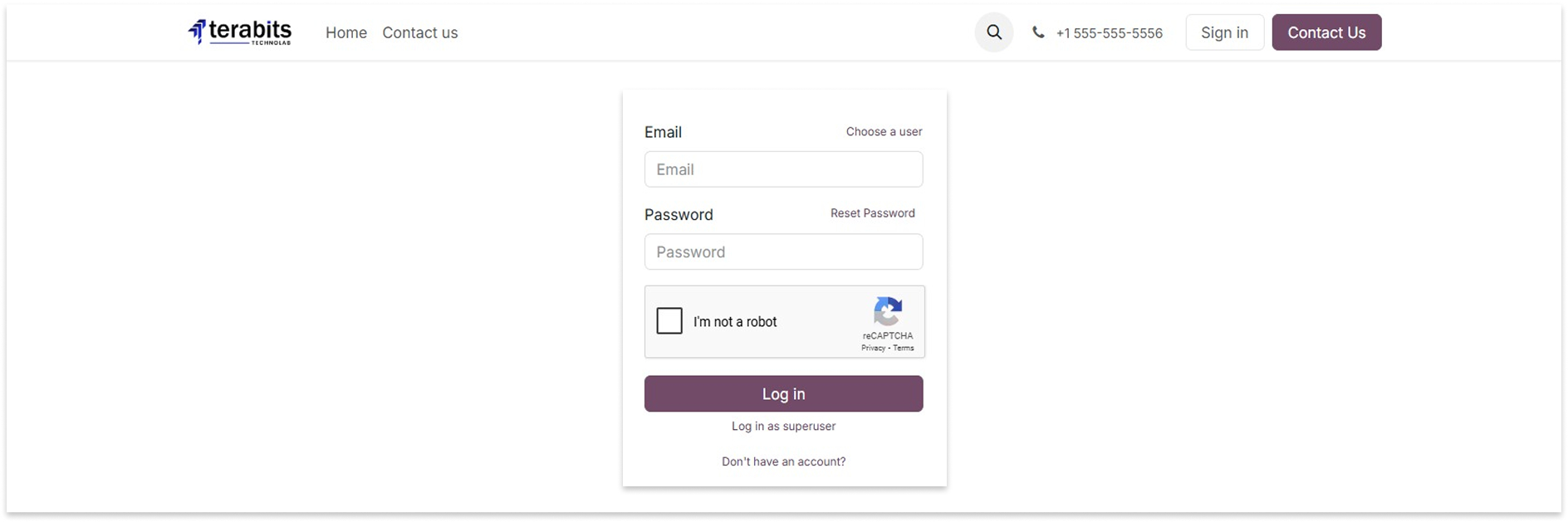
When Google reCAPTCHA option is selected for sign-up, login, or contact forms, you have to add a Google reCaptcha site key and secret key.
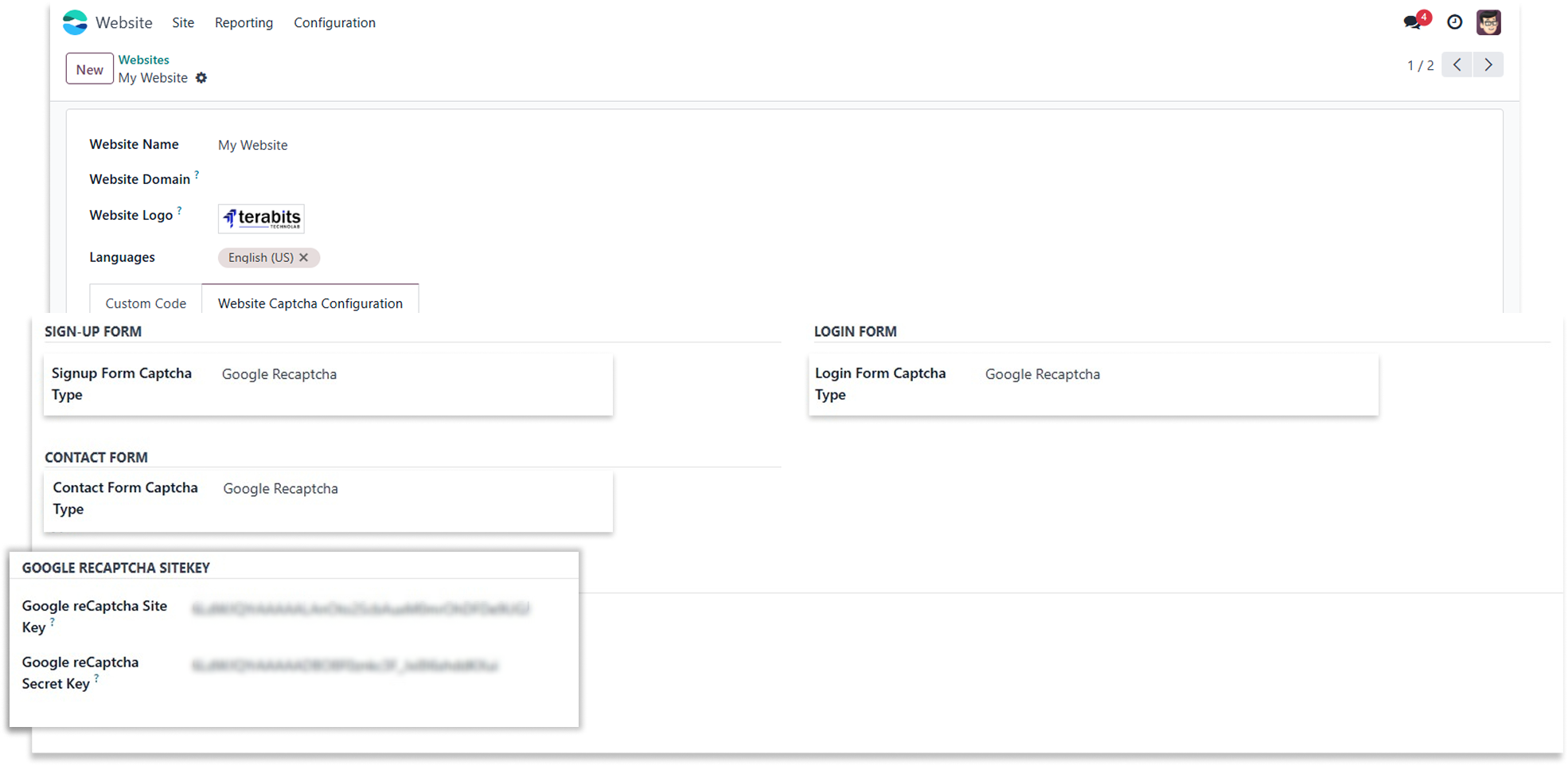
Sign-up Form
Login Form
Contact Form
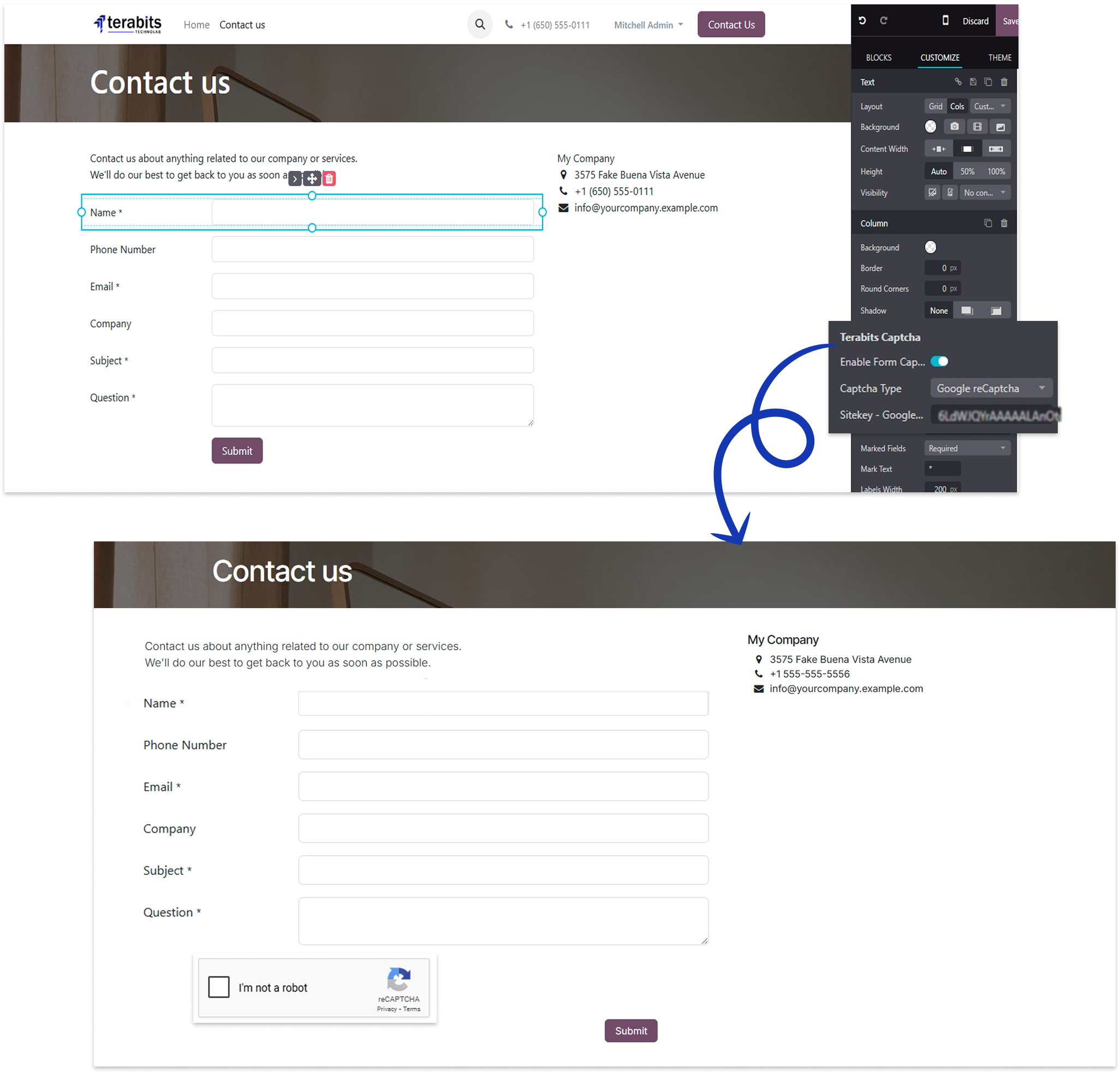
How to create google reCaptcha sitekey/secretkey ?

Solve Puzzel
Select the Solve Puzzle option to display the puzzle CAPTCHA on the forms.
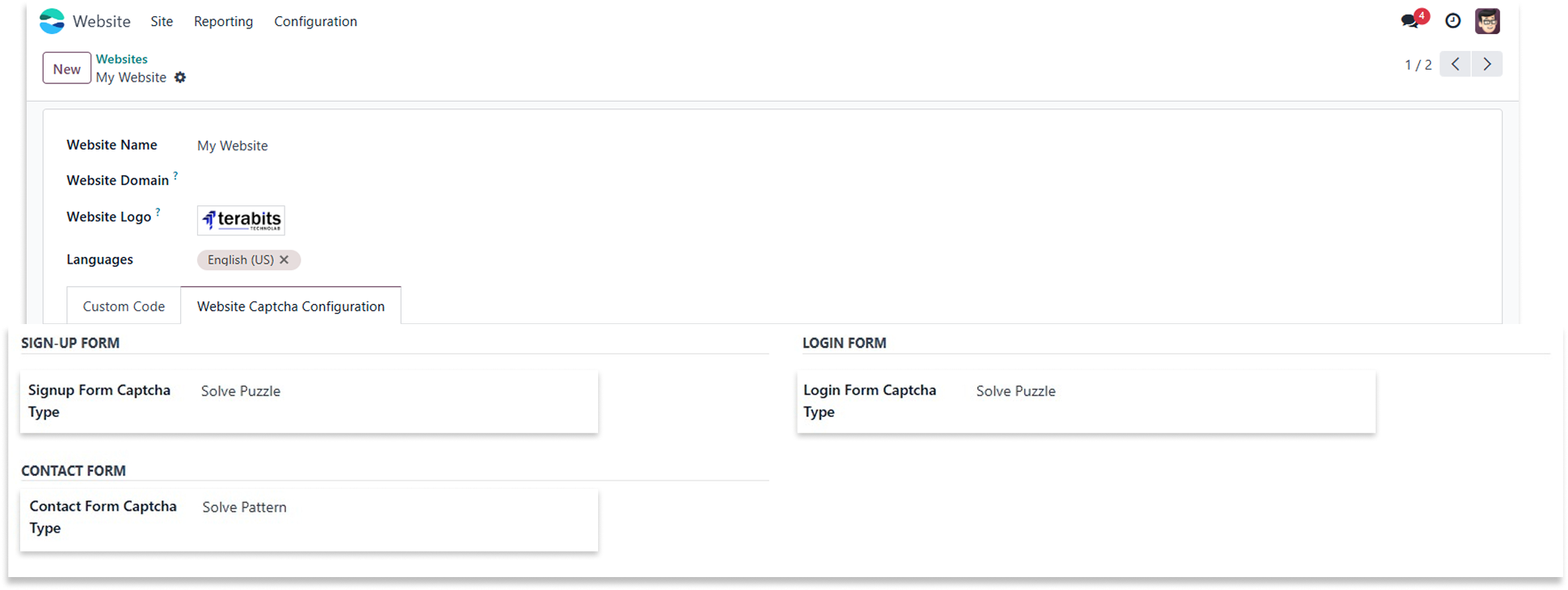
Sign-up Form
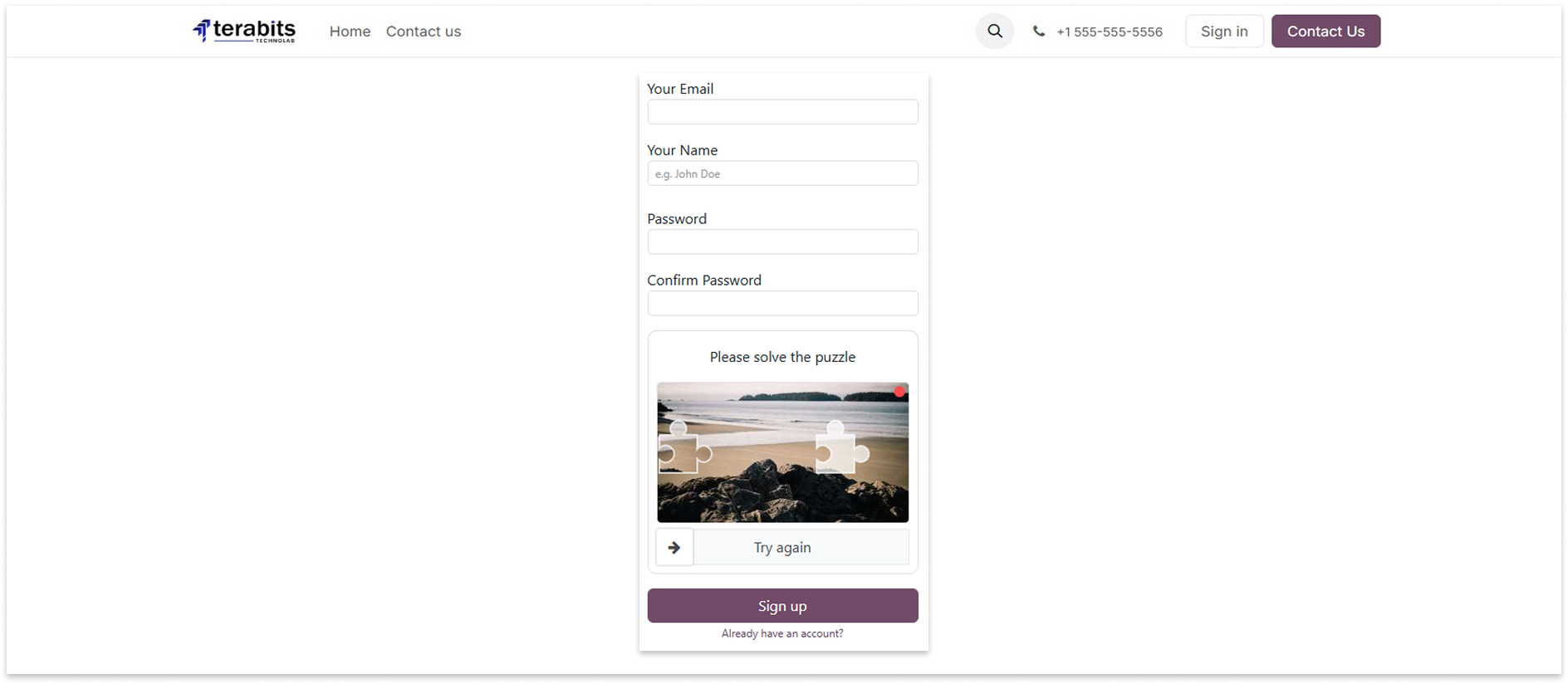
Login Form
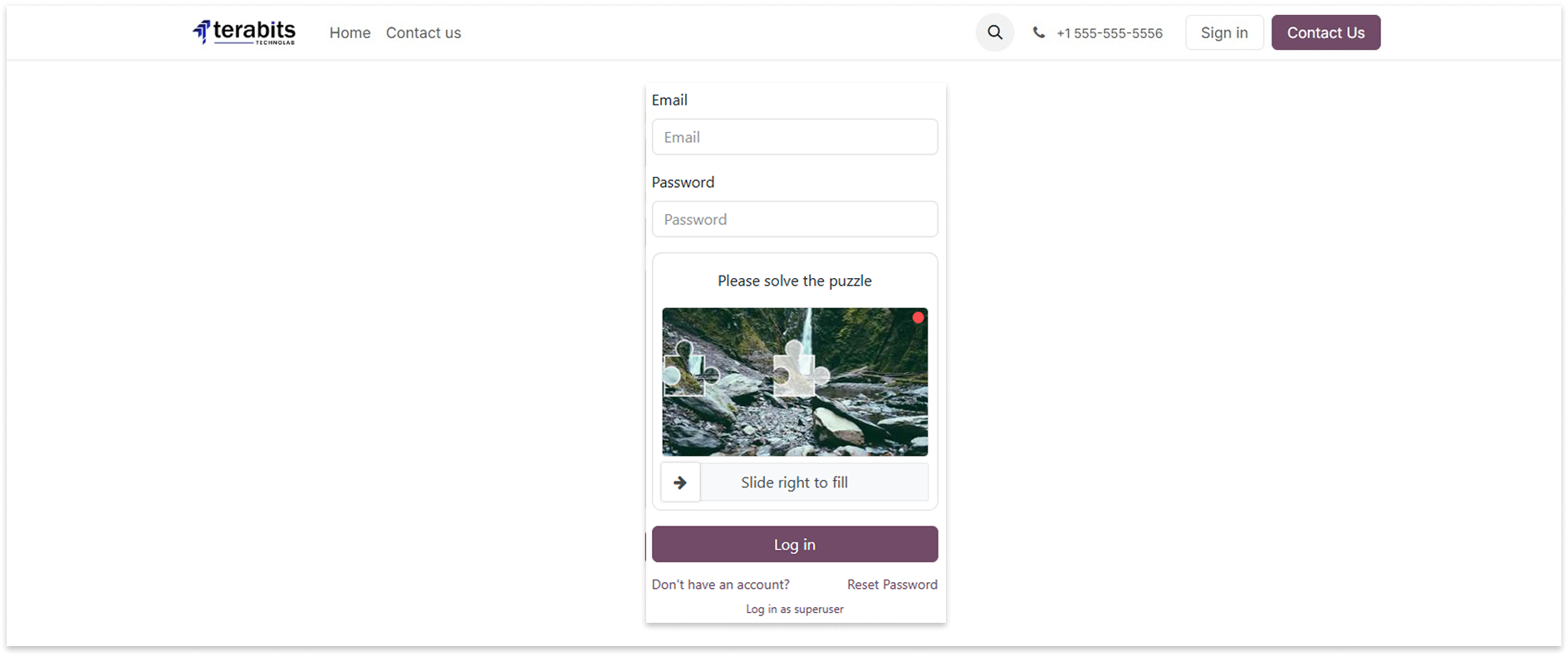
Contact Form
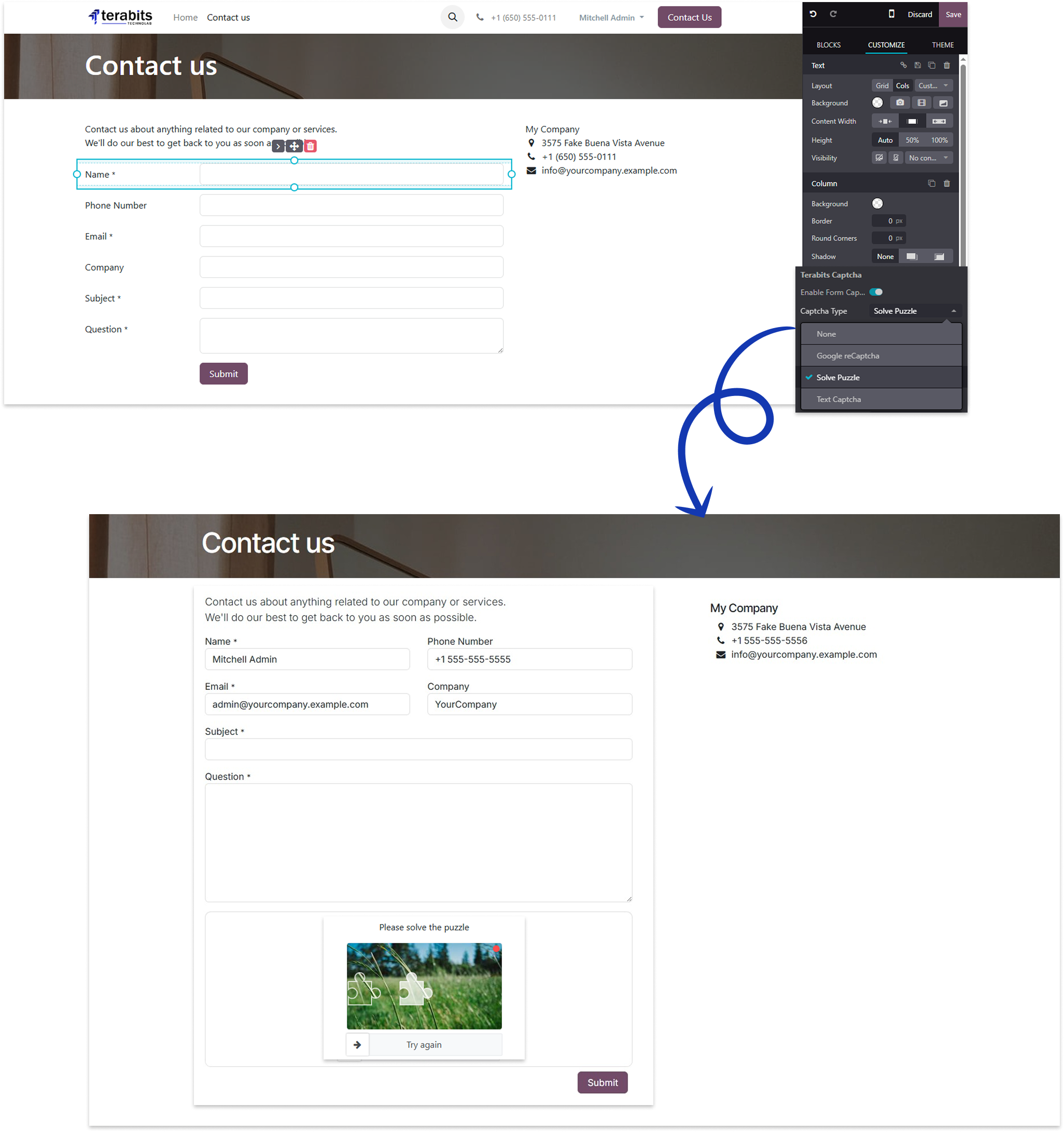
Text Captcha
Select the Text Captcha option to display the text captcha and write the captcha text above on the forms.
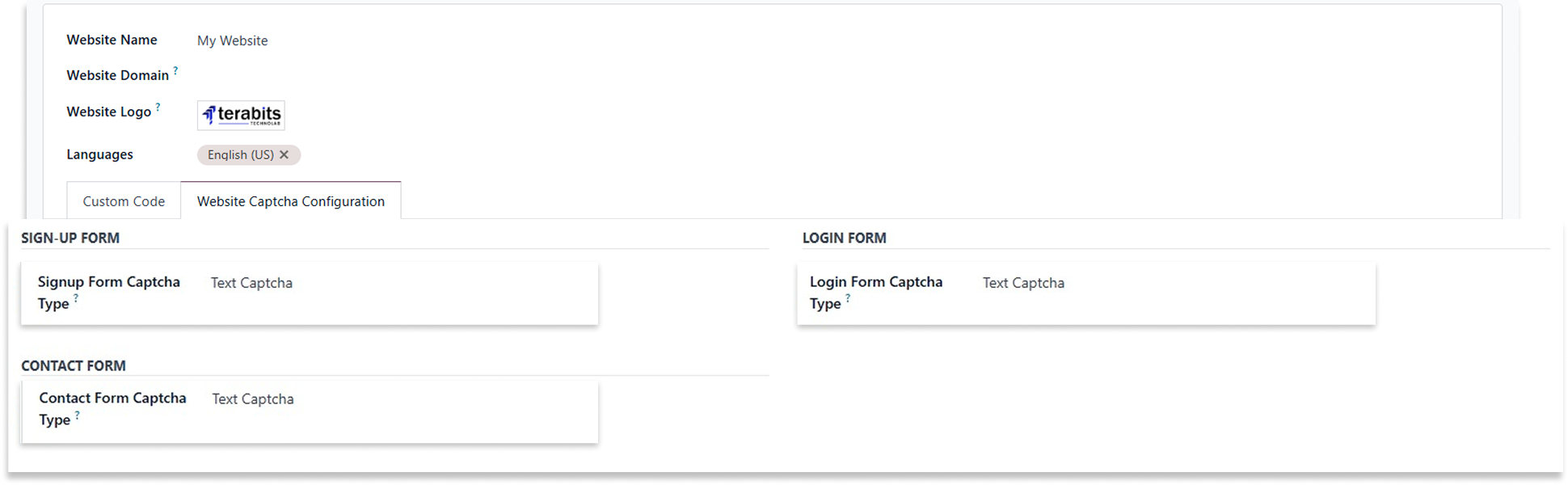
Sign-up Form
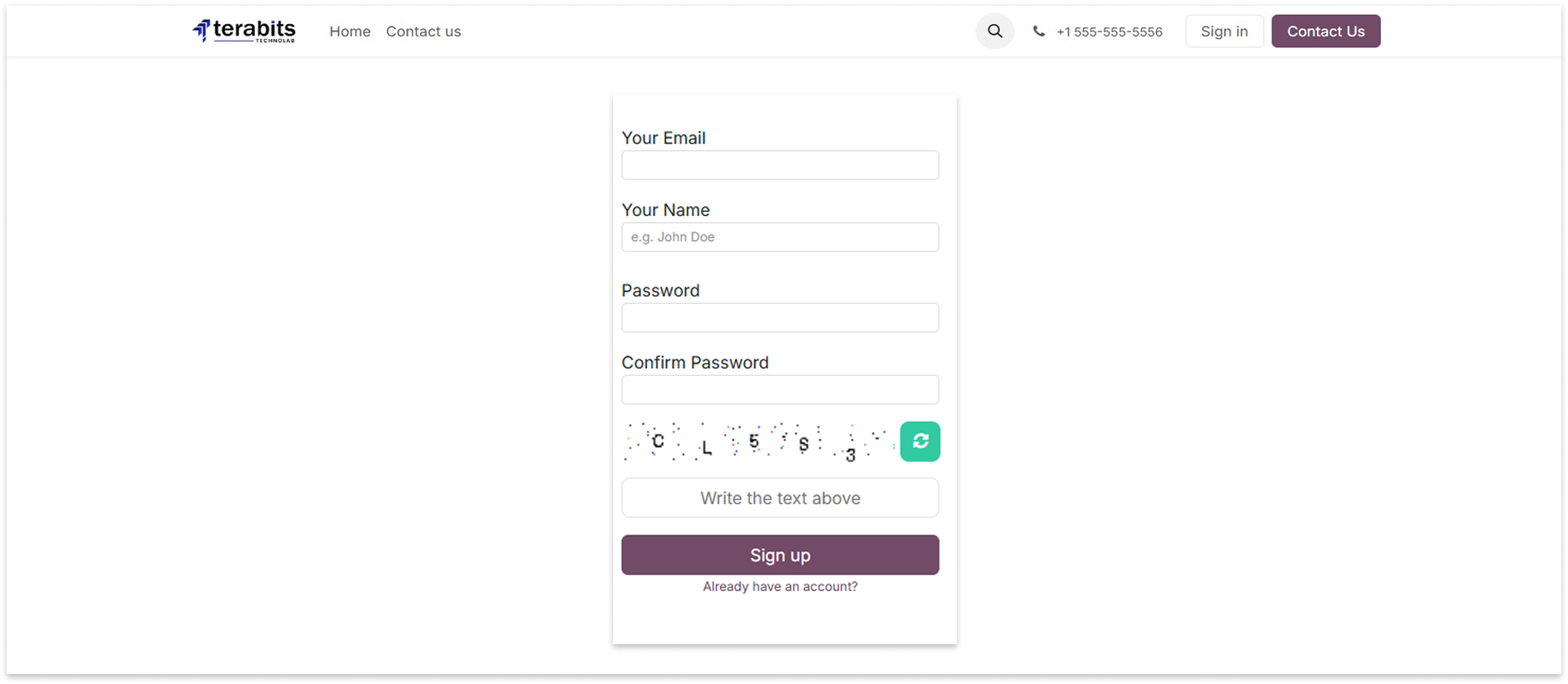
Login Form
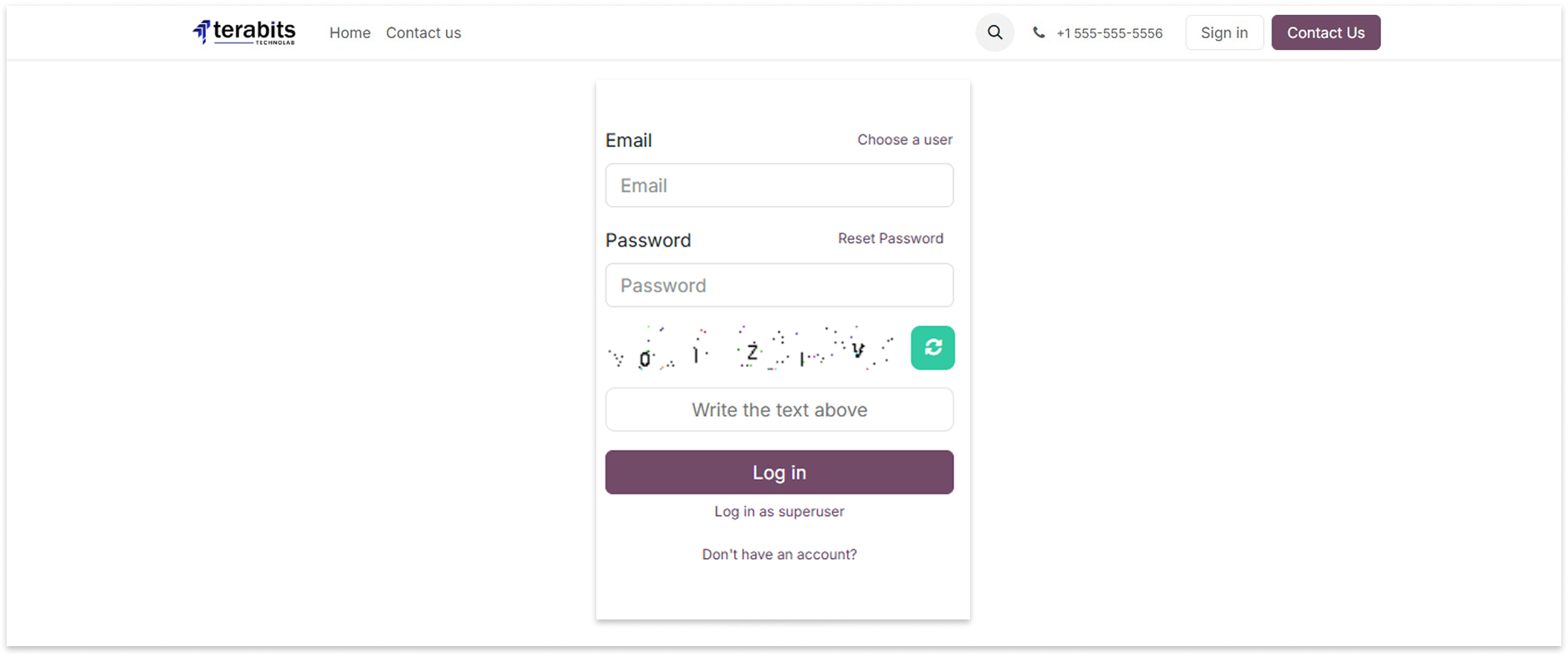
Contact Form
Changelog(s)
17.0.1.0.0 - APRIL 22, 2025
Initial release for v17
Recommanded apps





Need any help for this module?
Contact us info@terabits.xyz for your queries


Dynamic Captcha Manager -
Secure Signup, Login & Contact Forms

Keep your Odoo website safe from spam and bots with the Easy Captcha module. It adds smart
captcha protection to your Signup, Login, and Contact Us forms.
You can choose Google reCAPTCHA, Text captcha and a fun puzzle captcha - and even set a
different one for each form. Everything is easy to manage from the backend.
Best of all, it checks captchas both on the front end (browser) and back end (server), so no one
can bypass it using browser tools.

Key Features

Protects your website forms

Choose from 3 captcha options

Double protection = browser + server

Set different captchas for each form

Blocks spam and bots automatically

How to use it

After installing the app, go to the Website > Configiration > Website.
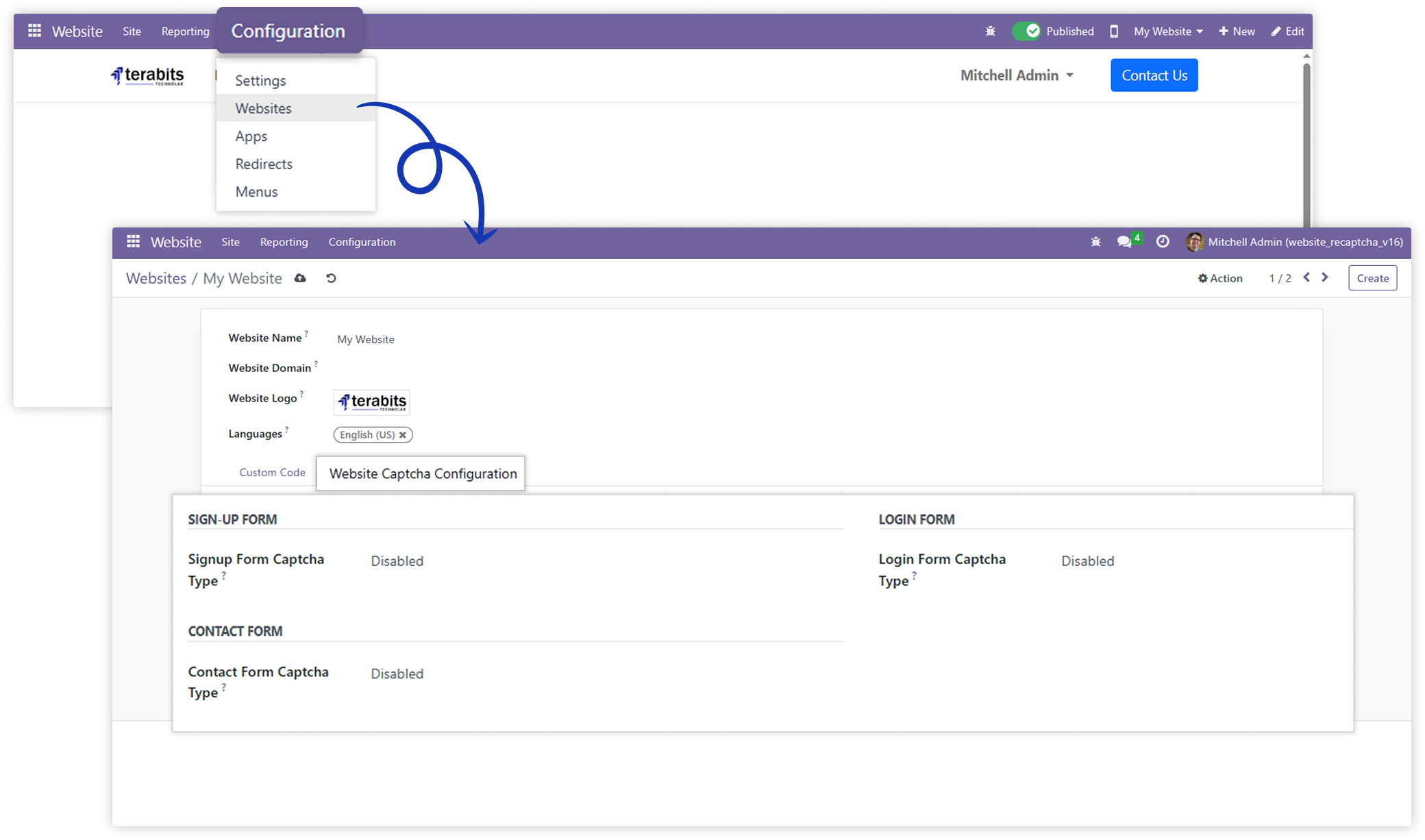
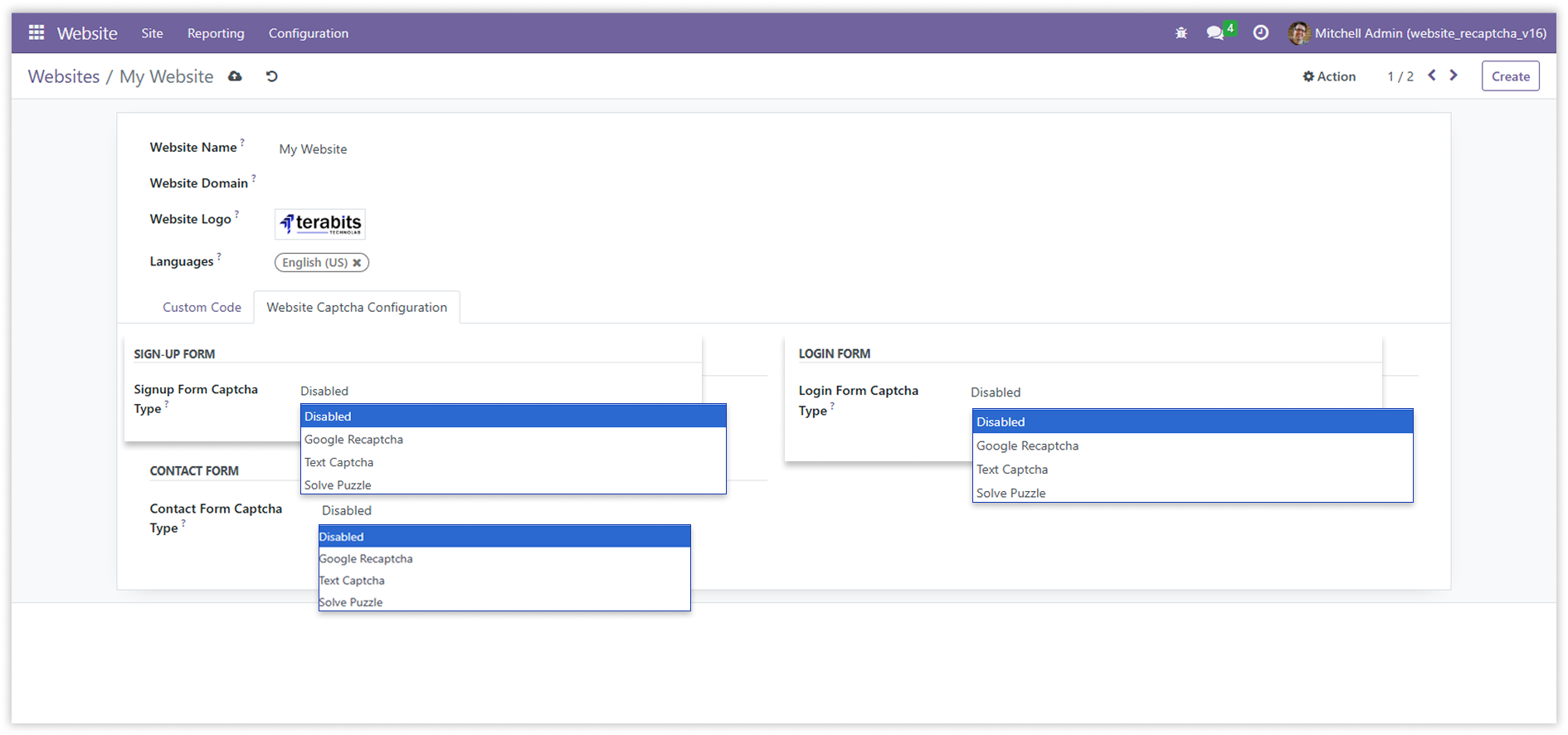
The sign-up, login, and contact forms support three captcha options: None, Google reCAPTCHA, and Solve Puzzle. Users can choose based on the form's needs.

Google reCAPTCHA
When Google reCAPTCHA option is selected for sign-up, login, or contact forms, you have to add a Google reCaptcha site key and secret key.
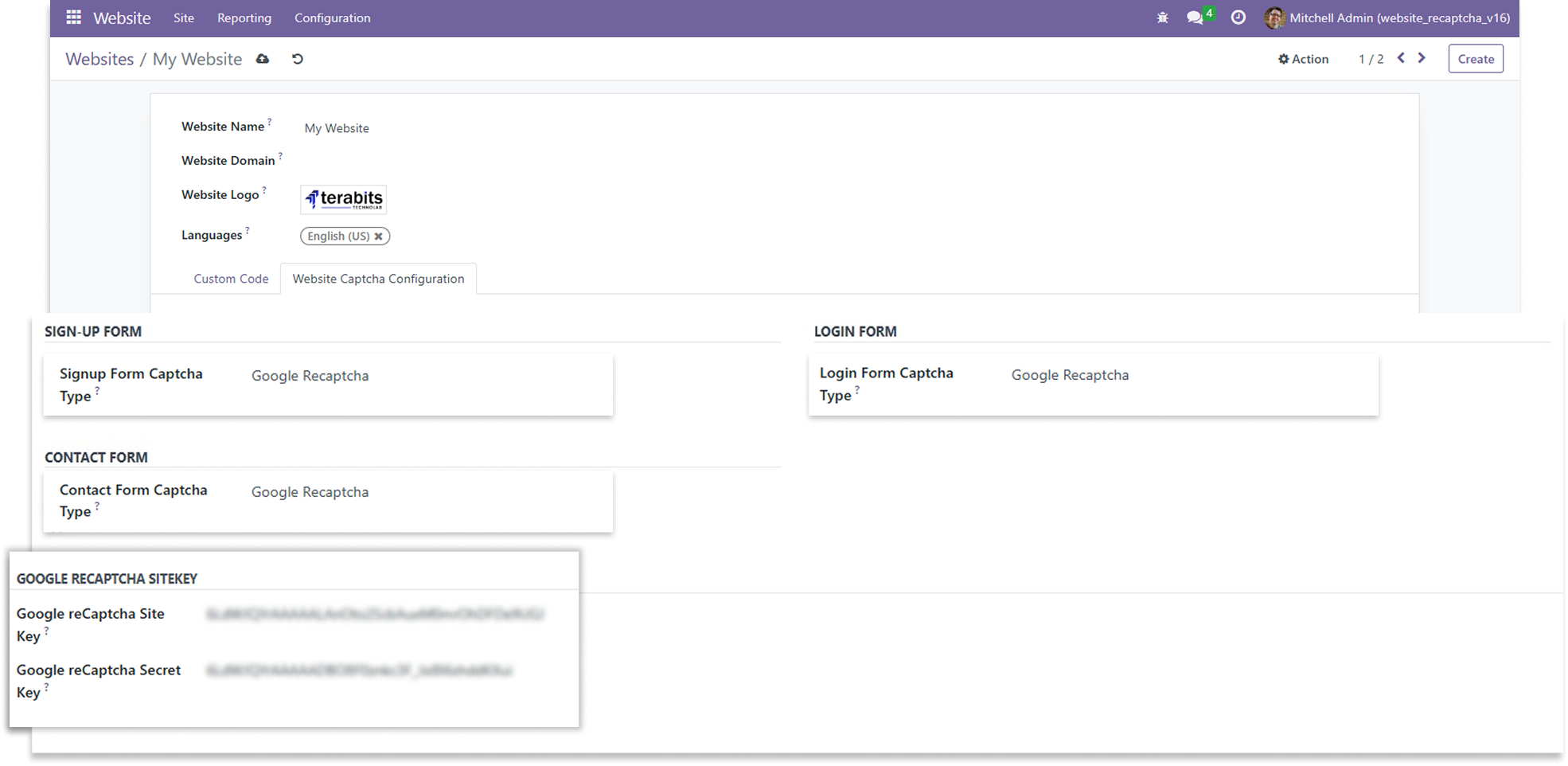
Sign-up Form
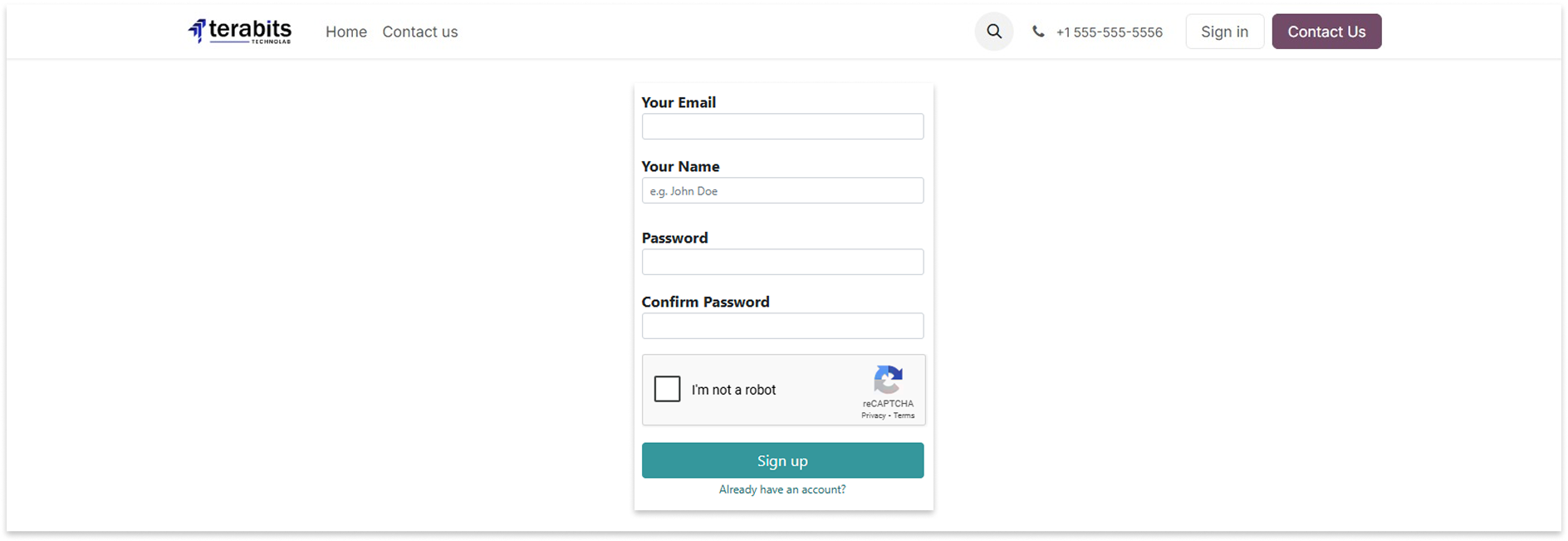
Login Form
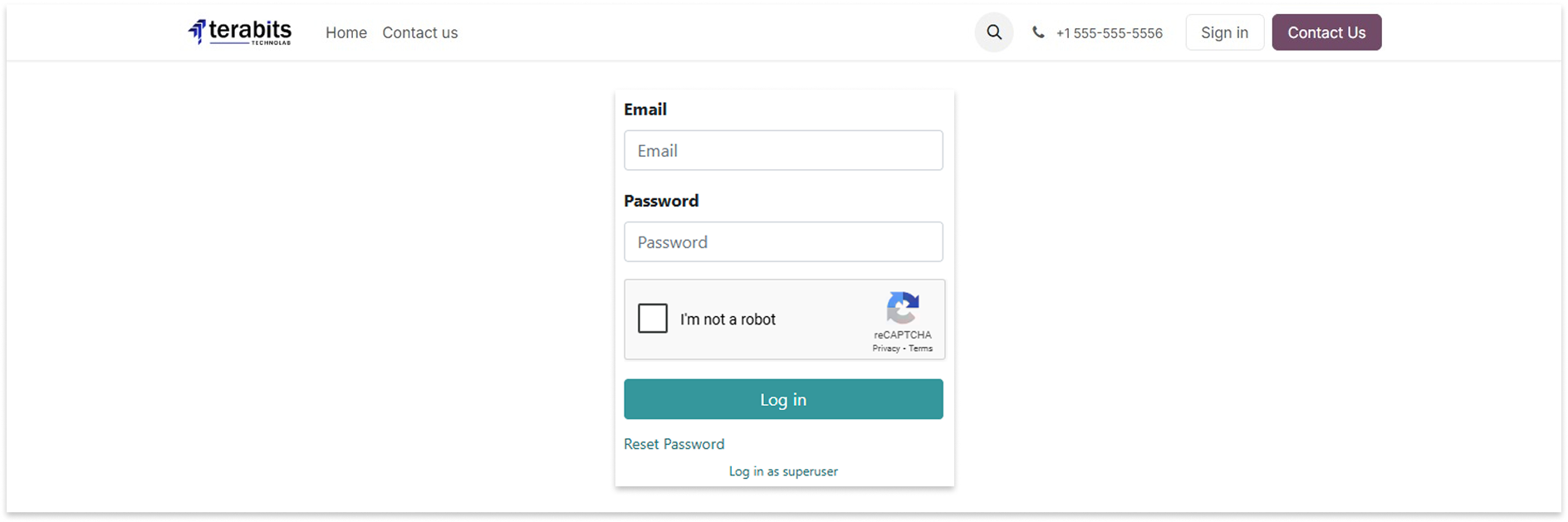
Contact Form
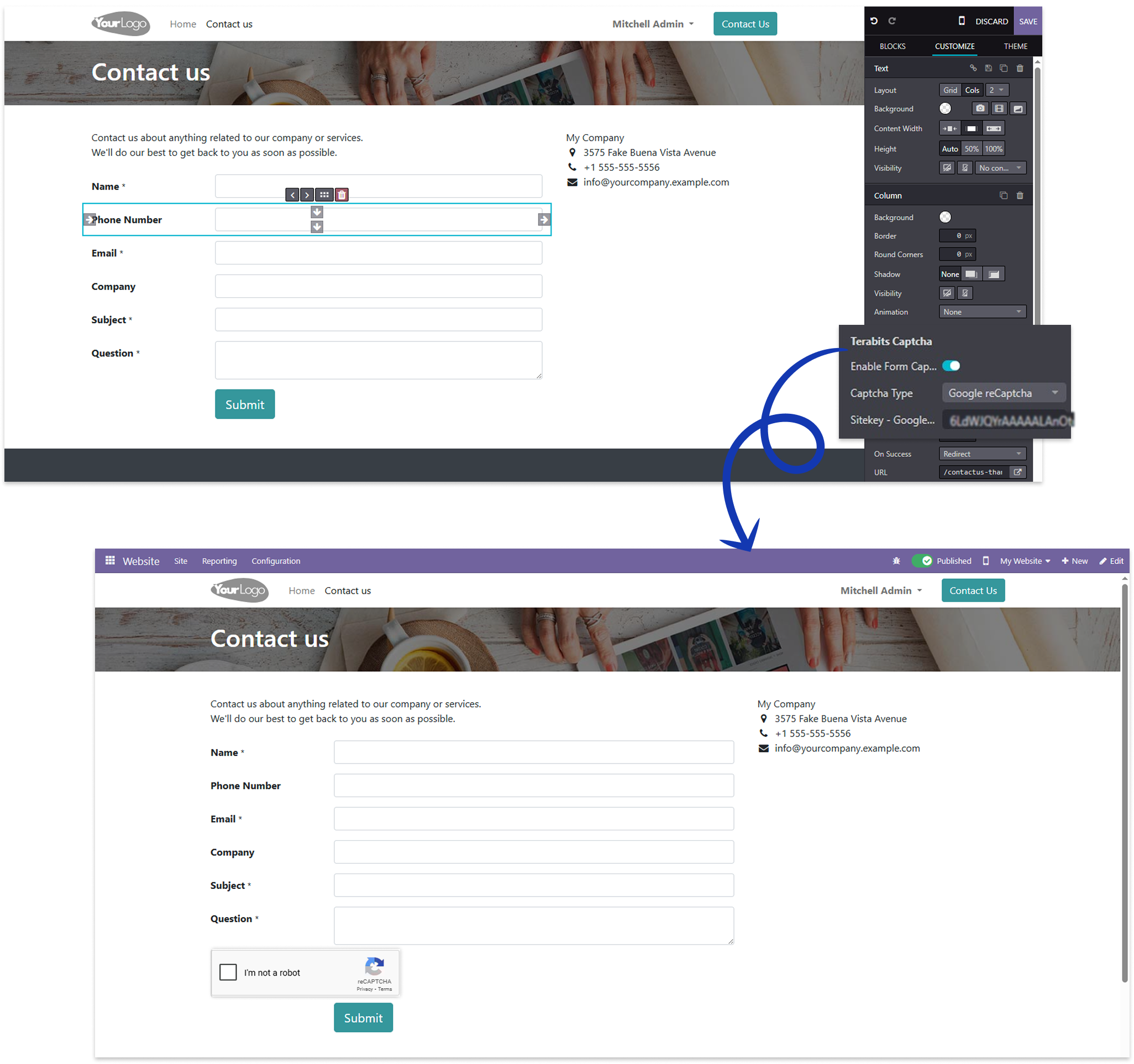
How to create google reCaptcha sitekey/secretkey ?

Solve Puzzel
Select the Solve Puzzle option to display the puzzle CAPTCHA on the forms.
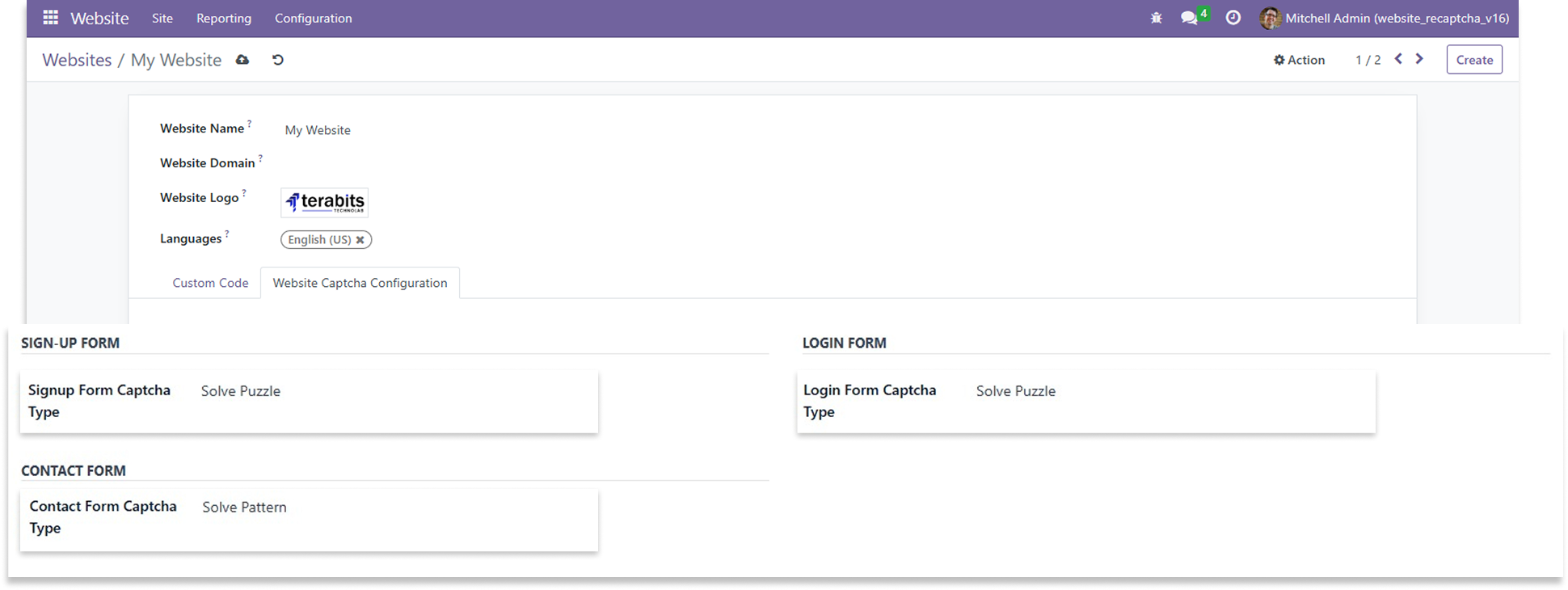
Sign-up Form
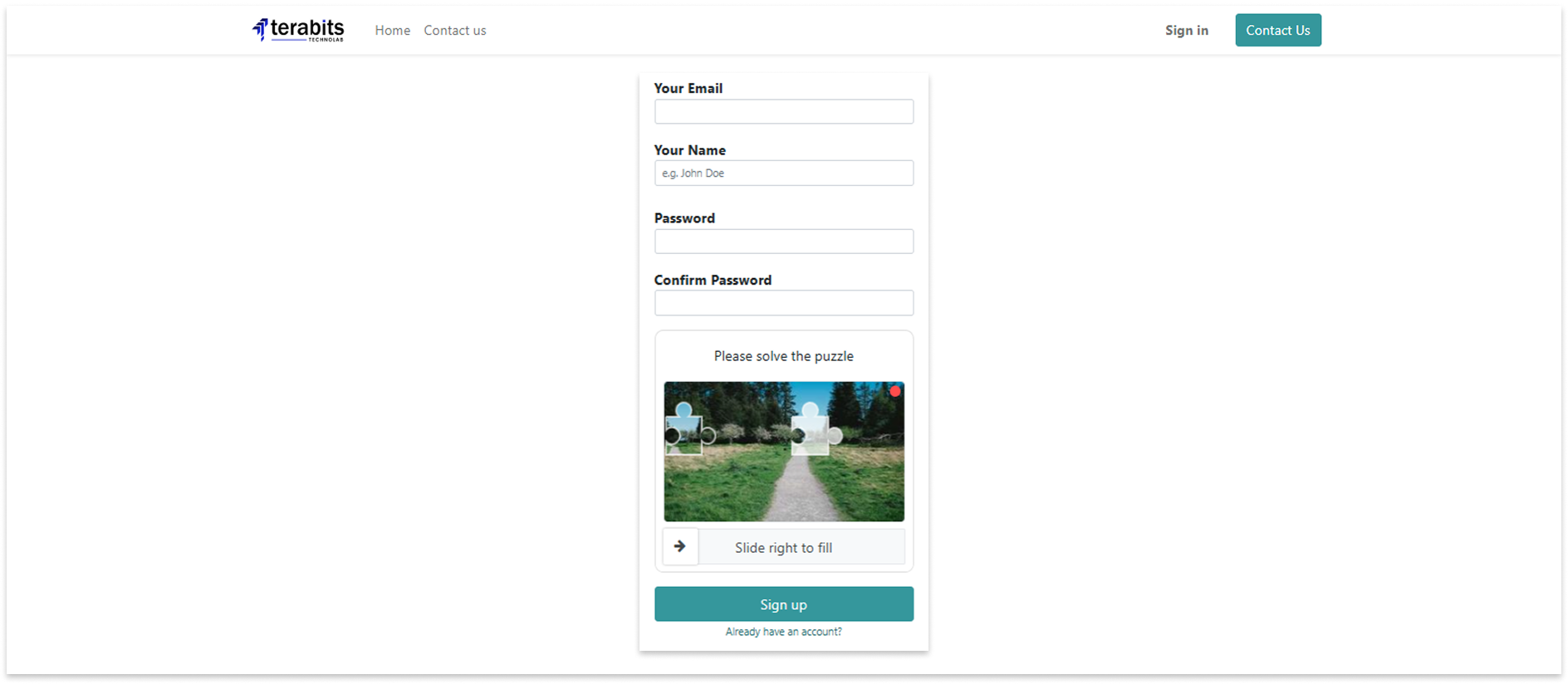
Login Form
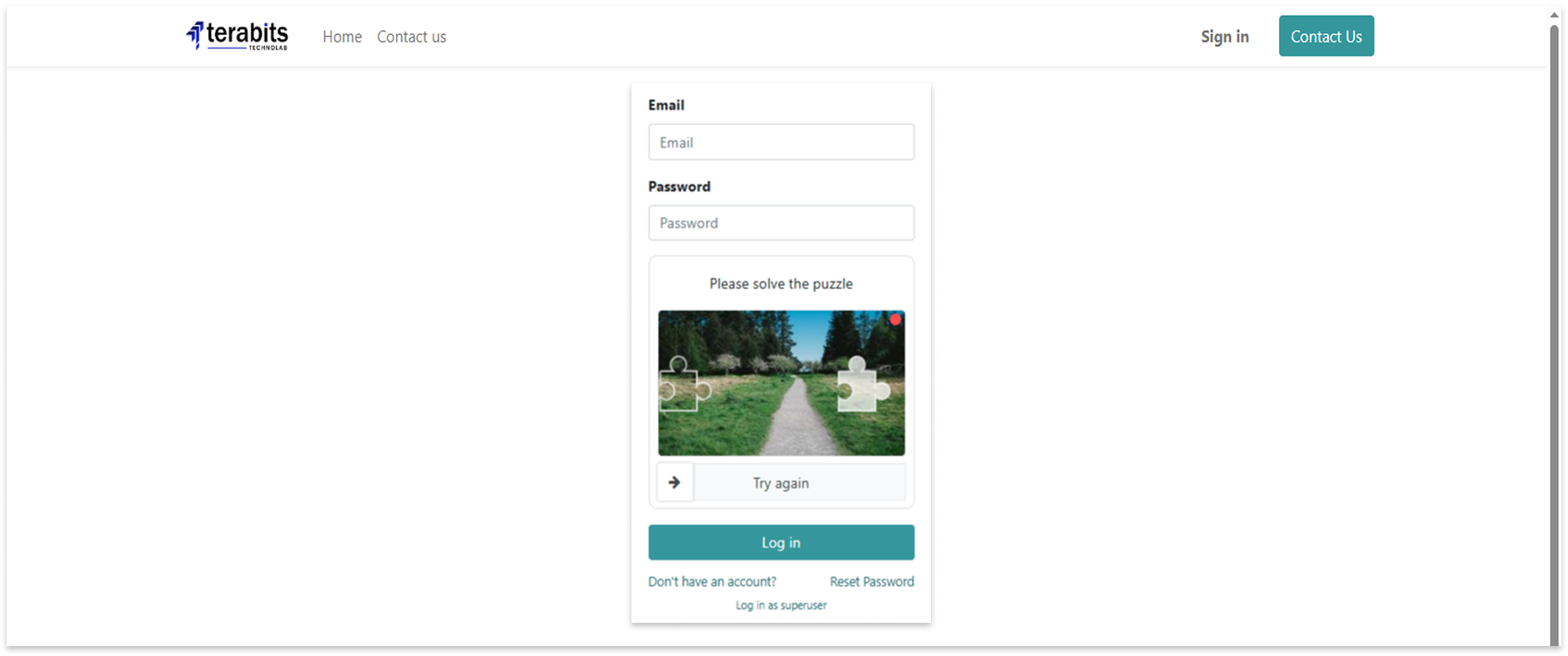
Contact Form
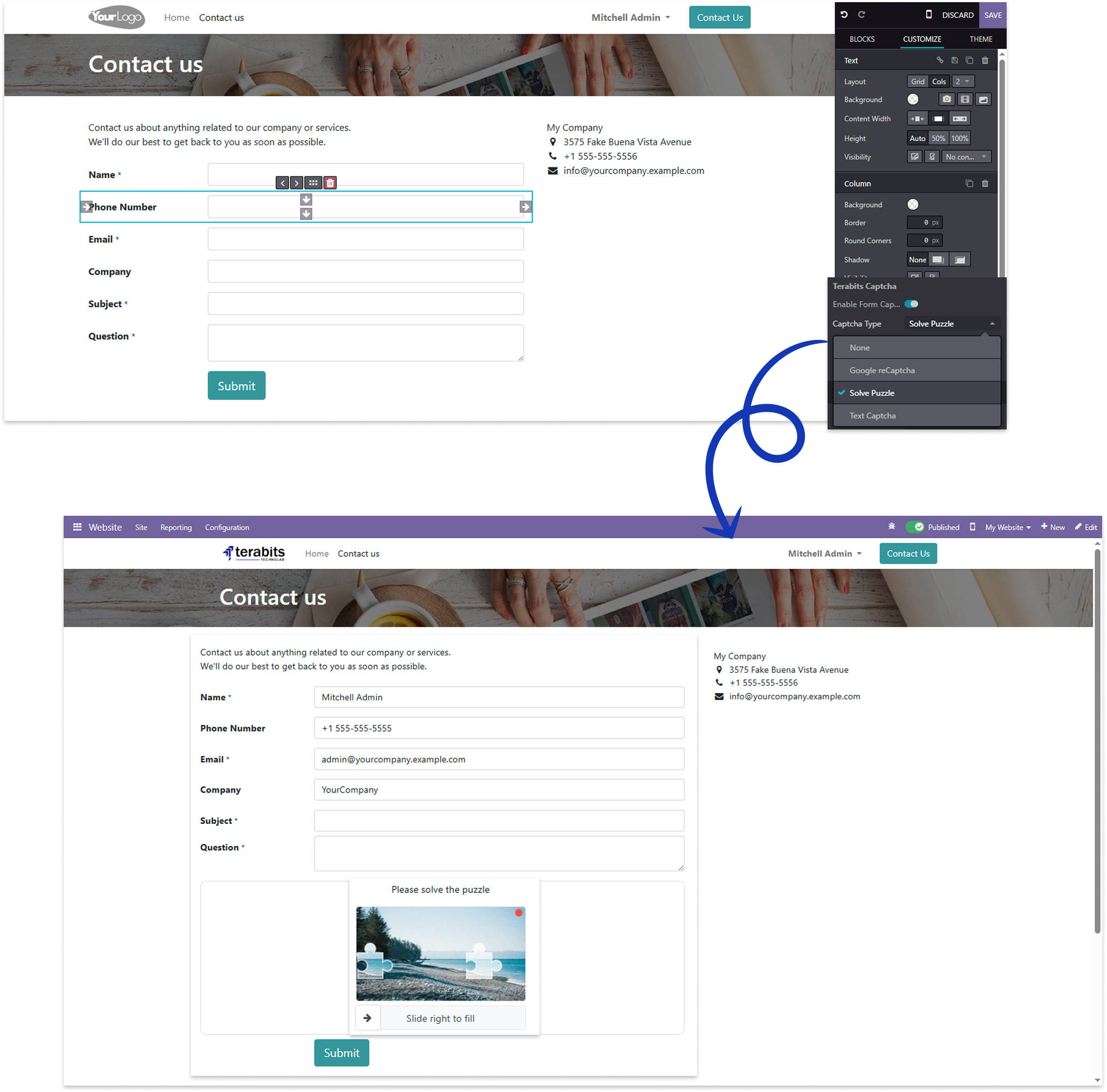
Text Captcha
Select the Text Captcha option to display the text captcha and write the captcha text above on the forms.
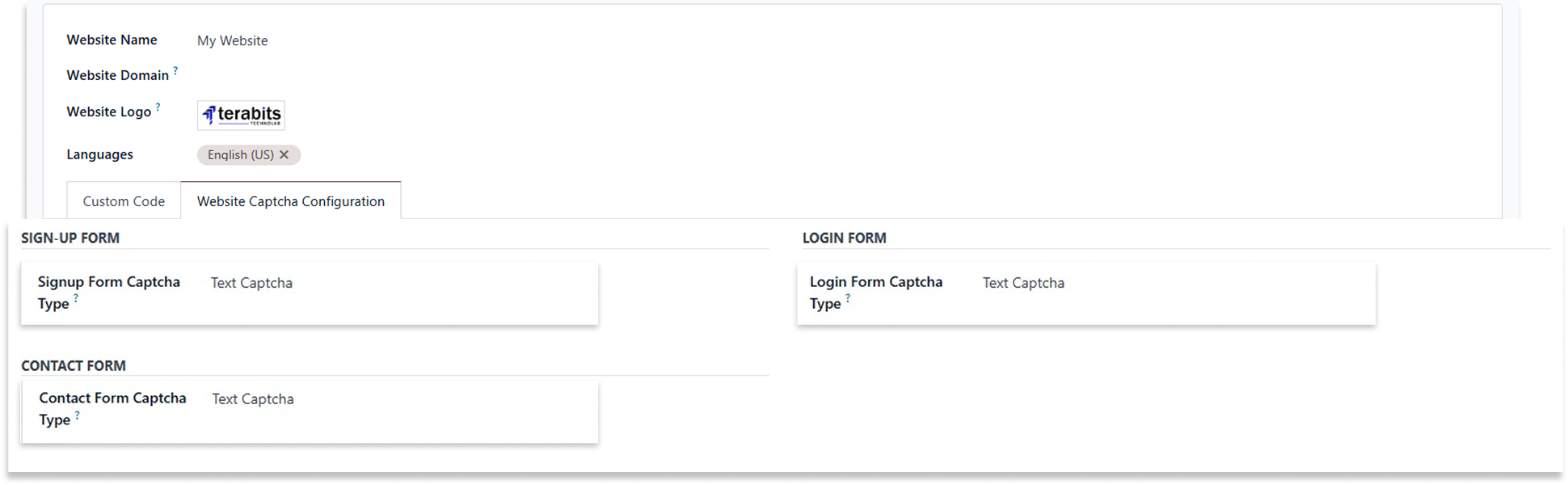
Sign-up Form
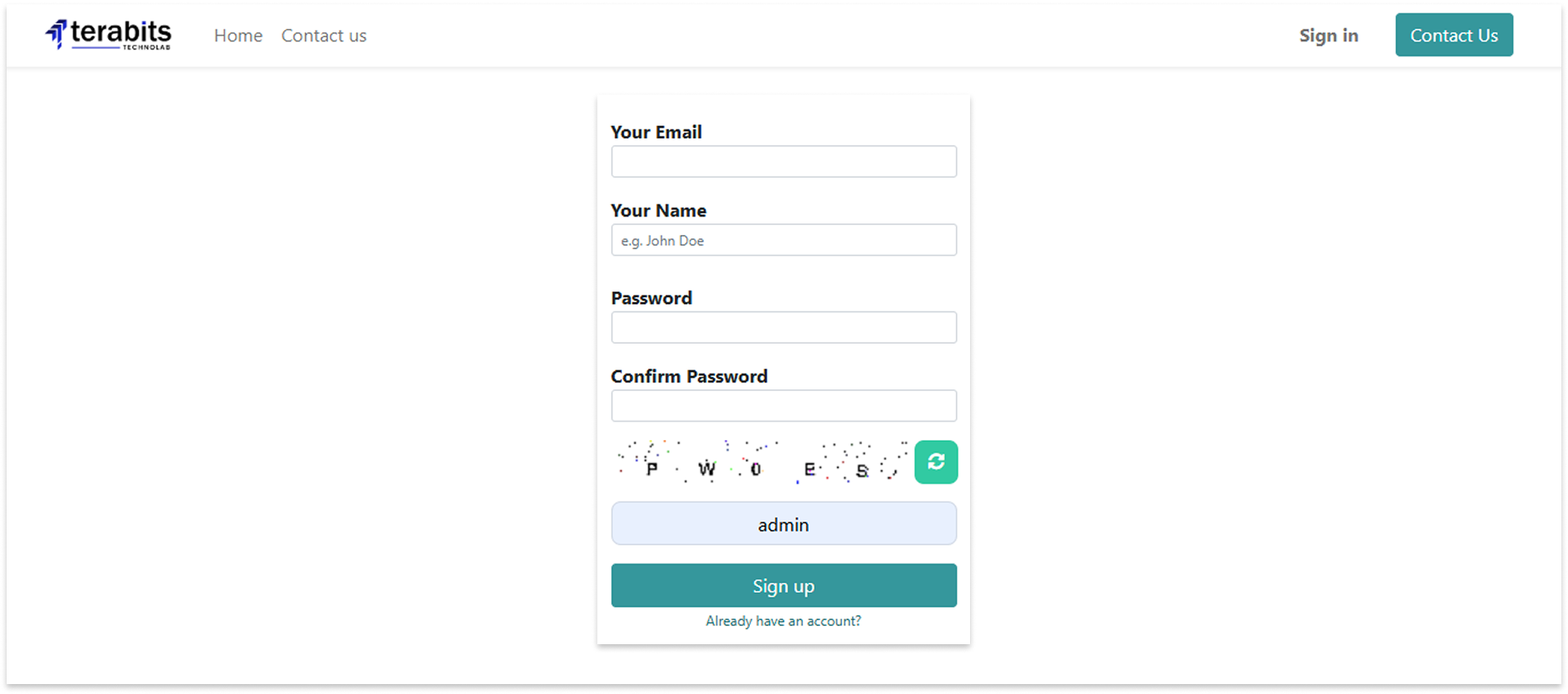
Login Form
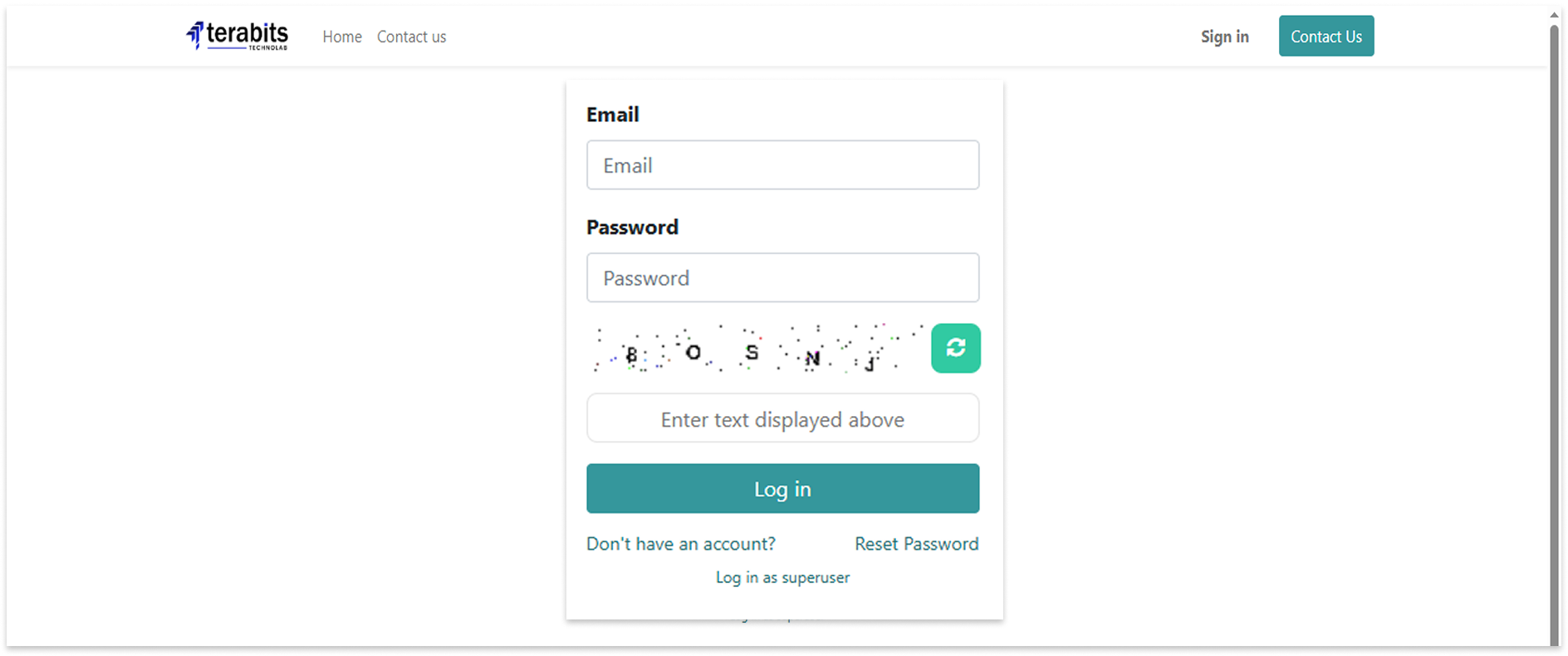
Contact Form

Changelog(s)
Each update brings improvements to make the
app work better for you.

Recommended Apps


Need any help for this module?
Contact us info@terabits.xyz for your queries



Dynamic Captcha Manager -
Secure Signup, Login & Contact Forms

Keep your Odoo website safe from spam and bots with the Easy Captcha module. It adds smart
captcha protection to your Signup, Login, and Contact Us forms.
You can choose Google reCAPTCHA, Text captcha and a fun puzzle captcha - and even set a
different one for each form. Everything is easy to manage from the backend.
Best of all, it checks captchas both on the front end (browser) and back end (server), so no one
can bypass it using browser tools.

Key Features

Protects your website forms

Choose from 3 captcha options

Double protection = browser + server

Set different captchas for each form

Blocks spam and bots automatically

How to use it

After installing the app, go to the Website > Configiration > Website.
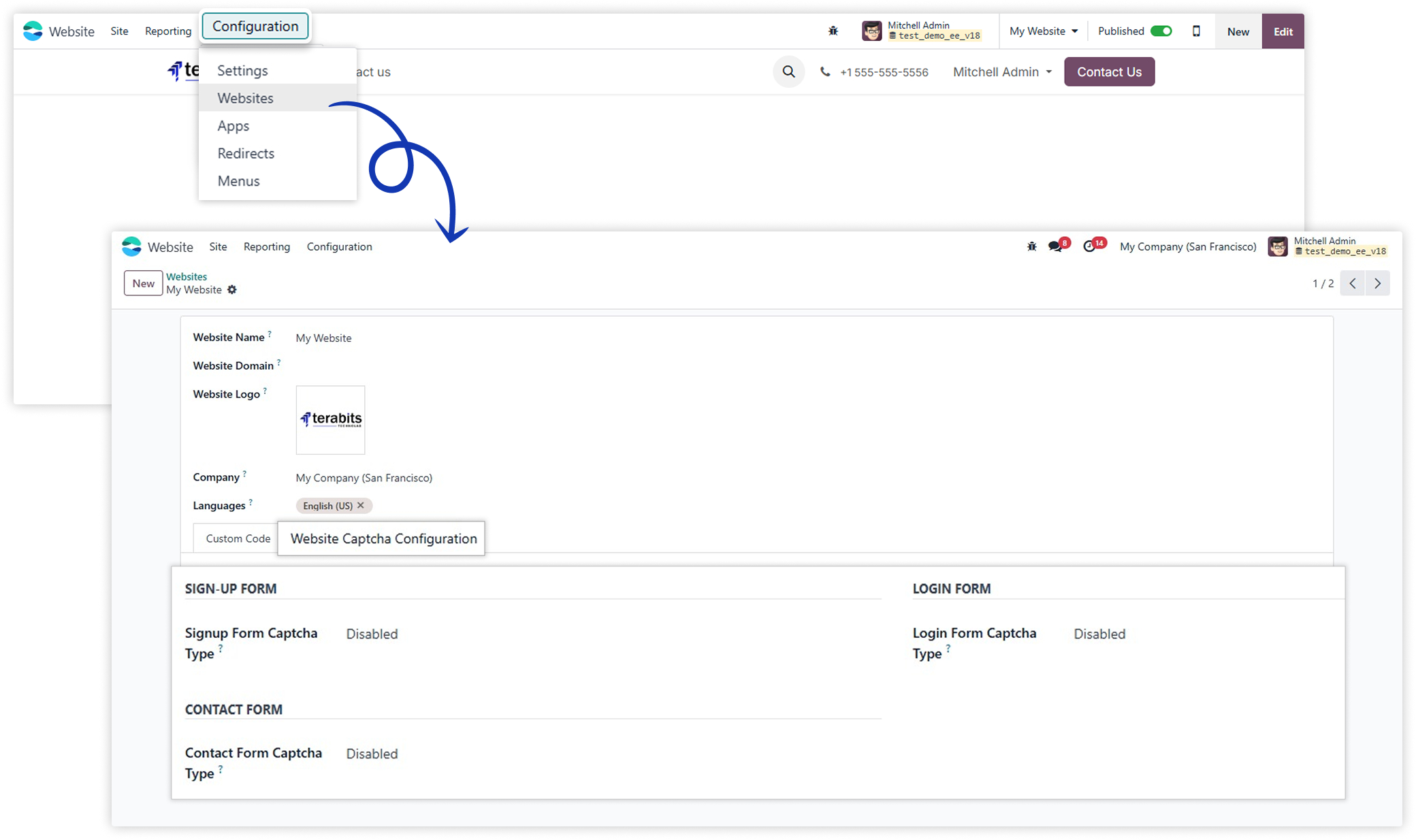
The sign-up, login, and contact forms support three captcha options: None, Google reCAPTCHA, and Solve Puzzle. Users can choose based on the form's needs.
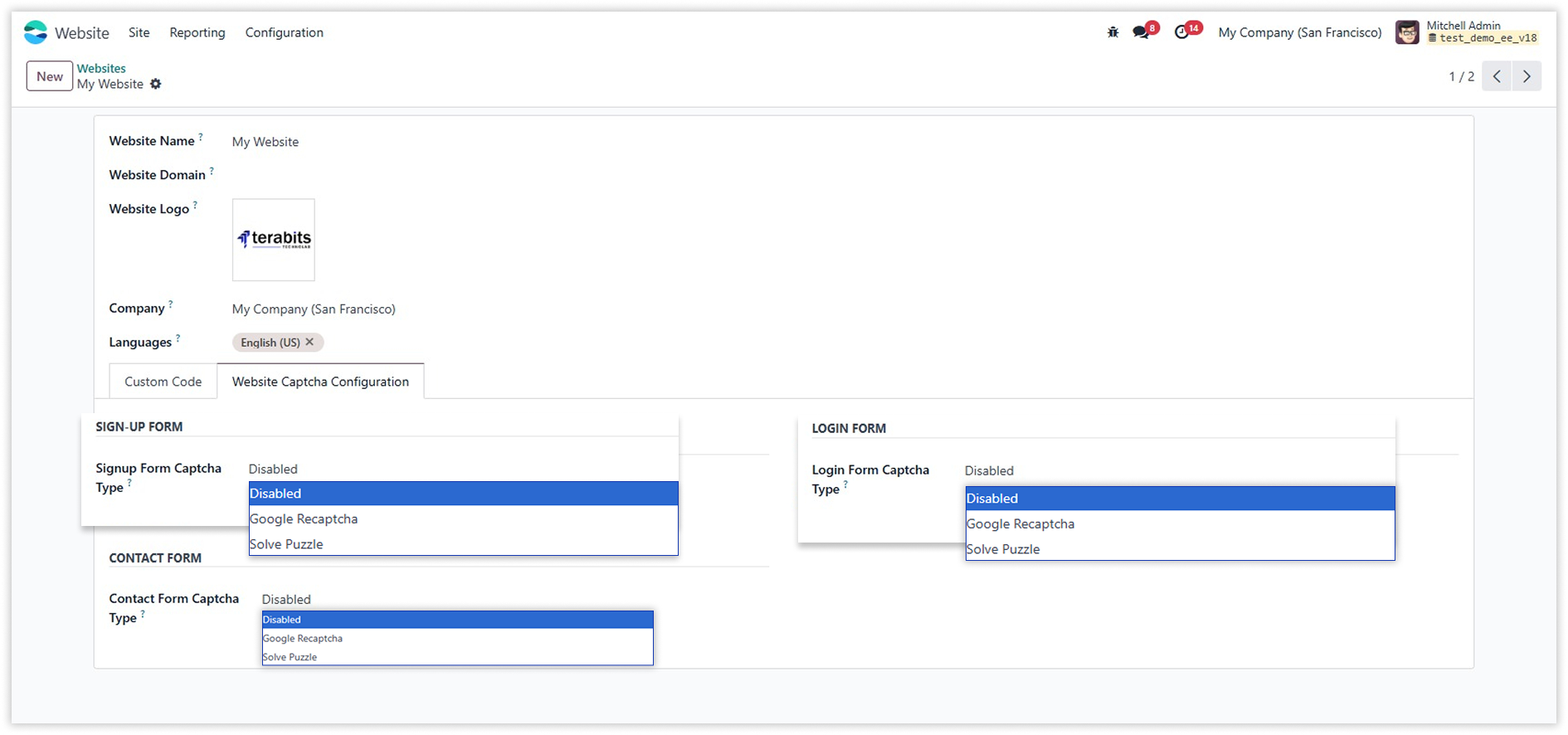

Google reCAPTCHA
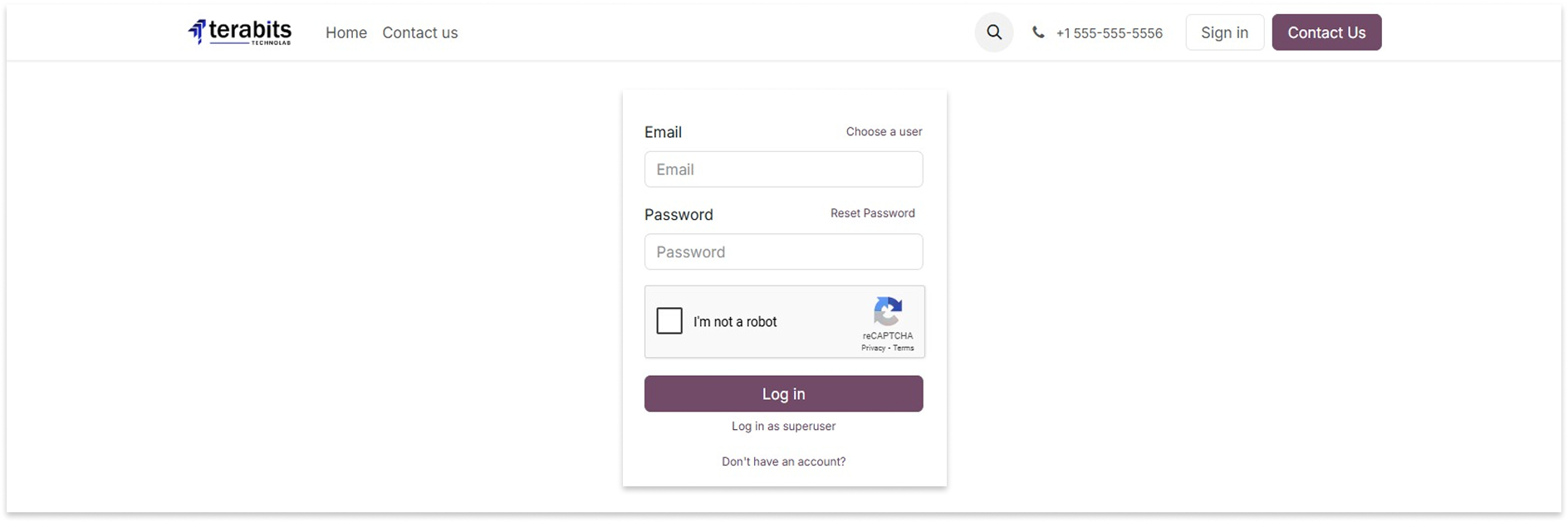
When Google reCAPTCHA option is selected for sign-up, login, or contact forms, you have to add a Google reCaptcha site key and secret key.
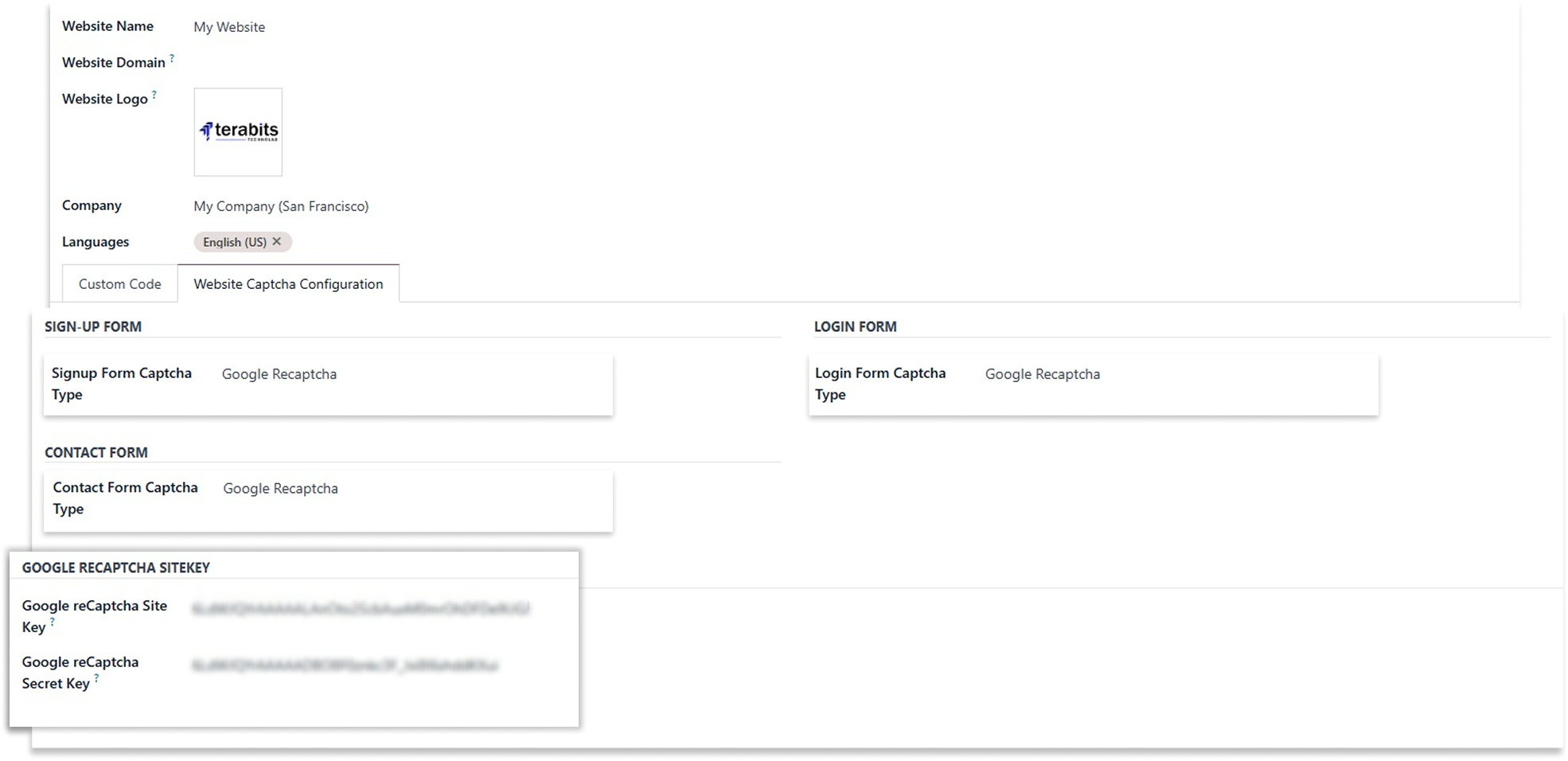
Sign-up Form
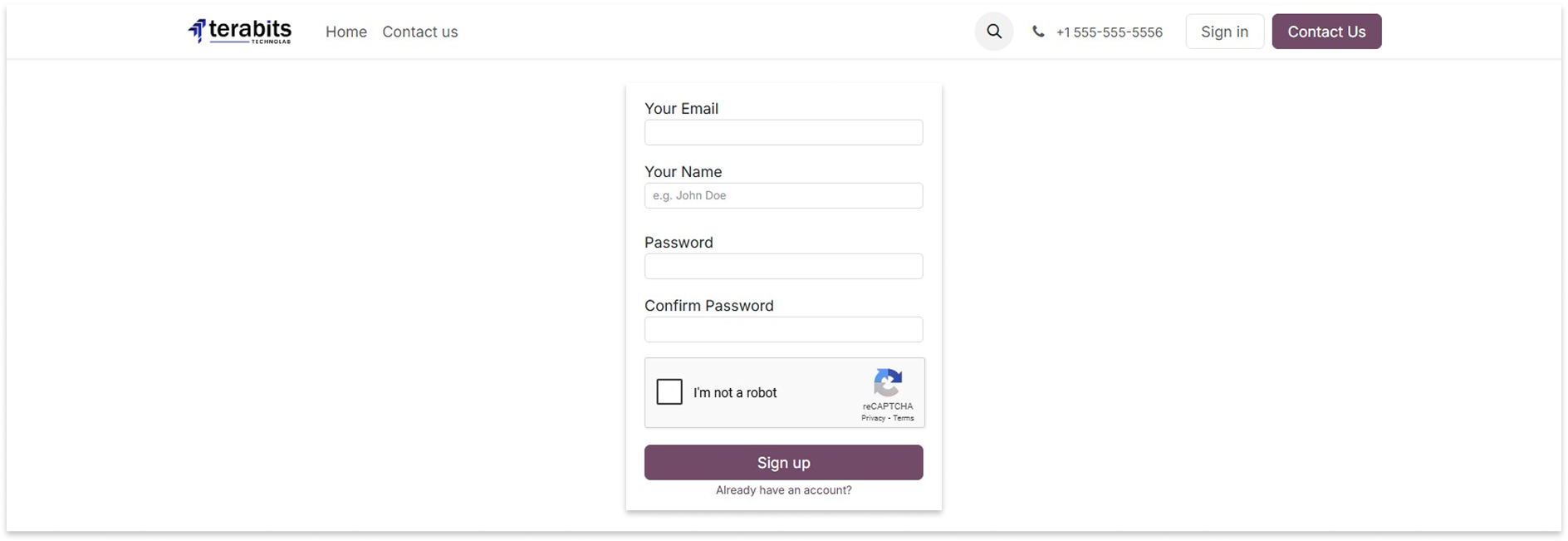
Login Form
Contact Form
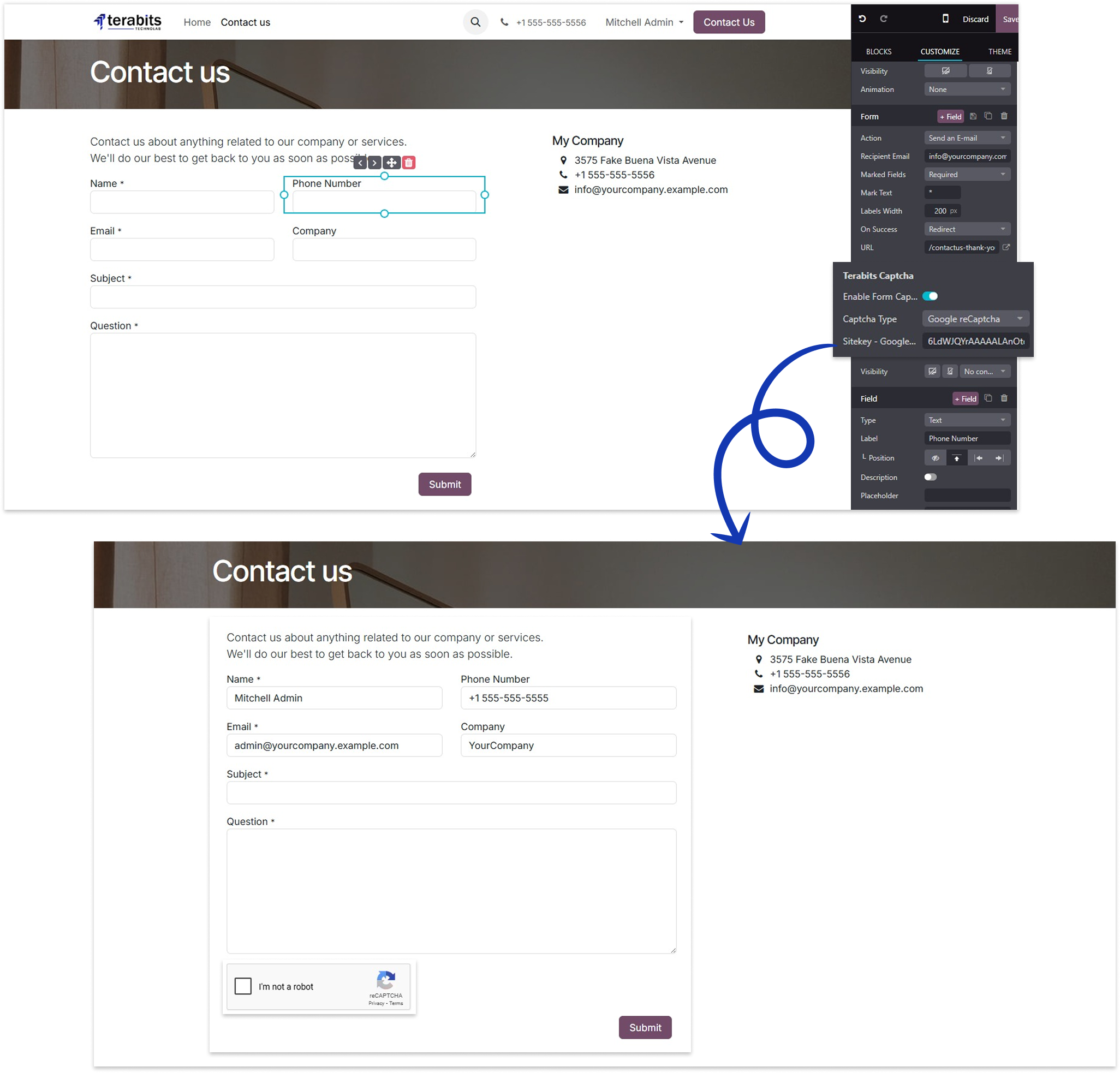
How to create google reCaptcha sitekey/secretkey ?

Solve Puzzel
Select the Solve Puzzle option to display the puzzle CAPTCHA on the forms.
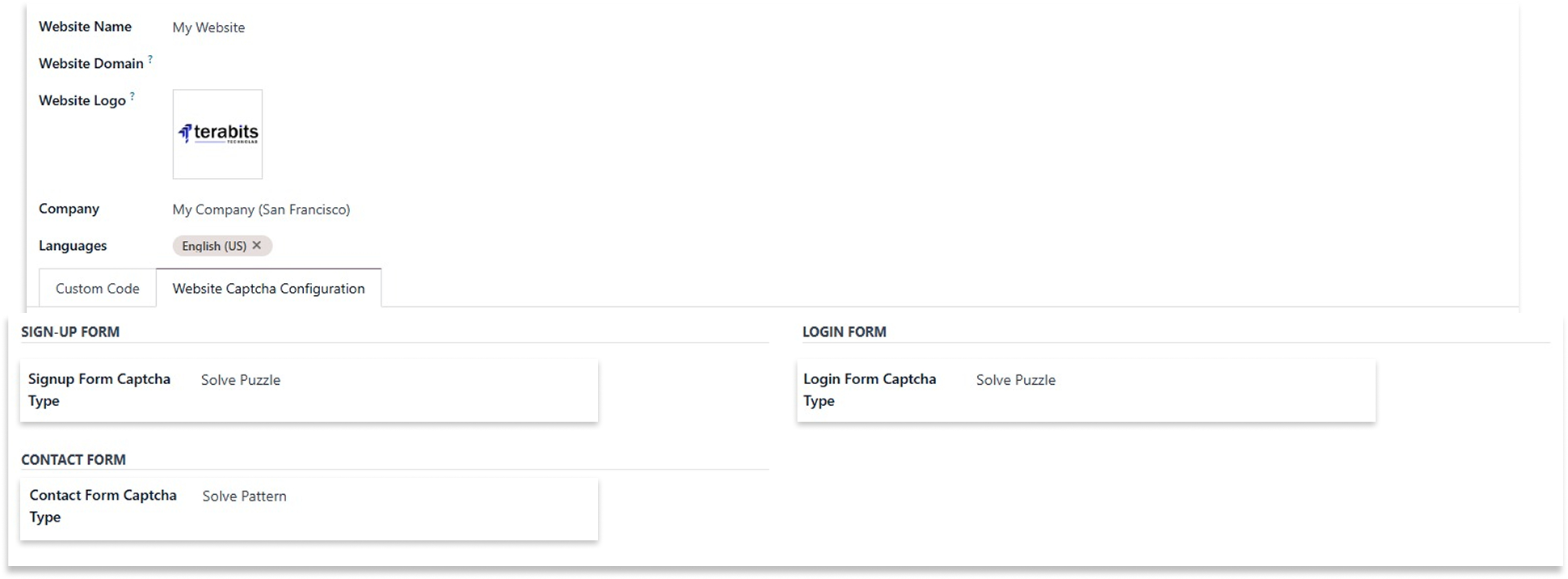
Sign-up Form
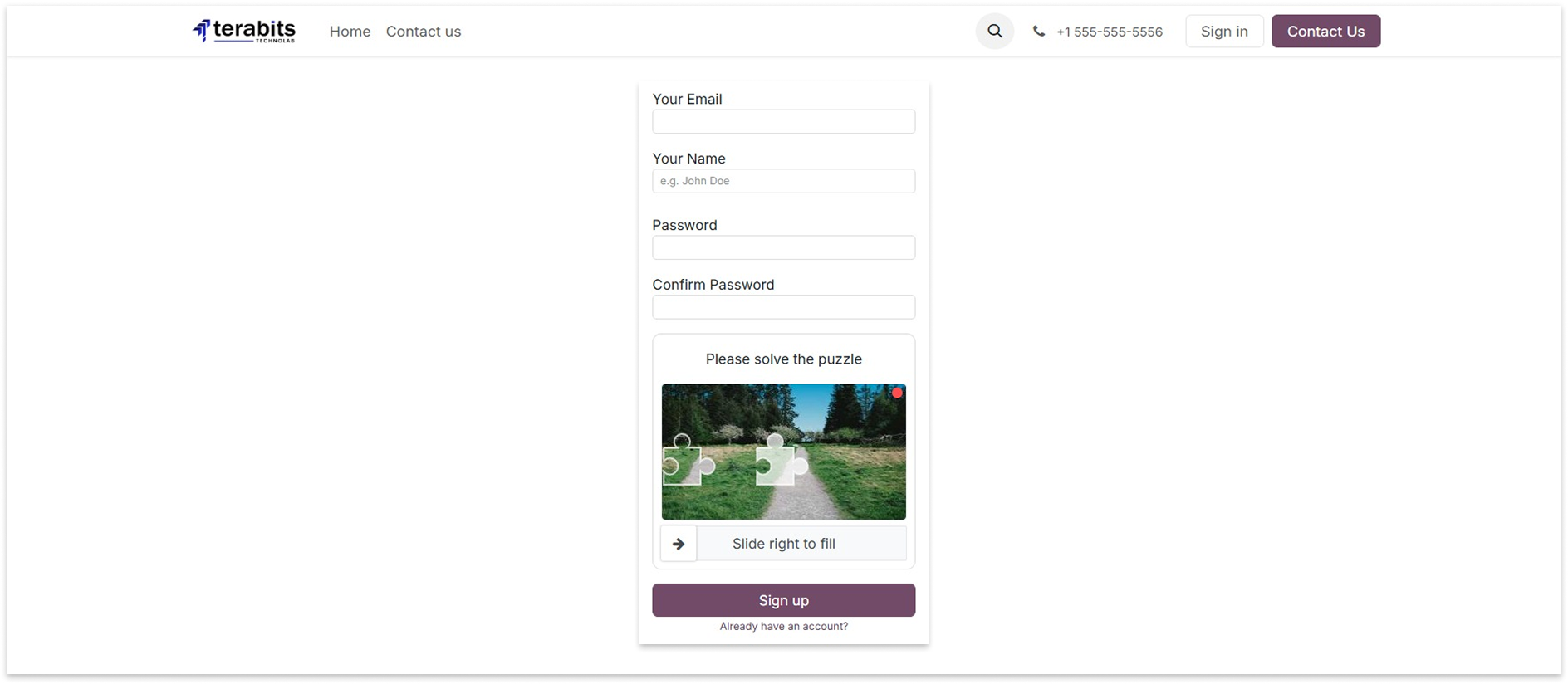
Login Form
Contact Form
Text Captcha
Select the Text Captcha option to display the text captcha and write the captcha text above on the forms.
Sign-up Form
Login Form
Contact Form

Changelog(s)
Each update brings improvements to make the
app work better for you.

Recommended Apps