- All products
- Odoo AI Insights
- All products



Odoo AI Insights : AI-Powered
business assistant for odoo
Talk to odoo. Get instant business insights.
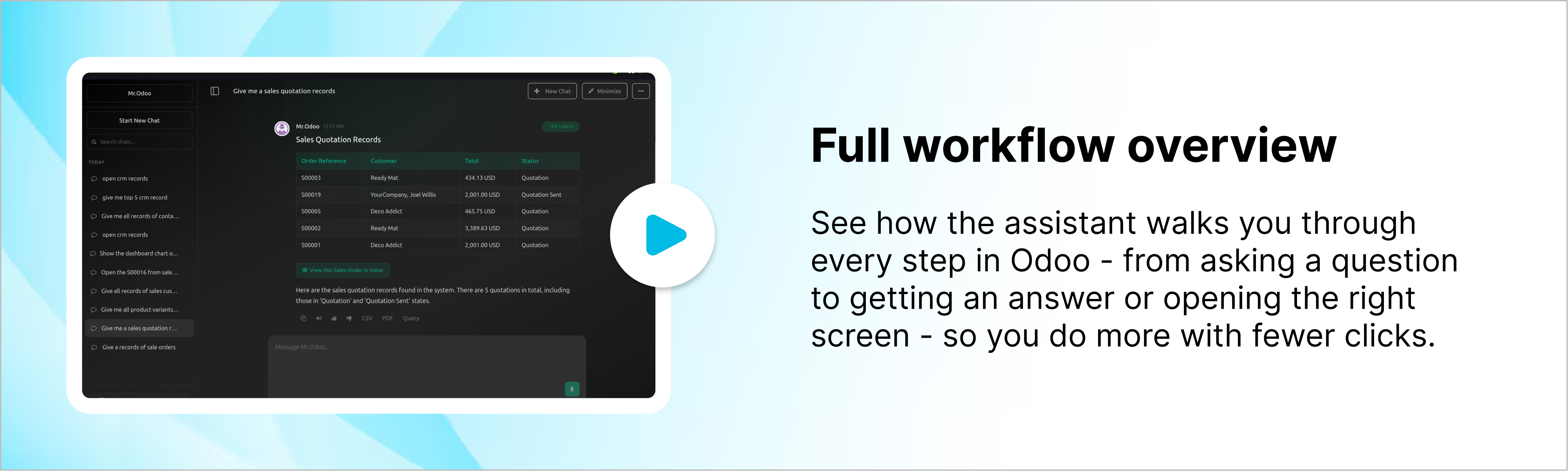
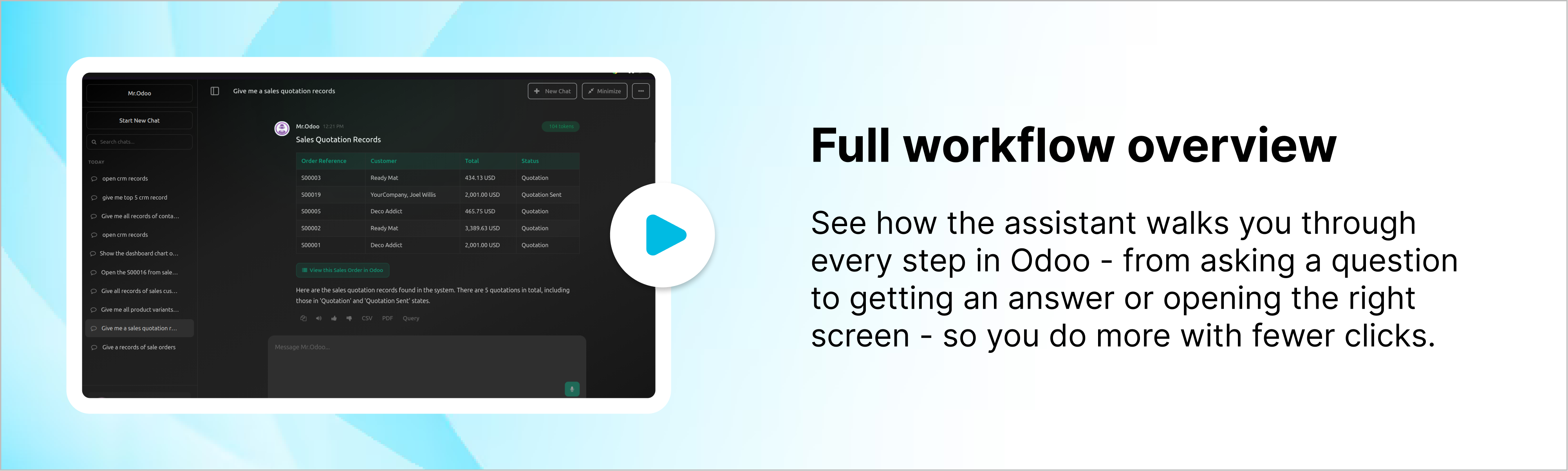
Odoo AI Insights is a smart chatbot built right into your Odoo, letting you interact
with your data using simple, natural language. Powered by tools like ChatGPT,
Claude, and Gemini, it gives real-time answers directly from your database.
Talk to your Odoo like you would to a teammate - just ask questions and get clear,
instant answers from your own business data without digging through menus or
reports. You can explore sales, customers, or inventory in seconds, with
information presented clearly and instantly. It makes everyday work feel more
natural, helping you understand whats happening and make quicker decisions
without changing how your Odoo already works.

No more manual searches

No more digging through menus

No more complex filters

Key features
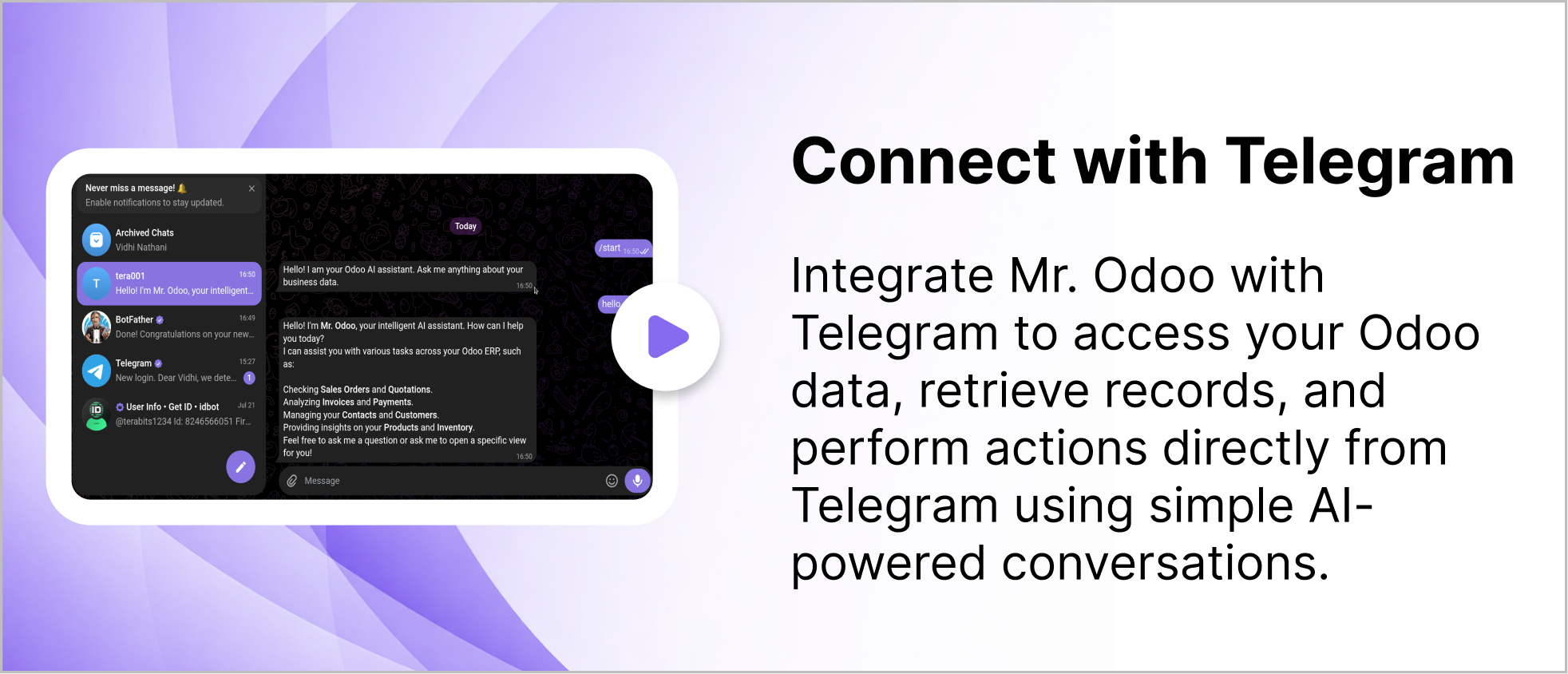
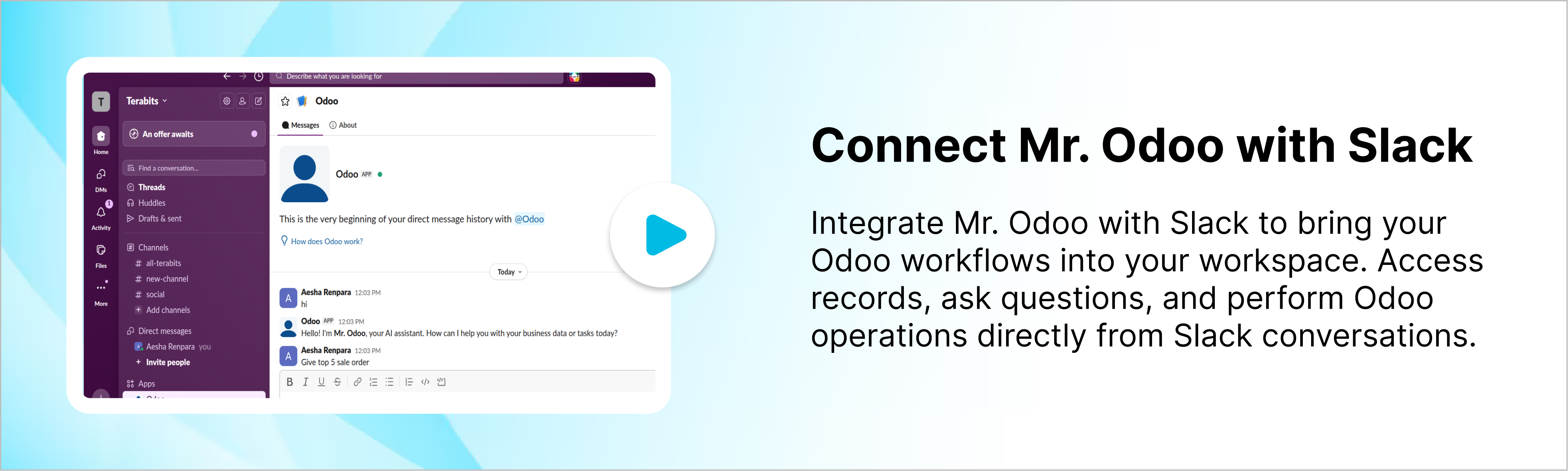
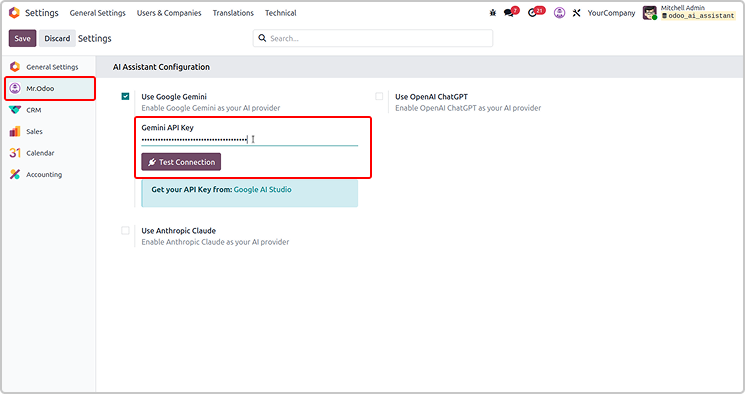
Configure the API key as shown in the screenshot below.
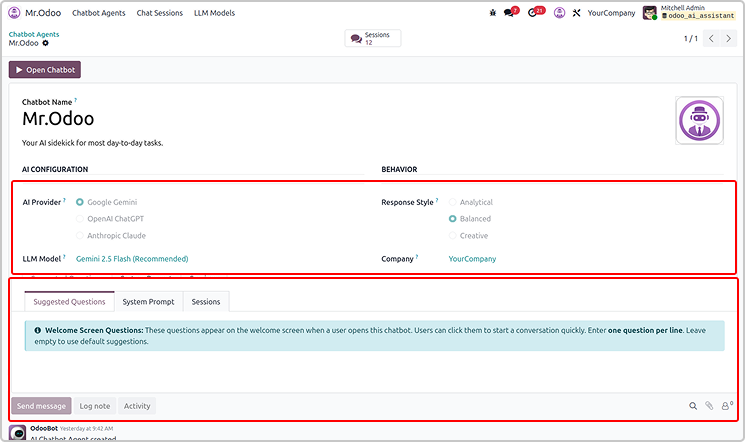
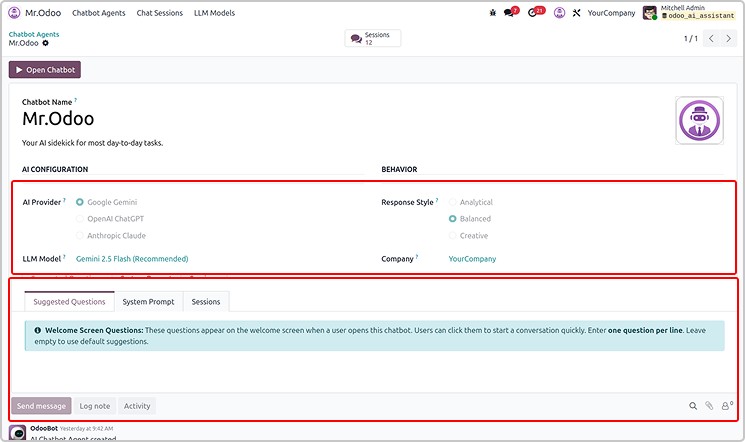
Set the access rights for AI agent under user settings.
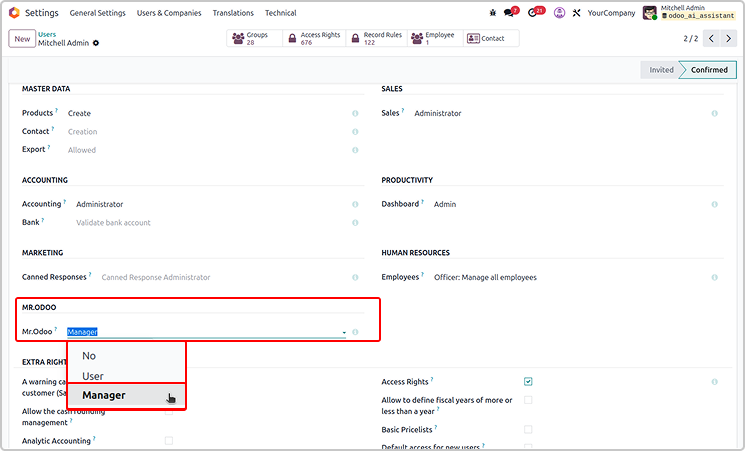
If the user is the manager, he has access to customise Odoo AI Insight
from the configuration as shown below.
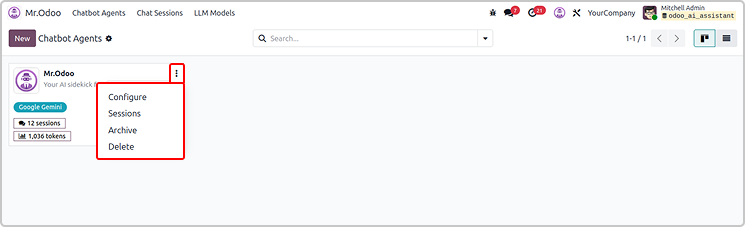
If you have a manager access, you will have access to set up all
the configurations.
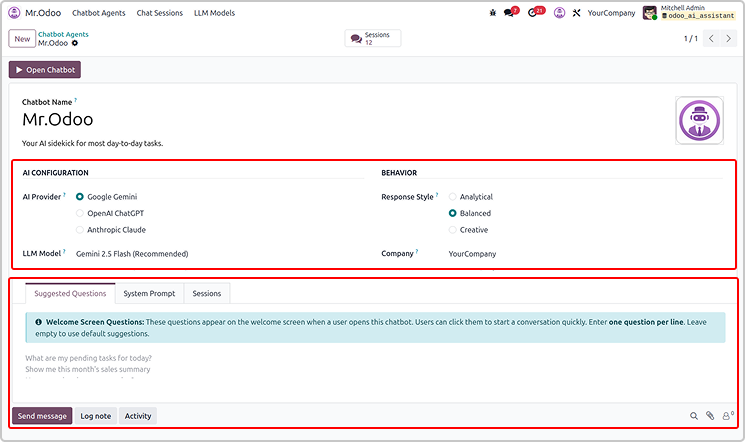
If you have the user access, you will only view the configuration.
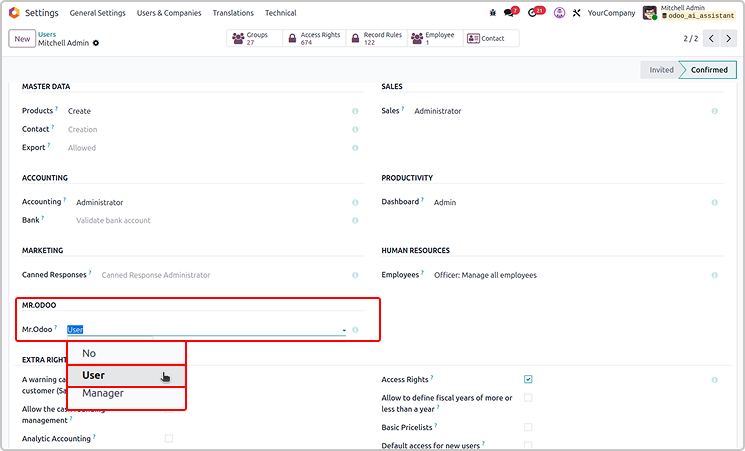
User will not have a delete access.
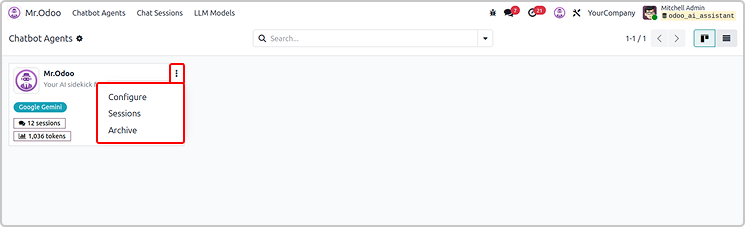
Every thing will be read only for the normal user as shown below.
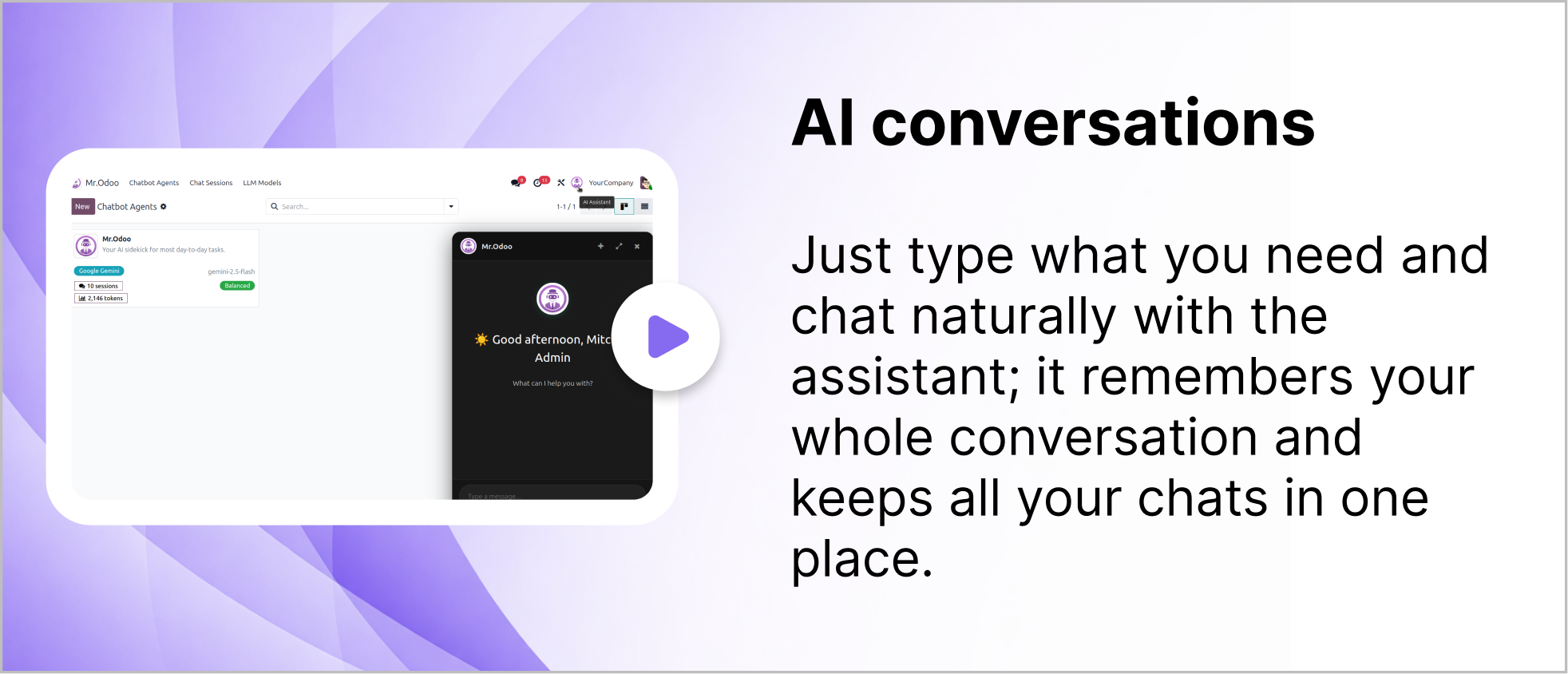
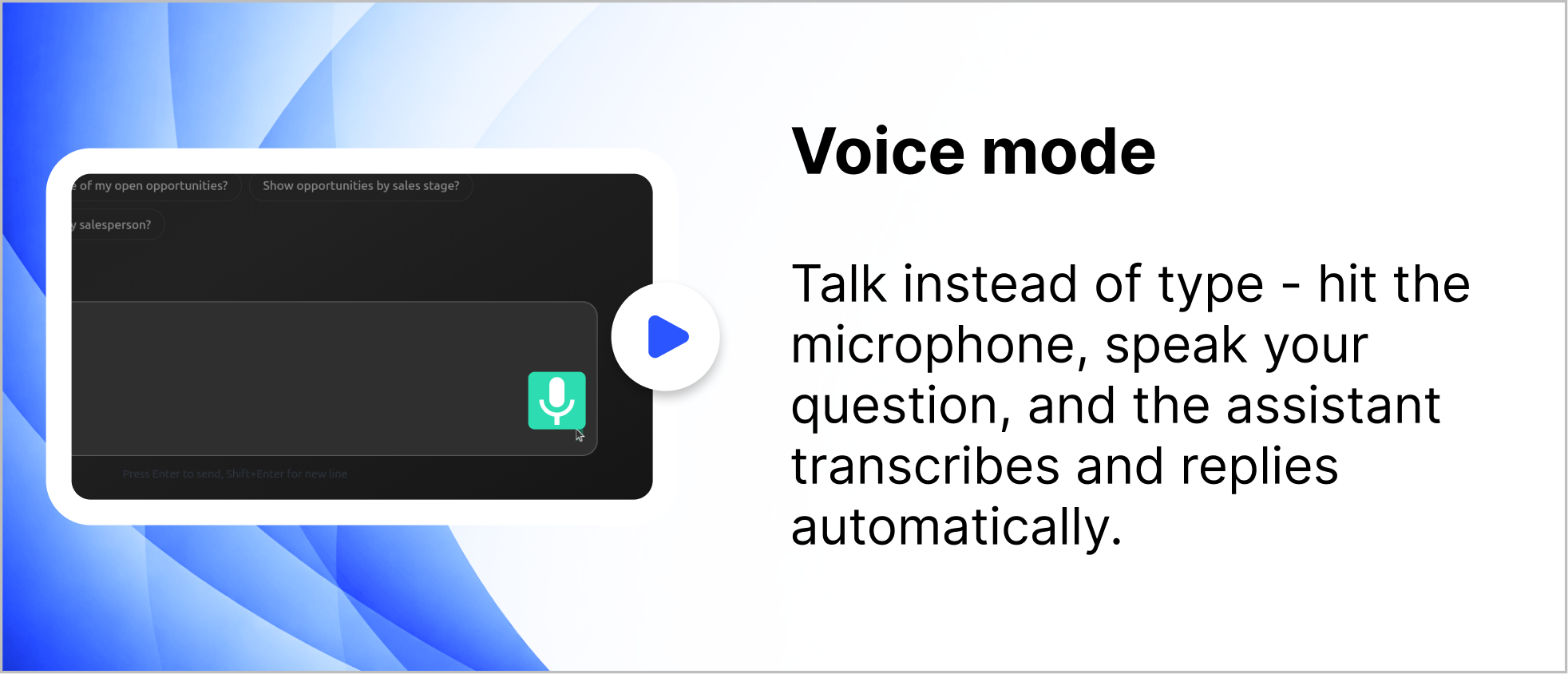
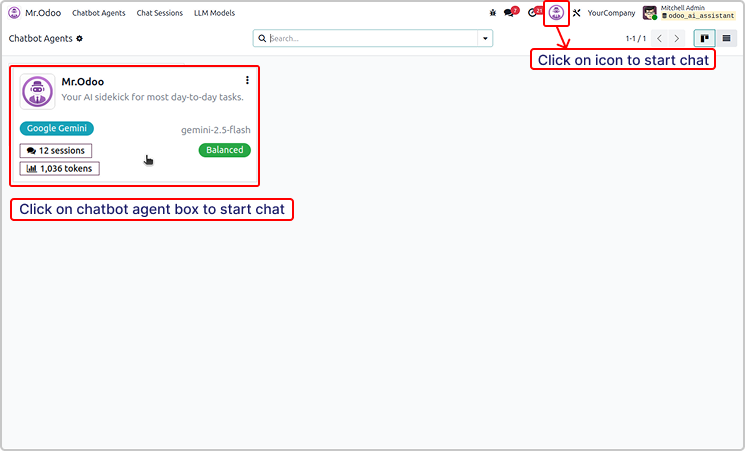
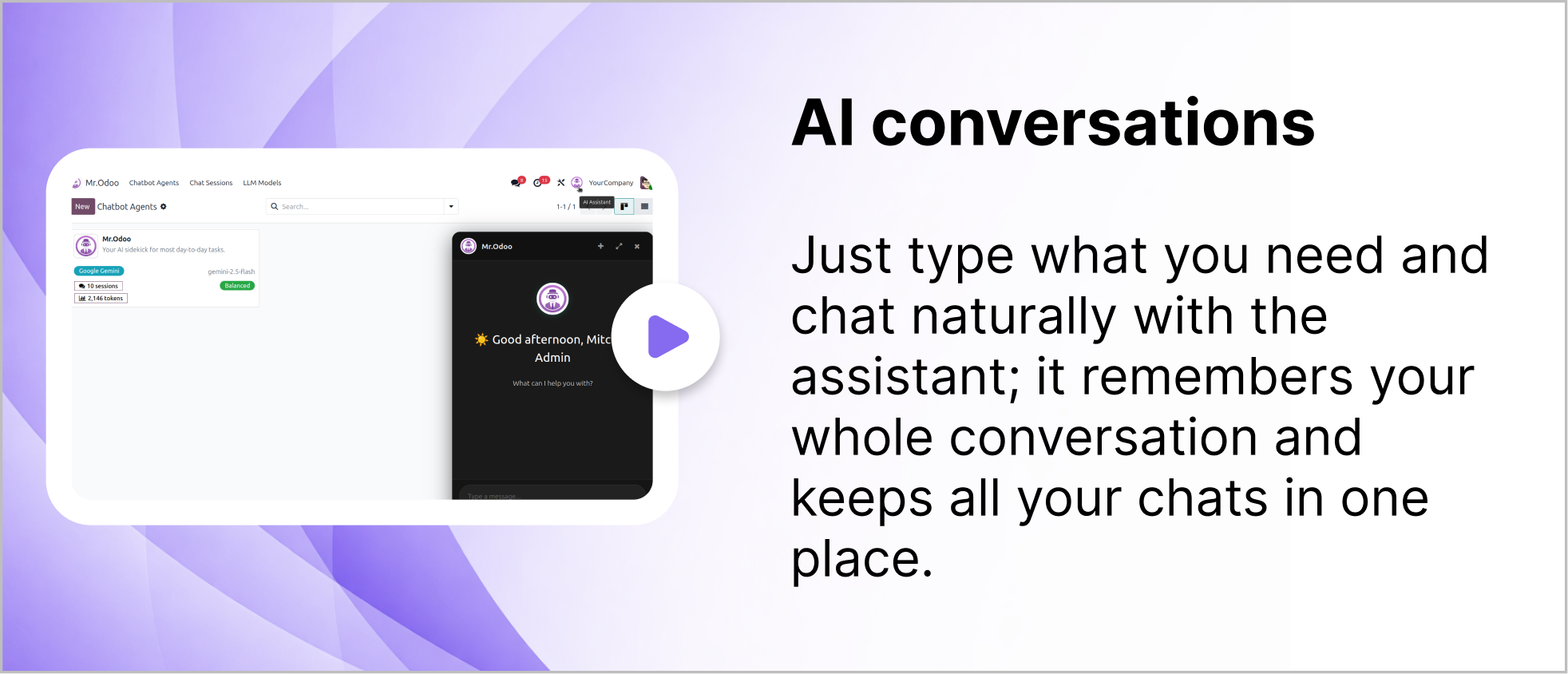
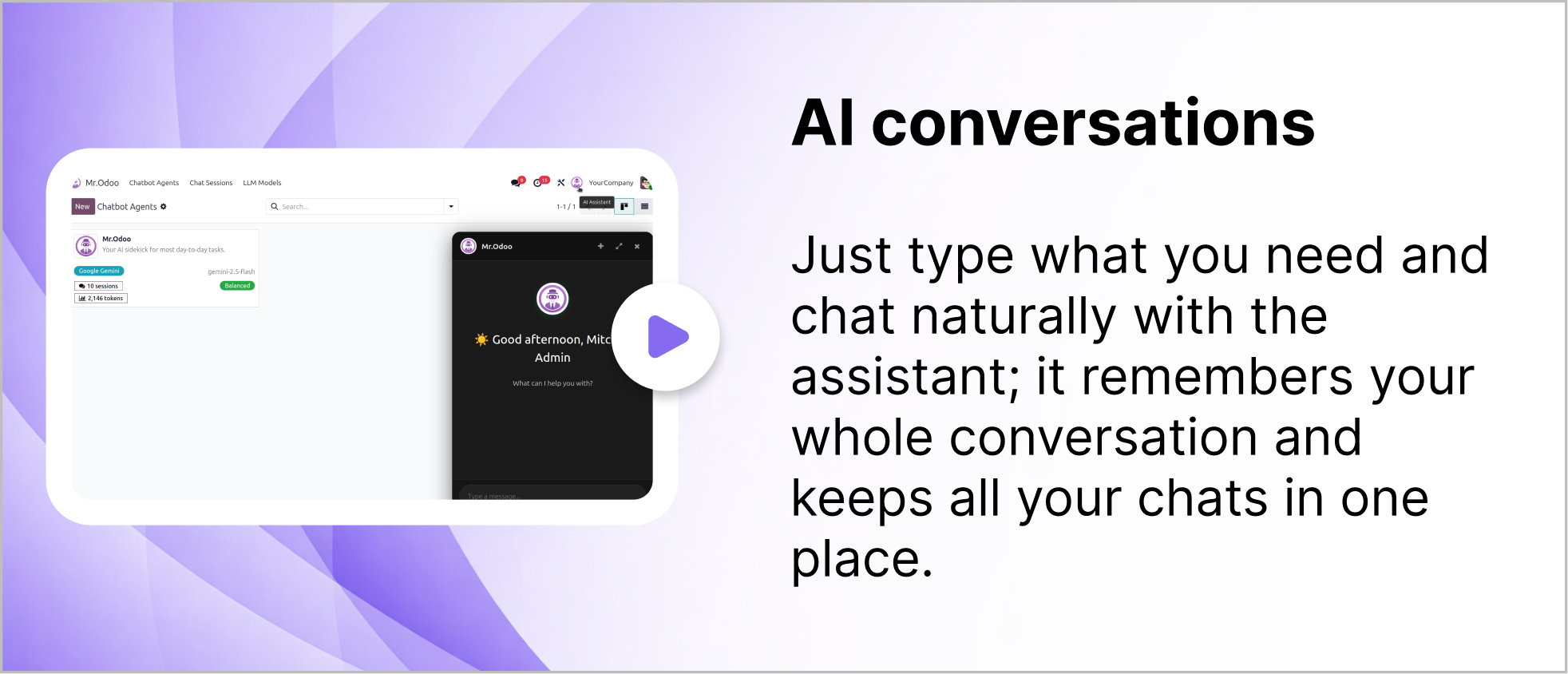
You can simple start the chat using the icon or chatbot agent
as shown in the below image.
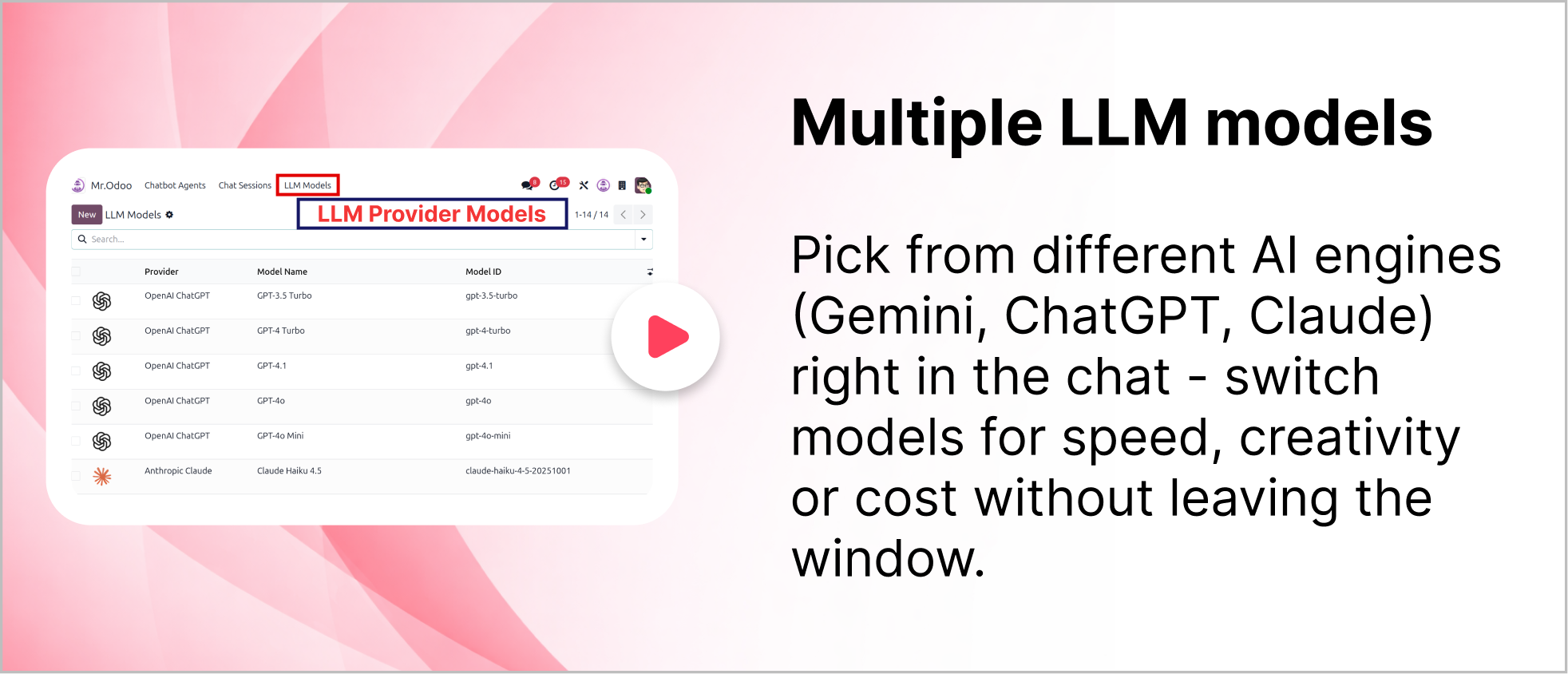
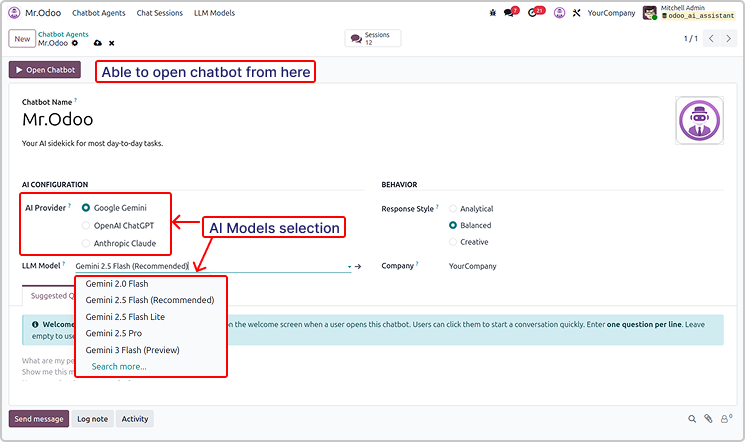
You can use multiple version of the AI providers.
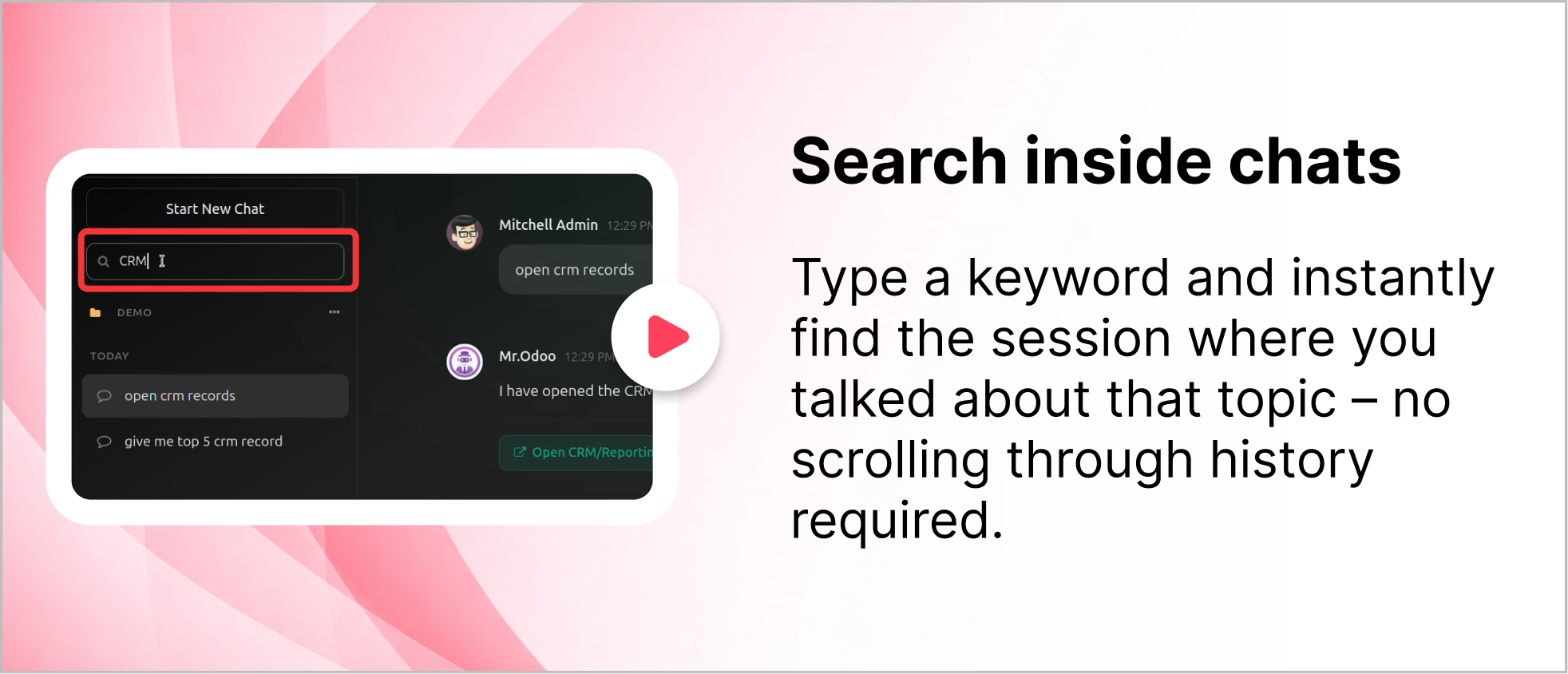
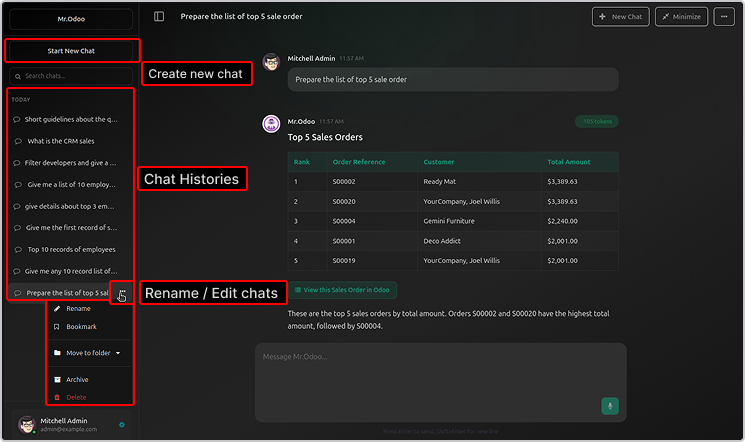
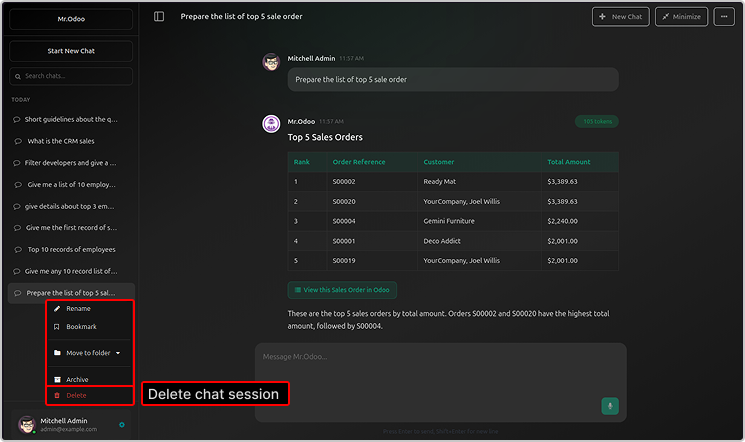
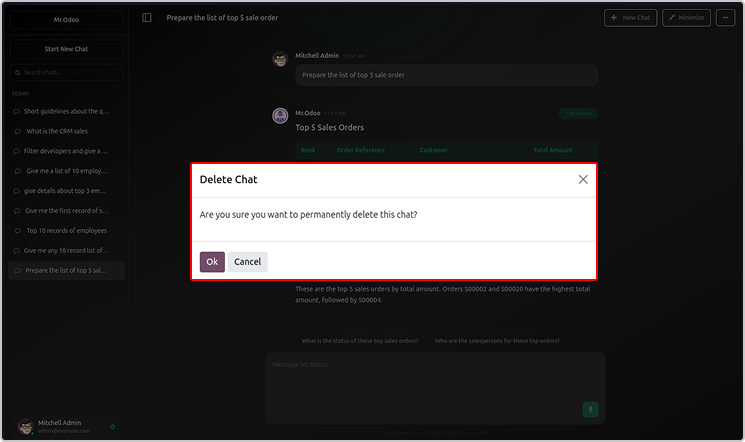
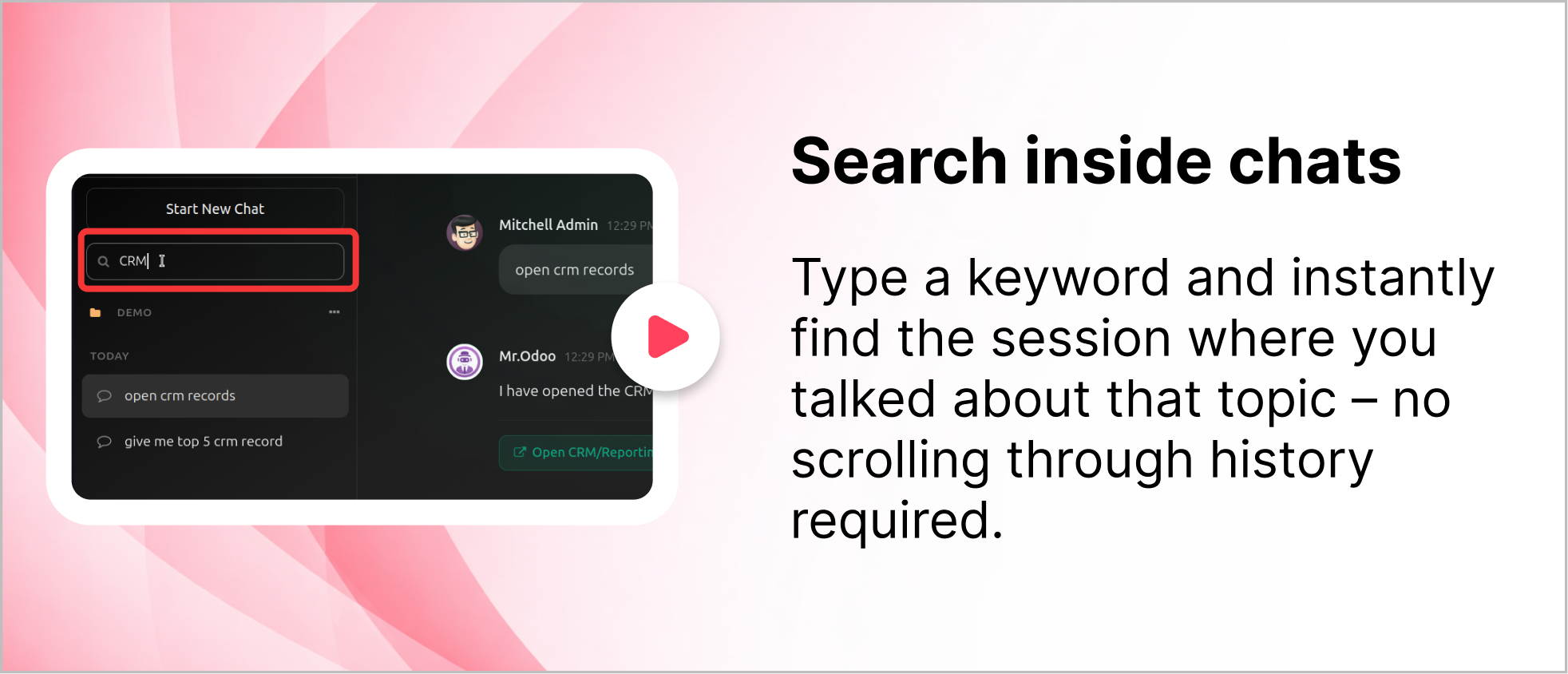
You will be able to see the chat histories, rename or delete the chat.
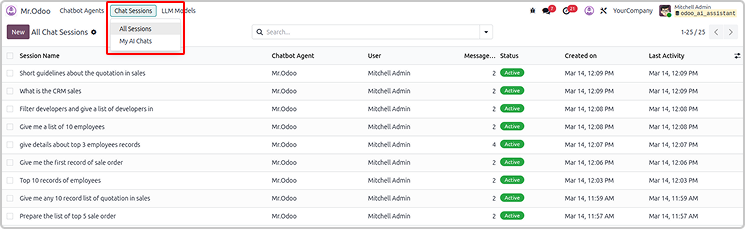
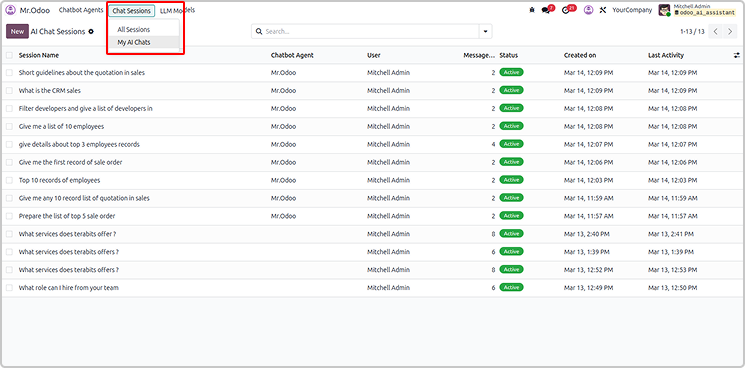
All the sessions and chats will be visible in the Odoo AI Insight app too.
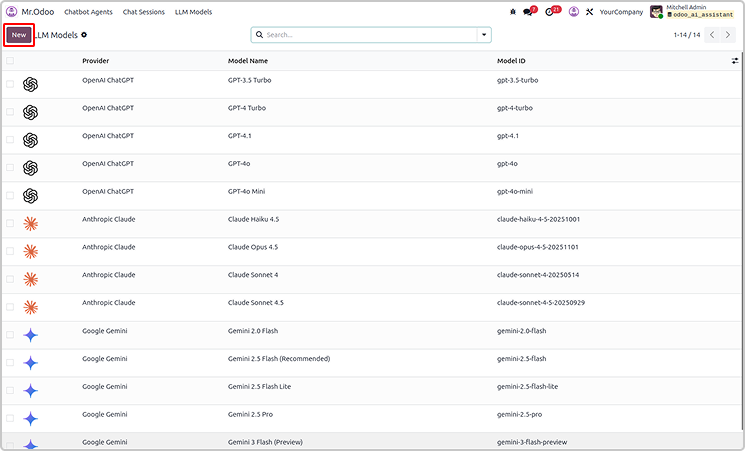
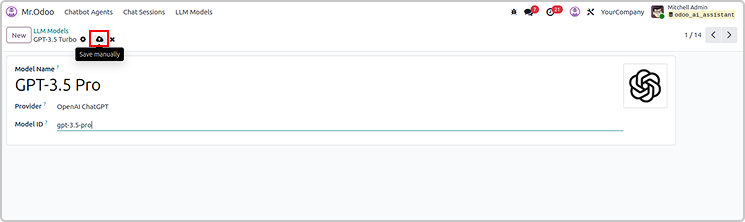
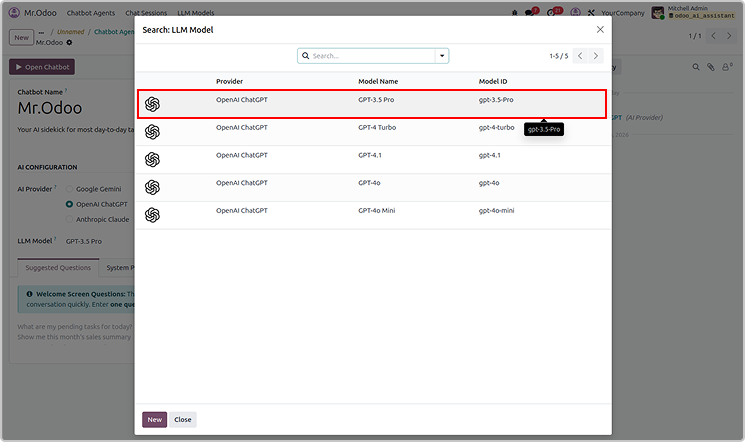
You can create the new LLM models as shown below.
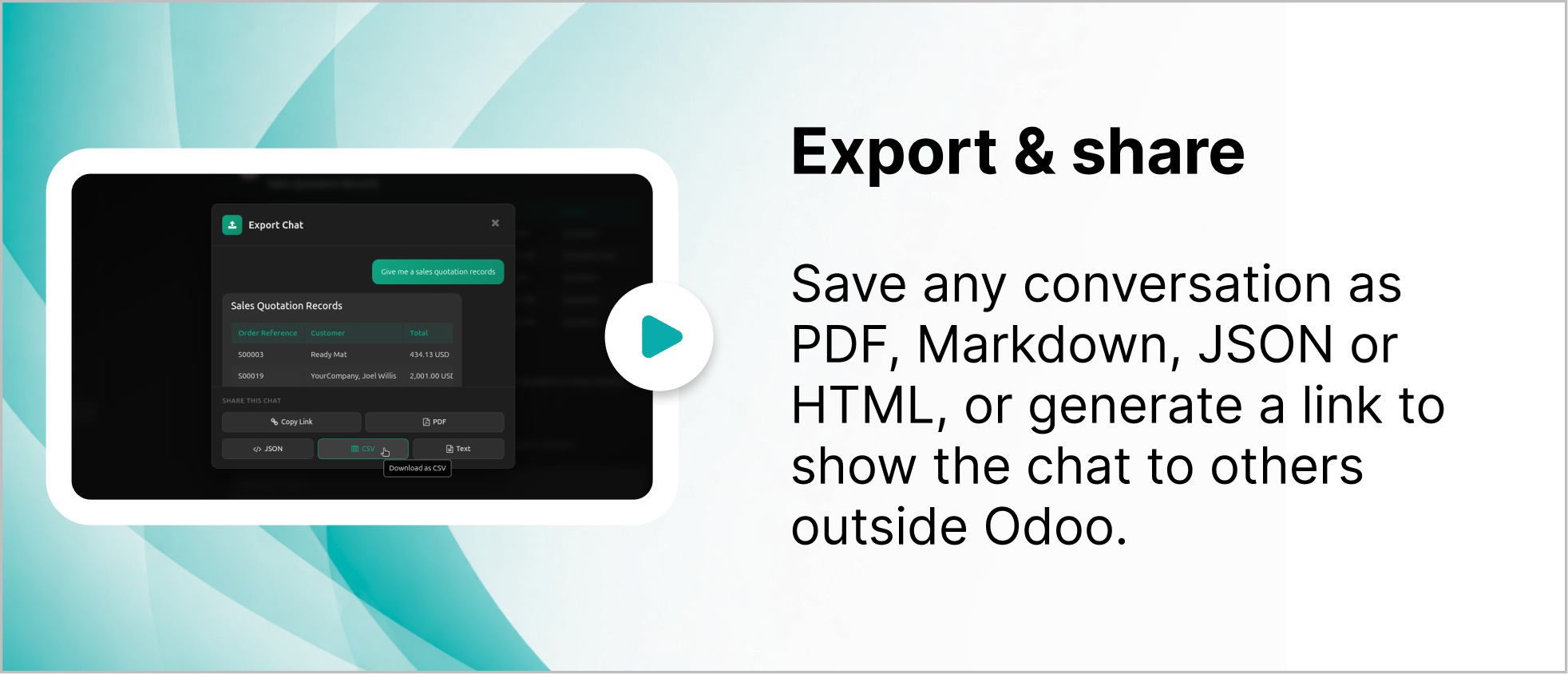
User can also share or export the chat from Odoo Ai insights
The exported file will be in CSV, jason and PDF.
Simply share by copying link as shown below.
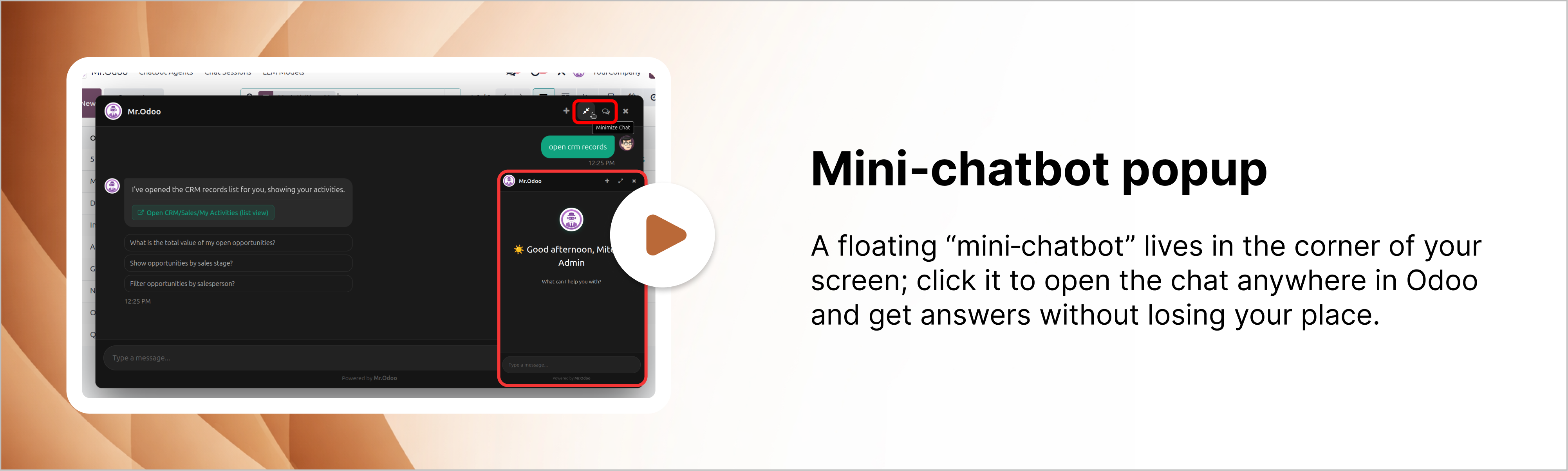
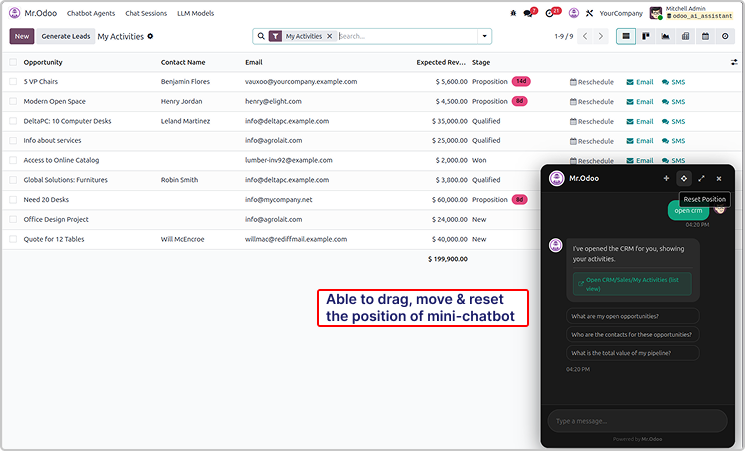
User can drag and reset the chatbot pop-up.
You can also maximize it as shown in the below image.
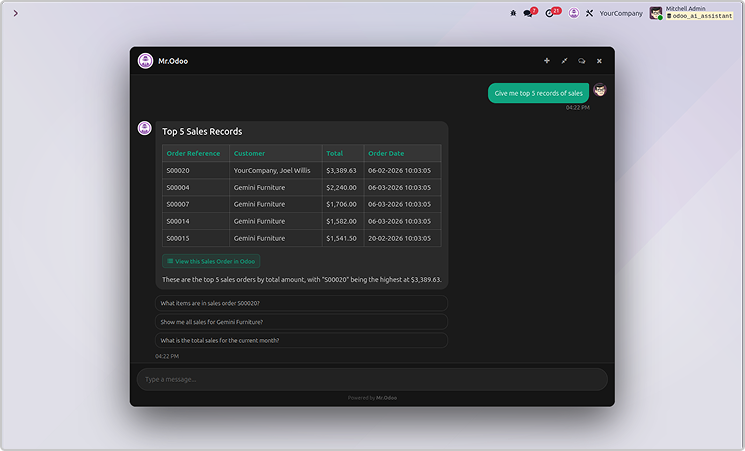
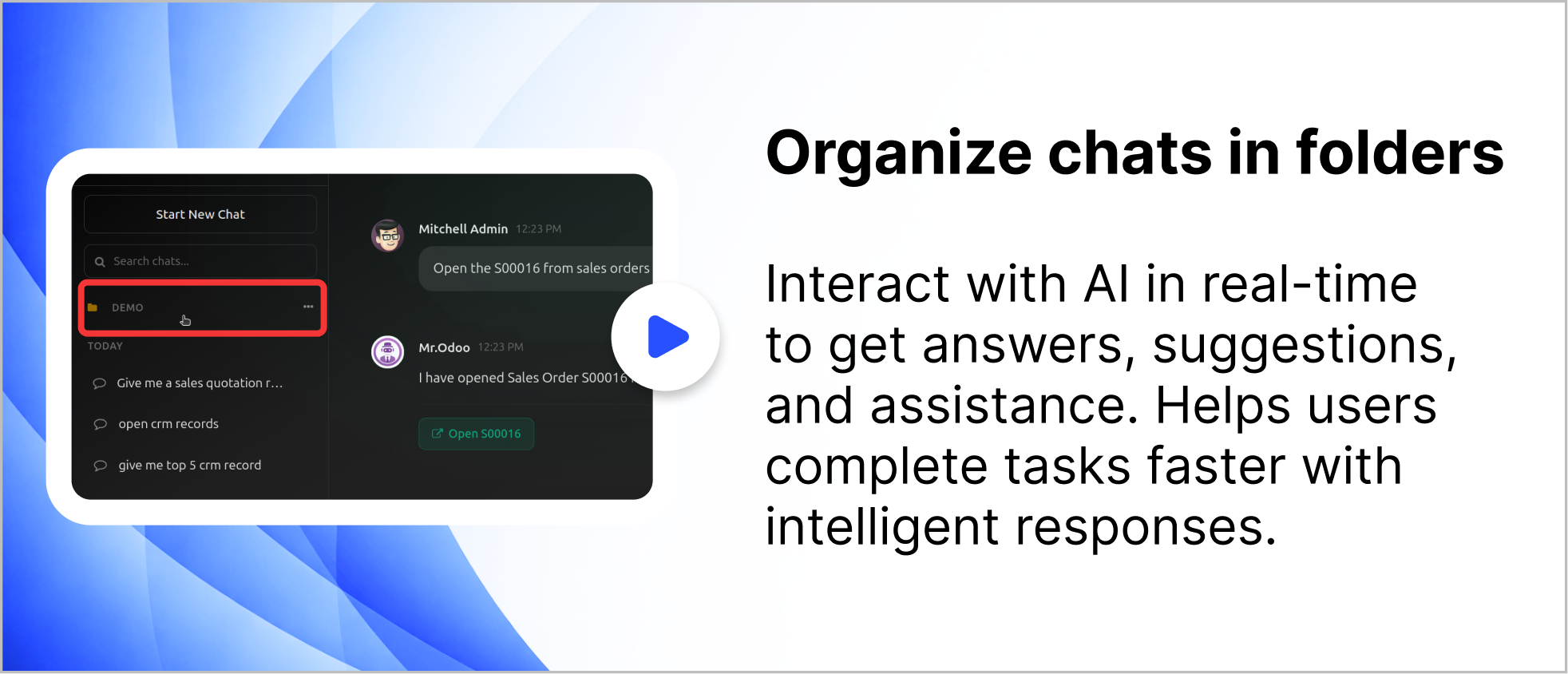
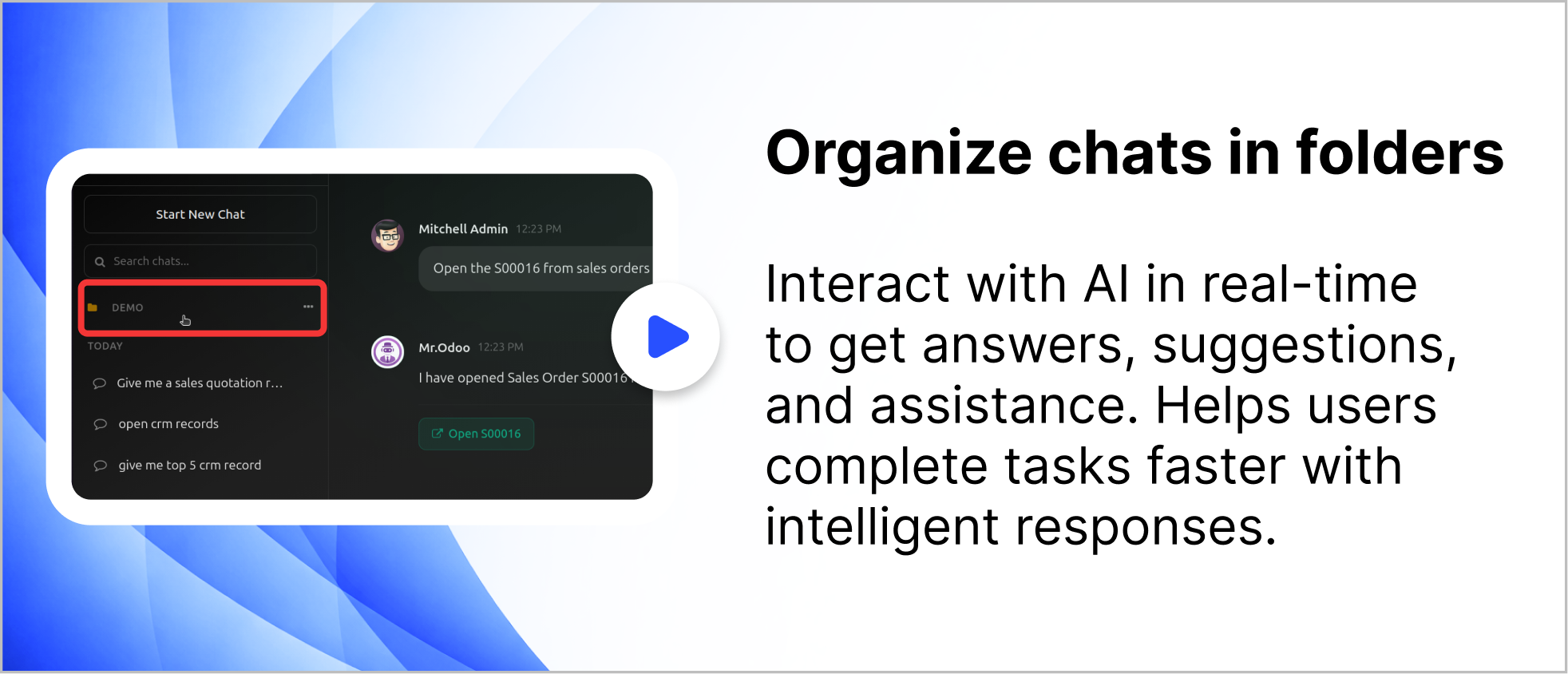
User can organized the chat in the folder as shown below.
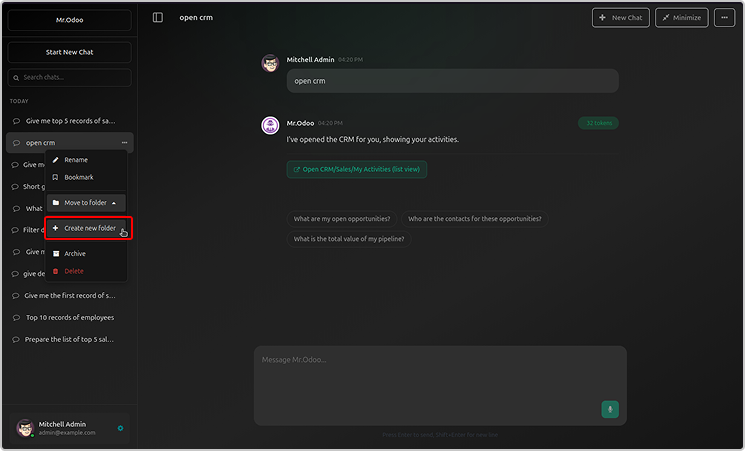
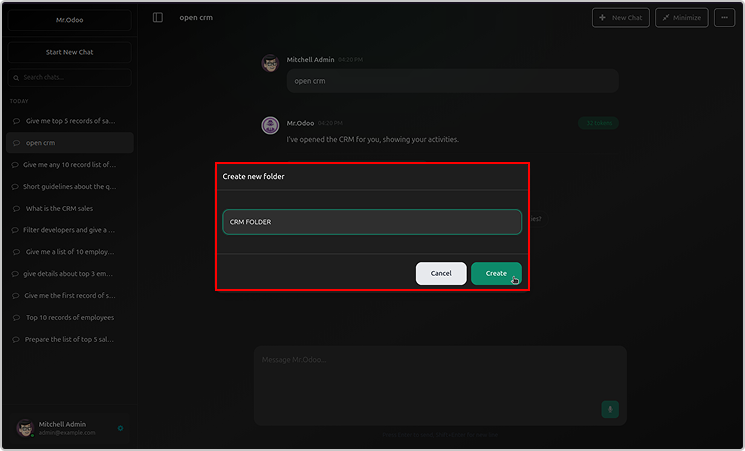
Just click on create a now folder, name it and organised the chats.
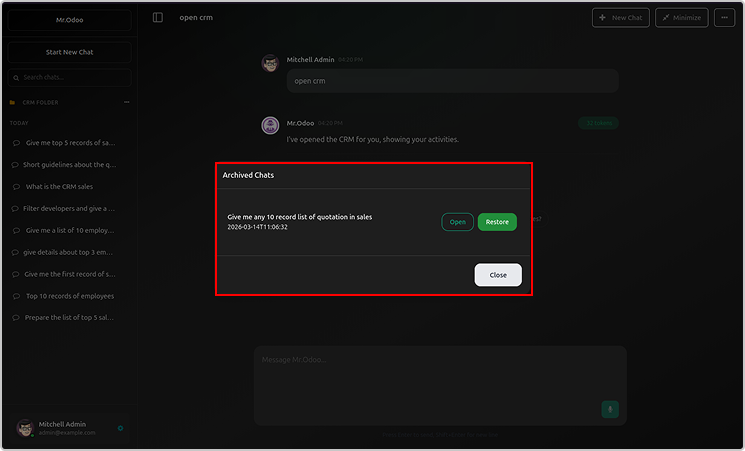
You can rename or archive the folder.
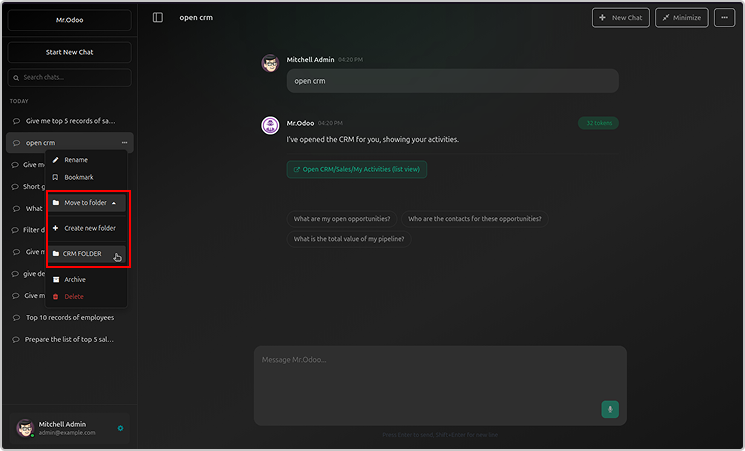
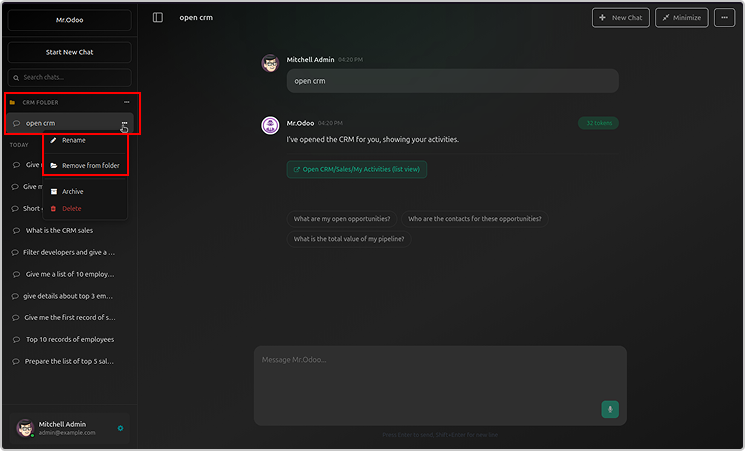
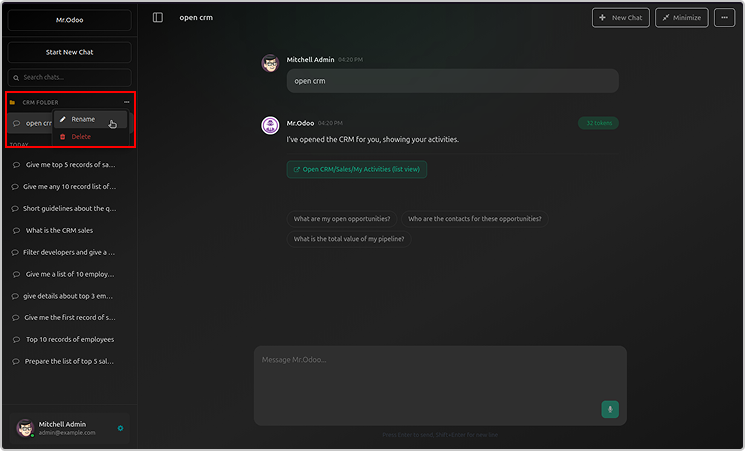
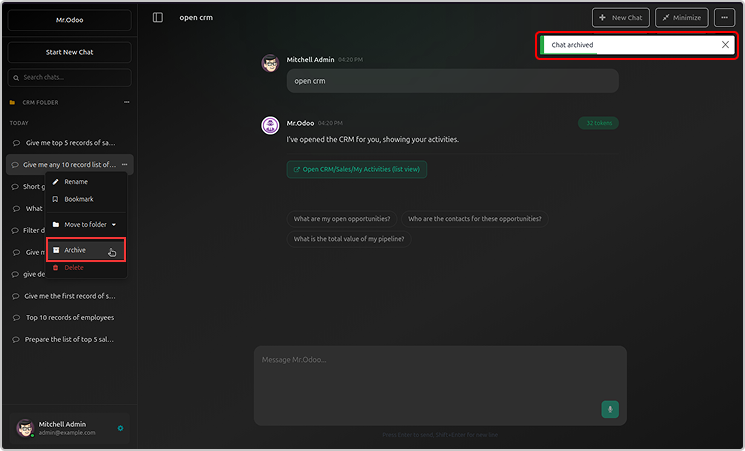
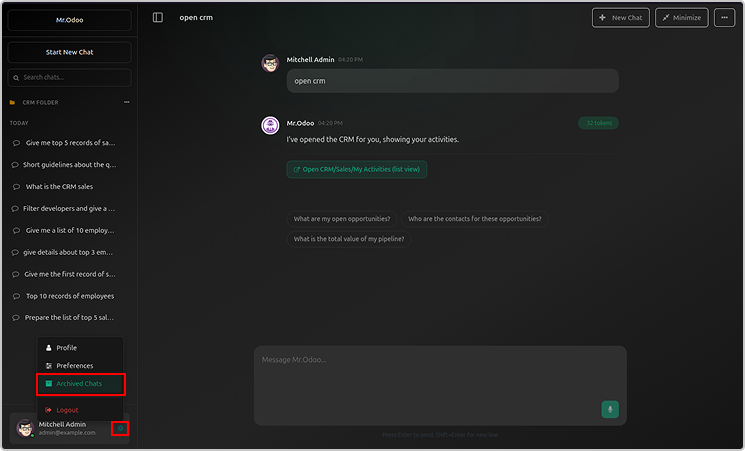
Archive folder will be visible in the user profile.
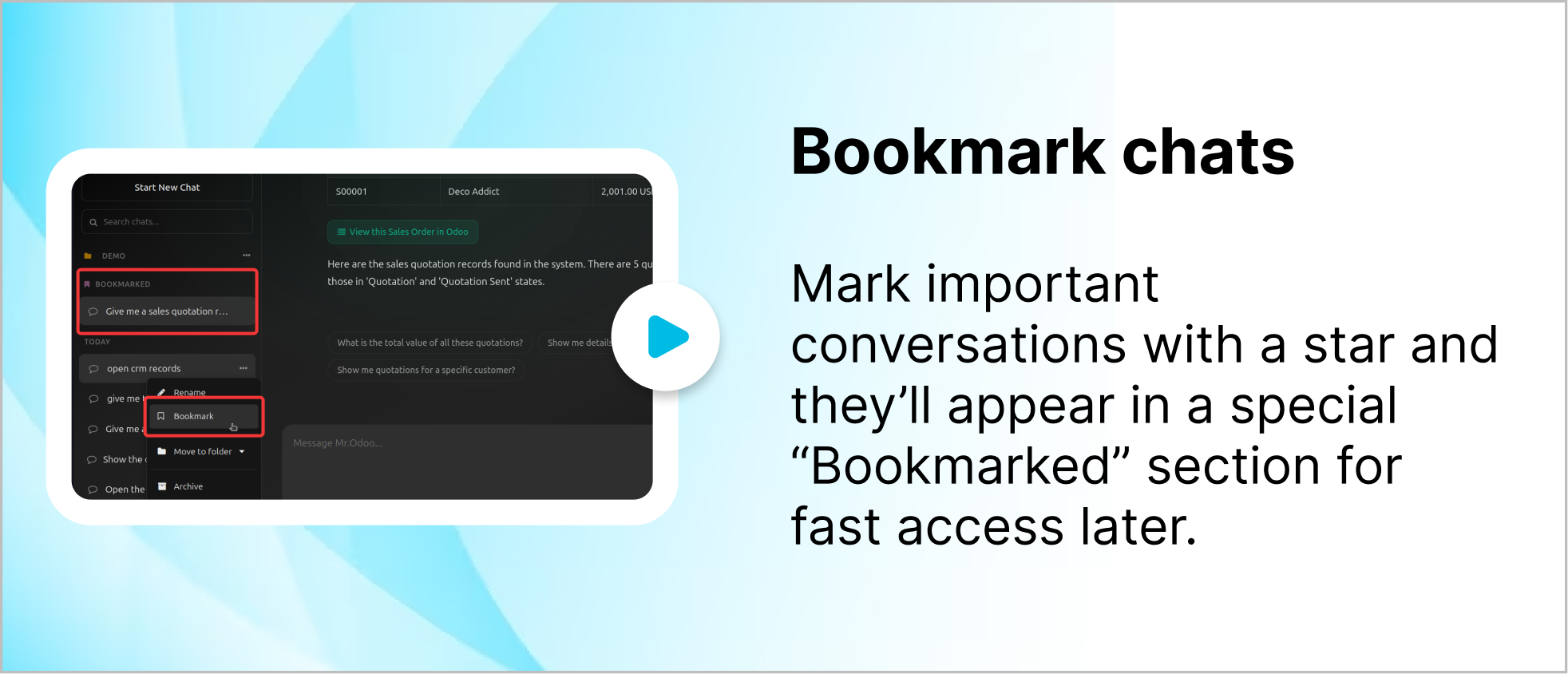
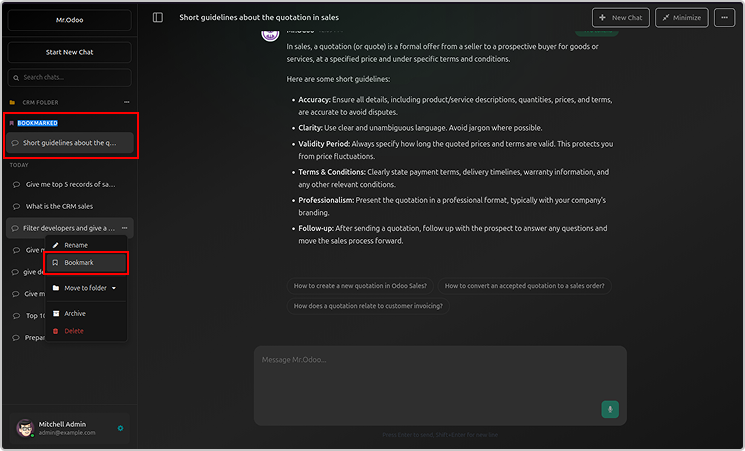
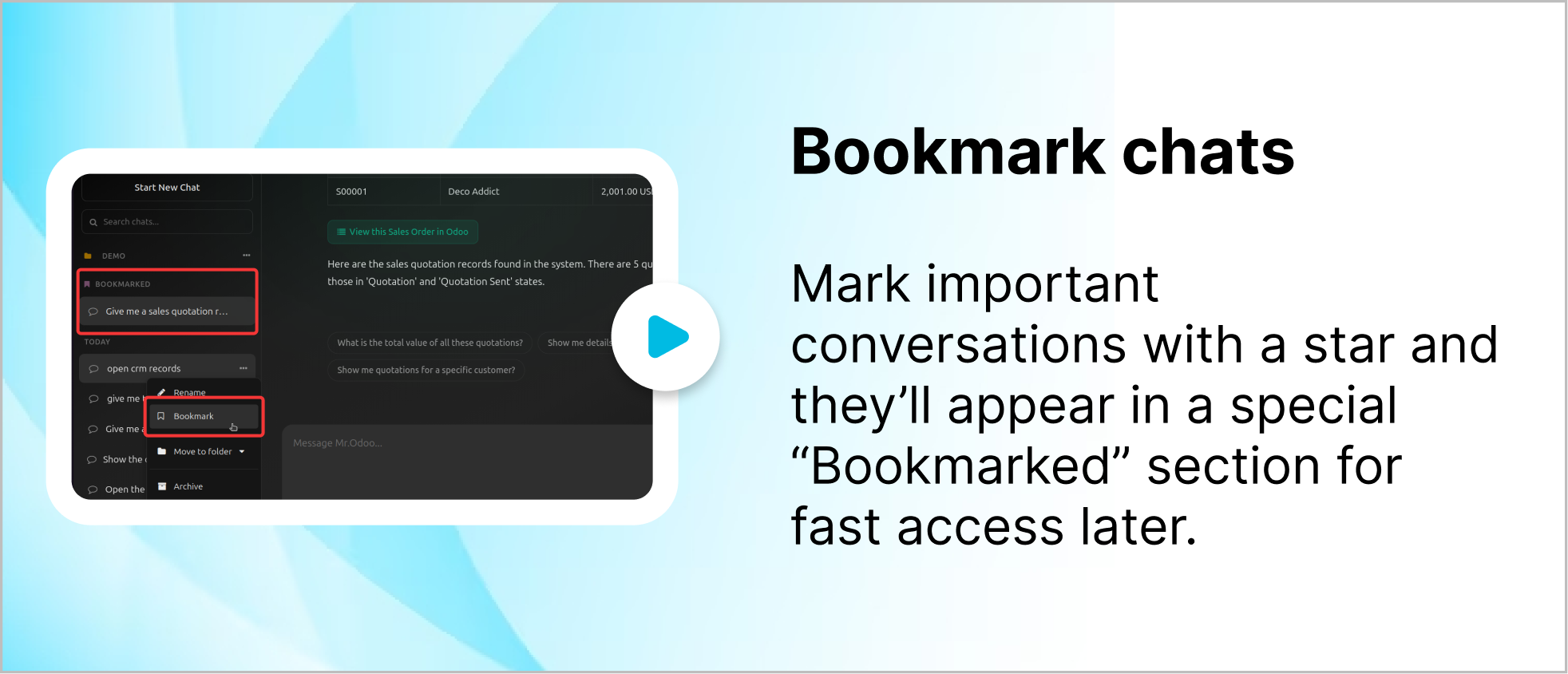
You can bookmark your chats as shown below.
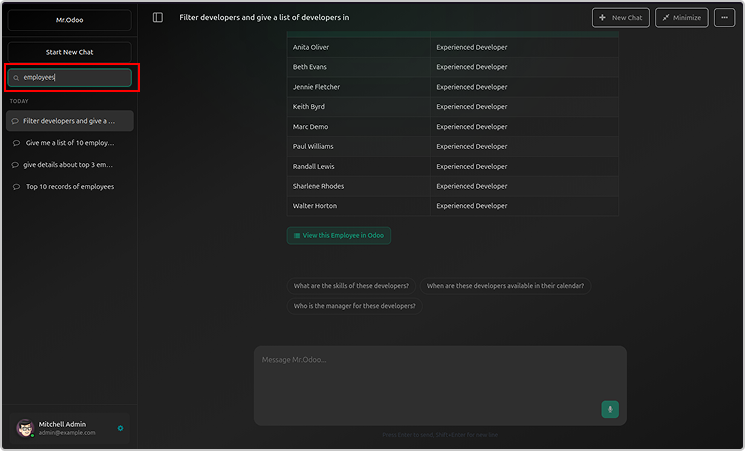
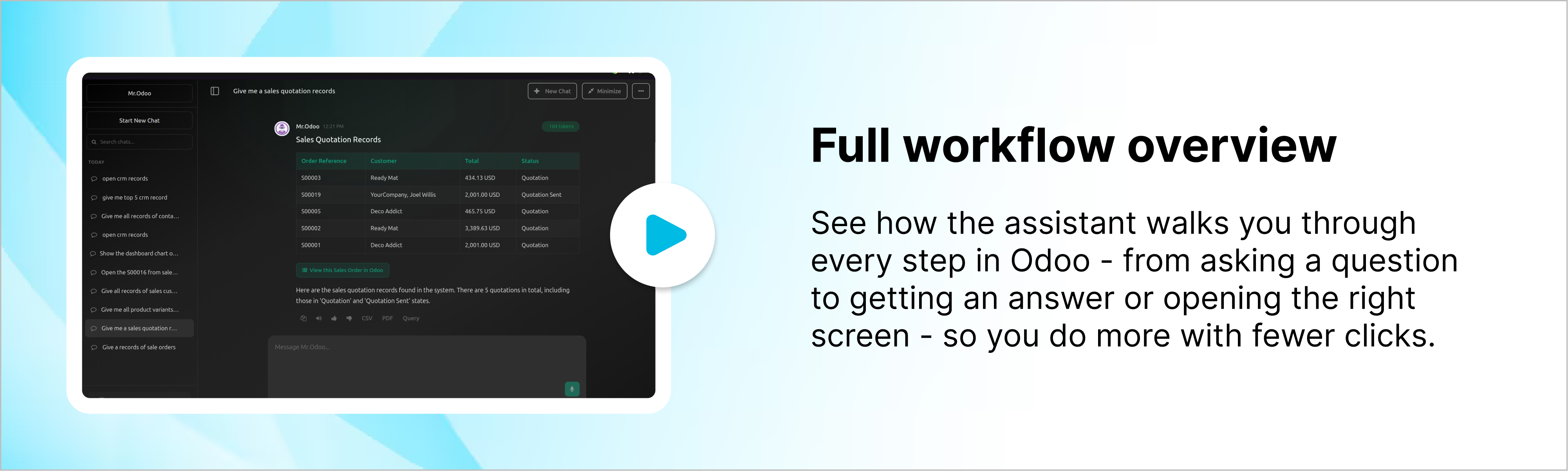
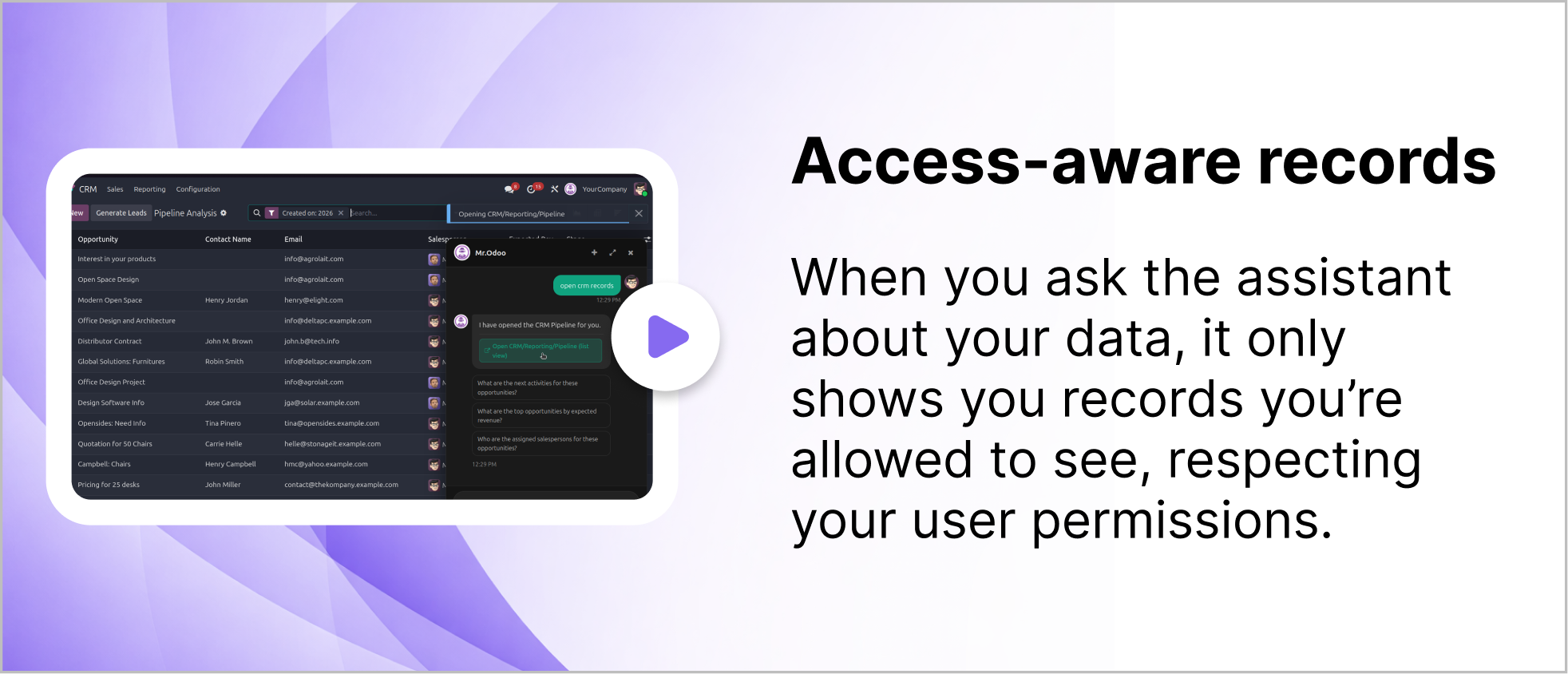
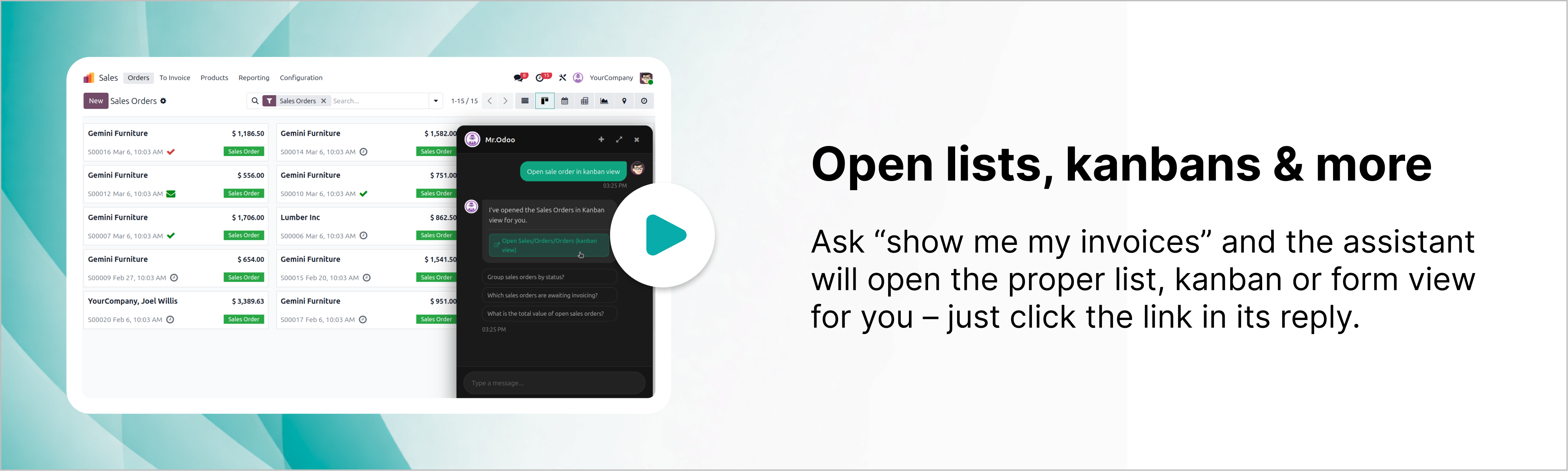
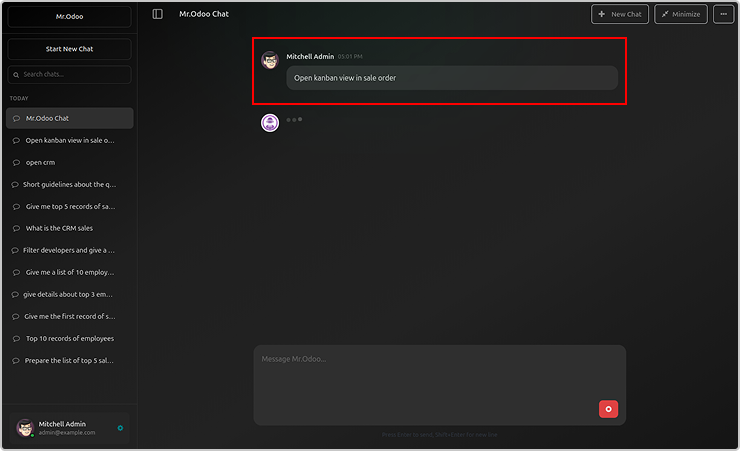
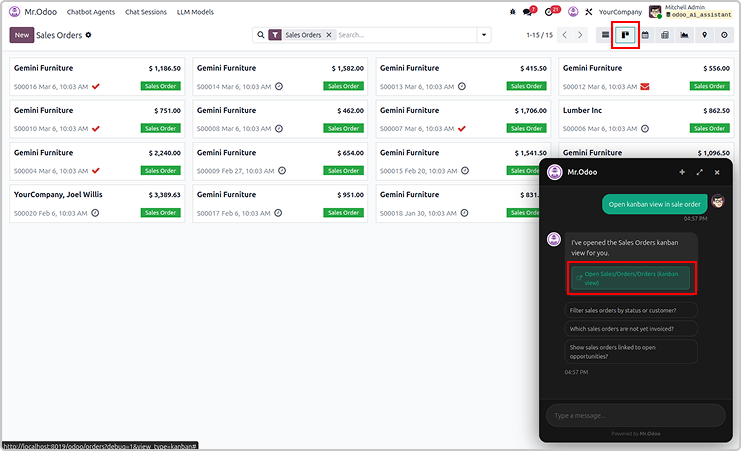
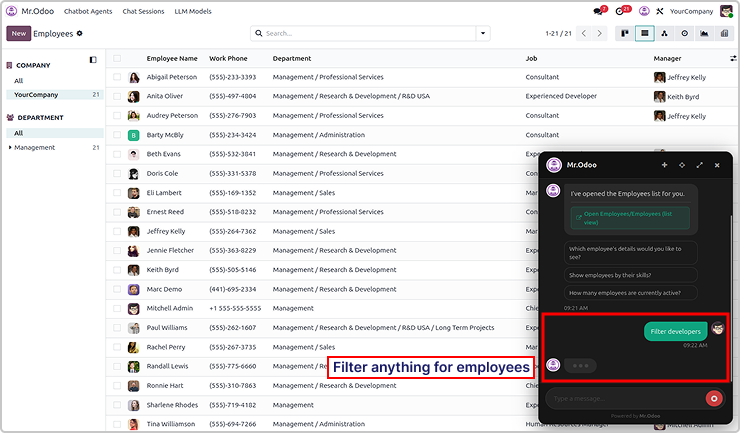
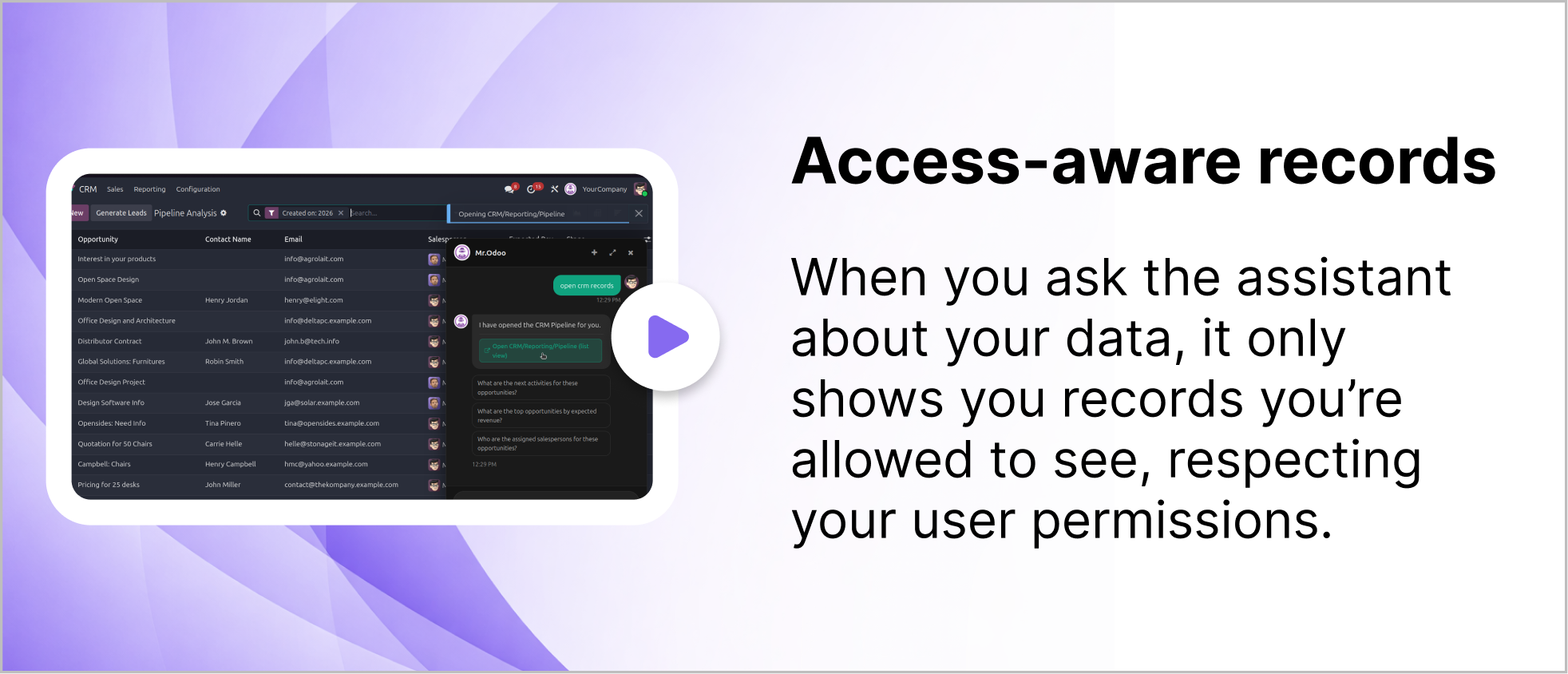
You will get the requested records in the lists, kanbans and other views.
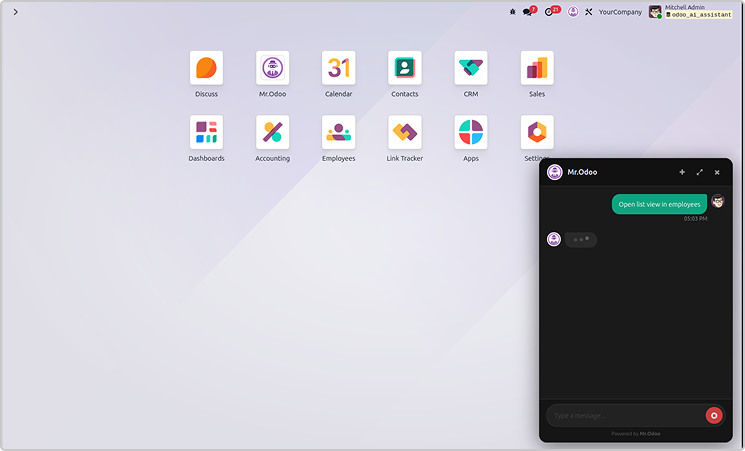
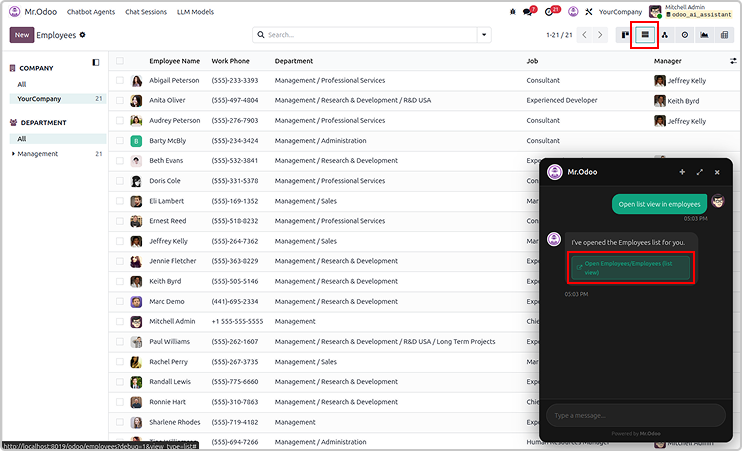
Here is the example asking the employees in a lists view.
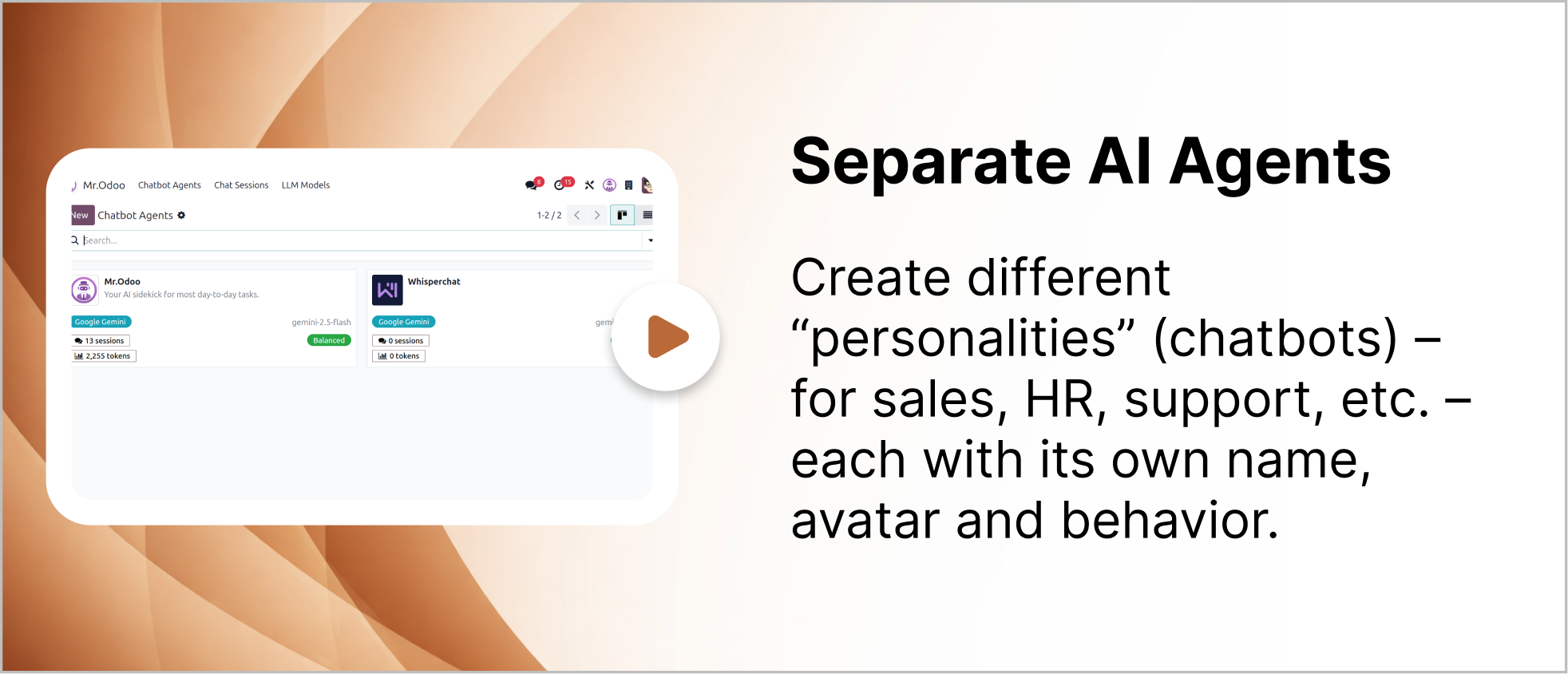
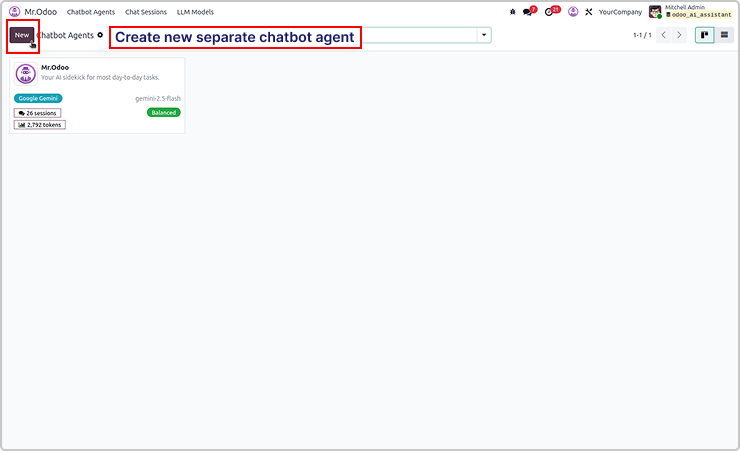
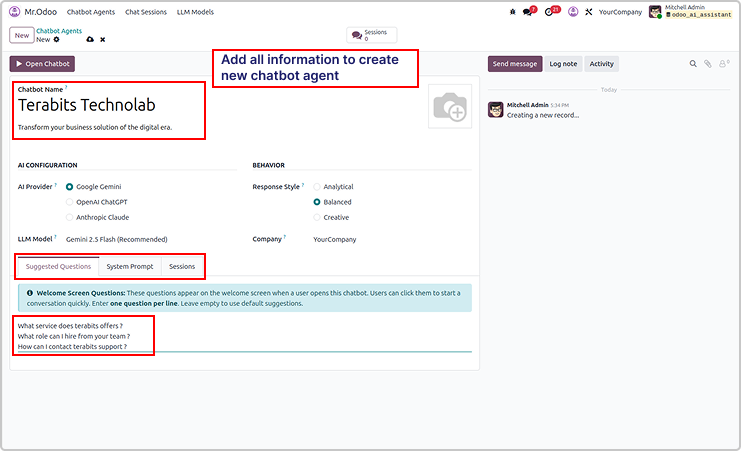
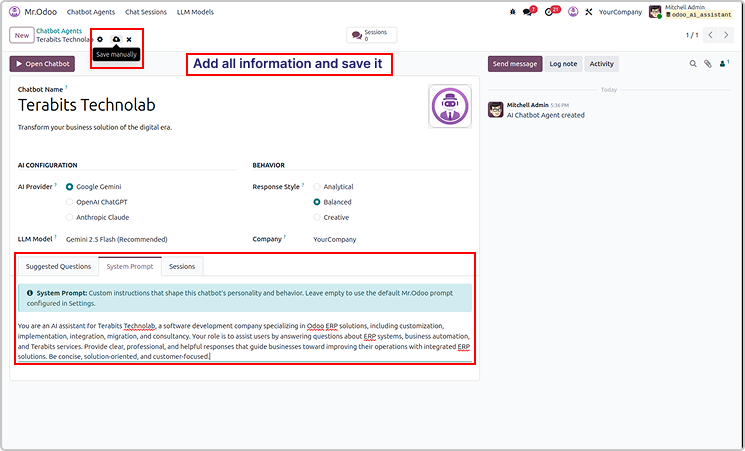
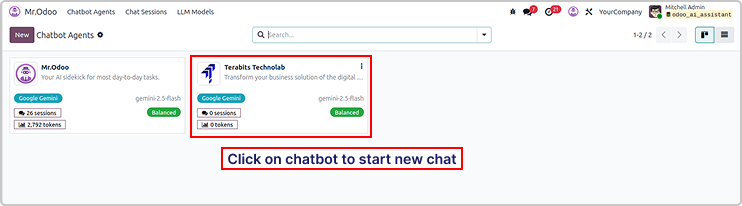
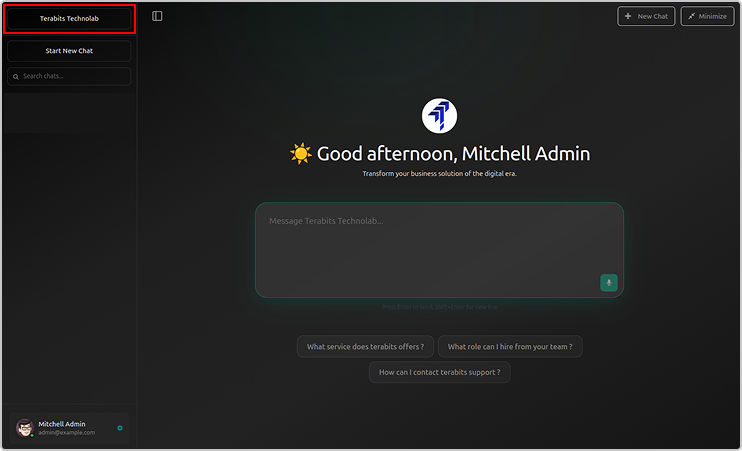
You can create multiple AI agents as shown below.
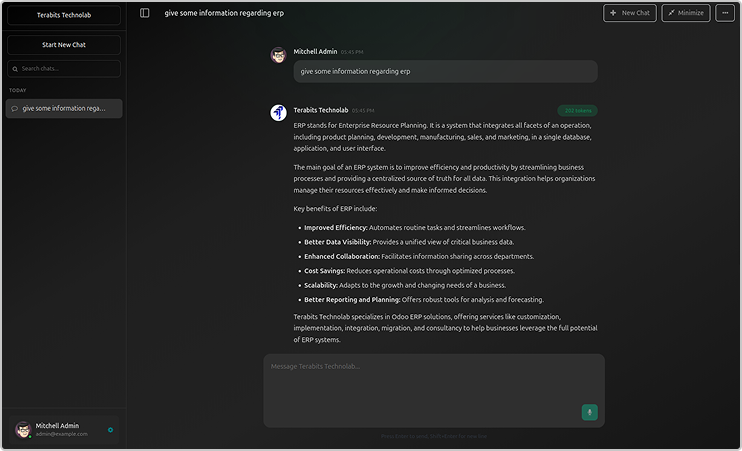
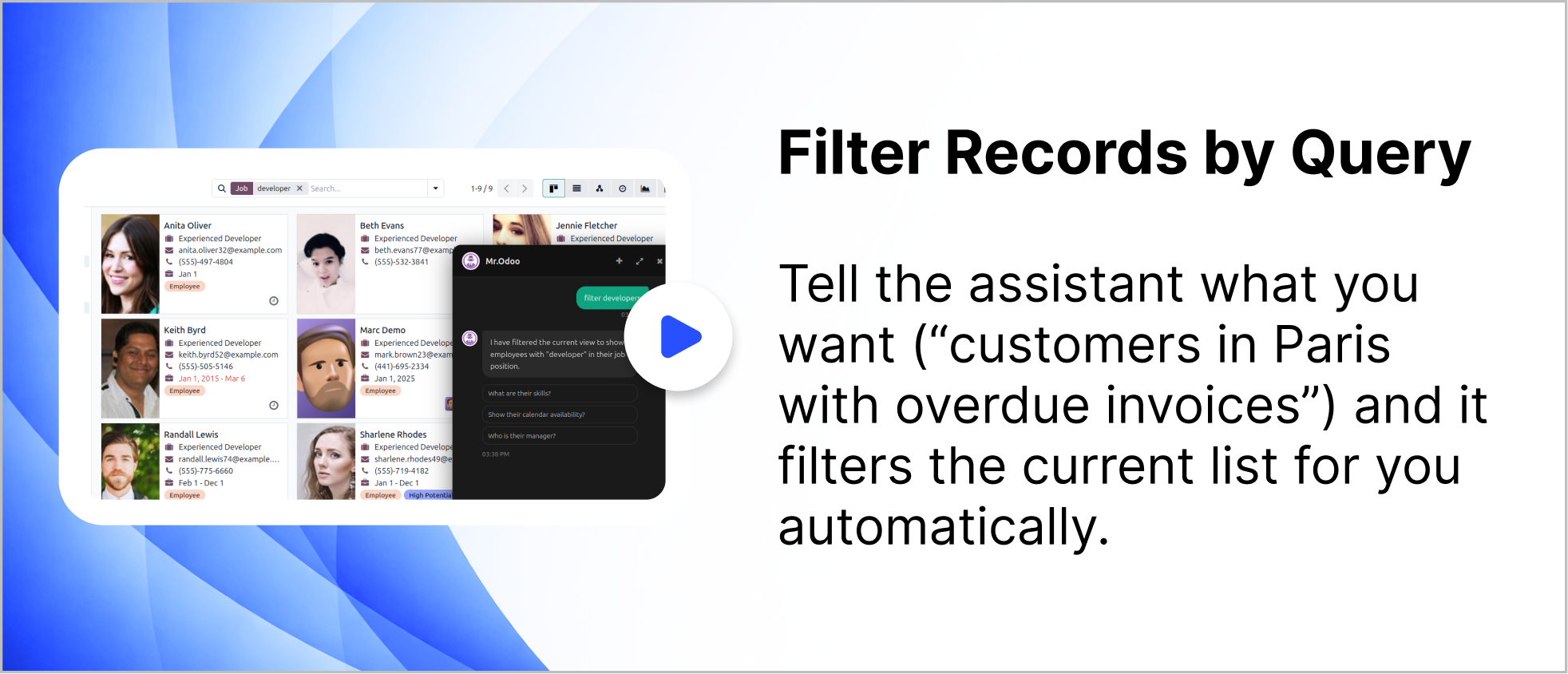
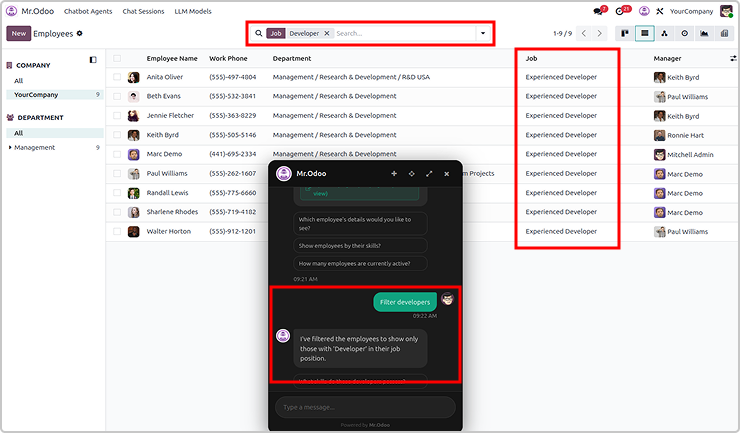
You can filter records using query for any requested records.
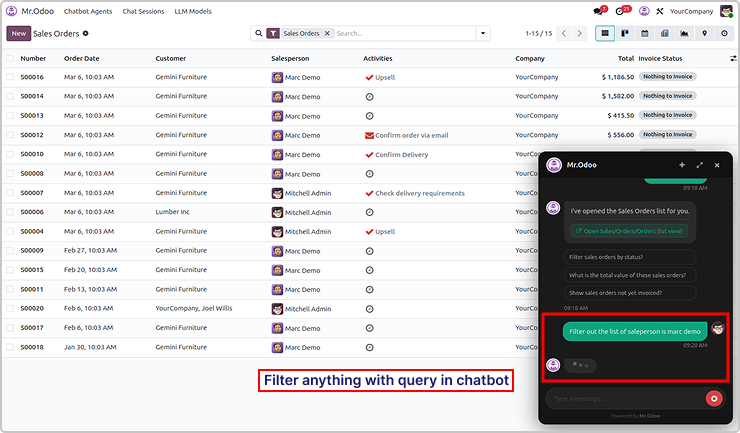
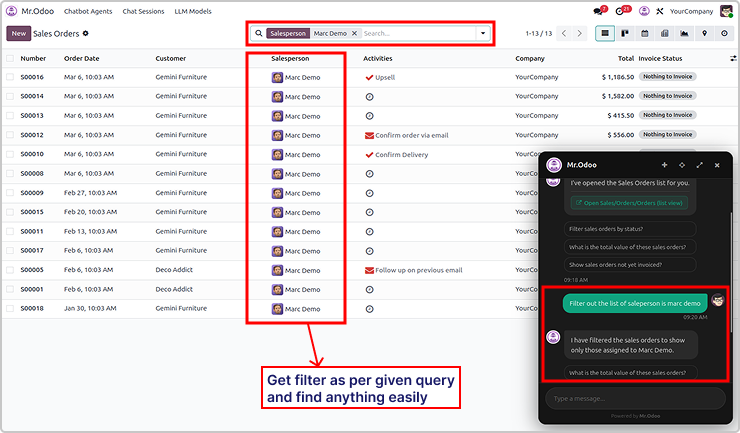
Here is the example 2

Need Help ?
You can instantly find the answer you need here when
you're looking for a quick solution.

Odoo Ai insights supports multiple AI models including ChatGPT, Gemini, and Claude. Users can switch between models depending on their needs for performance, cost, or response quality.
Yes. Odoo Ai insights follows Odoo's built-in security and access control rules. The AI assistant only shows data that the current user has permission to access, ensuring your business data remains secure.
Odoo Ai insights supports multiple AI models including ChatGPT, Gemini, and Claude. Users can switch between models depending on their needs for performance, cost, or response quality.
Odoo Ai insights can work with many Odoo modules such as Sales, CRM, Inventory, Accounting, and more. It helps users quickly search records, open views, and get insights from their ERP data through simple conversations.
Yes, I do provide free support for 90 days for any queries or any bug/issue fixing.
In case of if any bug raised in the listed features of this module, I am committed to providing support free of cost. You will need to provide me server ssh access or database access in order to solve the issue.
Changelog(s)
Each update brings improvements to make the
app work better for you.

Recommended Apps

Need any help for this module?
Contact us info@terabits.xyz for your queries



Odoo AI Insights : AI-Powered
business assistant for odoo
Talk to odoo. Get instant business insights.
Odoo AI Insights is a smart chatbot built right into your Odoo, letting you interact
with your data using simple, natural language. Powered by tools like ChatGPT,
Claude, and Gemini, it gives real-time answers directly from your database.
Talk to your Odoo like you would to a teammate - just ask questions and get clear,
instant answers from your own business data without digging through menus or
reports. You can explore sales, customers, or inventory in seconds, with
information presented clearly and instantly. It makes everyday work feel more
natural, helping you understand whats happening and make quicker decisions
without changing how your Odoo already works.

No more manual searches

No more digging through menus

No more complex filters

Key features
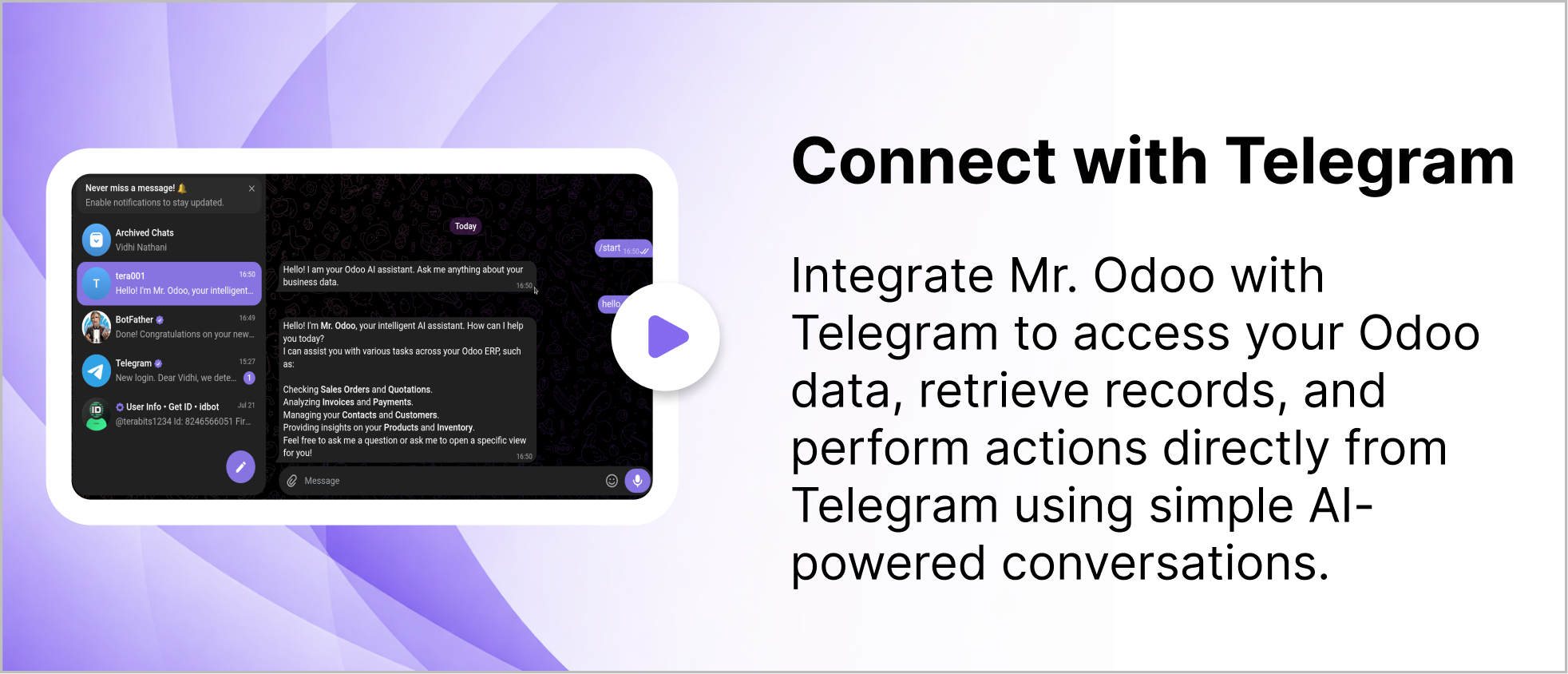
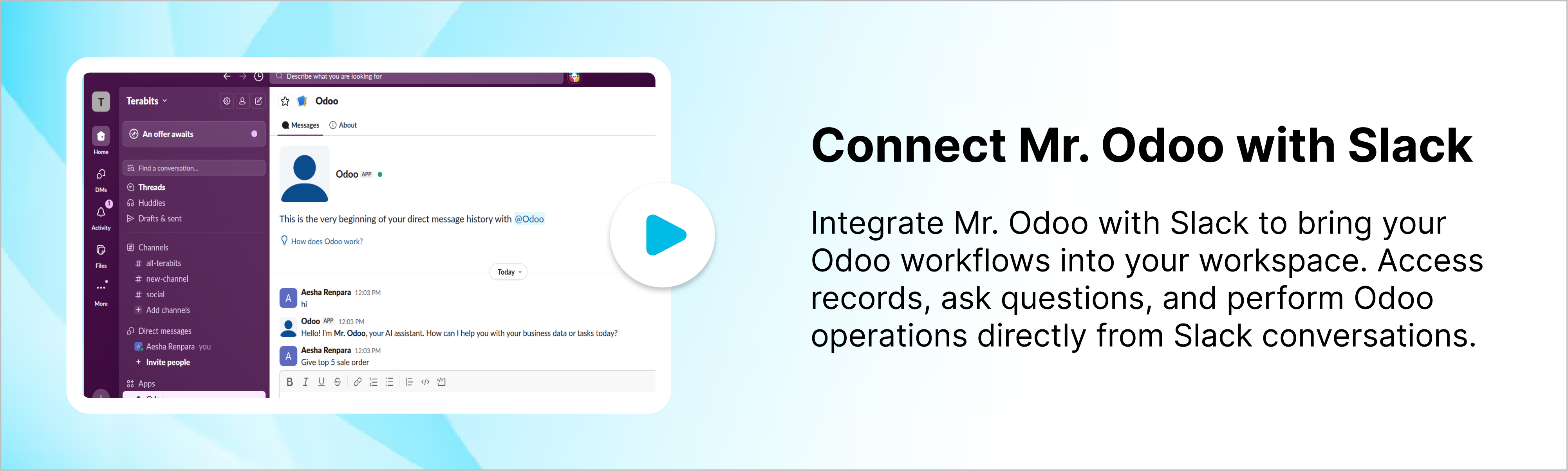
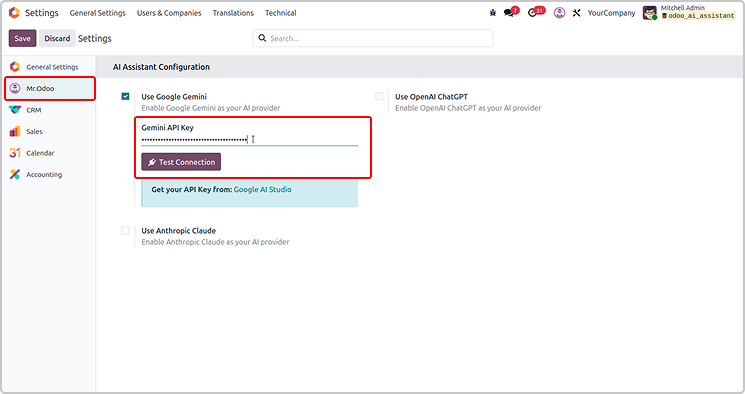
Configure the API key as shown in the screenshot below.
Set the access rights for AI agent under user settings.
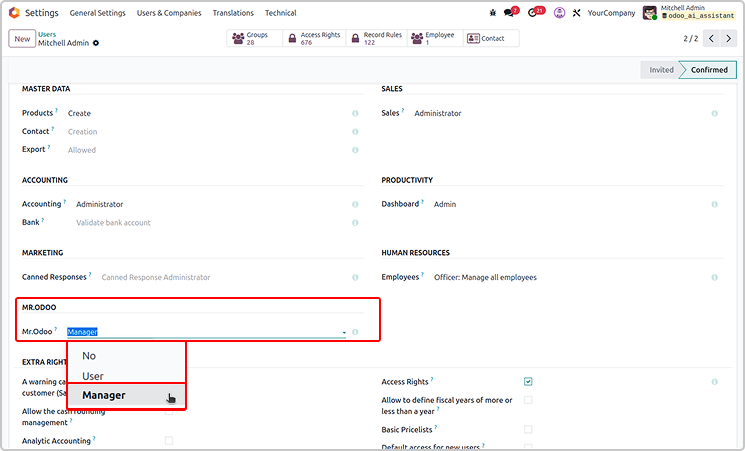
If the user is the manager, he has access to customise Odoo AI Insight
from the configuration as shown below.
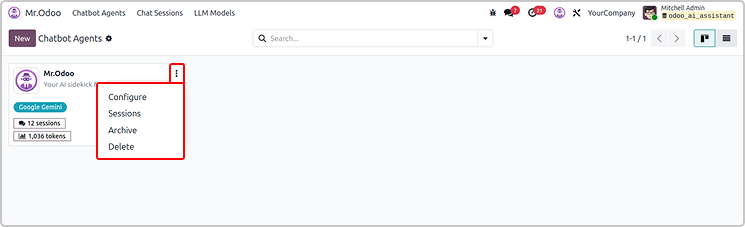
If you have a manager access, you will have access to set up all
the configurations.
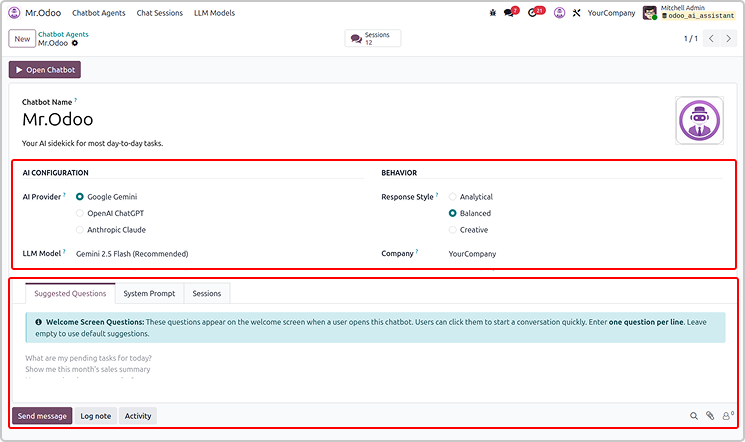
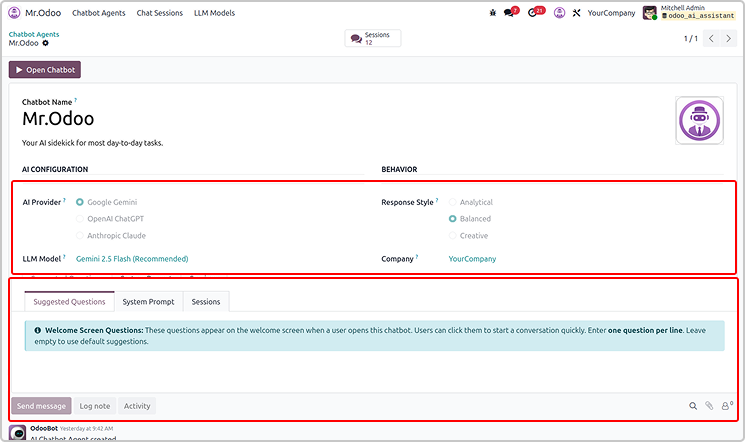
If you have the user access, you will only view the configuration.
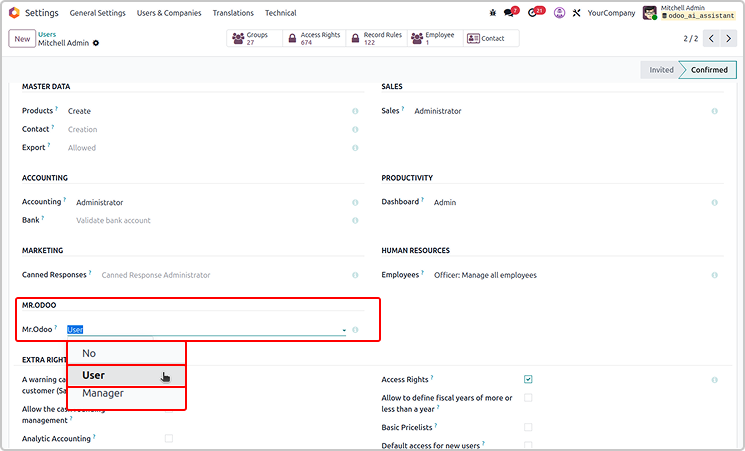
User will not have a delete access.
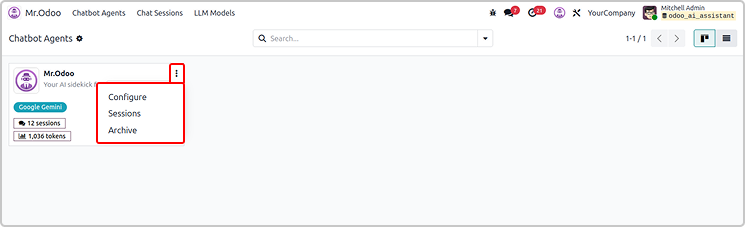
Every thing will be read only for the normal user as shown below.
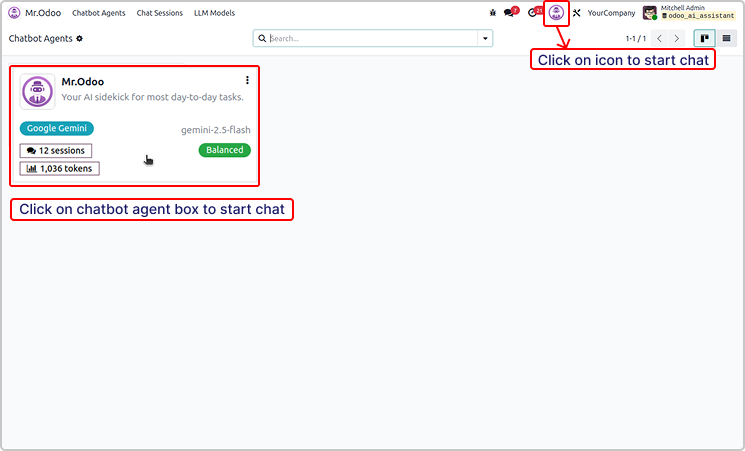
You can simple start the chat using the icon or chatbot agent
as shown in the below image.
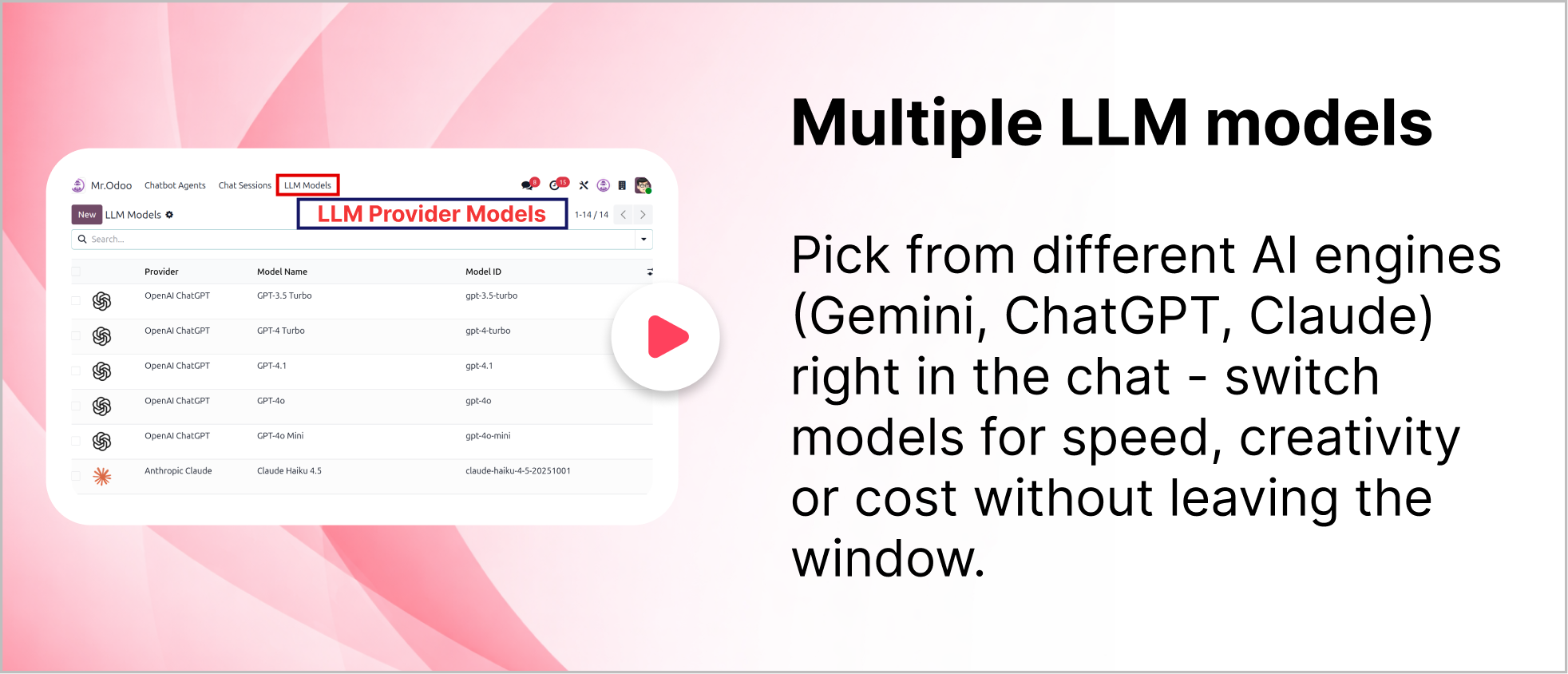
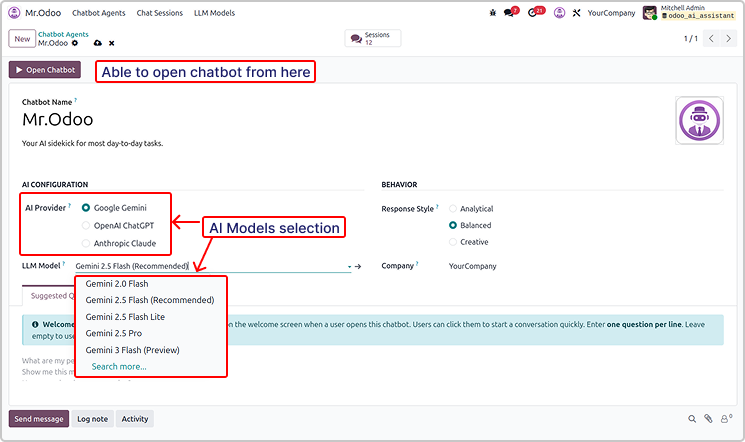
You can use multiple version of the AI providers.
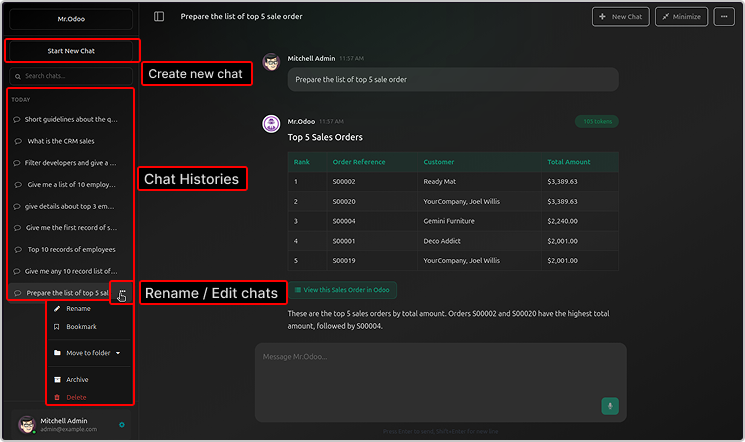
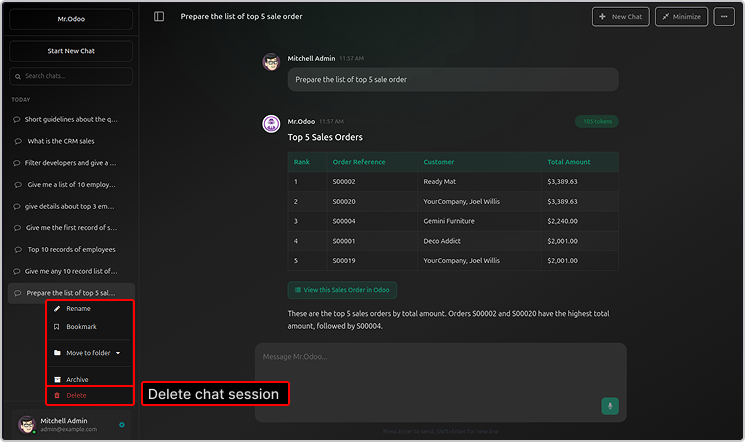
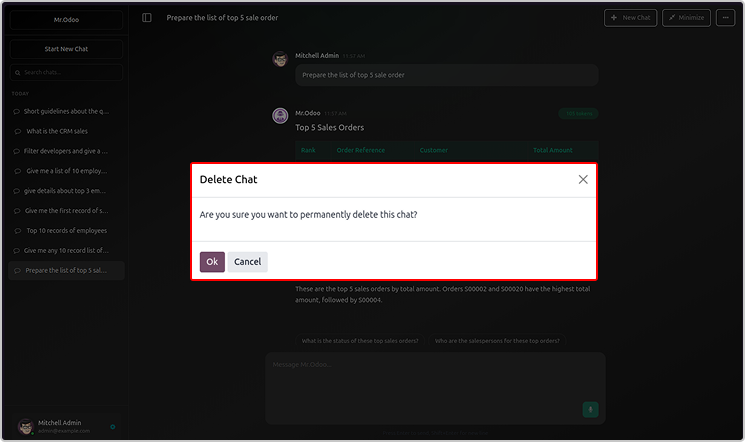
You will be able to see the chat histories, rename or delete the chat.
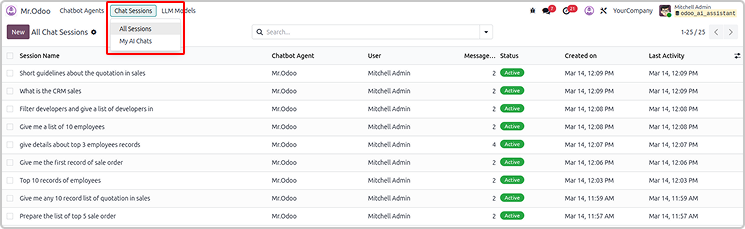
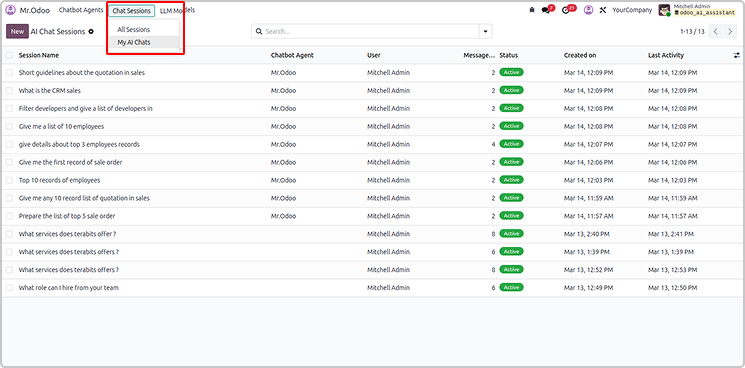
All the sessions and chats will be visible in the Odoo AI Insight app too.
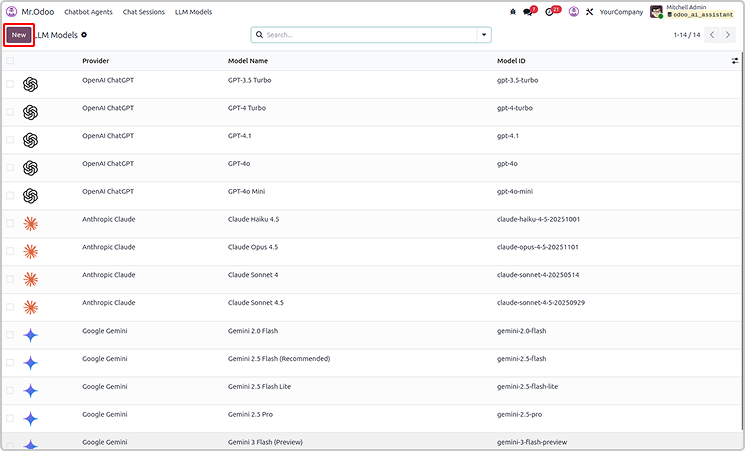
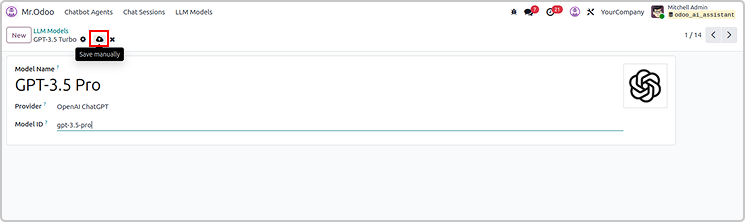
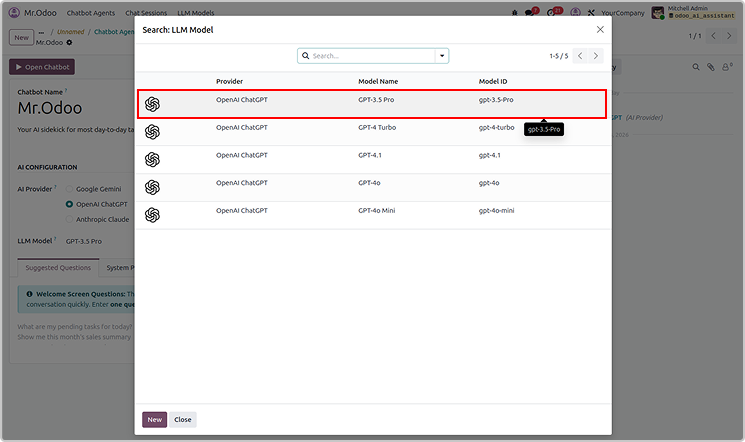
You can create the new LLM models as shown below.
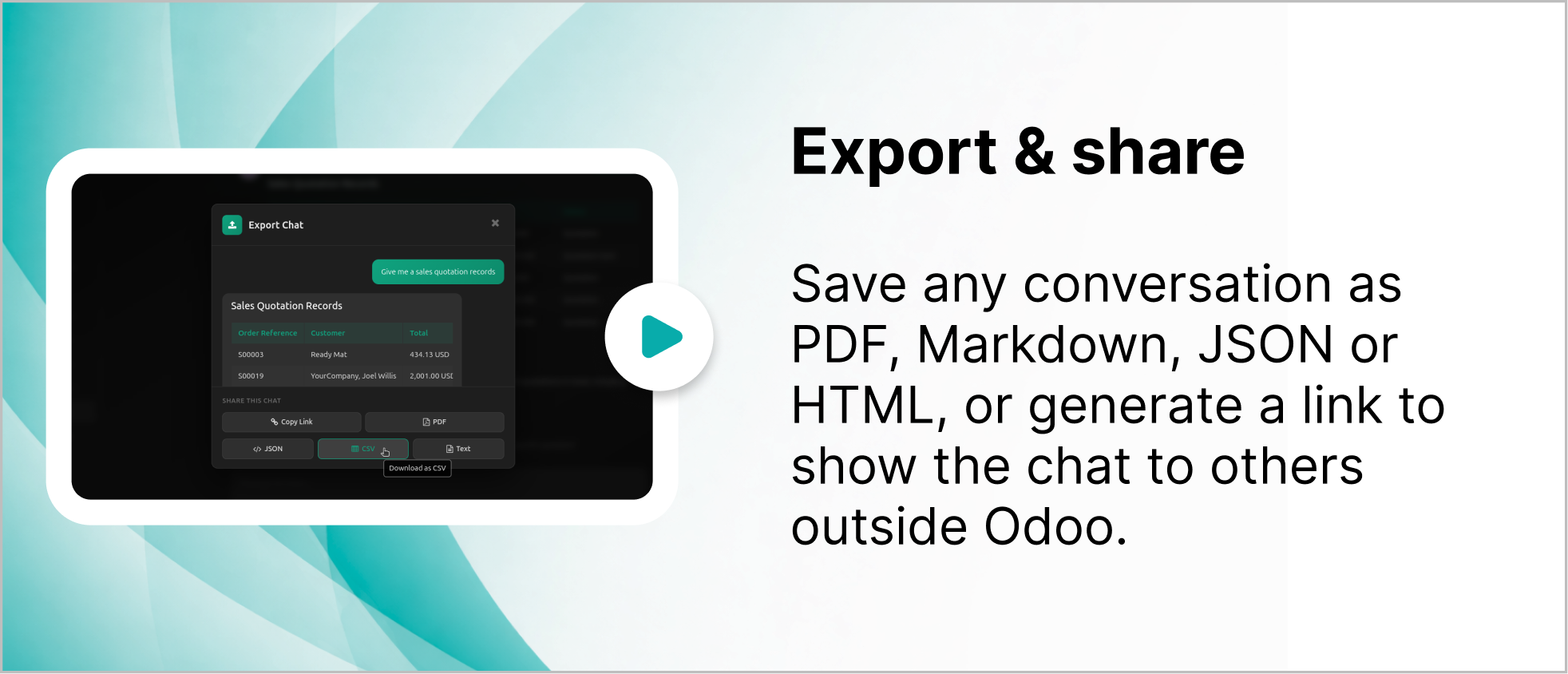
User can also share or export the chat from Odoo Ai insights
The exported file will be in CSV, jason and PDF.
Simply share by copying link as shown below.
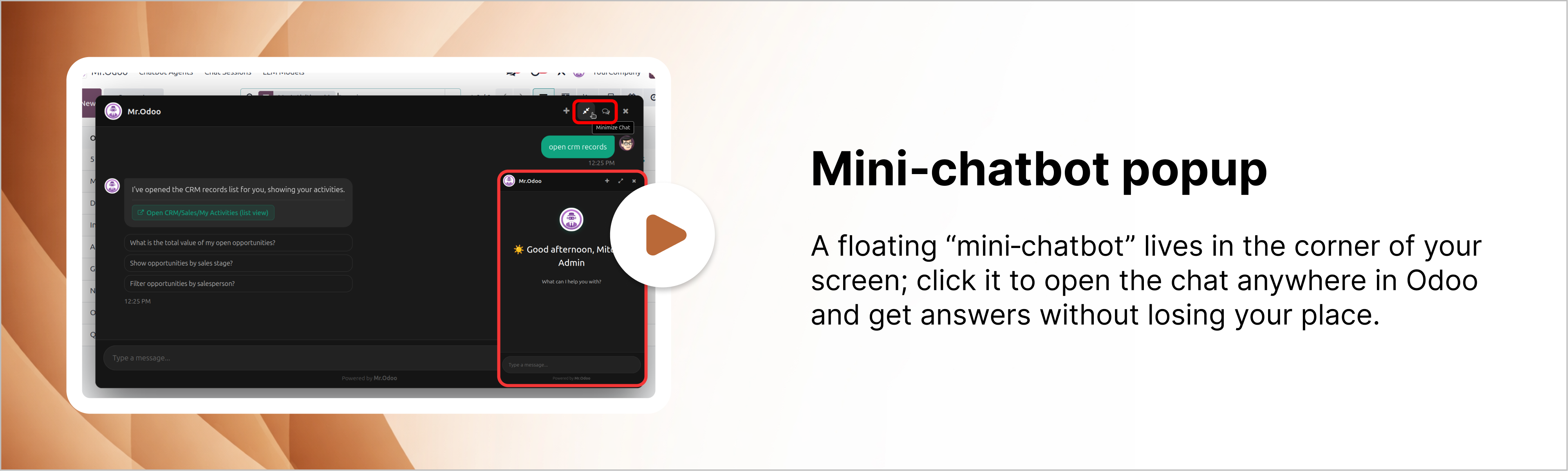
User can drag and reset the chatbot pop-up.
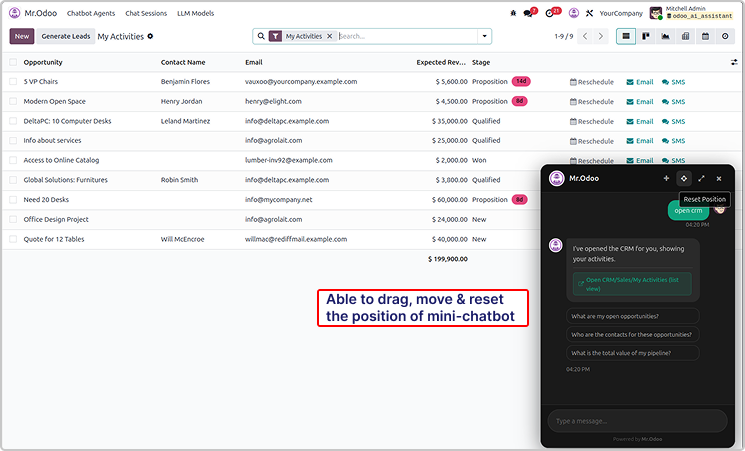
You can also maximize it as shown in the below image.
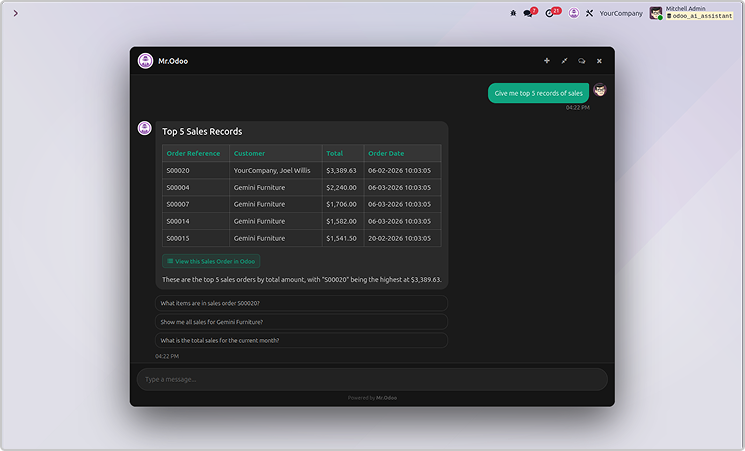
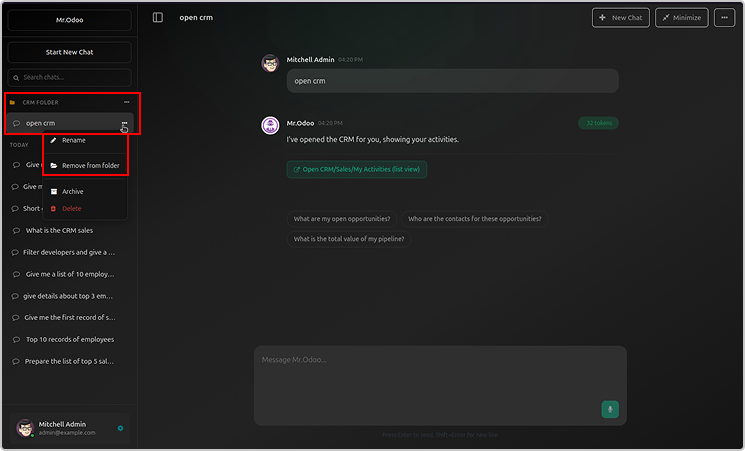
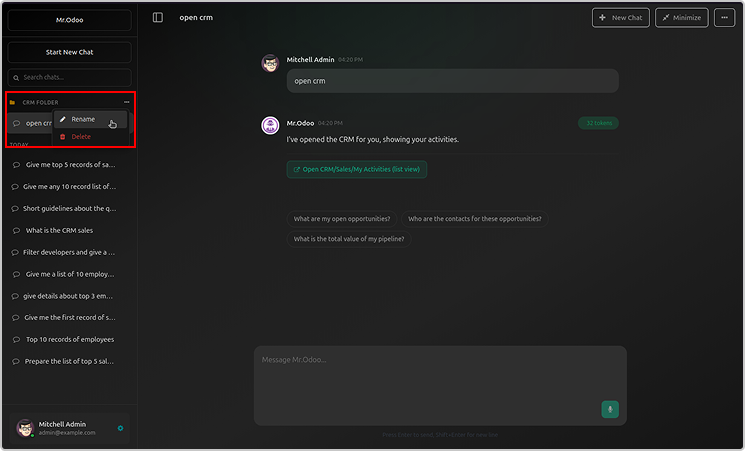
User can organized the chat in the folder as shown below.
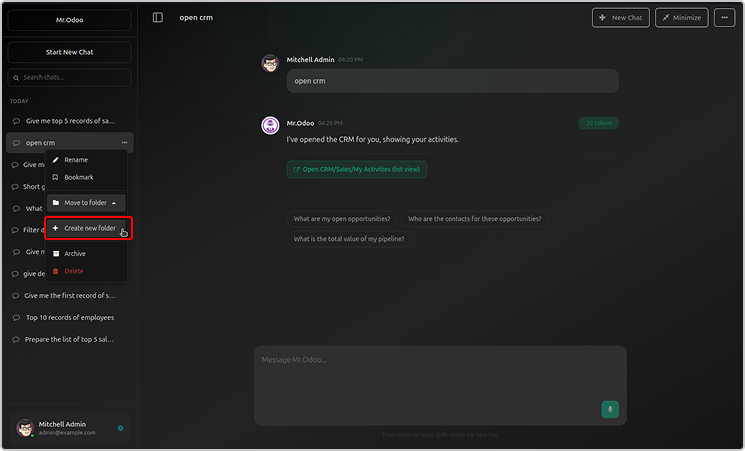
Just click on create a now folder, name it and organised the chats.
You can rename or archive the folder.
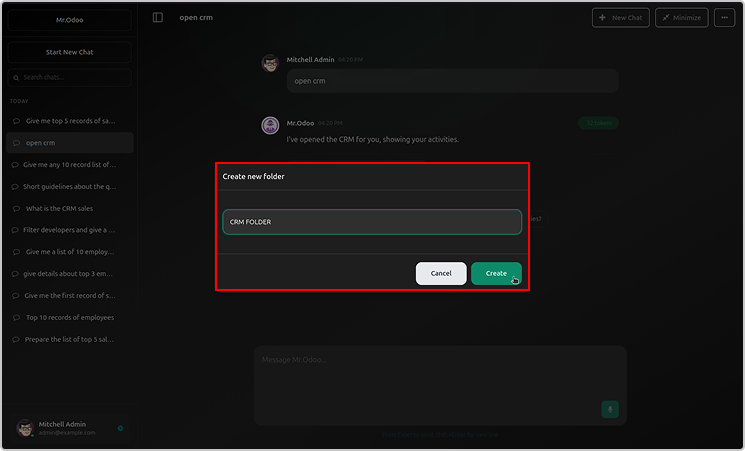
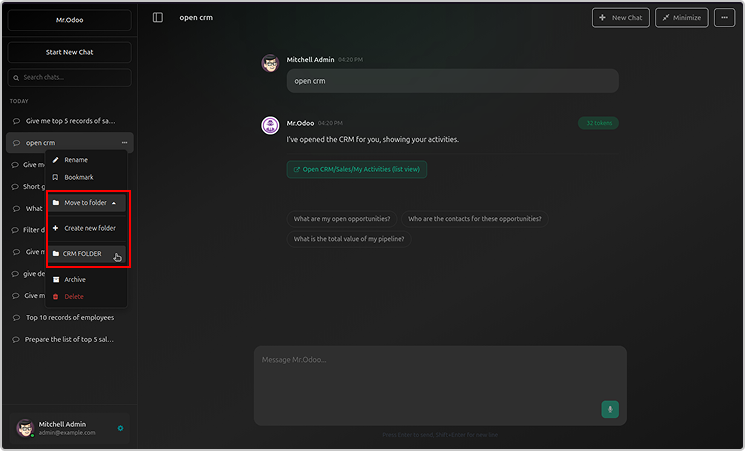
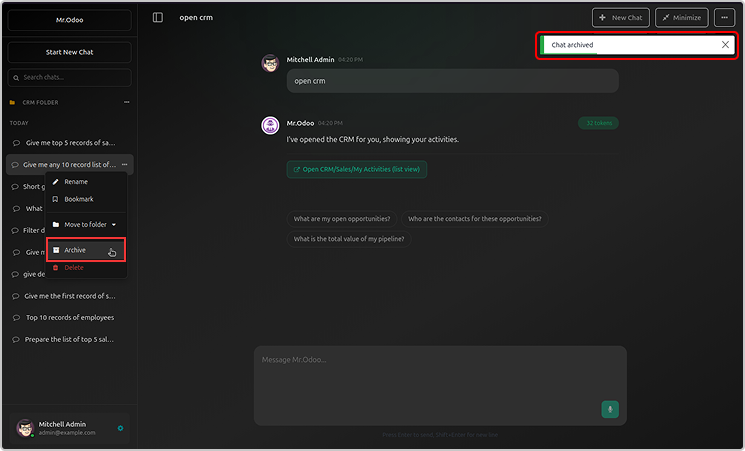
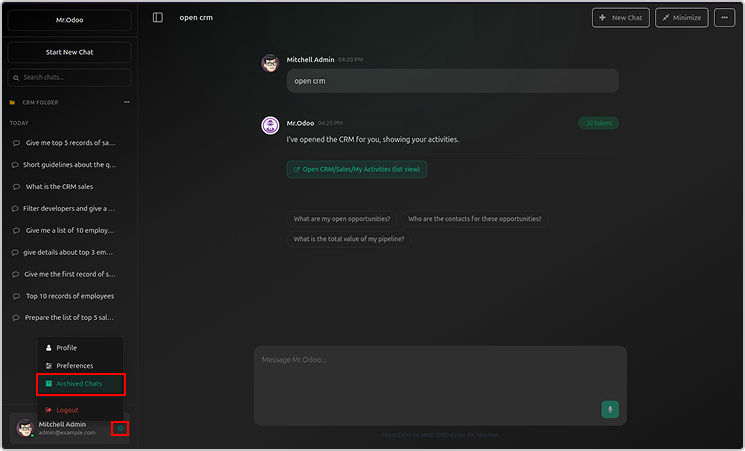
Archive folder will be visible in the user profile.
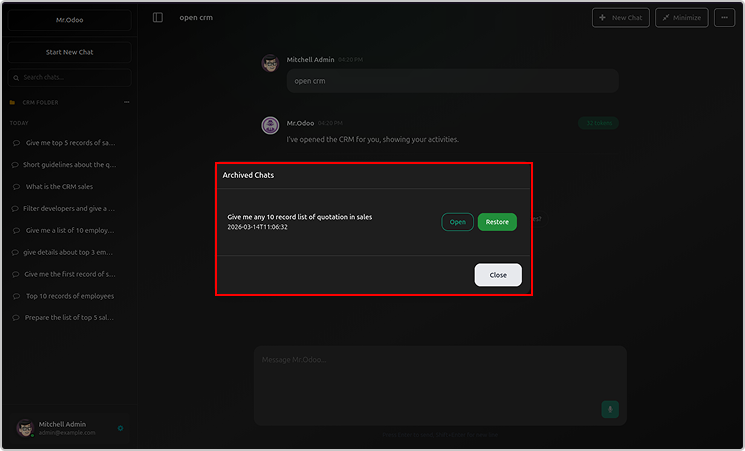
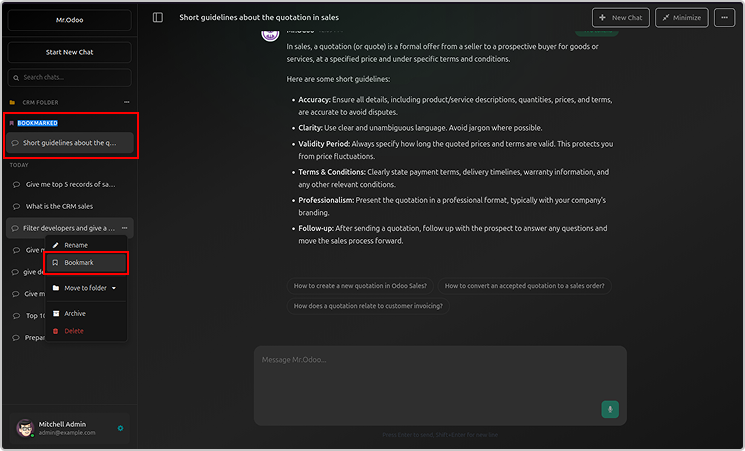
You can bookmark your chats as shown below.
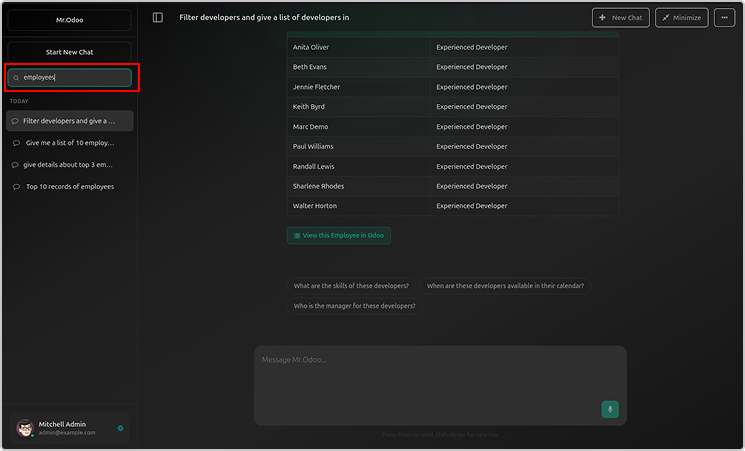
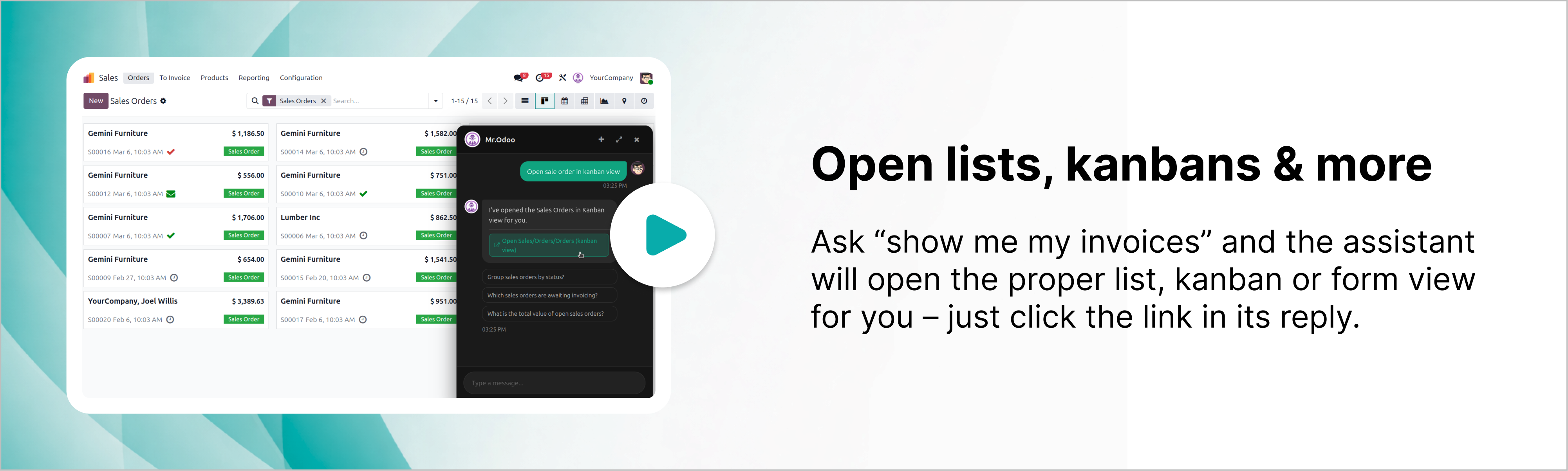
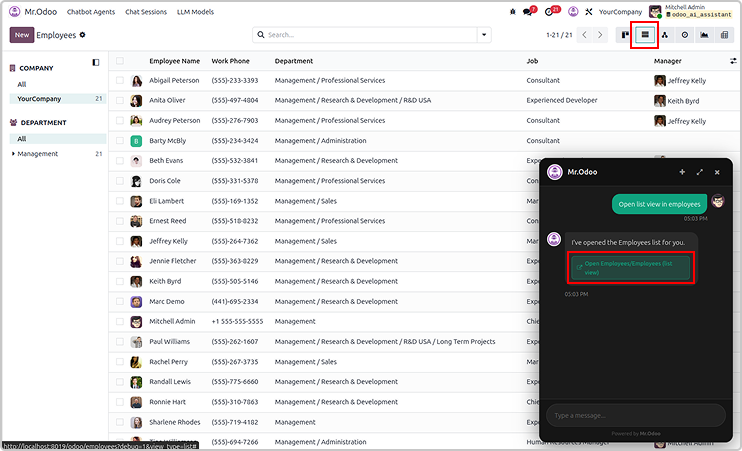
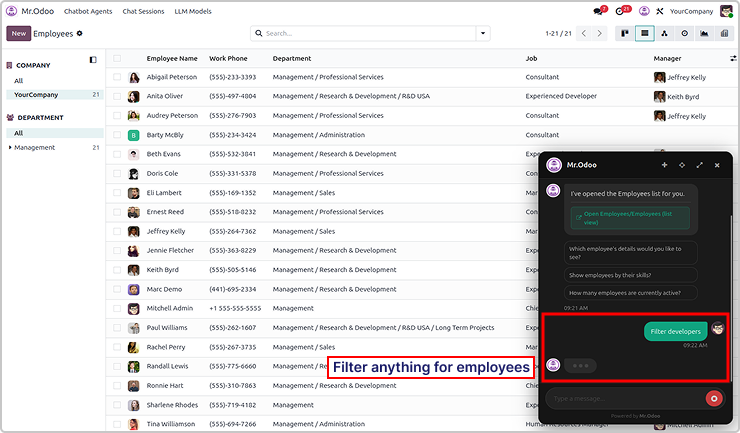
You will get the requested records in the lists, kanbans and other views.
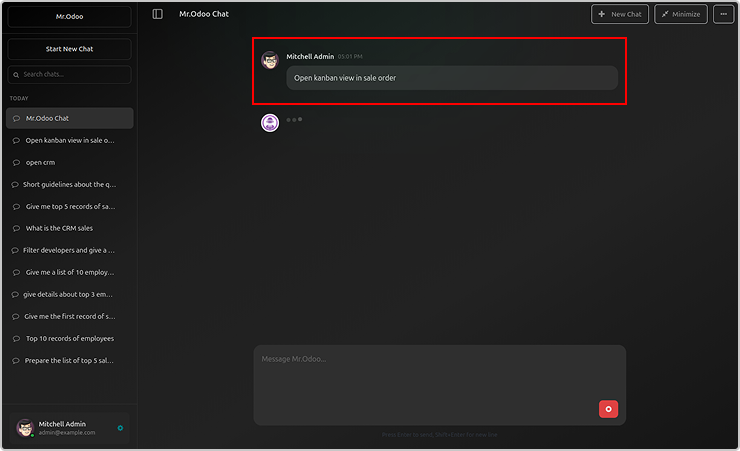
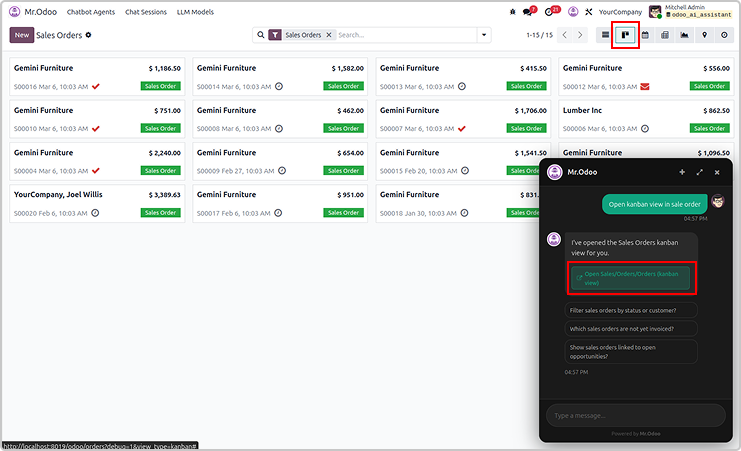
Here is the example asking the employees in a lists view.
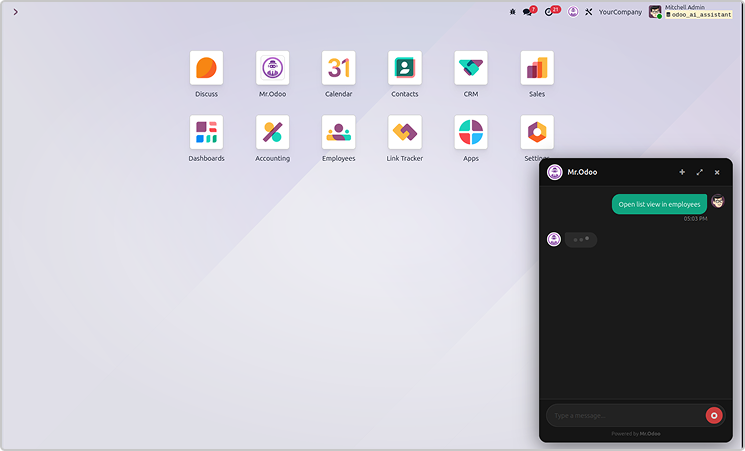
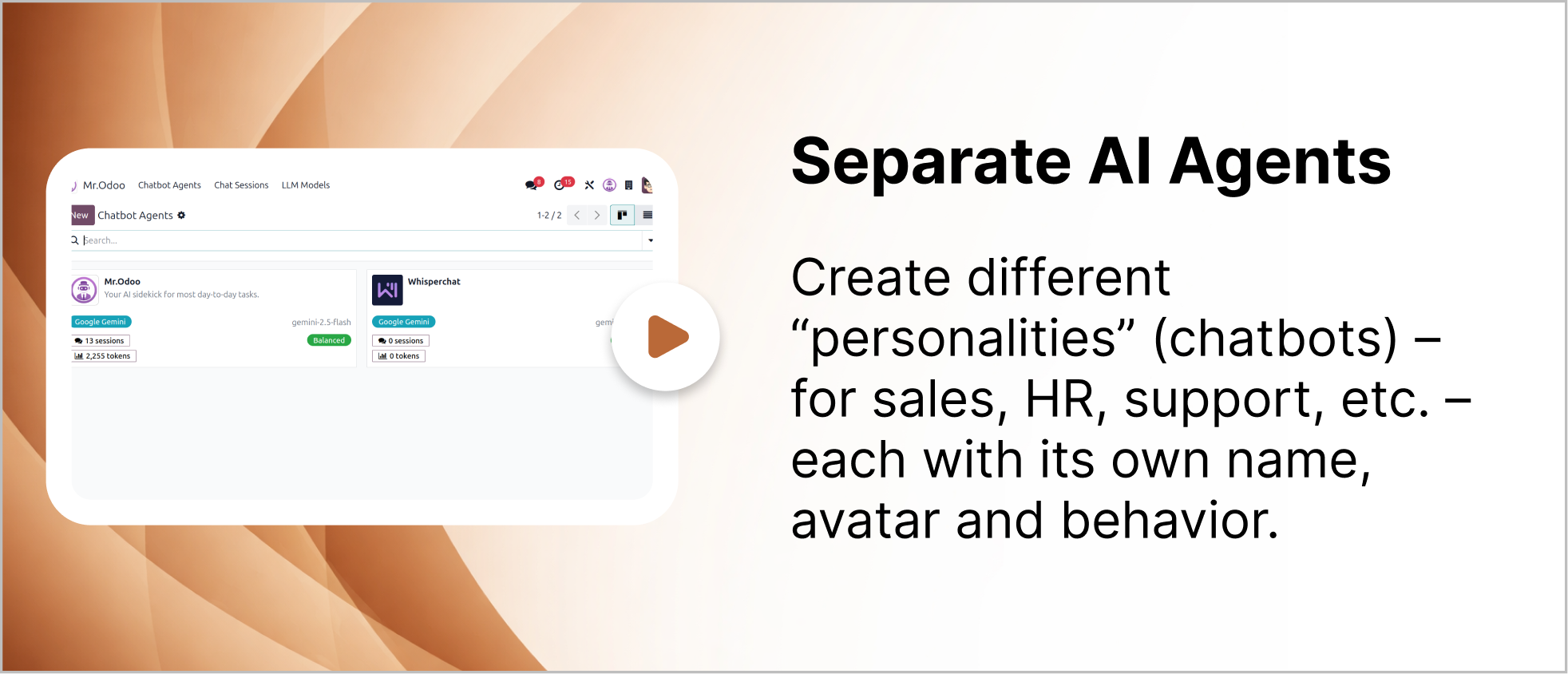
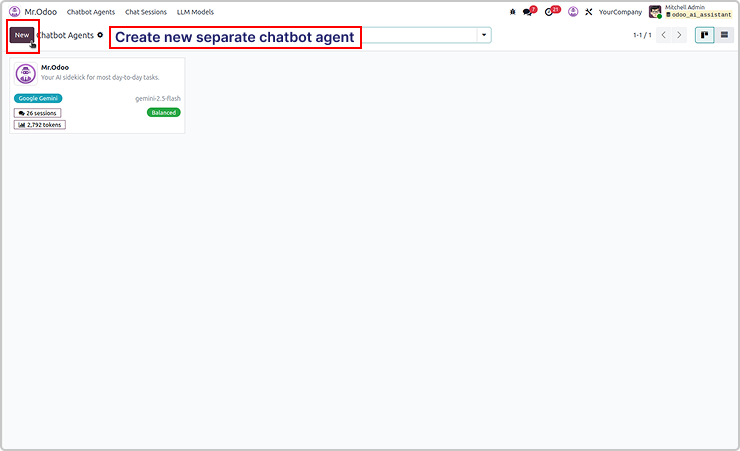
You can create multiple AI agents as shown below.
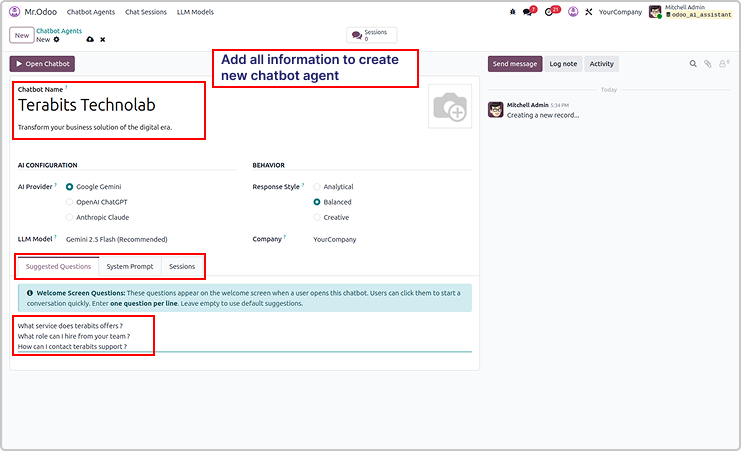
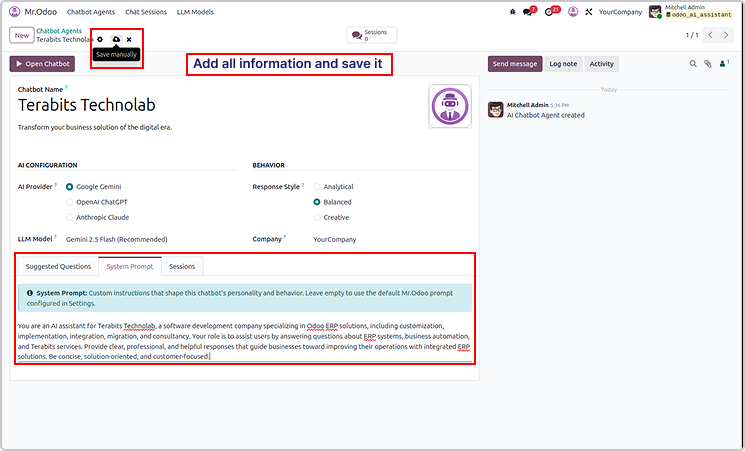
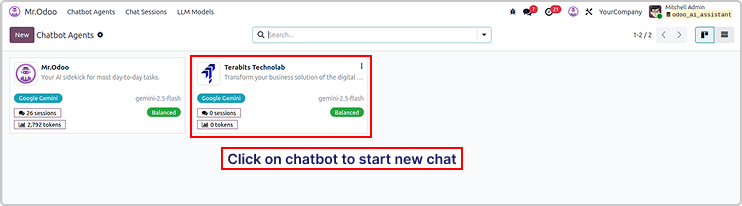
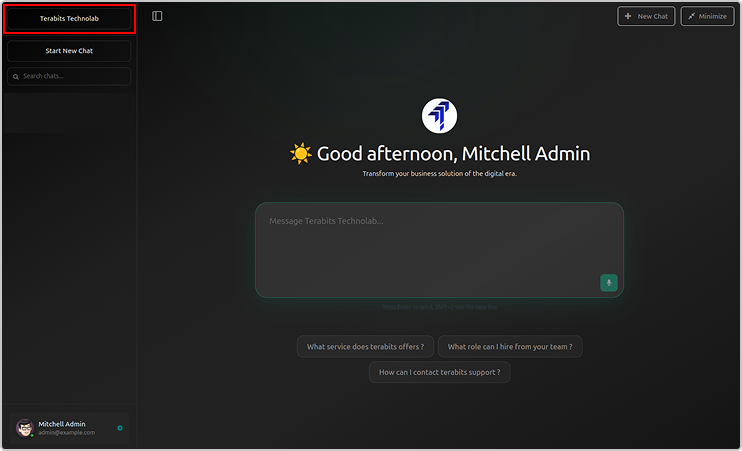
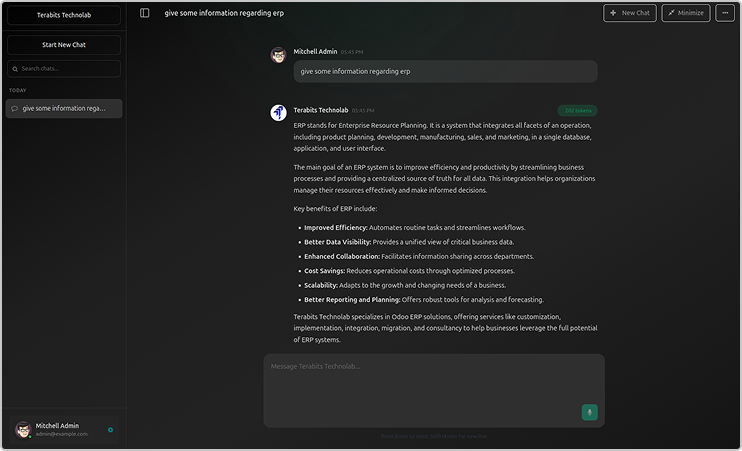
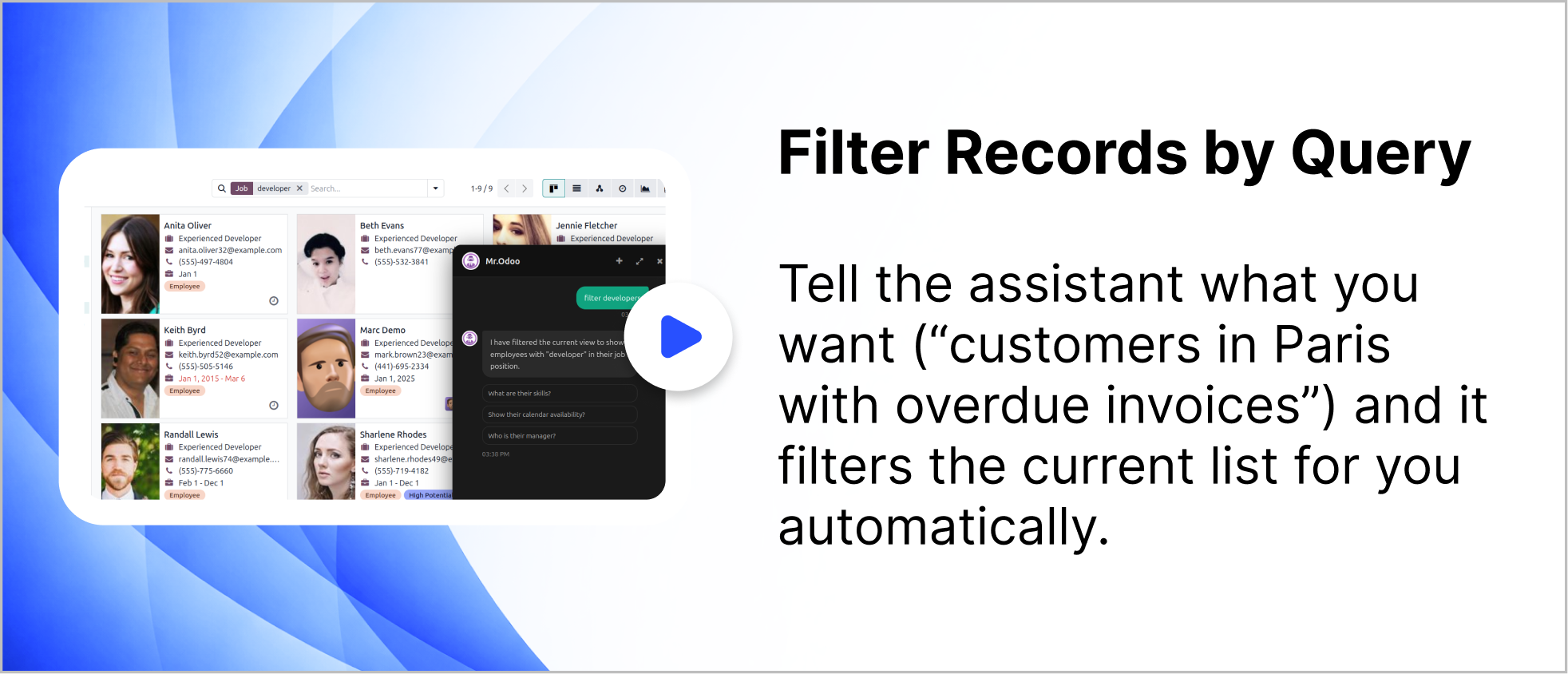
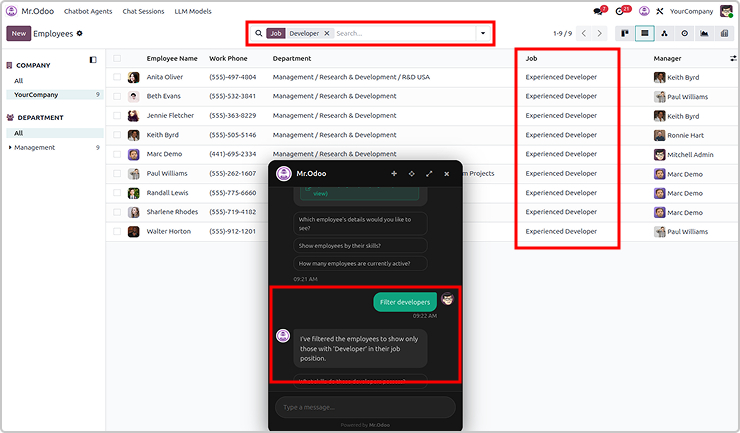
You can filter records using query for any requested records.
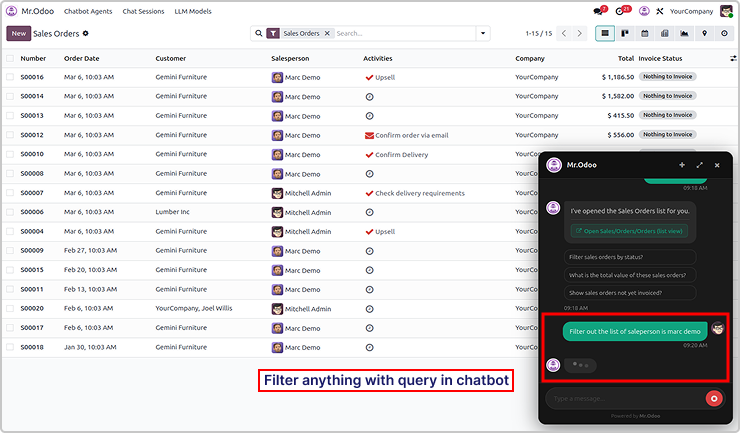
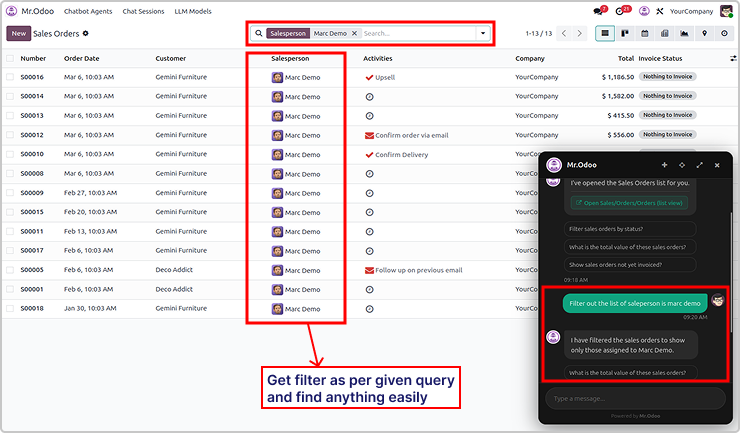
Here is the example 2

Need Help ?
You can instantly find the answer you need here when
you're looking for a quick solution.

Odoo Ai insights supports multiple AI models including ChatGPT, Gemini, and Claude. Users can switch between models depending on their needs for performance, cost, or response quality.
Yes. Odoo Ai insights follows Odoo's built-in security and access control rules. The AI assistant only shows data that the current user has permission to access, ensuring your business data remains secure.
Odoo Ai insights supports multiple AI models including ChatGPT, Gemini, and Claude. Users can switch between models depending on their needs for performance, cost, or response quality.
Odoo Ai insights can work with many Odoo modules such as Sales, CRM, Inventory, Accounting, and more. It helps users quickly search records, open views, and get insights from their ERP data through simple conversations.
Yes, I do provide free support for 90 days for any queries or any bug/issue fixing.
In case of if any bug raised in the listed features of this module, I am committed to providing support free of cost. You will need to provide me server ssh access or database access in order to solve the issue.
Changelog(s)
Each update brings improvements to make the
app work better for you.

Recommended Apps

Need any help for this module?
Contact us info@terabits.xyz for your queries


Odoo AI Insights : AI-Powered
business assistant for odoo
Talk to odoo. Get instant business insights.
Odoo AI Insights is a smart chatbot built right into your Odoo, letting you interact
with your data using simple, natural language. Powered by tools like ChatGPT,
Claude, and Gemini, it gives real-time answers directly from your database.
Talk to your Odoo like you would to a teammate - just ask questions and get clear,
instant answers from your own business data without digging through menus or
reports. You can explore sales, customers, or inventory in seconds, with
information presented clearly and instantly. It makes everyday work feel more
natural, helping you understand what's happening and make quicker decisions
without changing how your Odoo already works.

No more manual searches

No more digging through menus

No more complex filters

Key features
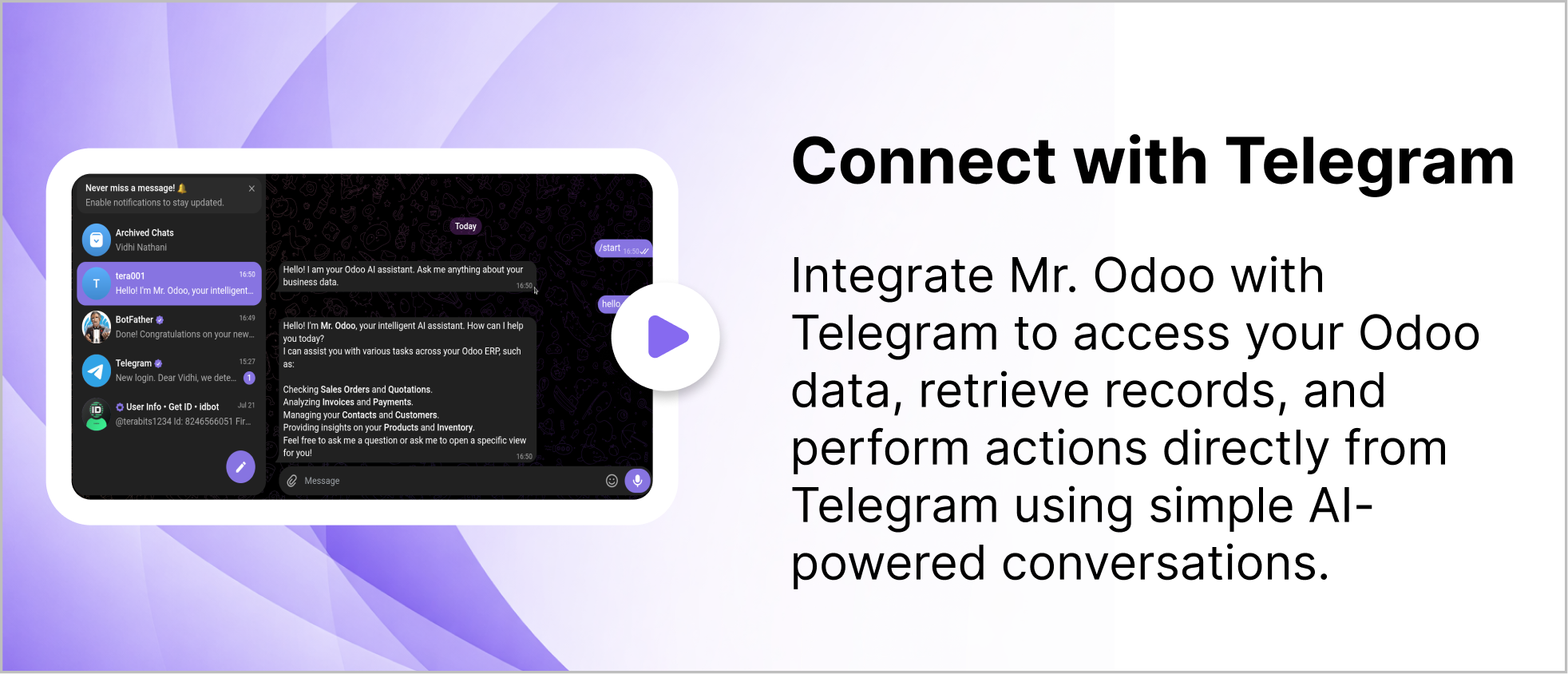
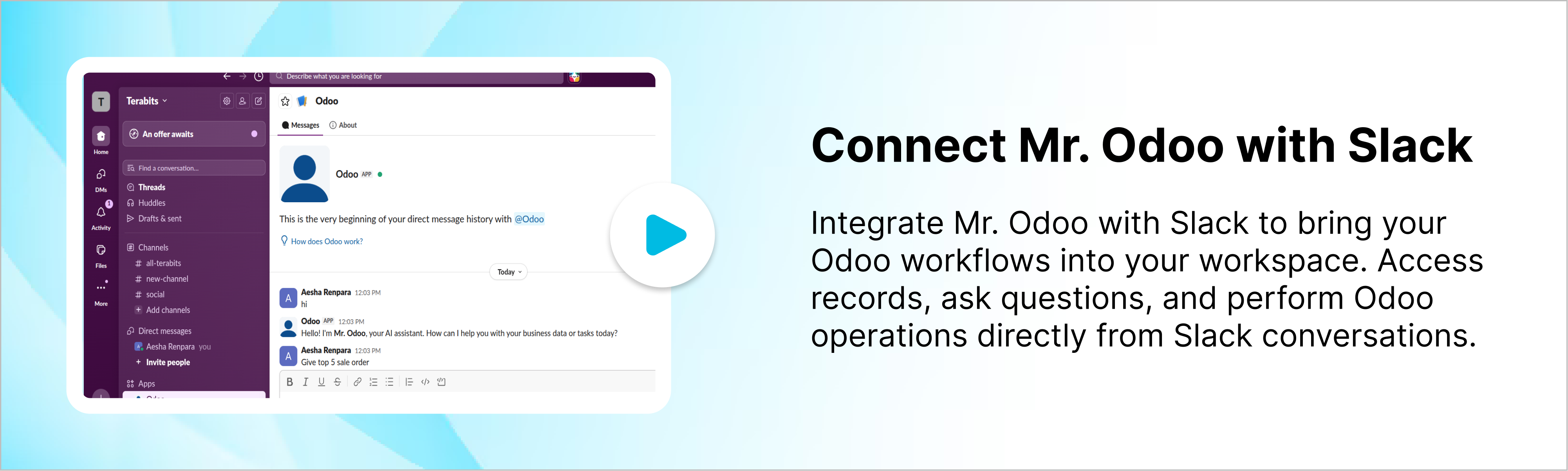
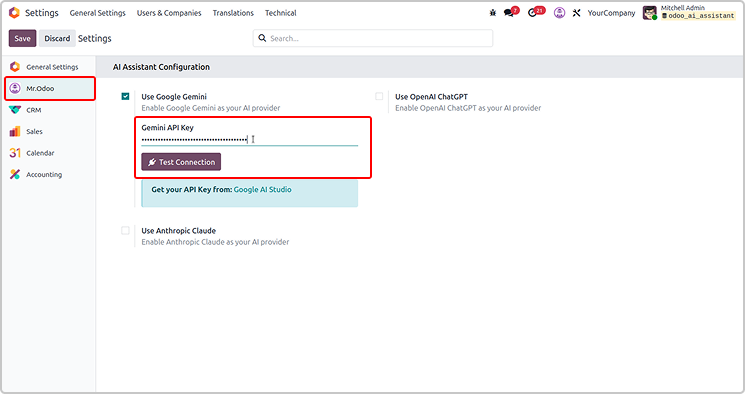
Configure the API key as shown in the screenshot below.
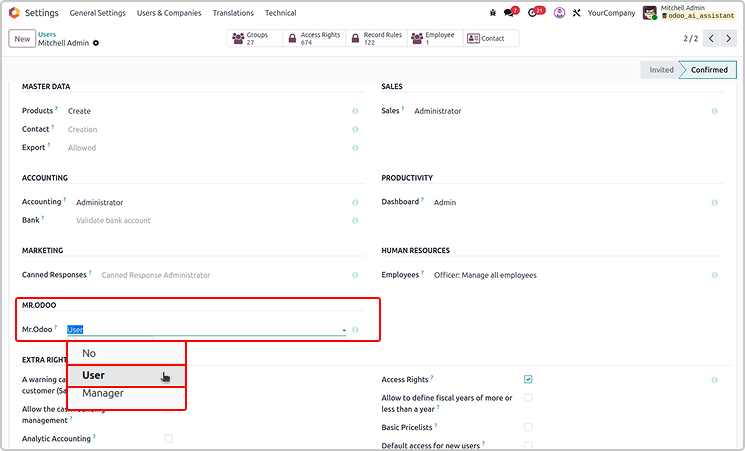
Set the access rights for AI agent under user settings.
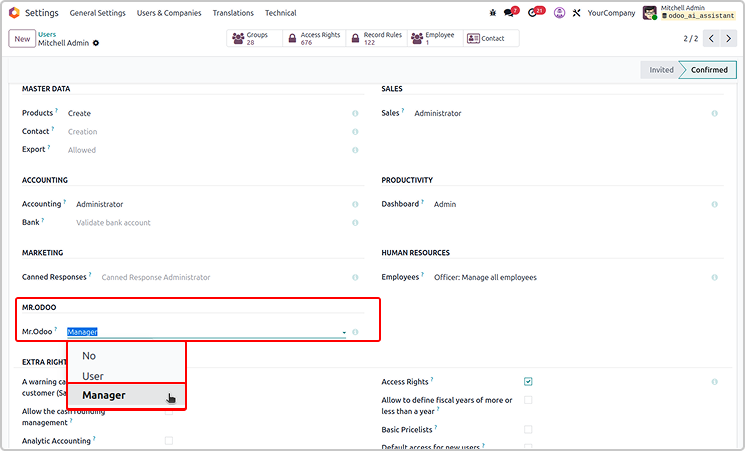
If the user is the manager, he has access to customise Odoo AI Insight
from the configuration as shown below.
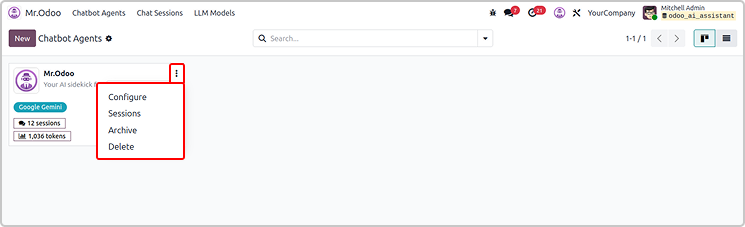
If you have a manager access, you will have access to set up all
the configurations.
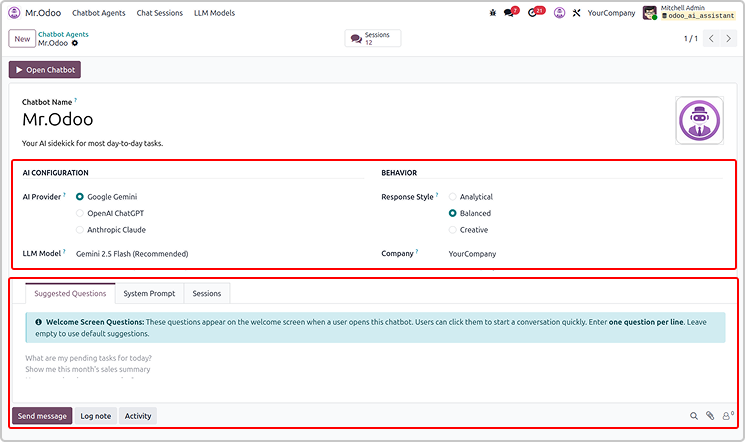
If you have the user access, you will only view the configuration.
User will not have a delete access.
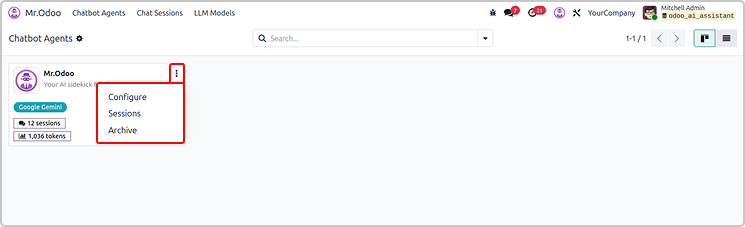
Every thing will be read only for the normal user as shown below.
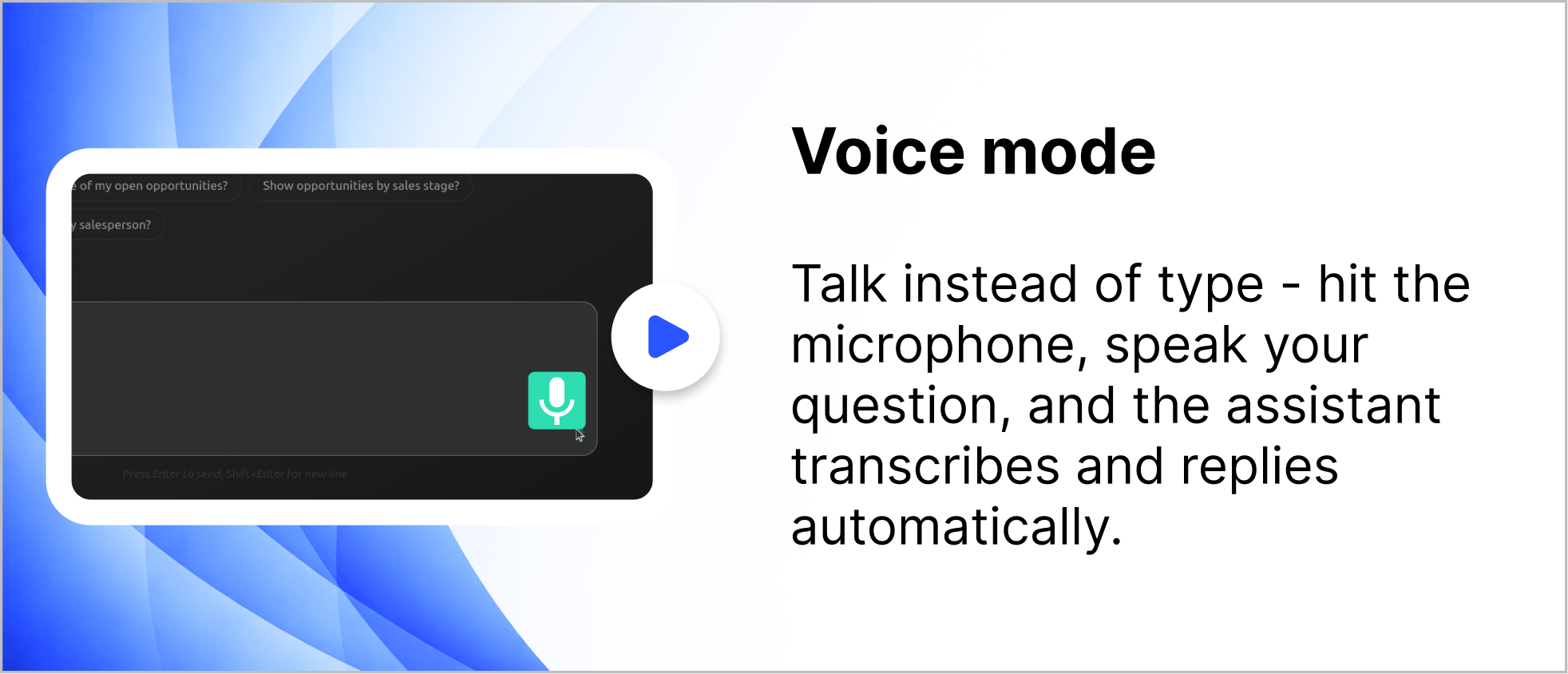
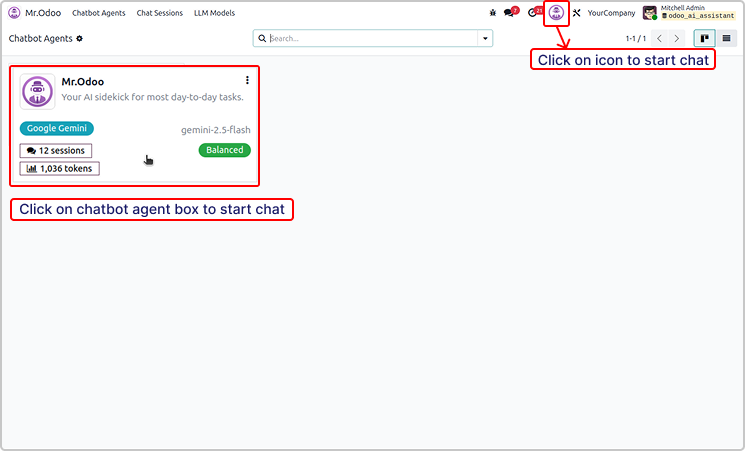
You can simple start the chat using the icon or chatbot agent
as shown in the below image.
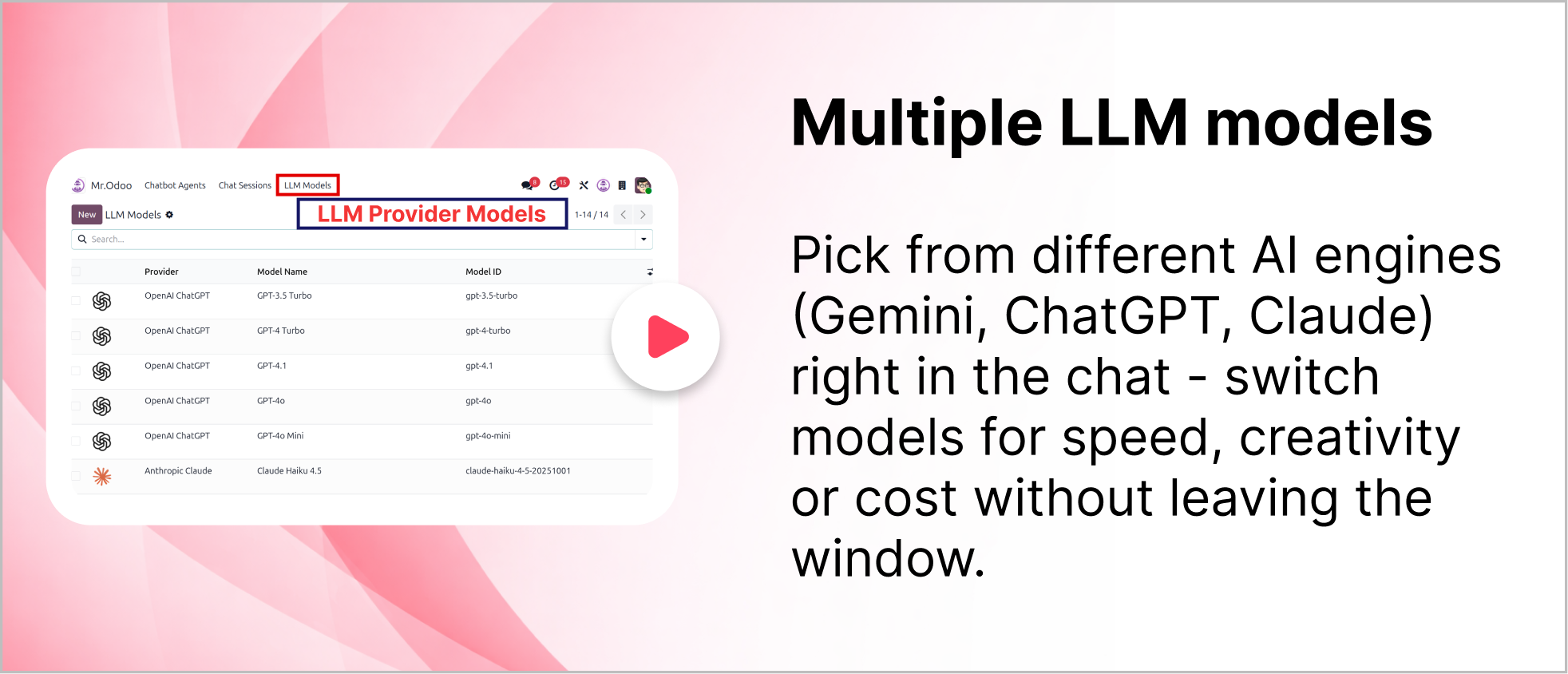
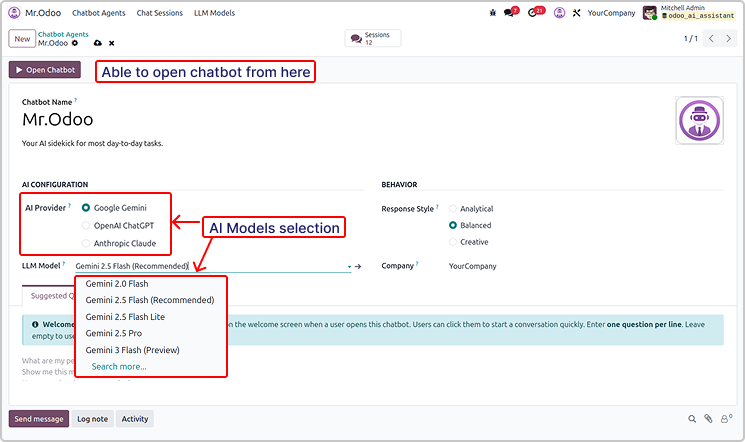
You can use multiple version of the AI providers.
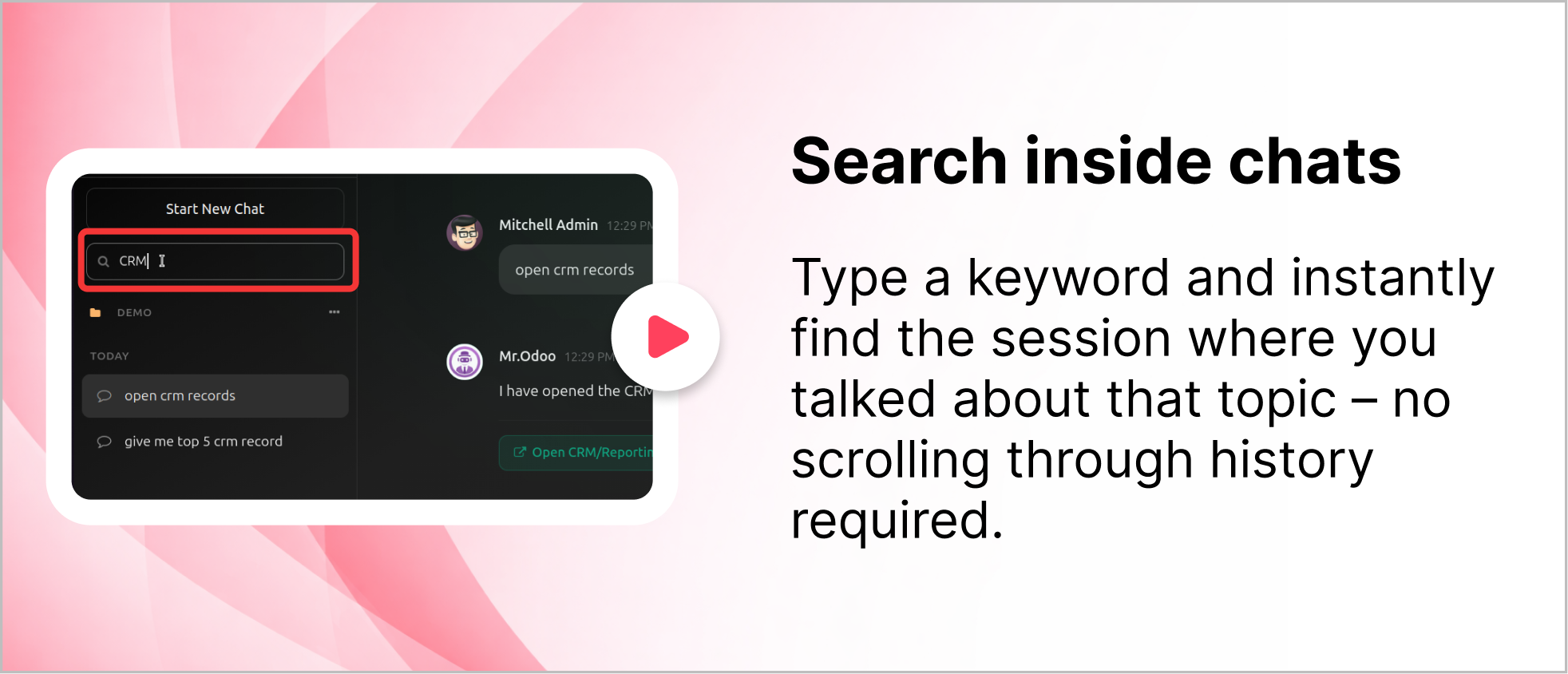
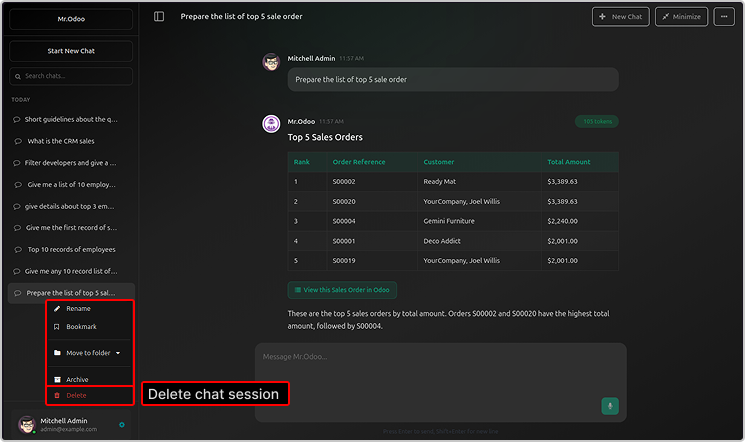
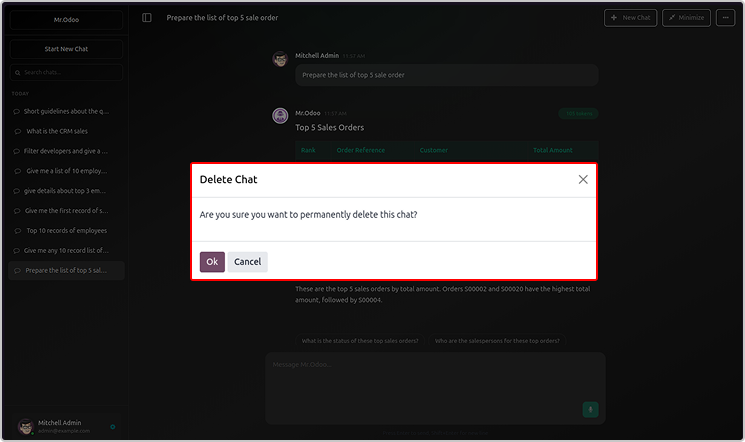
You will be able to see the chat histories, rename or delete the chat.
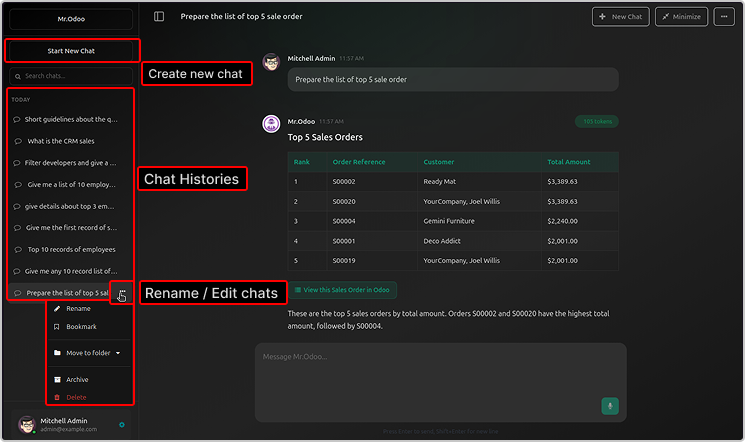
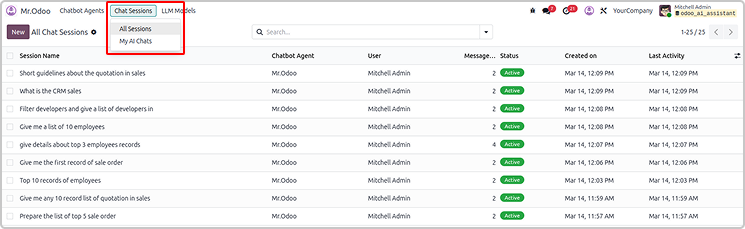
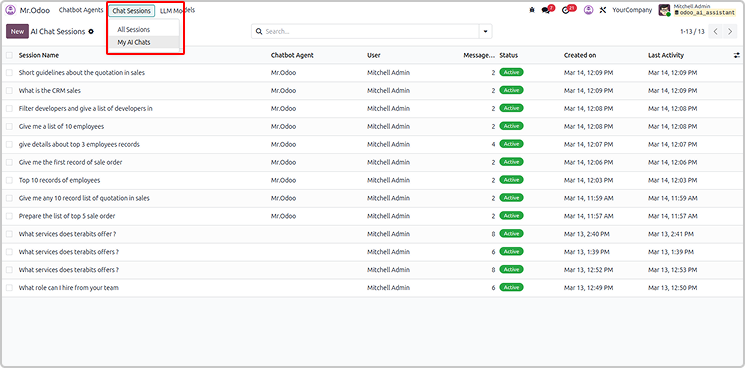
All the sessions and chats will be visible in the Odoo AI Insight app too.
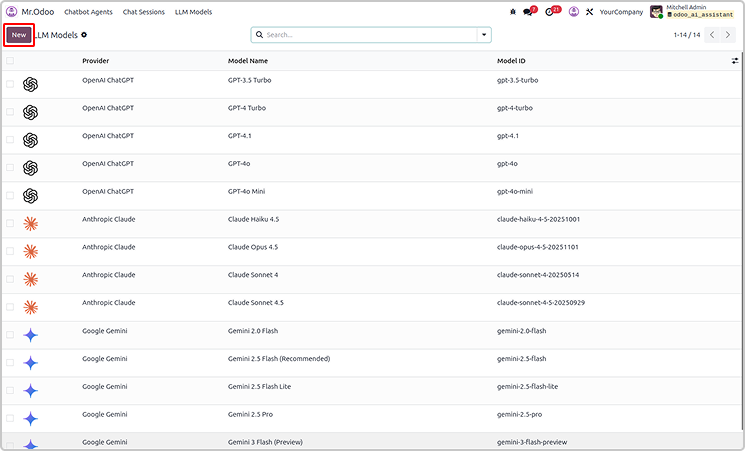
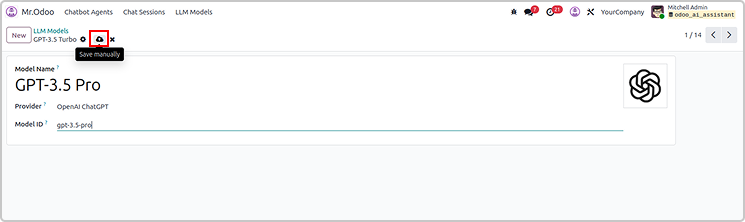
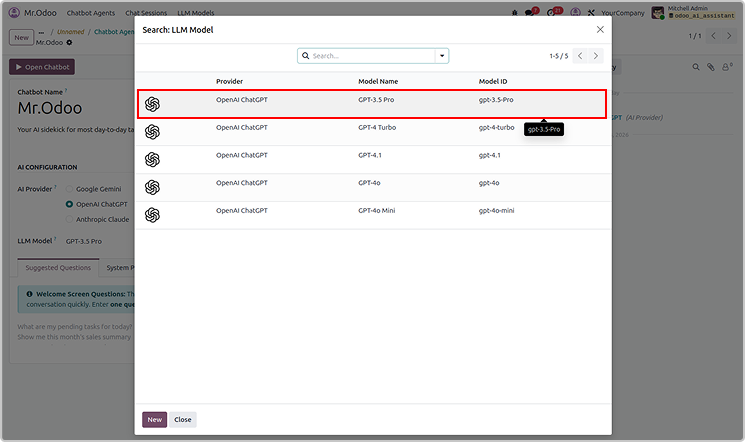
You can create the new LLM models as shown below.
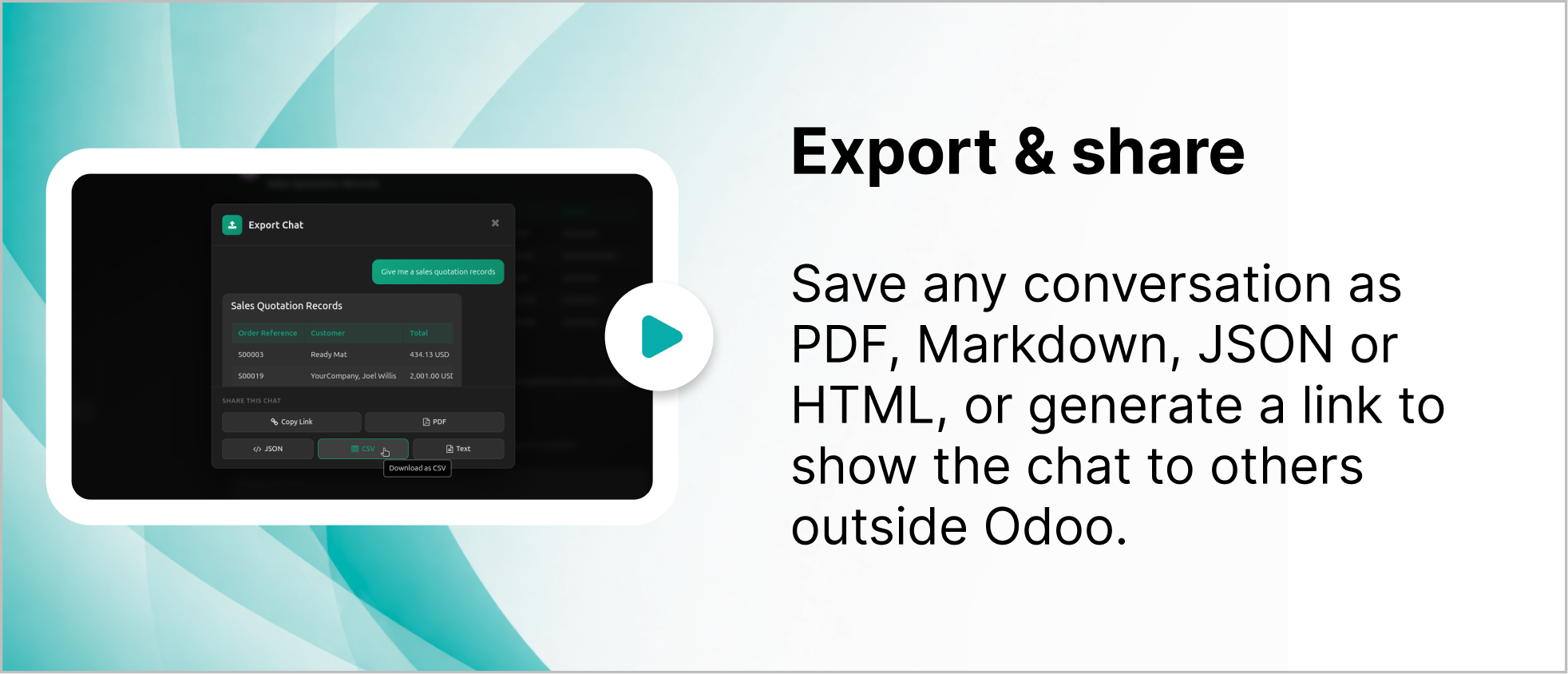
User can also share or export the chat from Odoo Ai insights
The exported file will be in CSV, jason and PDF.
Simply share by copying link as shown below.
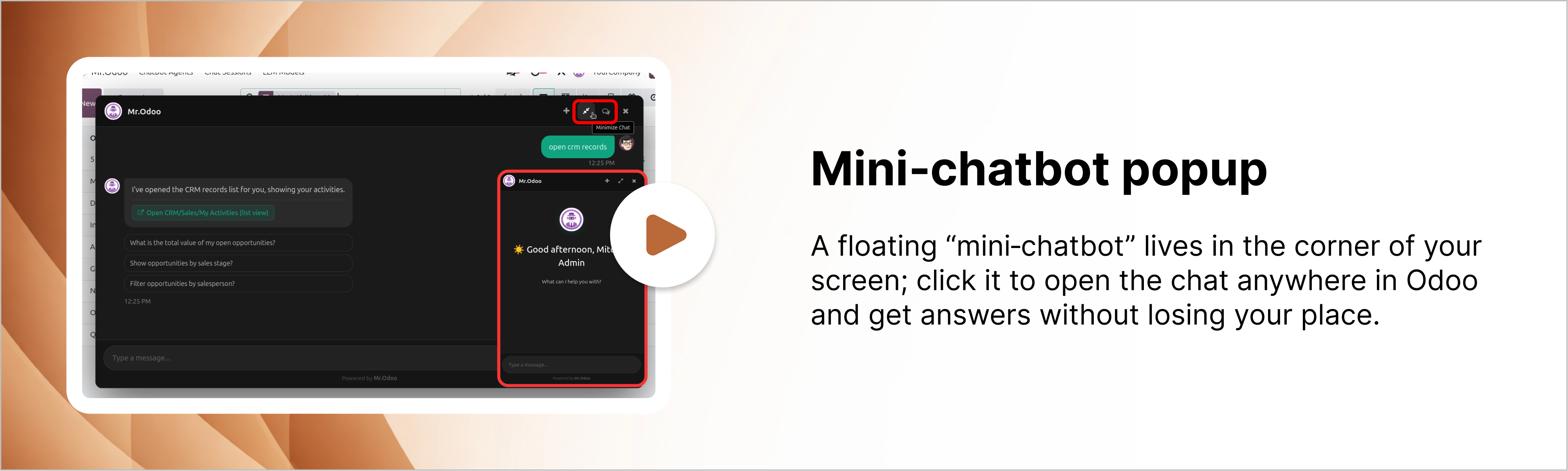
User can drag and reset the chatbot pop-up.
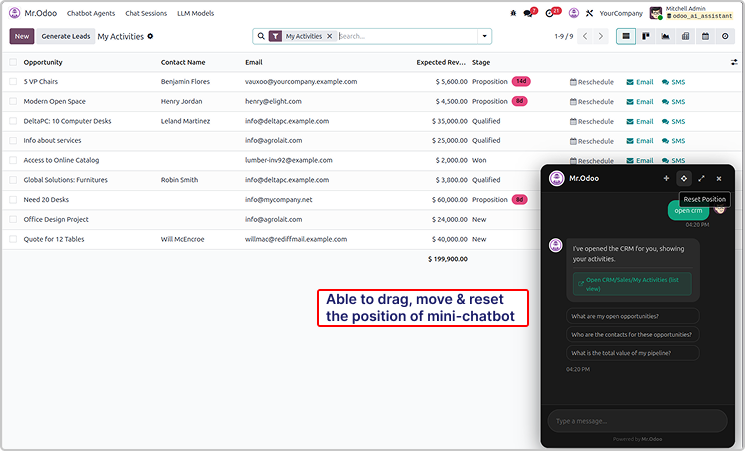
You can also maximize it as shown in the below image.
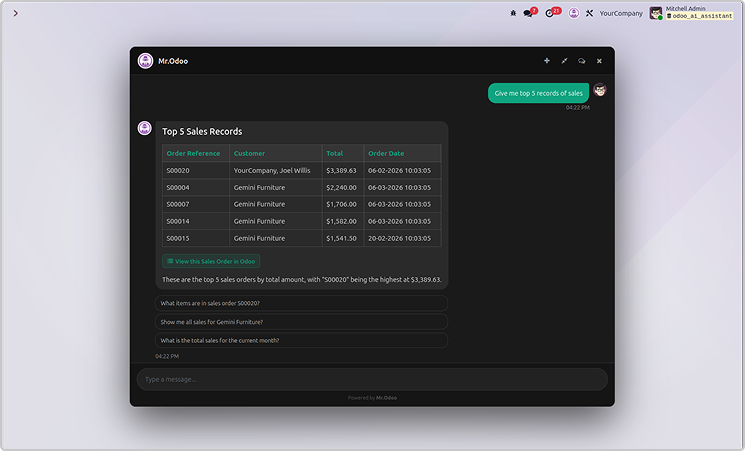
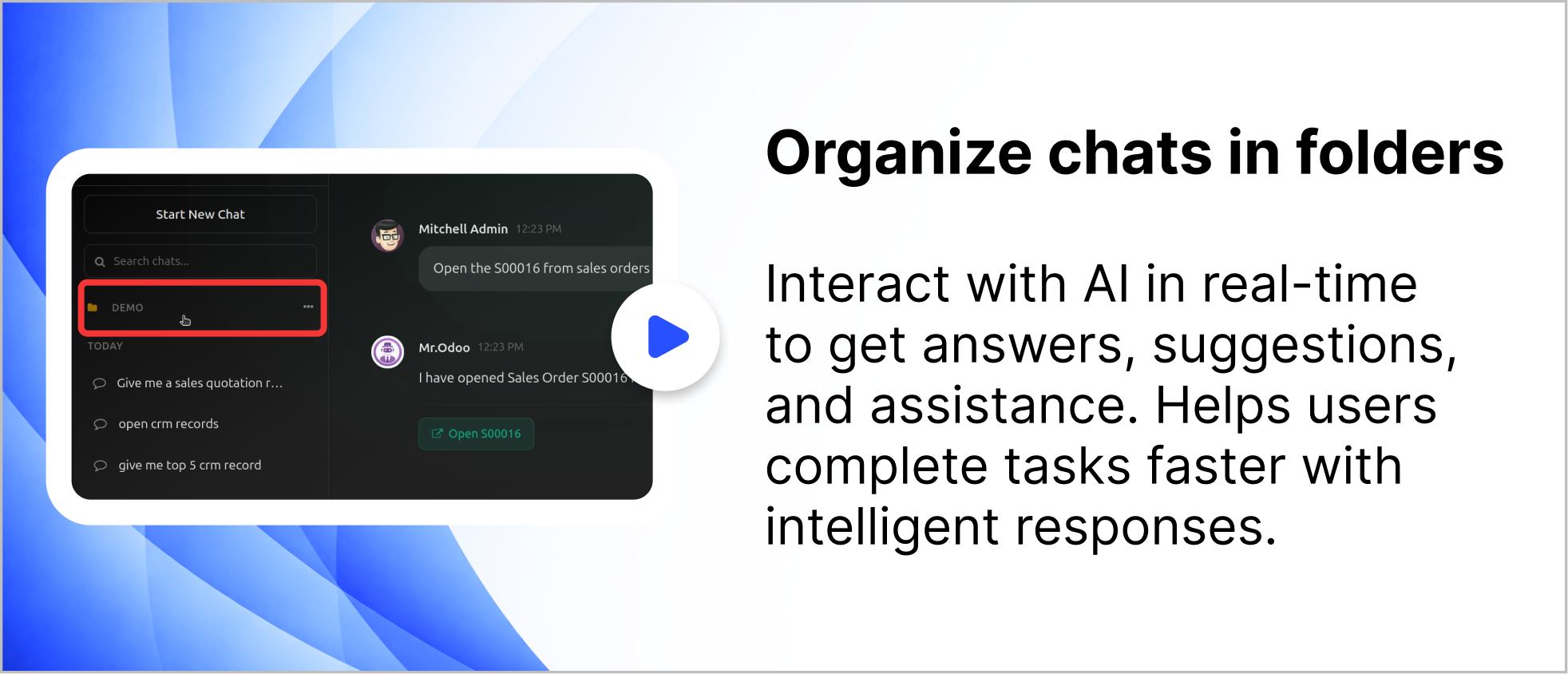
User can organized the chat in the folder as shown below.
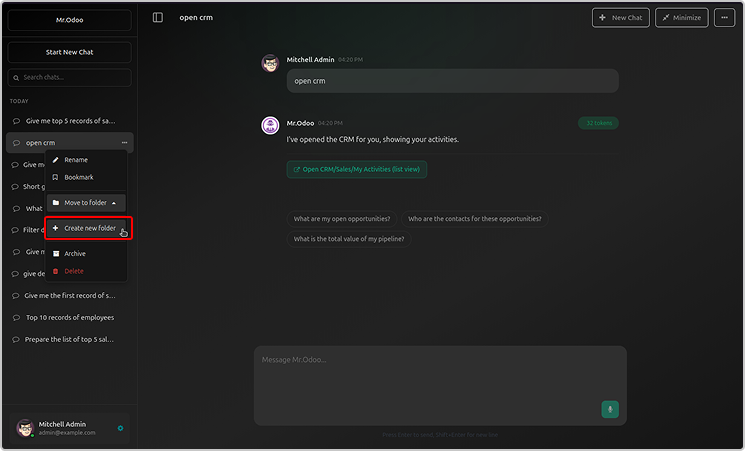
Just click on create a now folder, name it and organised the chats.
You can rename or archive the folder.
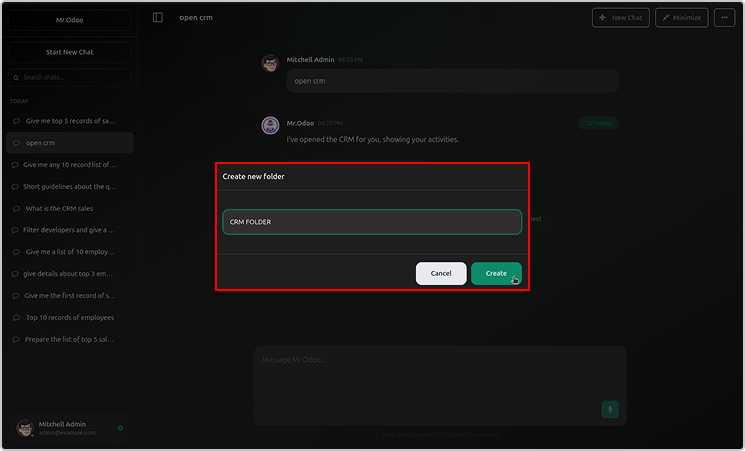
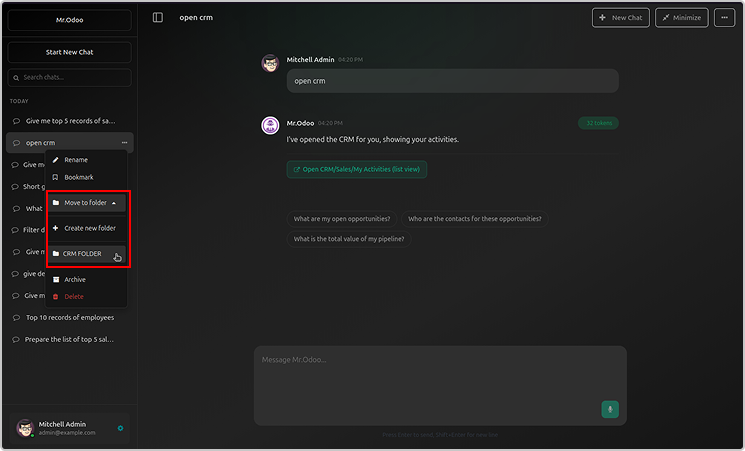
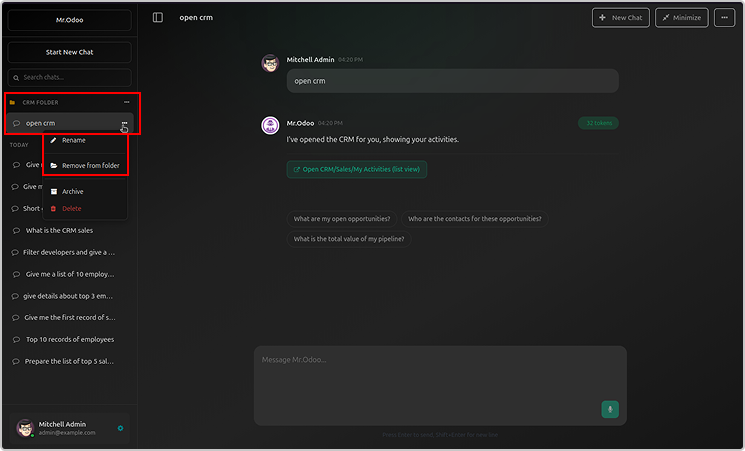
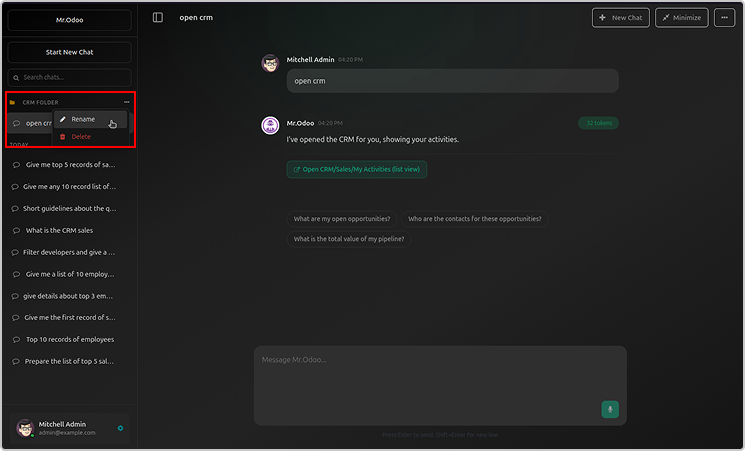
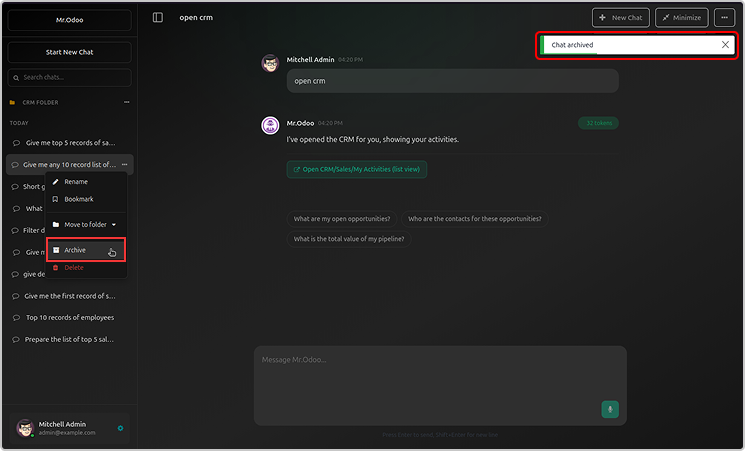
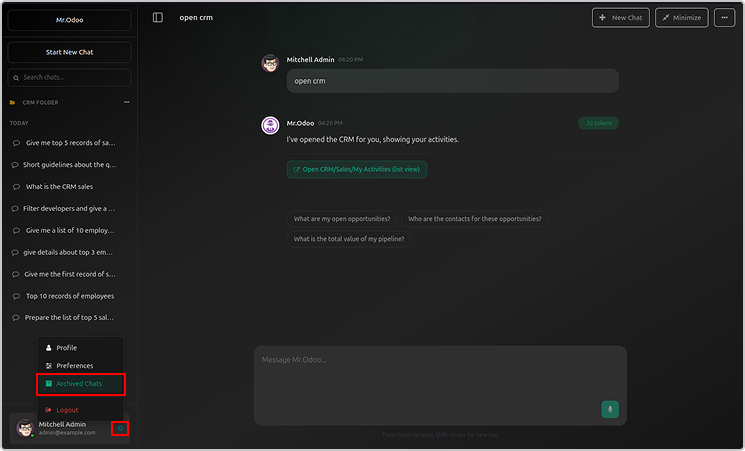
Archive folder will be visible in the user profile.
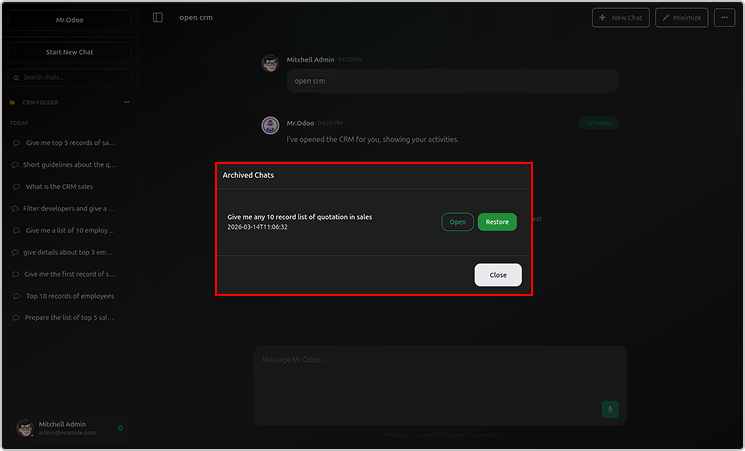
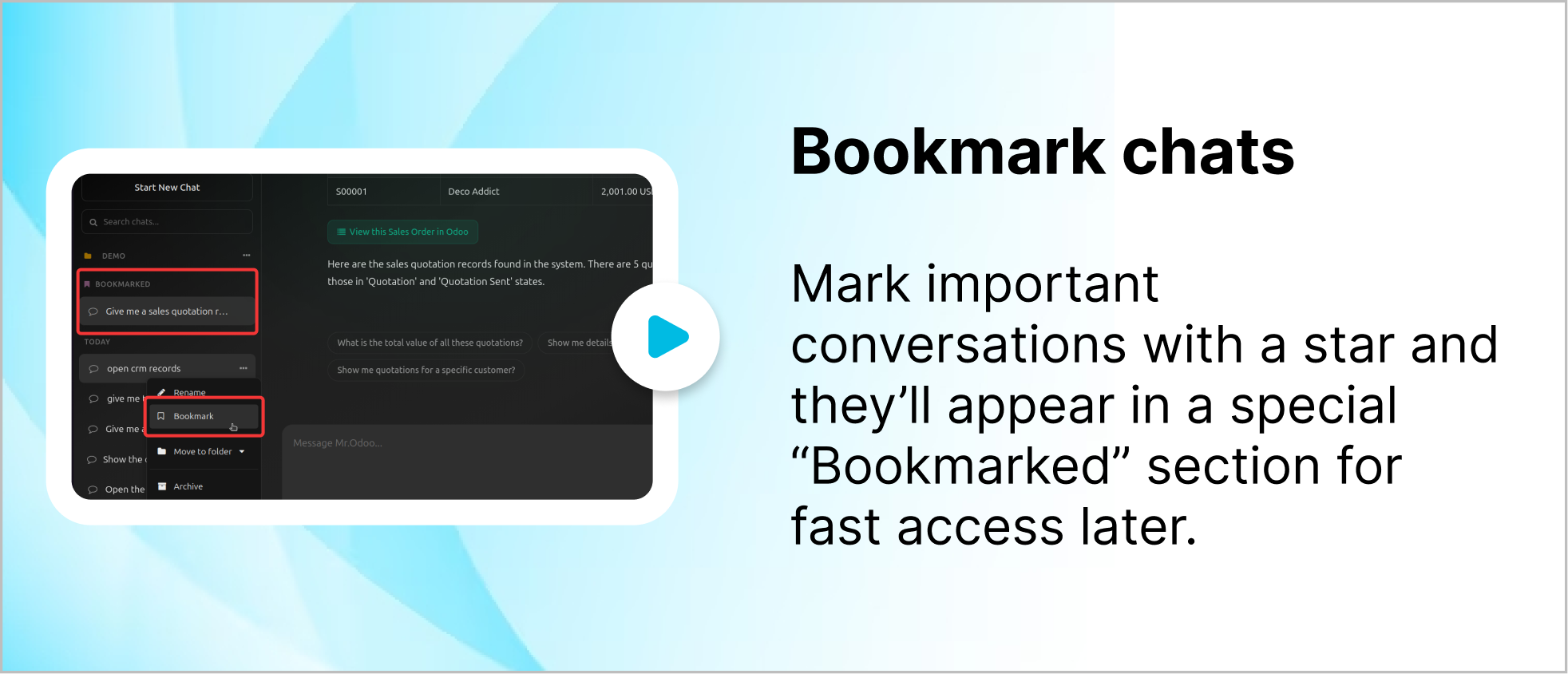
You can bookmark your chats as shown below.
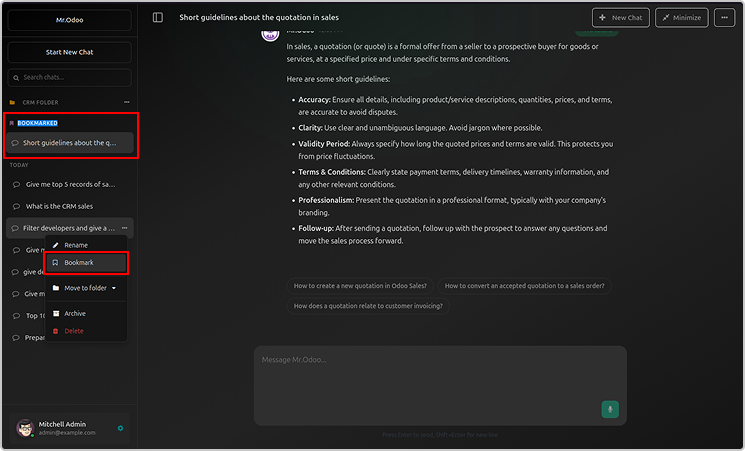
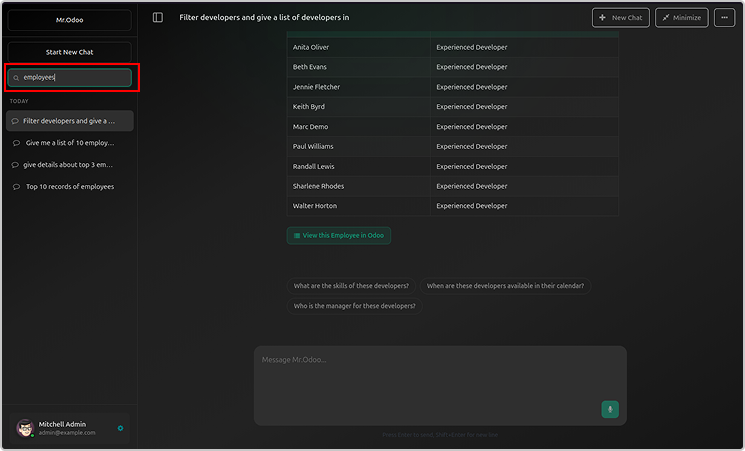
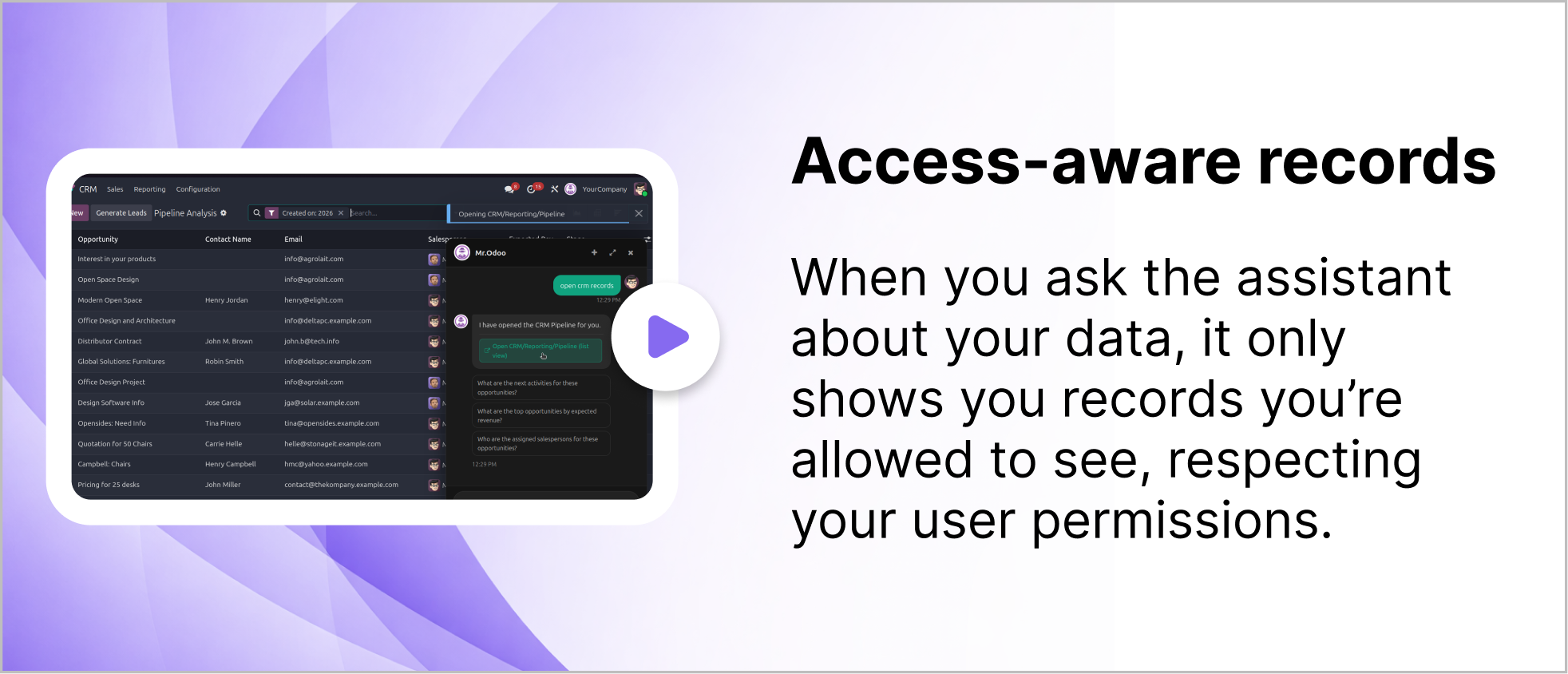
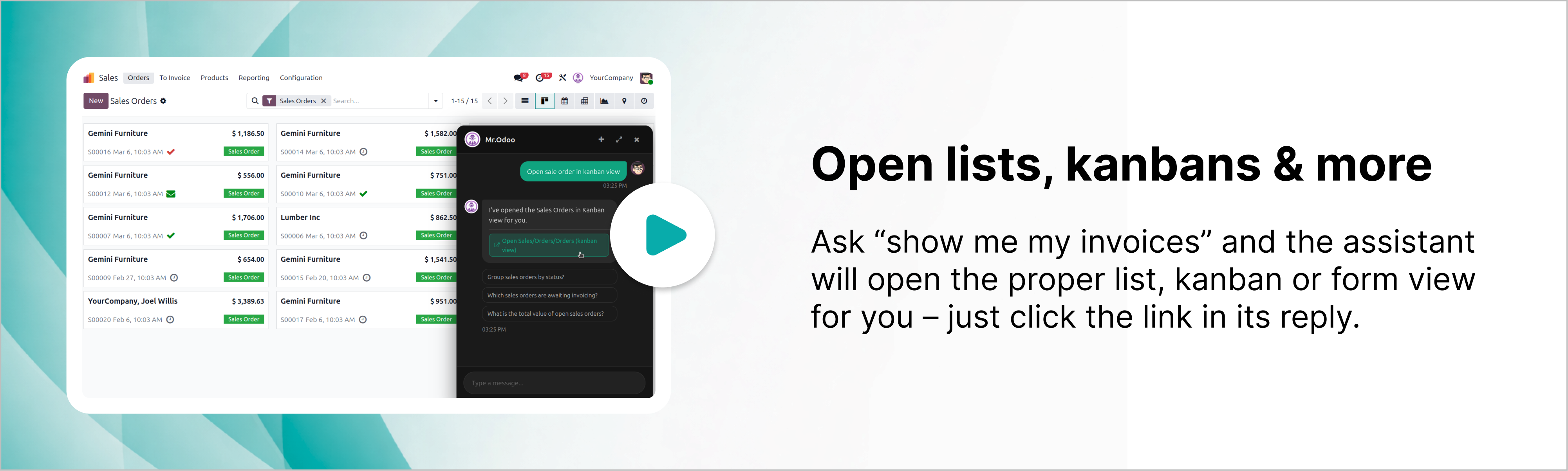
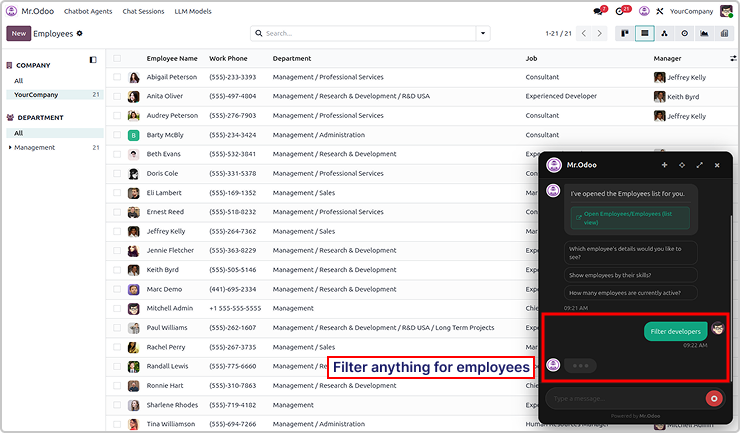
You will get the requested records in the lists, kanbans and other views.
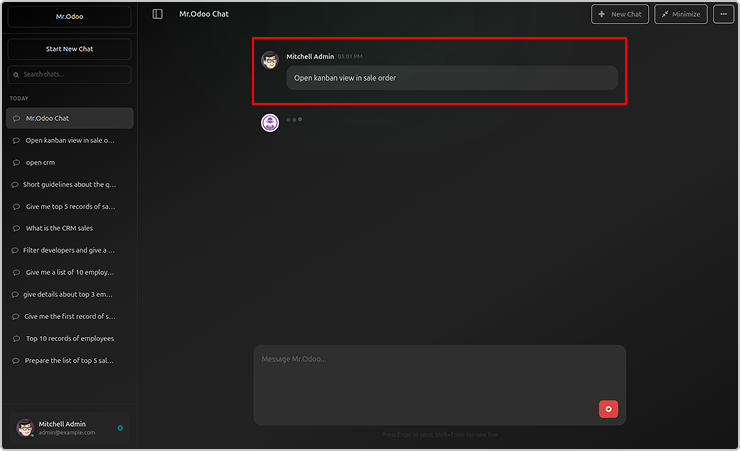
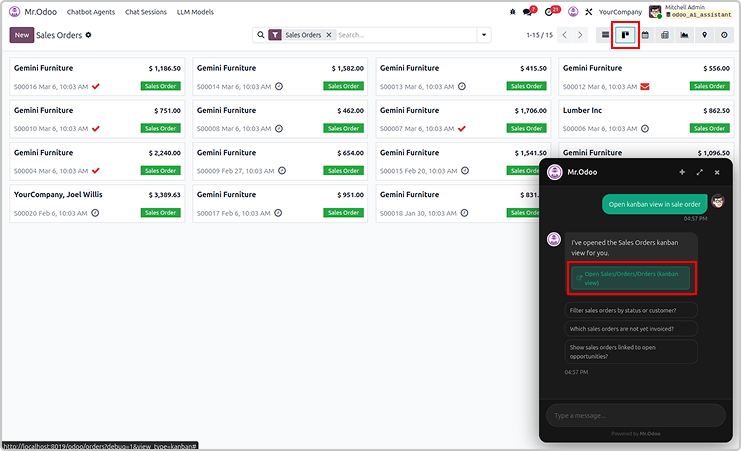
Here is the example asking the employees in a lists view.
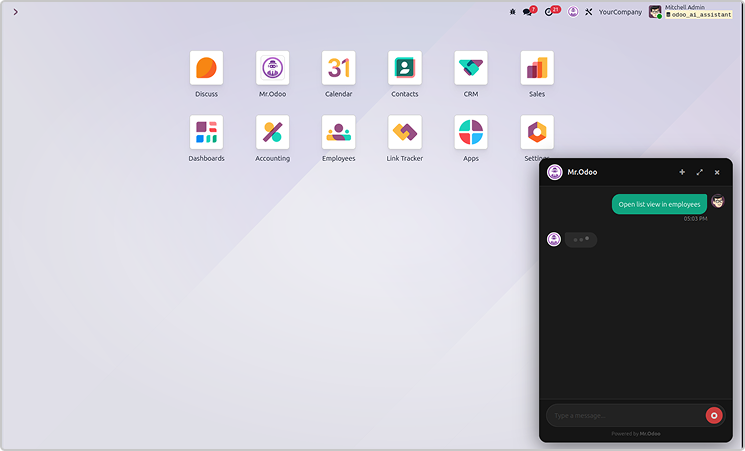
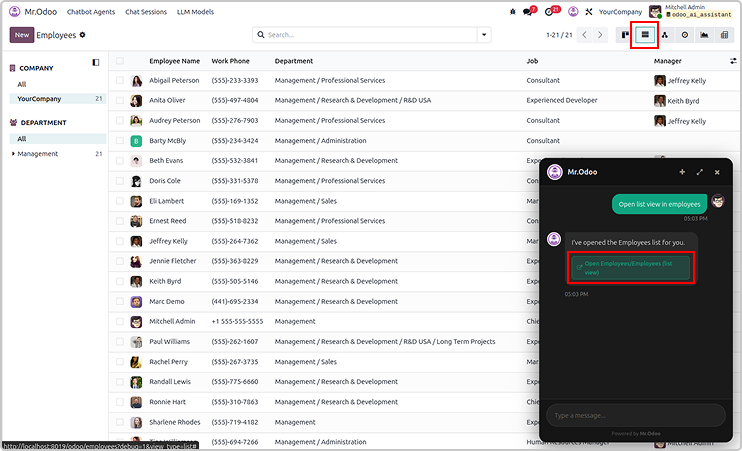
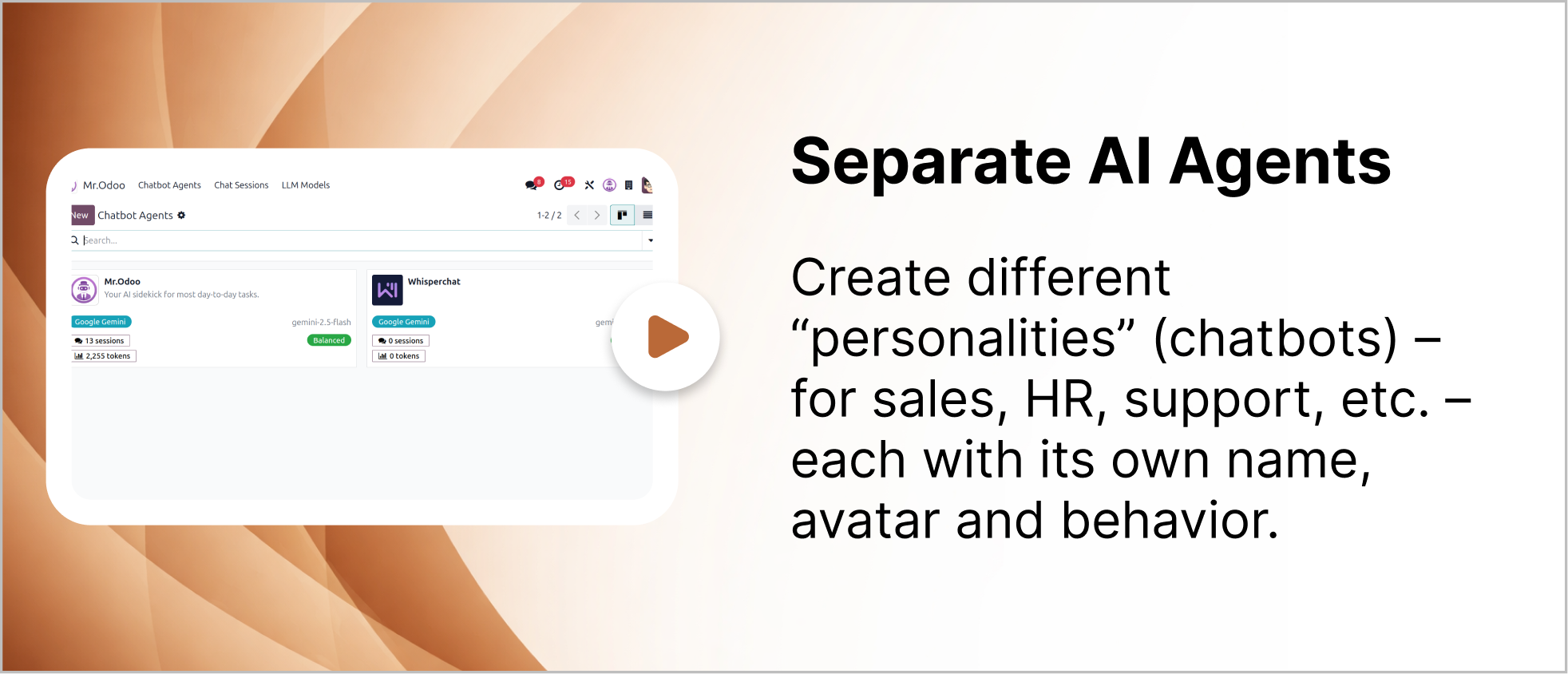
You can create multiple AI agents as shown below.
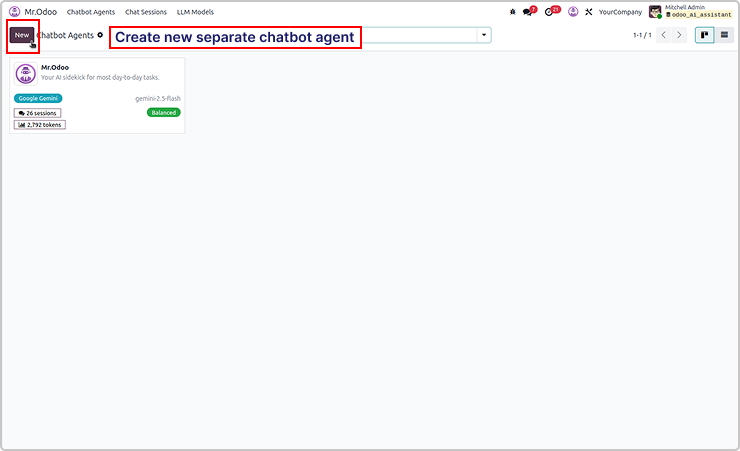
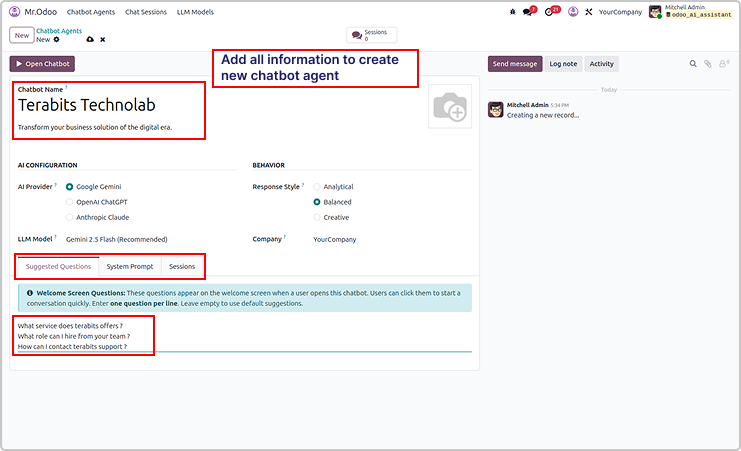
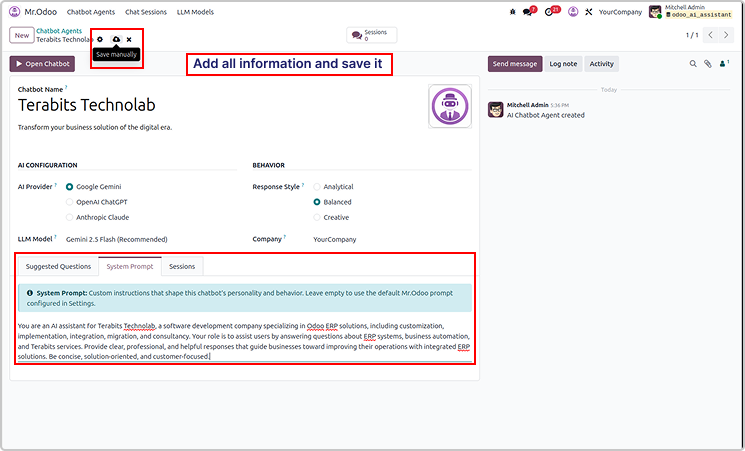
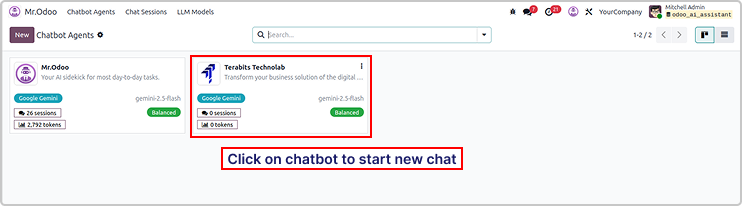
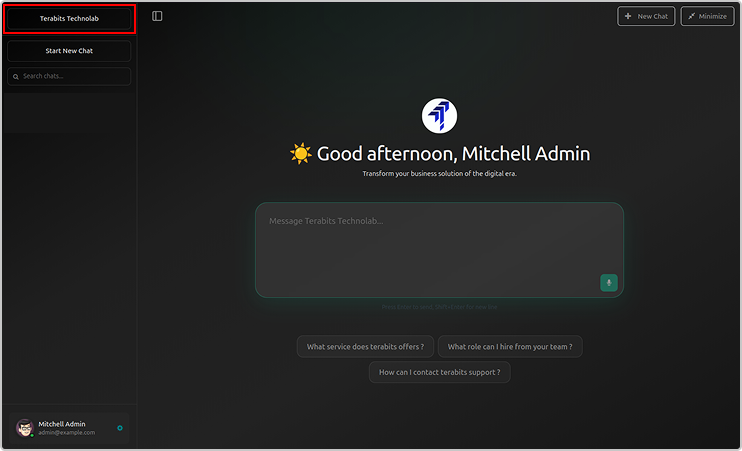
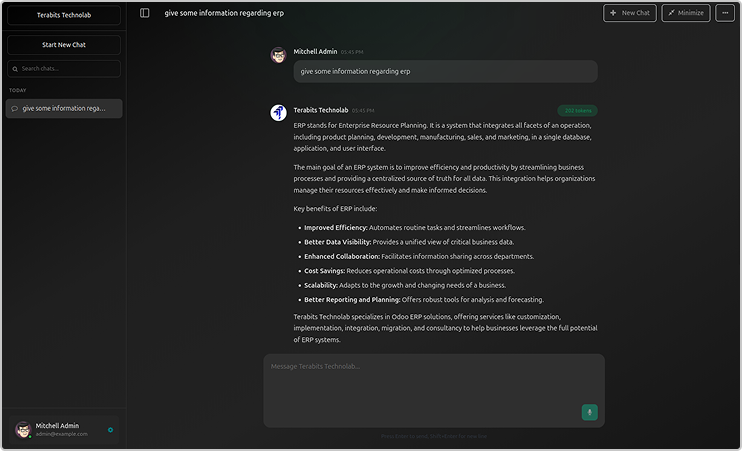
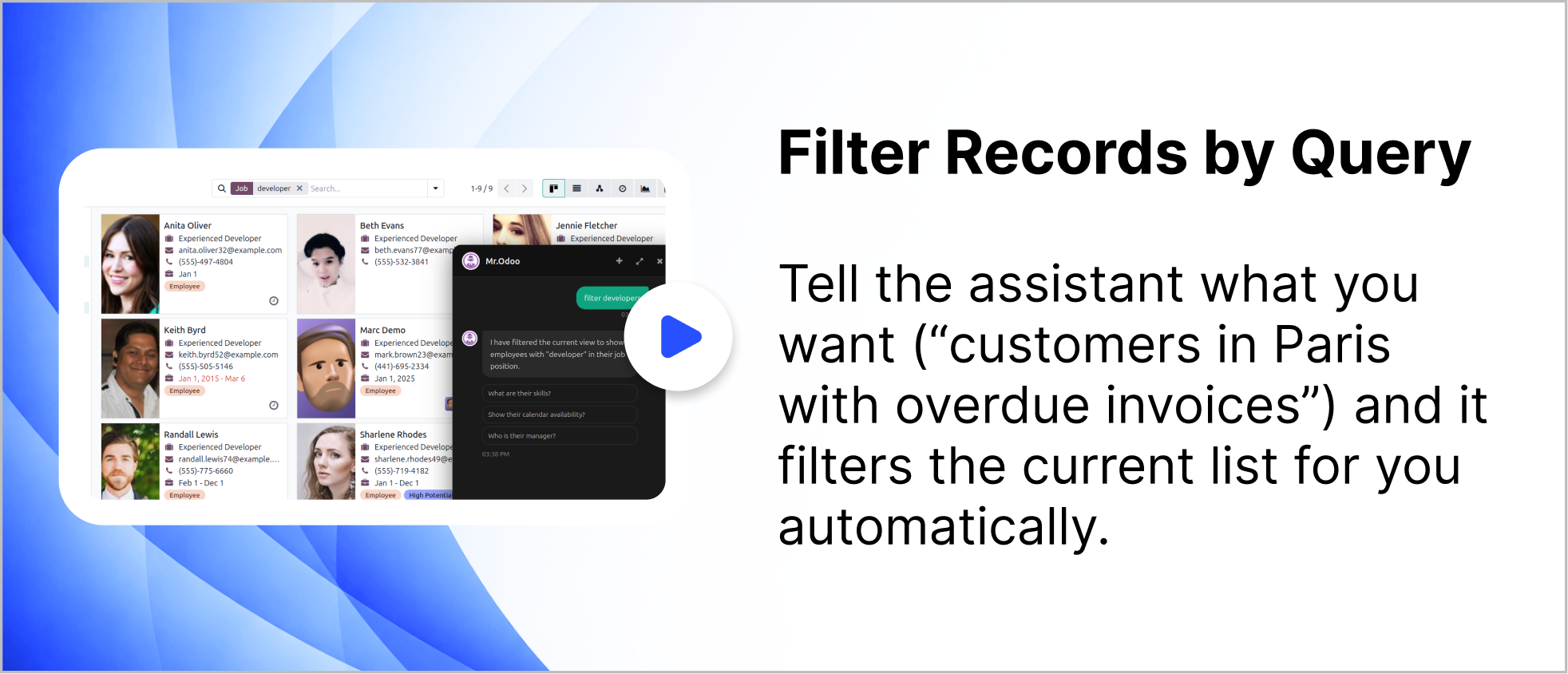
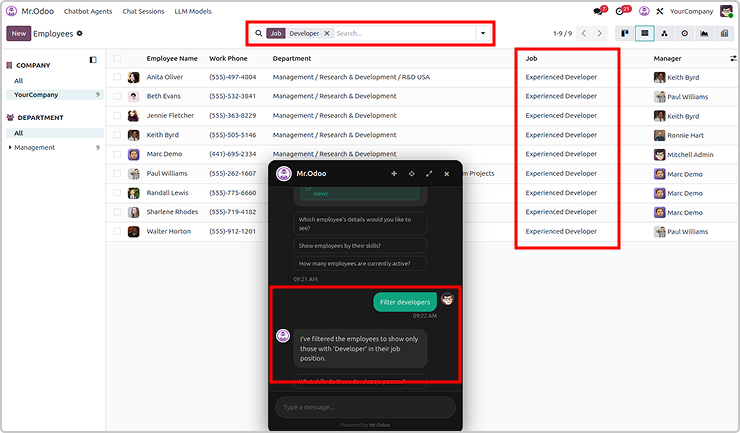
You can filter records using query for any requested records.
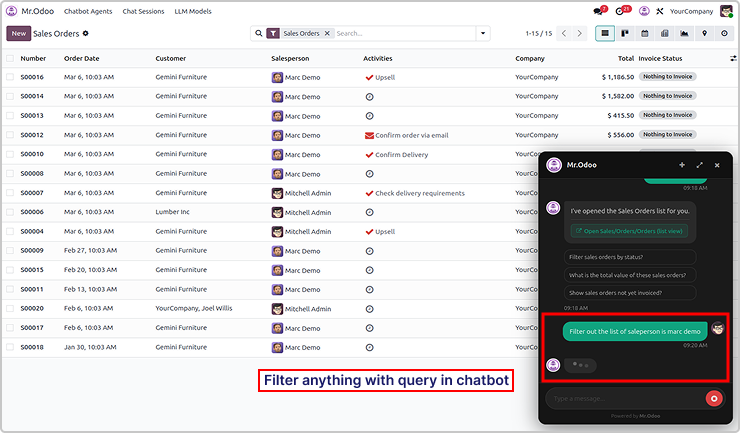
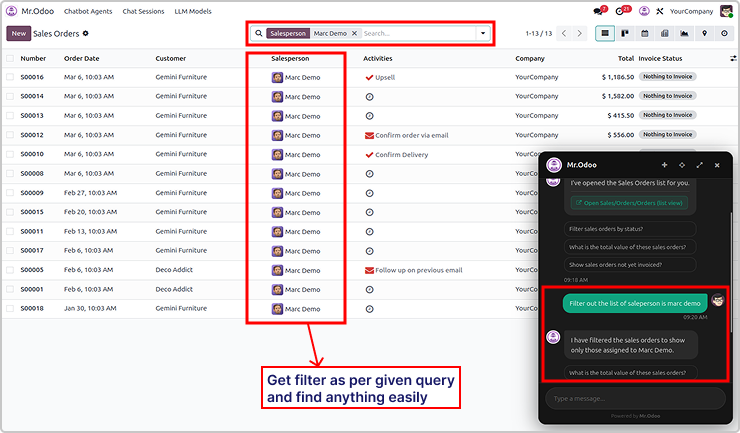
Here is the example 2

Need Help ?
You can instantly find the answer you need here when
you're looking for a quick solution.

Odoo Ai insights supports multiple AI models including ChatGPT, Gemini, and Claude. Users can switch between models depending on their needs for performance, cost, or response quality.
Yes. Odoo Ai insights follows Odoo's built-in security and access control rules. The AI assistant only shows data that the current user has permission to access, ensuring your business data remains secure.
Odoo Ai insights supports multiple AI models including ChatGPT, Gemini, and Claude. Users can switch between models depending on their needs for performance, cost, or response quality.
Odoo Ai insights can work with many Odoo modules such as Sales, CRM, Inventory, Accounting, and more. It helps users quickly search records, open views, and get insights from their ERP data through simple conversations.
Yes, I do provide free support for 90 days for any queries or any bug/issue fixing.
In case of if any bug raised in the listed features of this module, I am committed to providing support free of cost. You will need to provide me server ssh access or database access in order to solve the issue.
Changelog(s)
Each update brings improvements to make the
app work better for you.

Recommended Apps

Need any help for this module?
Contact us info@terabits.xyz for your queries



Odoo AI Insights : AI-Powered
business assistant for odoo
Talk to odoo. Get instant business insights.
Odoo AI Insights is a smart chatbot built right into your Odoo, letting you interact
with your data using simple, natural language. Powered by tools like ChatGPT,
Claude, and Gemini, it gives real-time answers directly from your database.
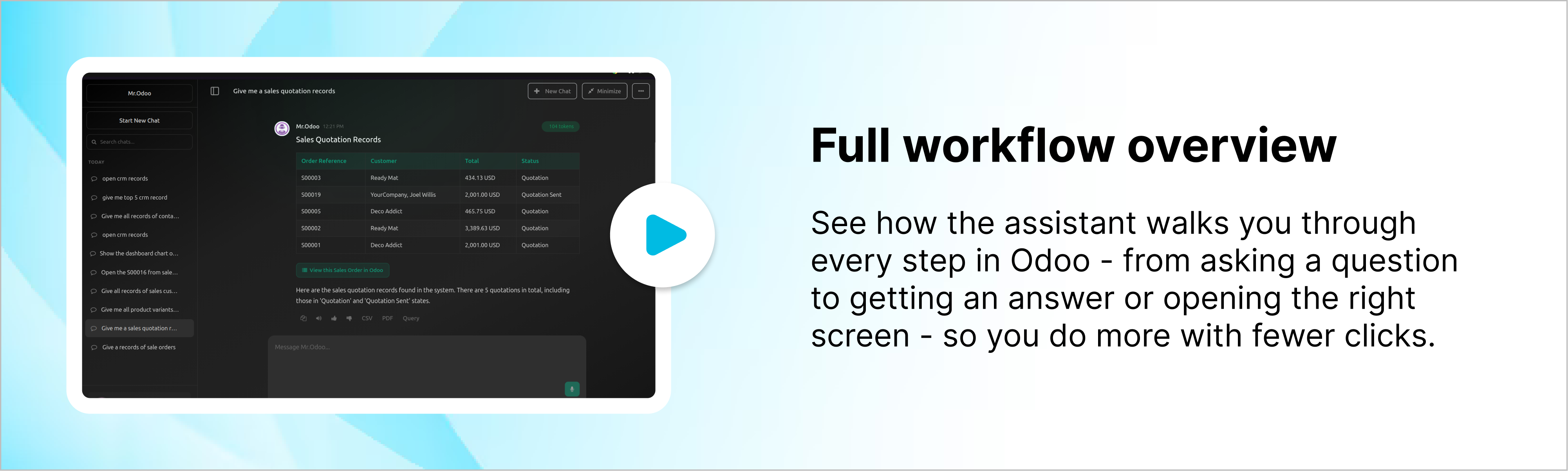
Talk to your Odoo like you would to a teammate - just ask questions and get clear,
instant answers from your own business data without digging through menus or
reports. You can explore sales, customers, or inventory in seconds, with
information presented clearly and instantly. It makes everyday work feel more
natural, helping you understand whats happening and make quicker decisions
without changing how your Odoo already works.

No more manual searches

No more digging through menus

No more complex filters

Key features
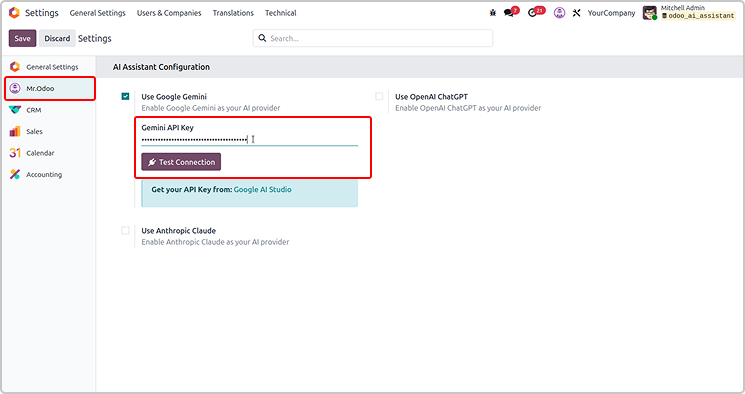
Configure the API key as shown in the screenshot below.
Set the access rights for AI agent under user settings.
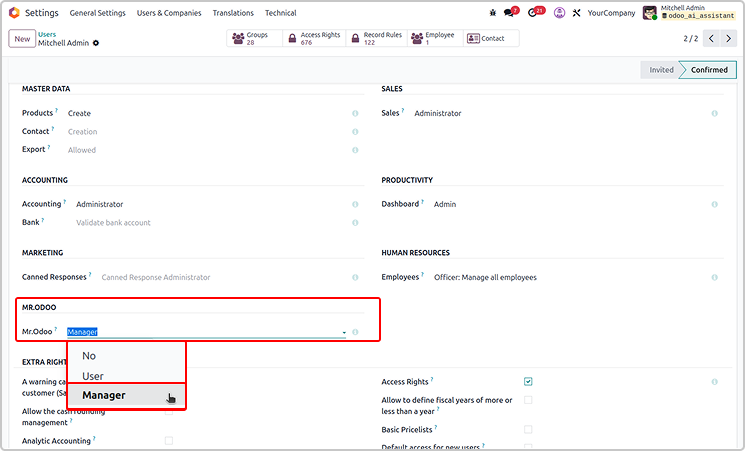
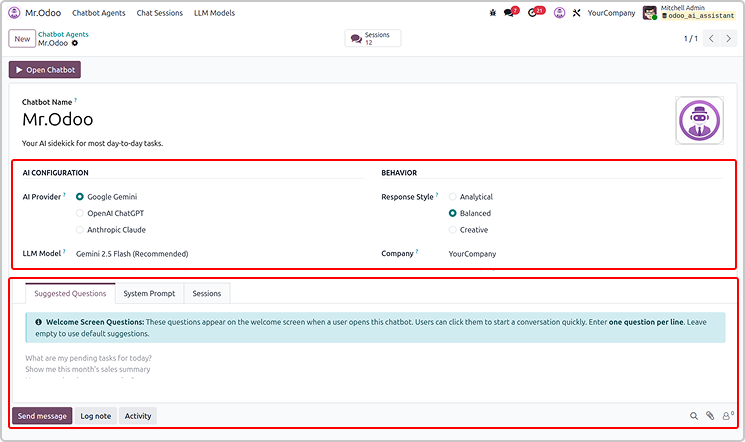
If the user is the manager, he has access to customise Odoo AI Insight
from the configuration as shown below.
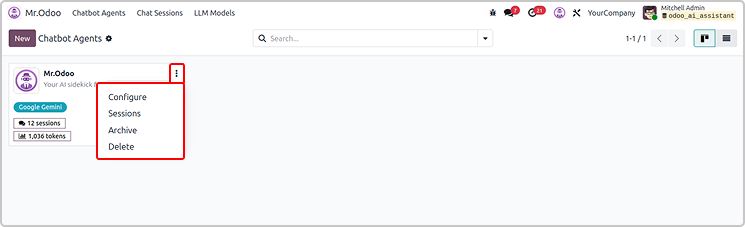
If you have a manager access, you will have access to set up all
the configurations.
If you have the user access, you will only view the configuration.
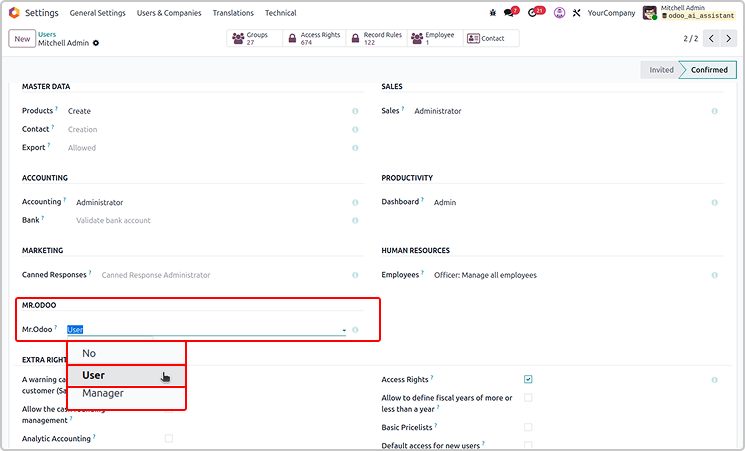
User will not have a delete access.
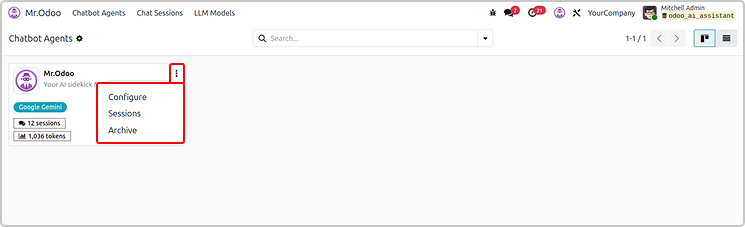
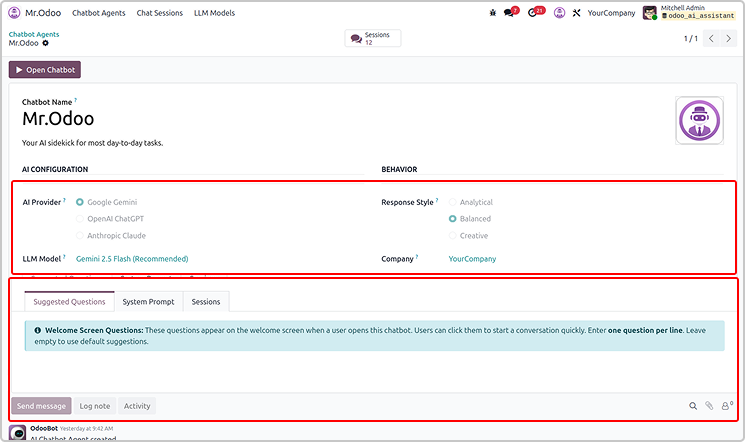
Every thing will be read only for the normal user as shown below.
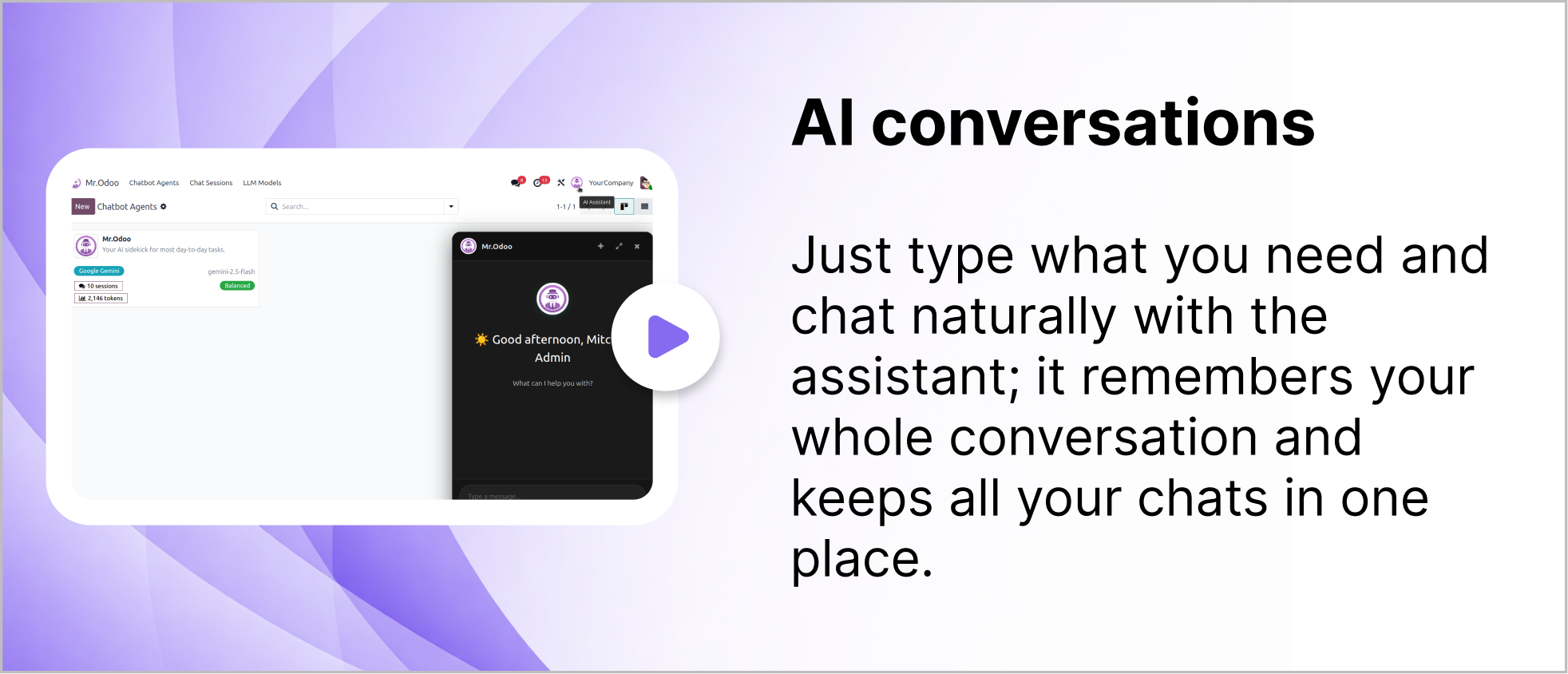
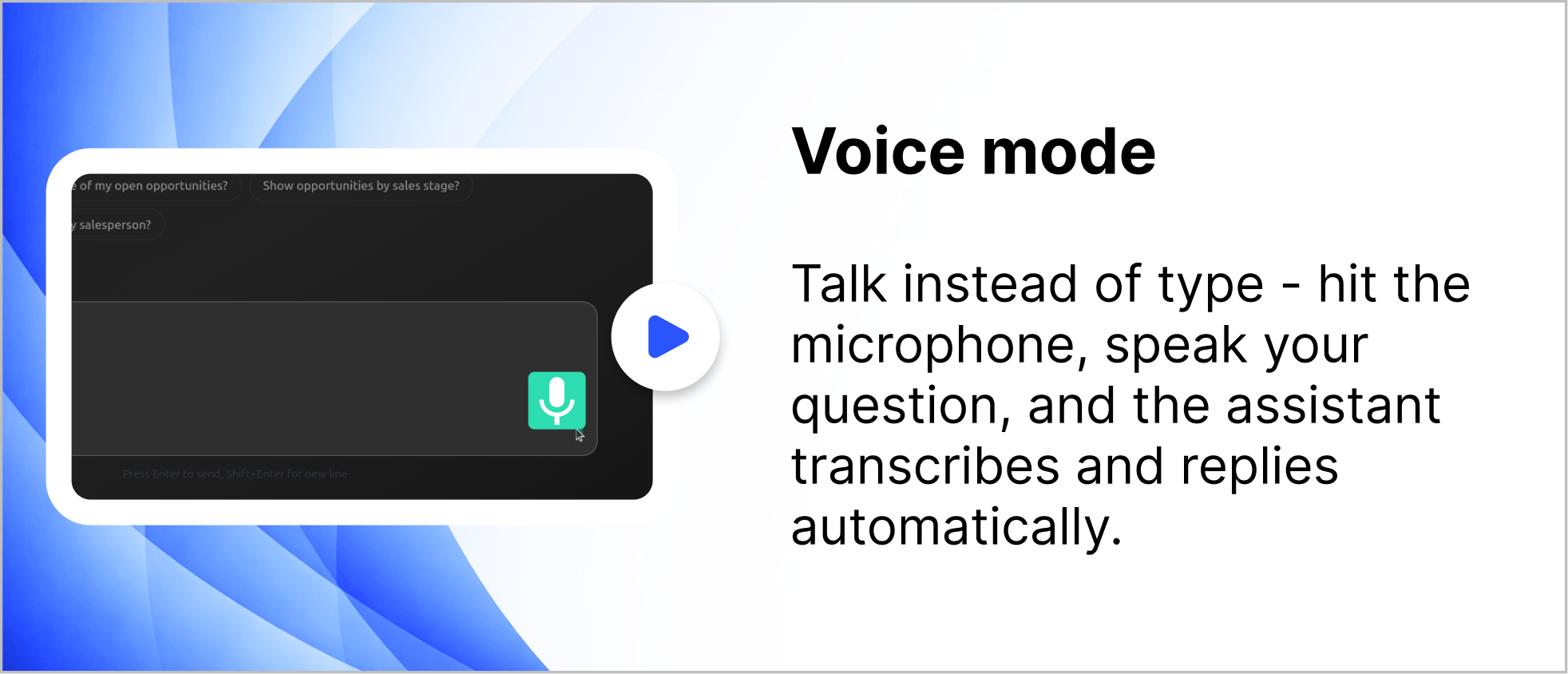
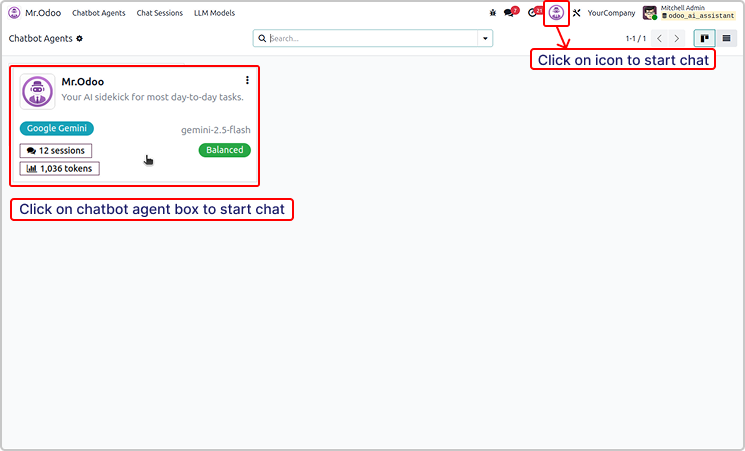
You can simple start the chat using the icon or chatbot agent
as shown in the below image.
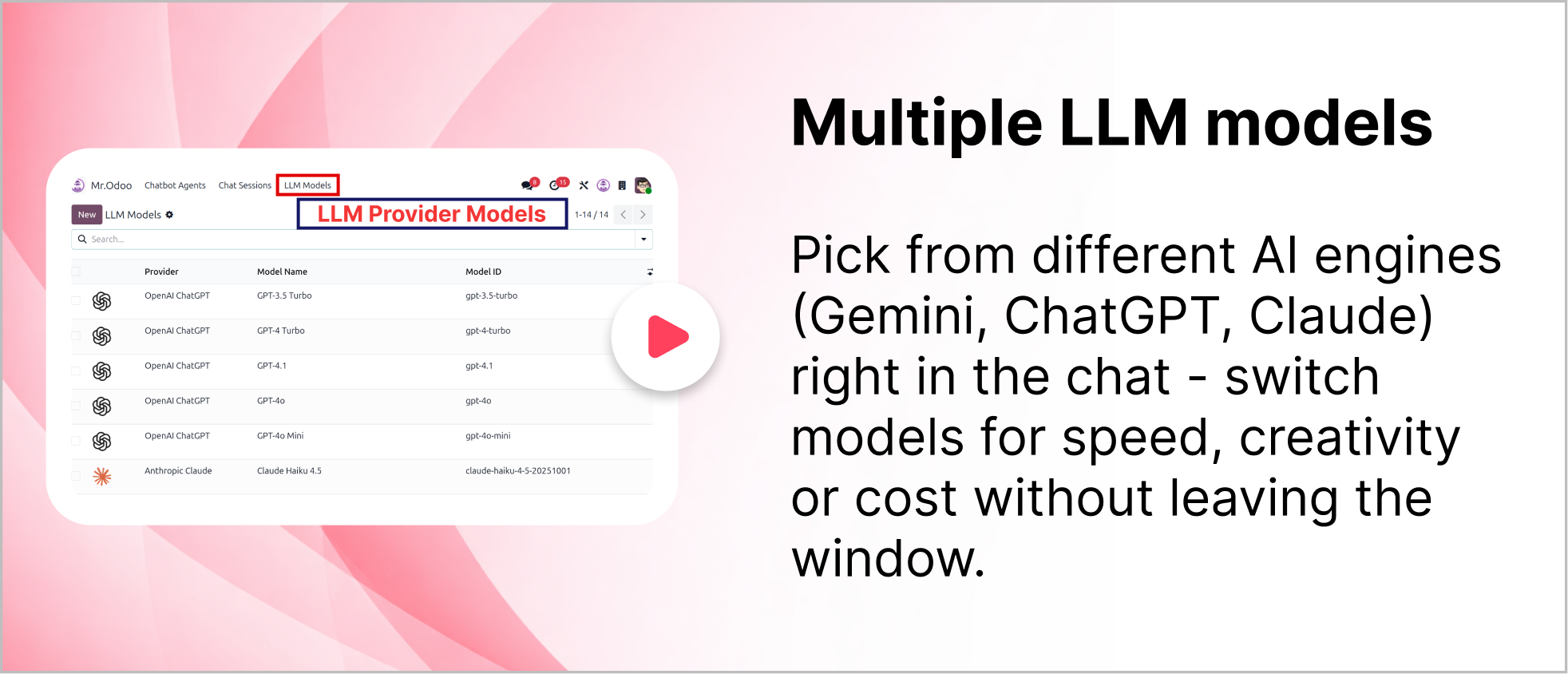
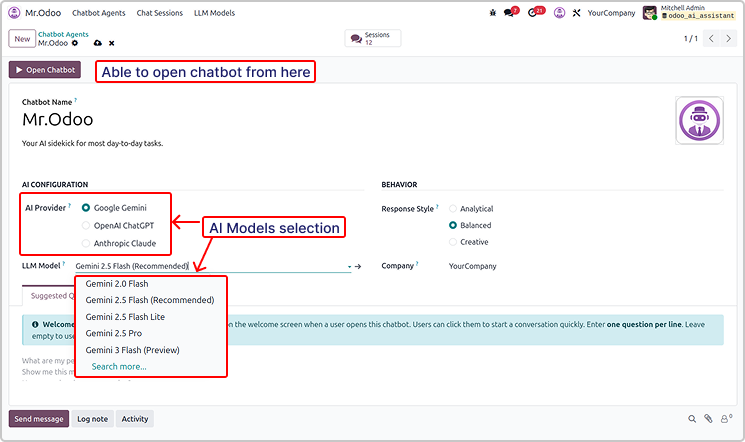
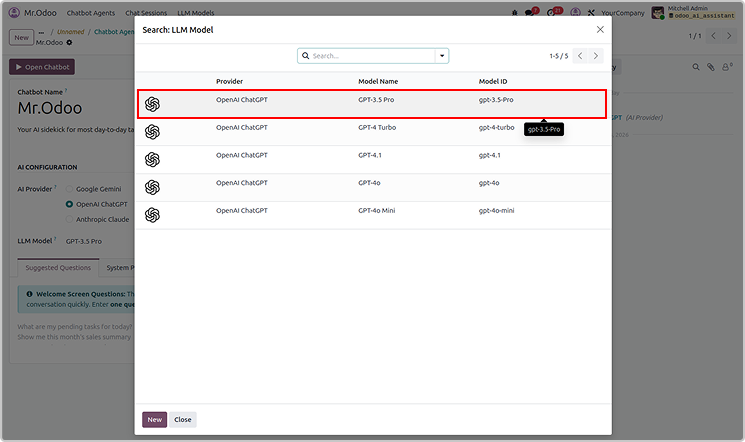
You can use multiple version of the AI providers.
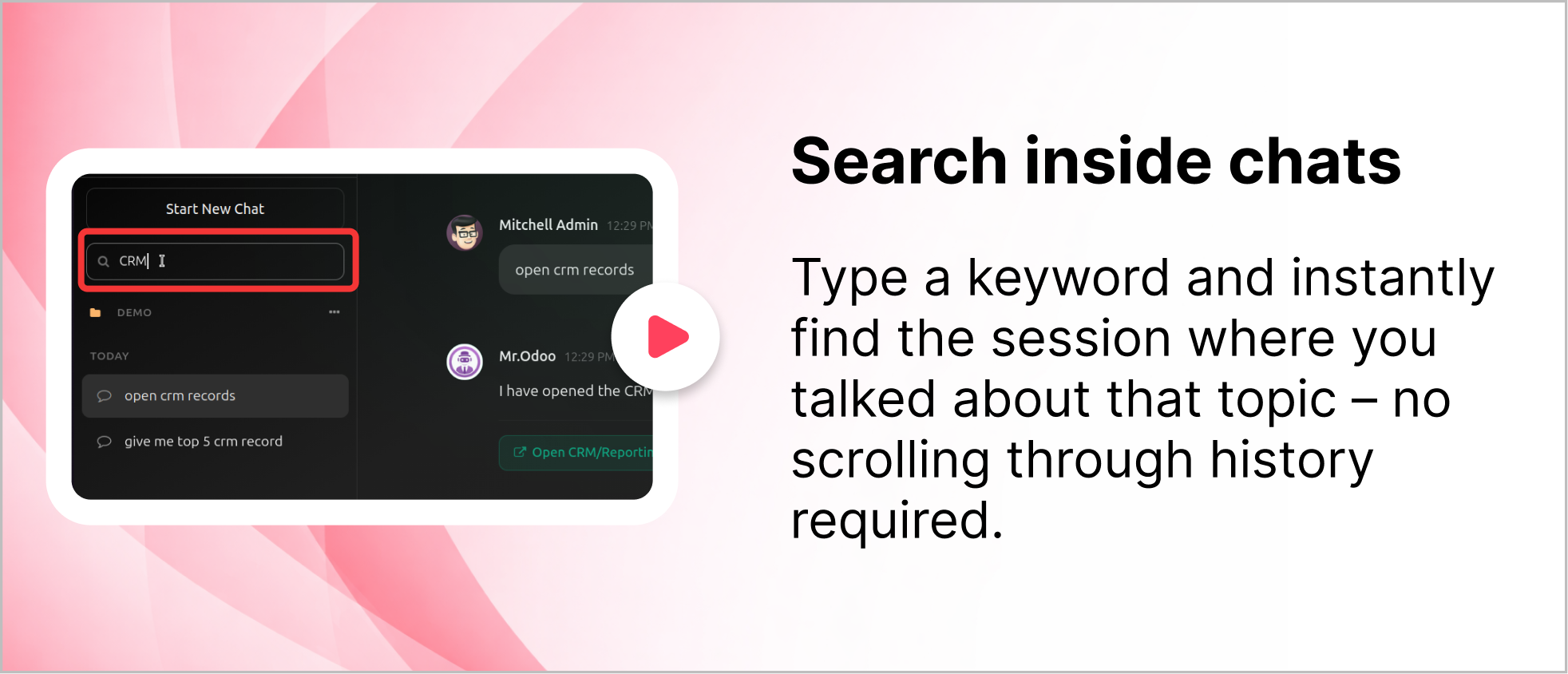
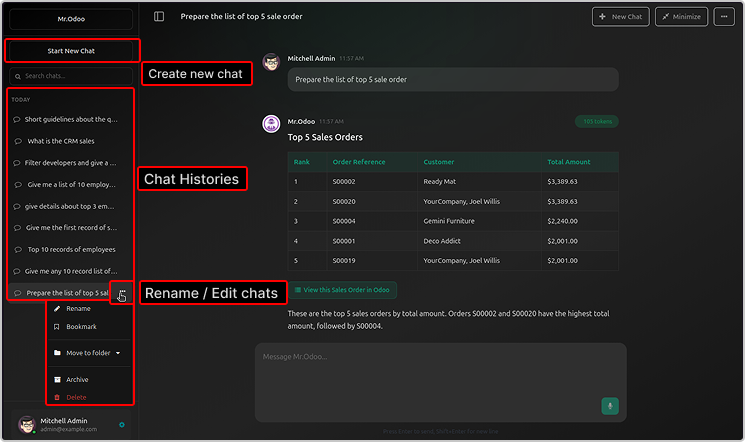
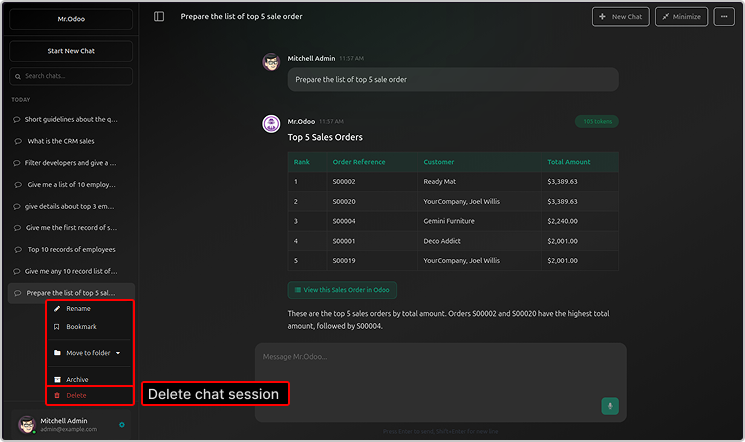
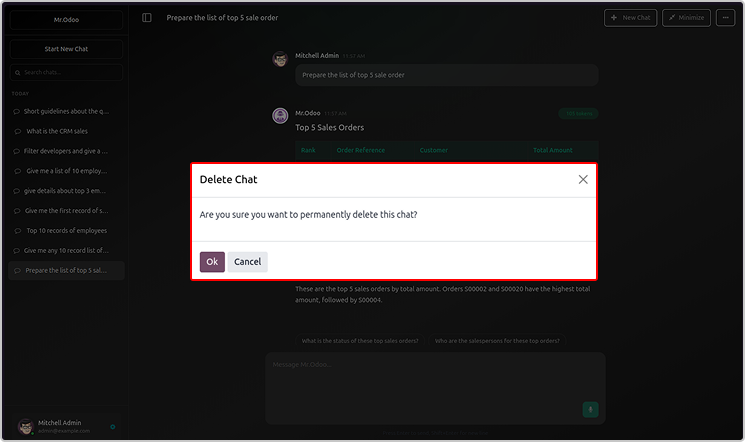
You will be able to see the chat histories, rename or delete the chat.
All the sessions and chats will be visible in the Odoo AI Insight app too.
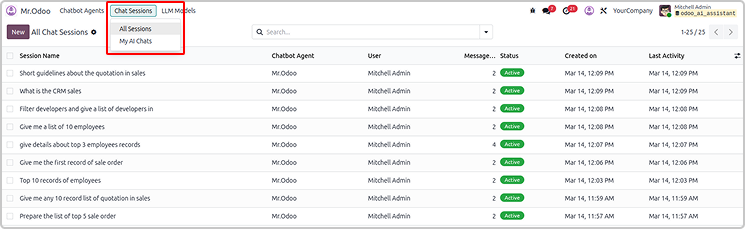
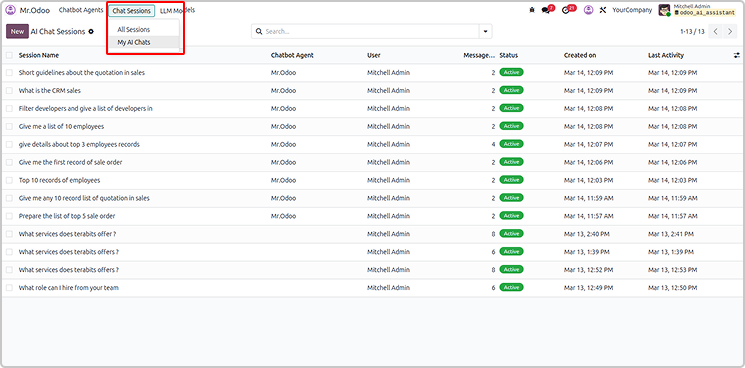
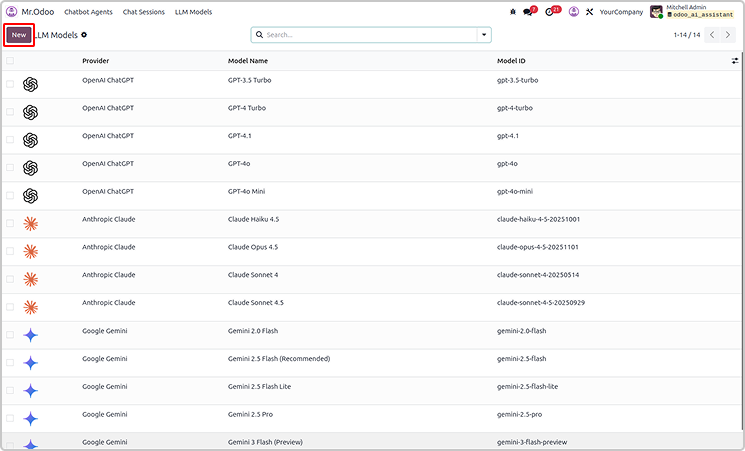
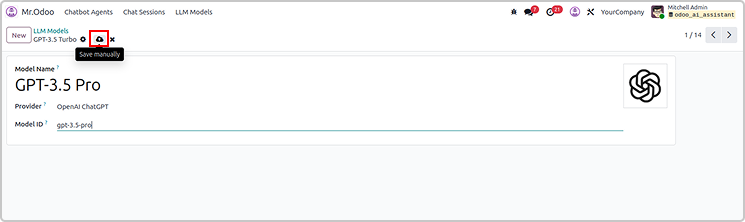
You can create the new LLM models as shown below.
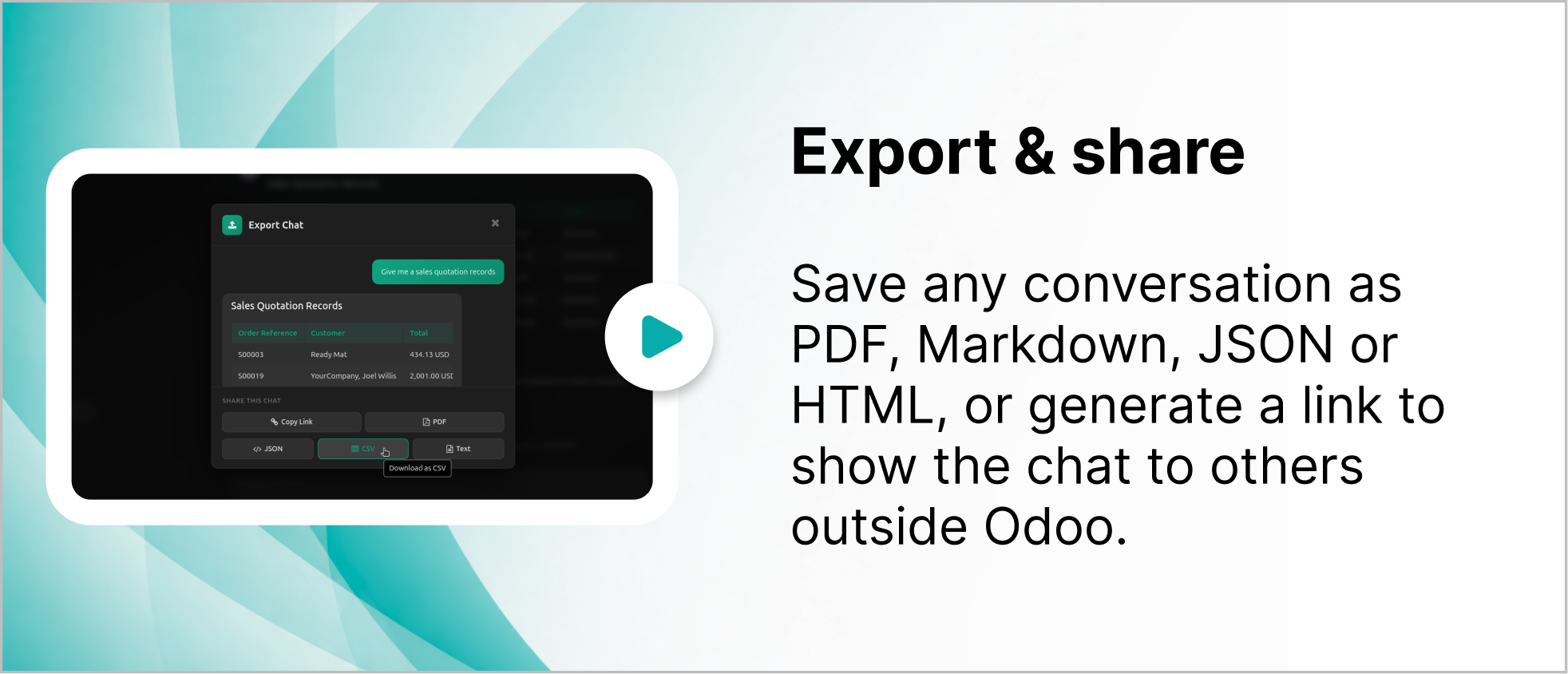
User can also share or export the chat from Odoo Ai insights
The exported file will be in CSV, jason and PDF.
Simply share by copying link as shown below.
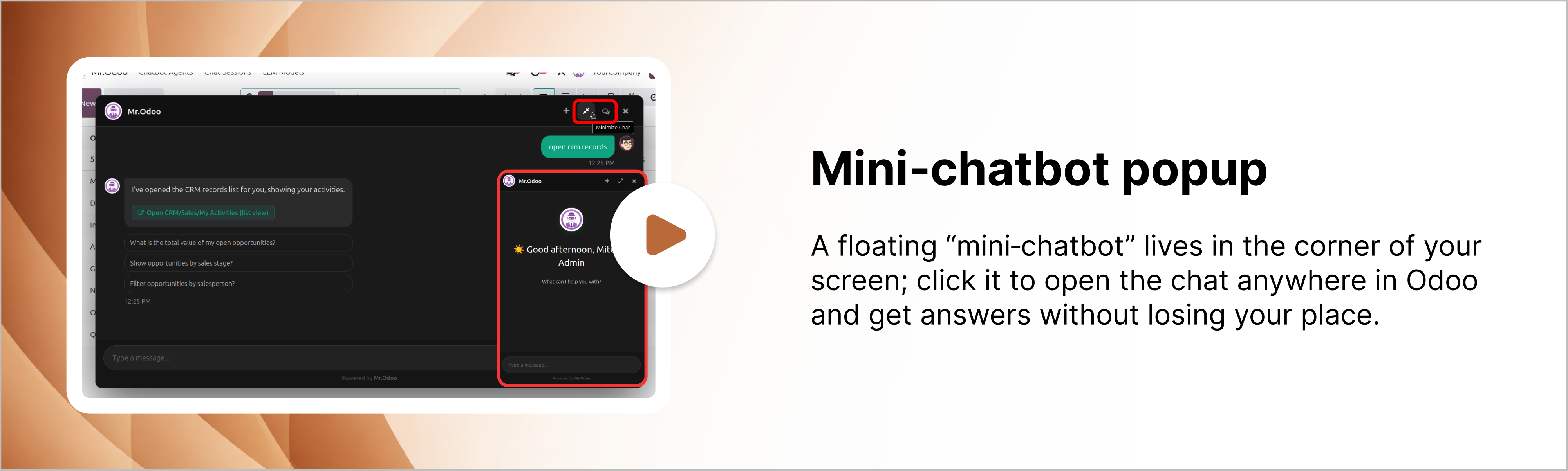
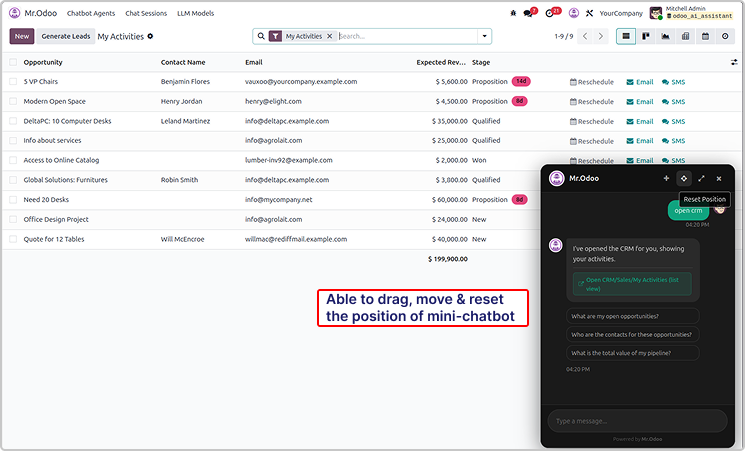
User can drag and reset the chatbot pop-up.
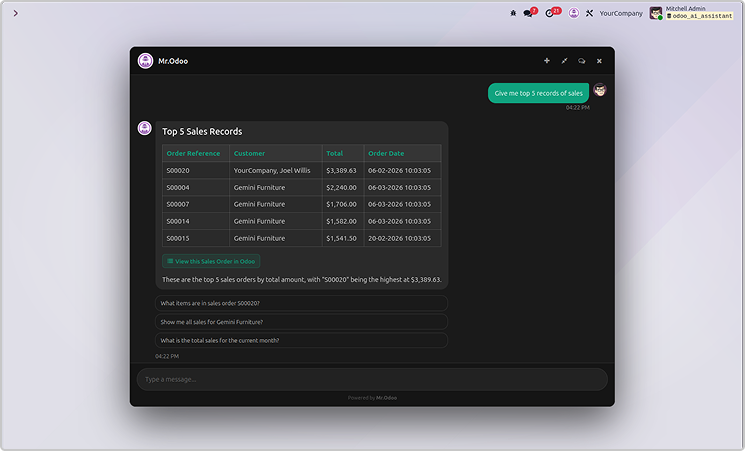
You can also maximize it as shown in the below image.
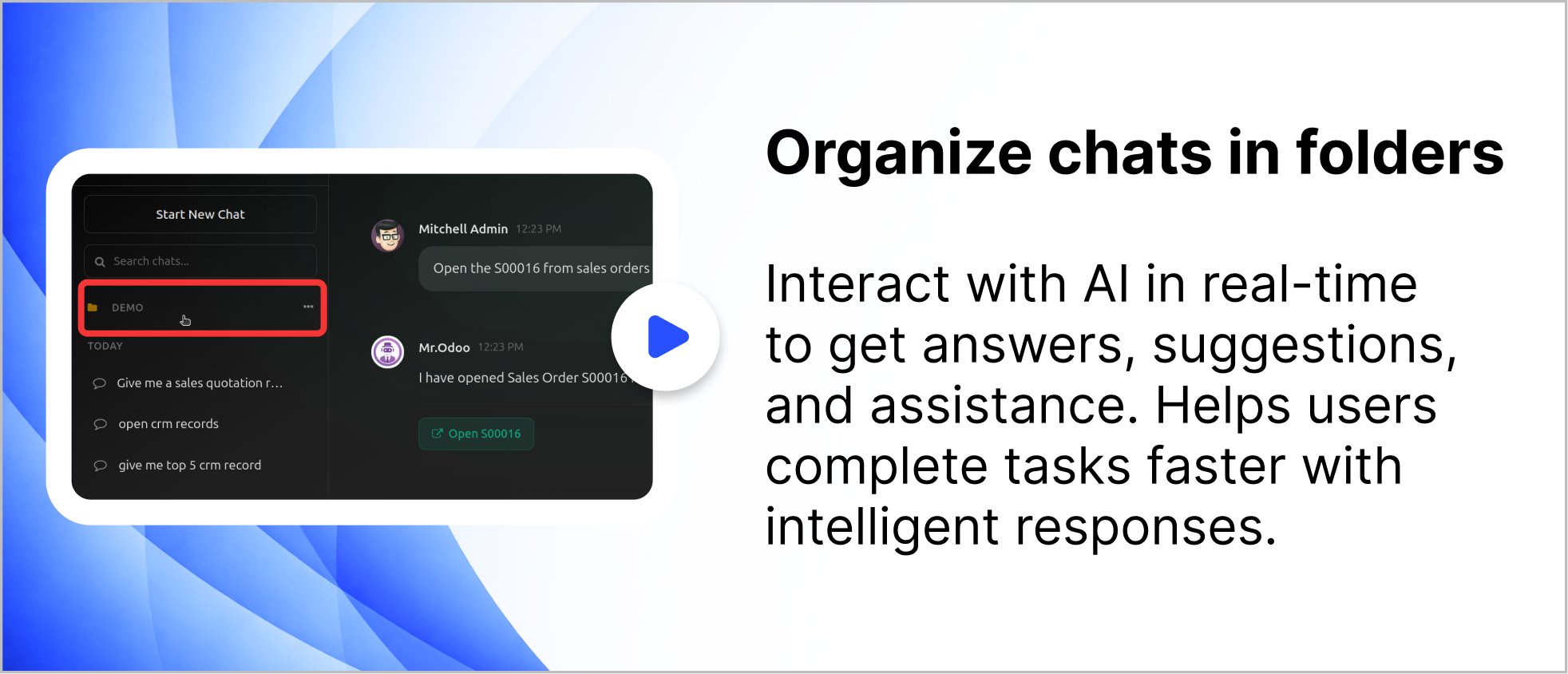
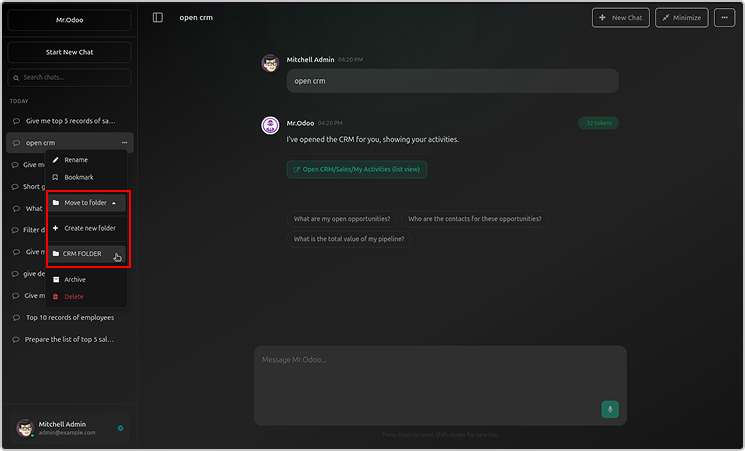
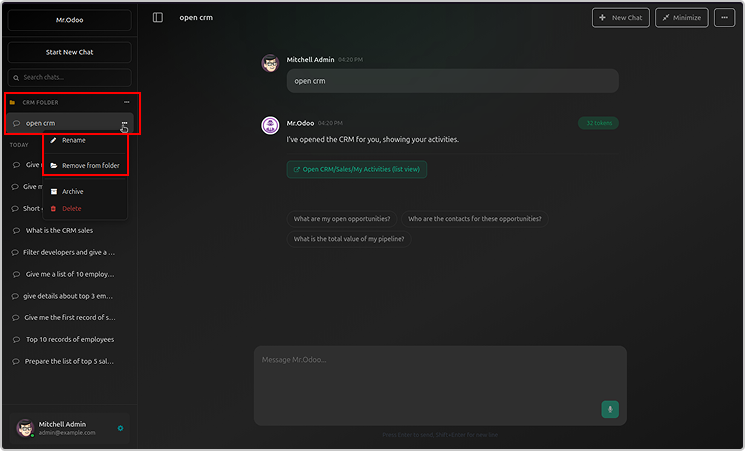
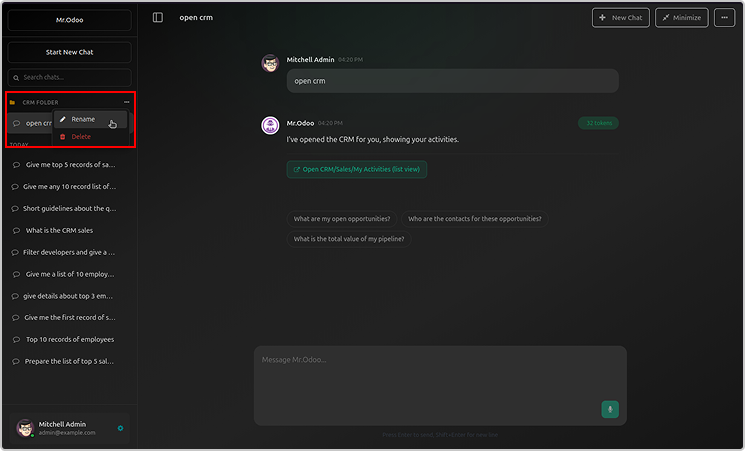
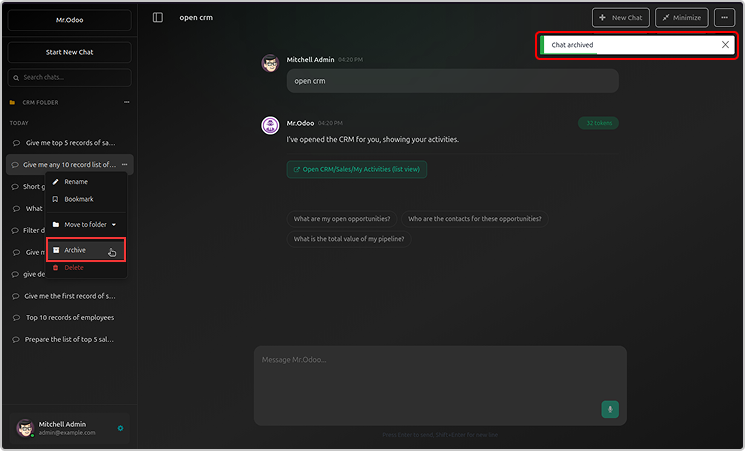
User can organized the chat in the folder as shown below.
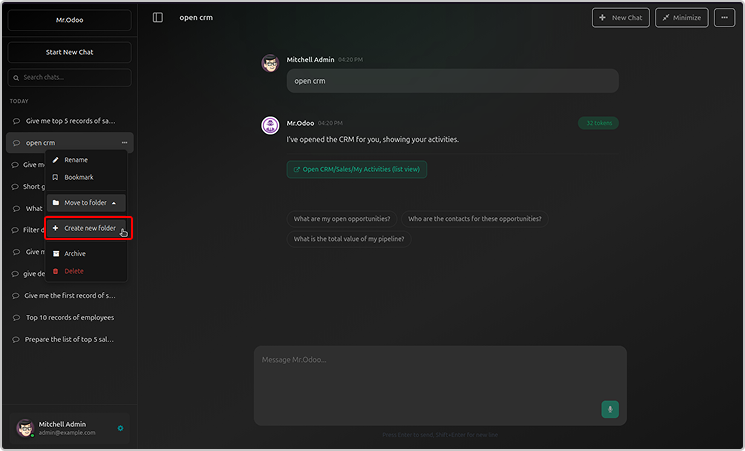
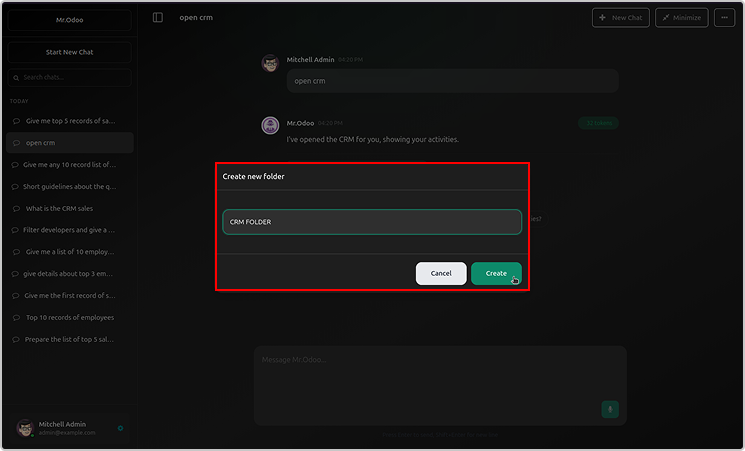
Just click on create a now folder, name it and organised the chats.
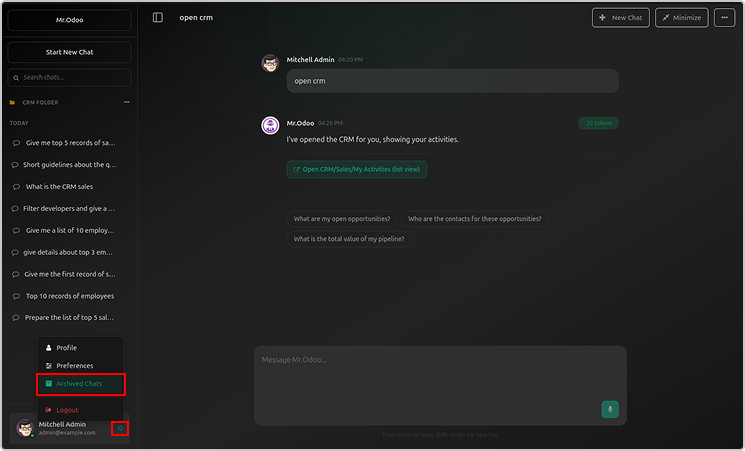
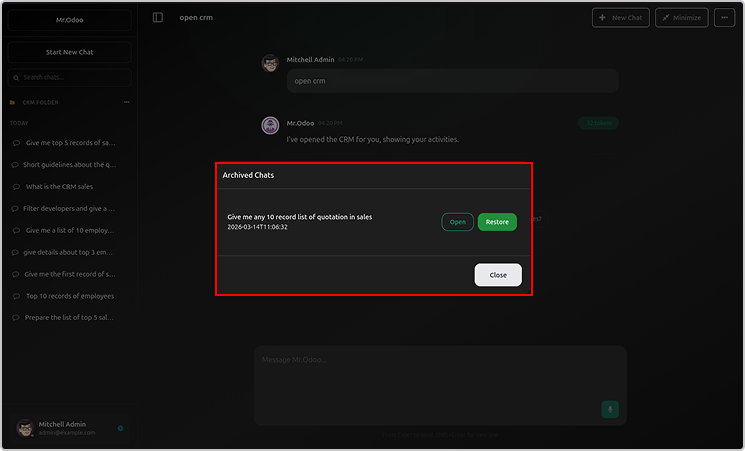
You can rename or archive the folder.
Archive folder will be visible in the user profile.
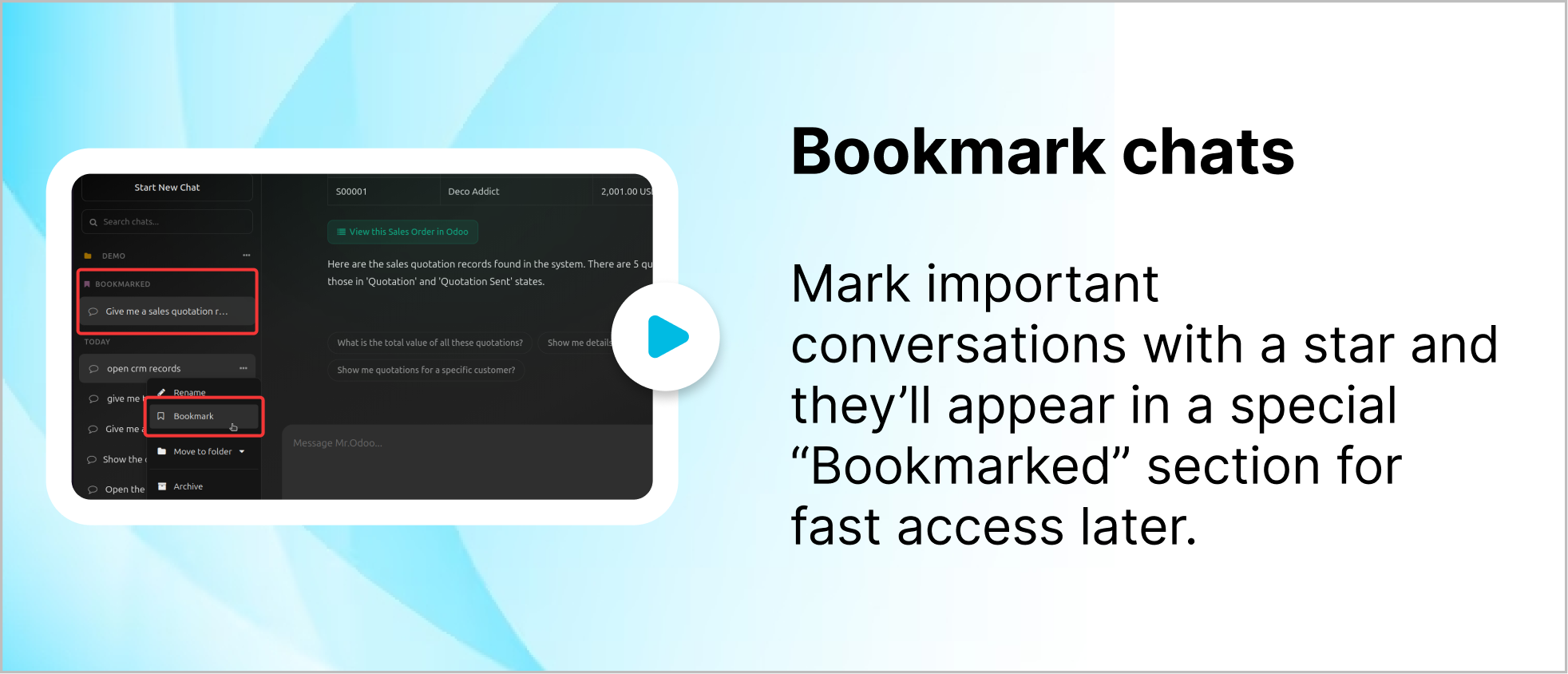
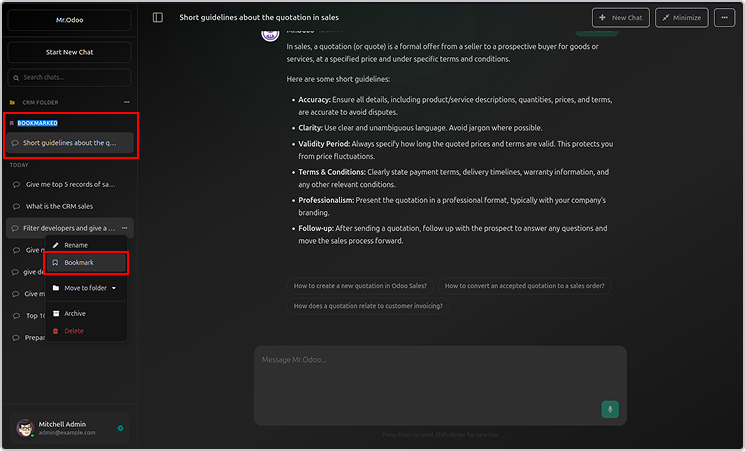
You can bookmark your chats as shown below.
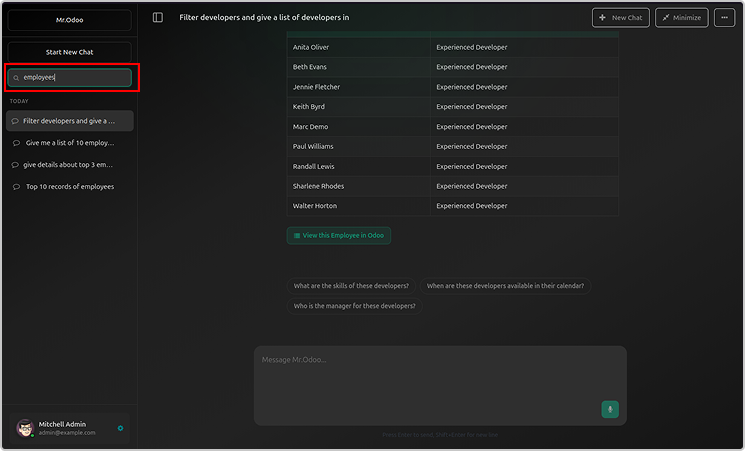
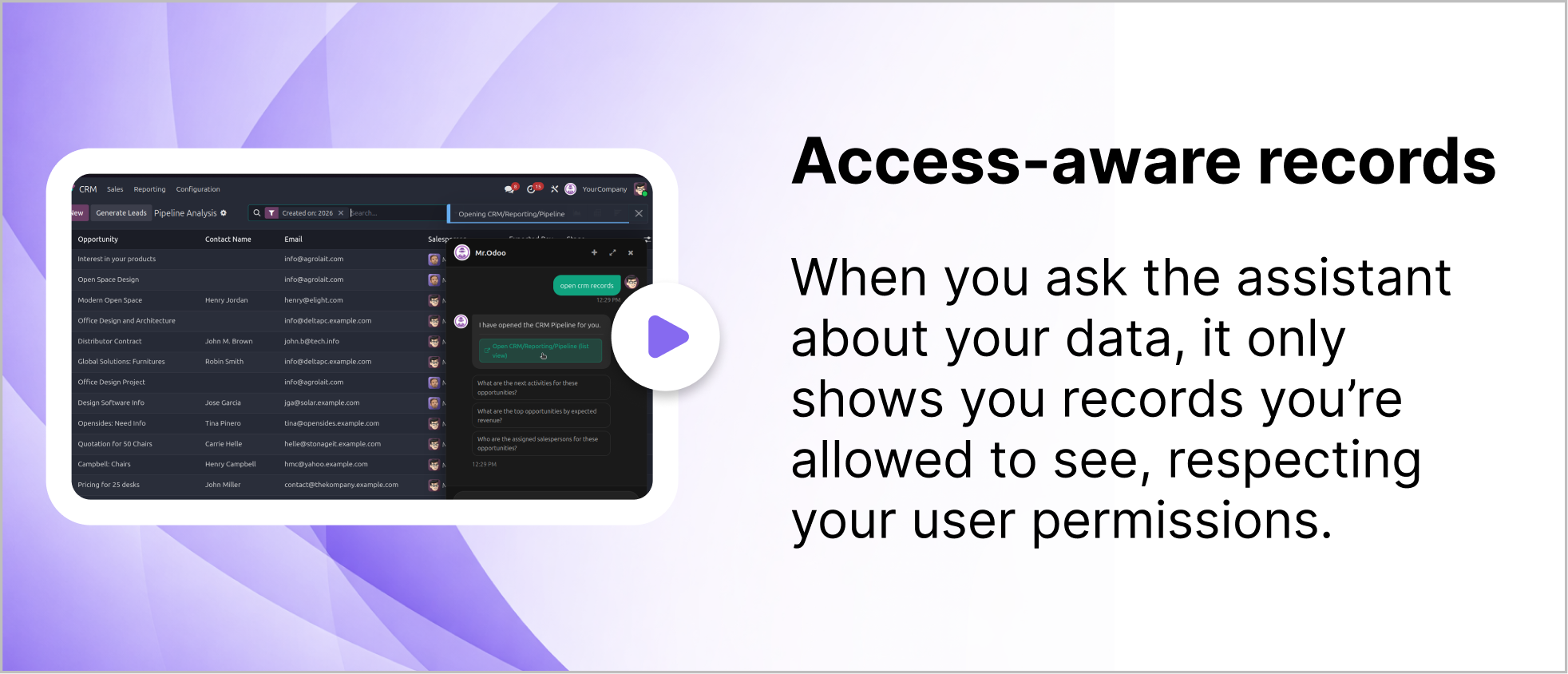
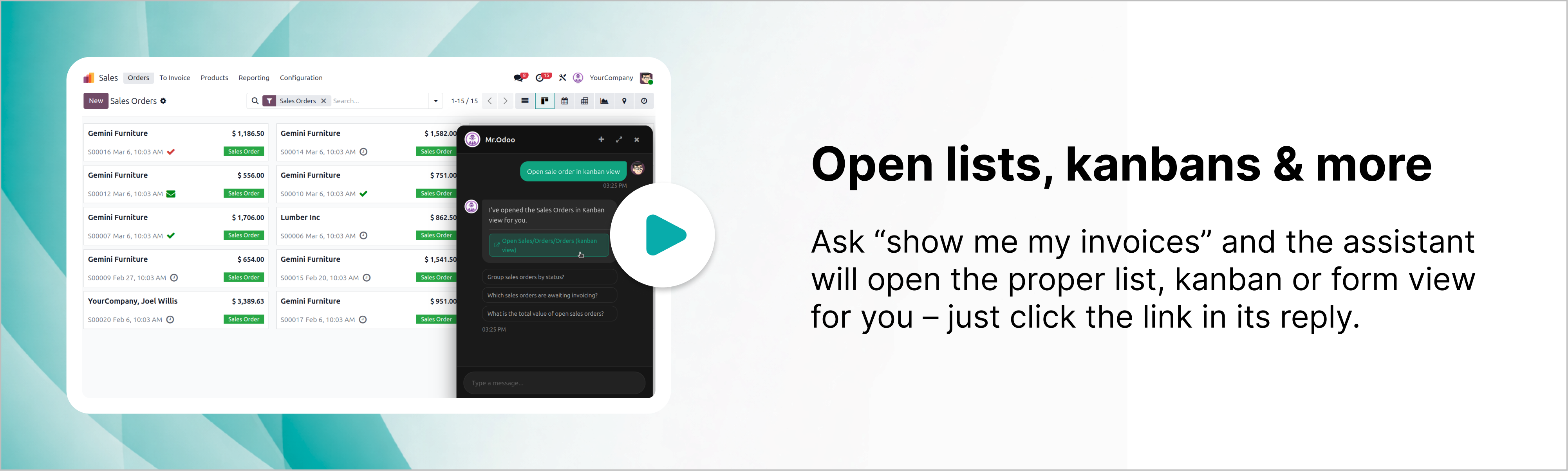
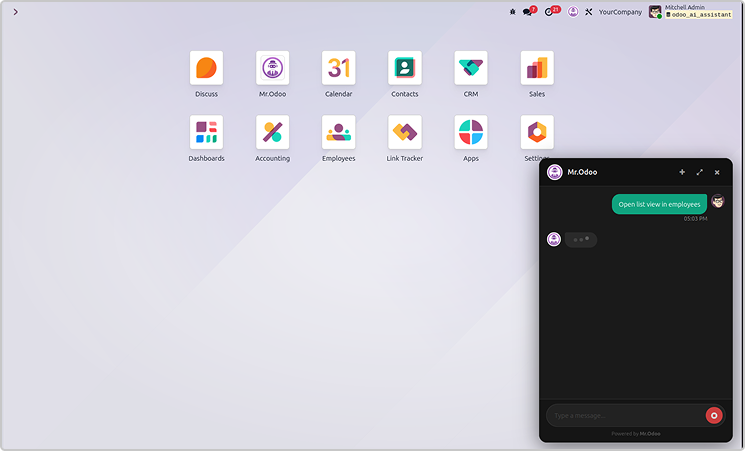
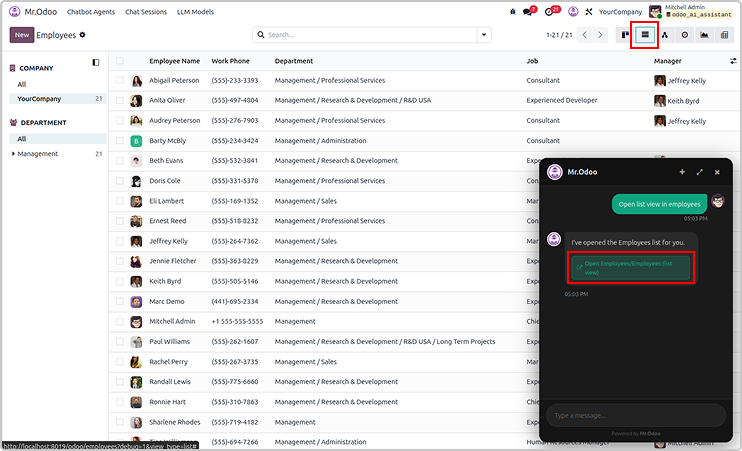
You will get the requested records in the lists, kanbans and other views.
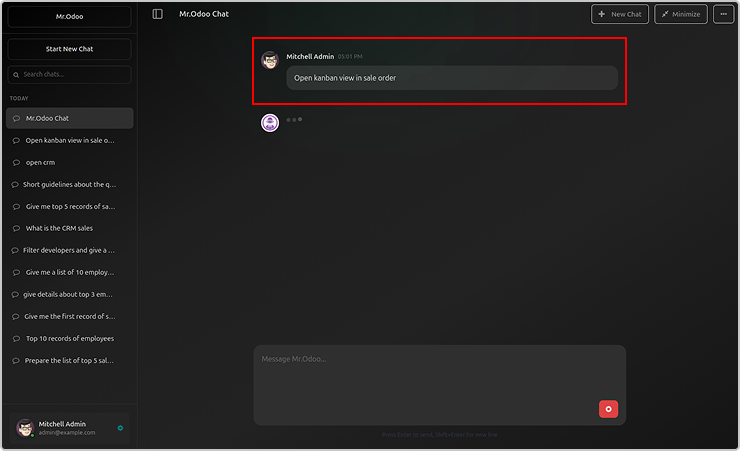
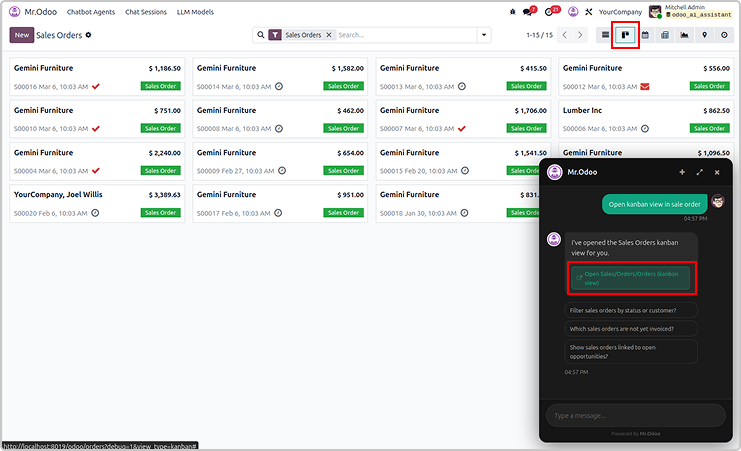
Here is the example asking the employees in a lists view.
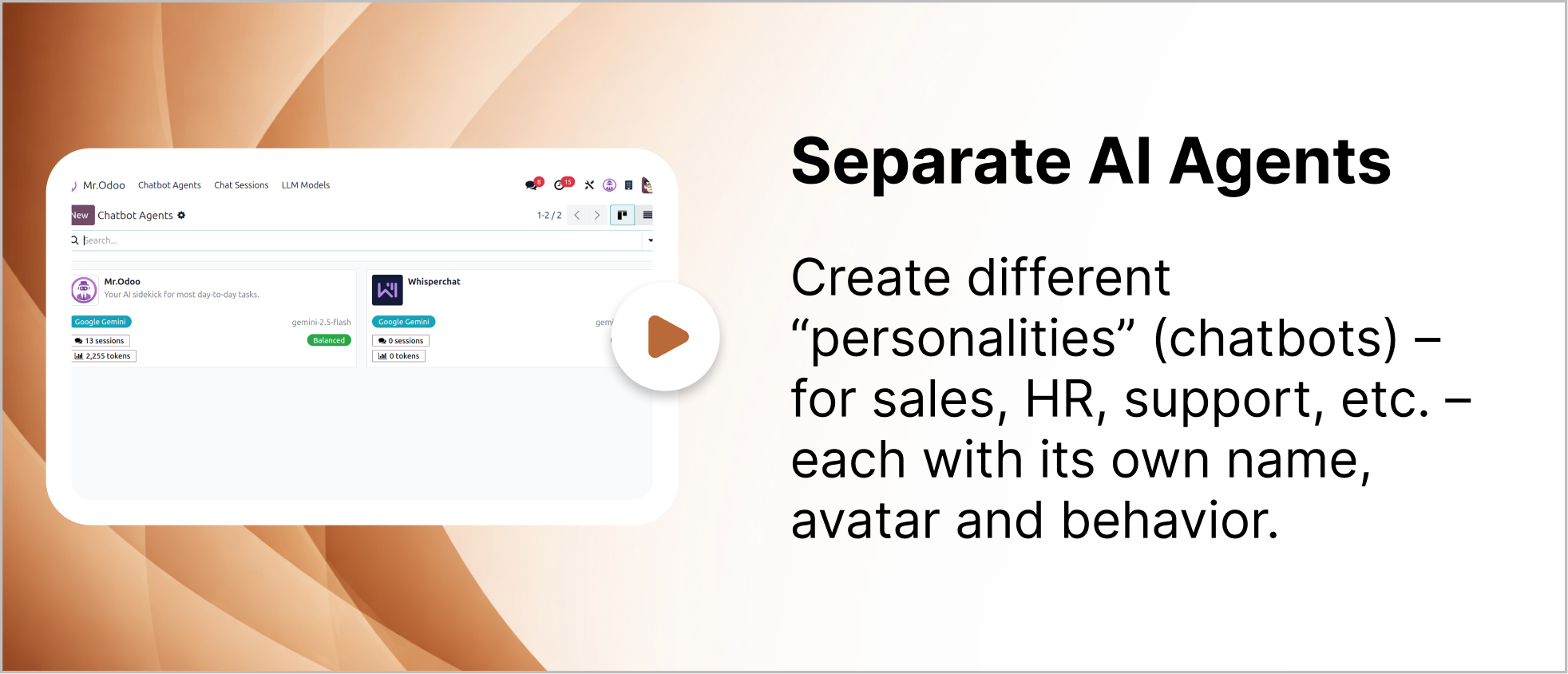
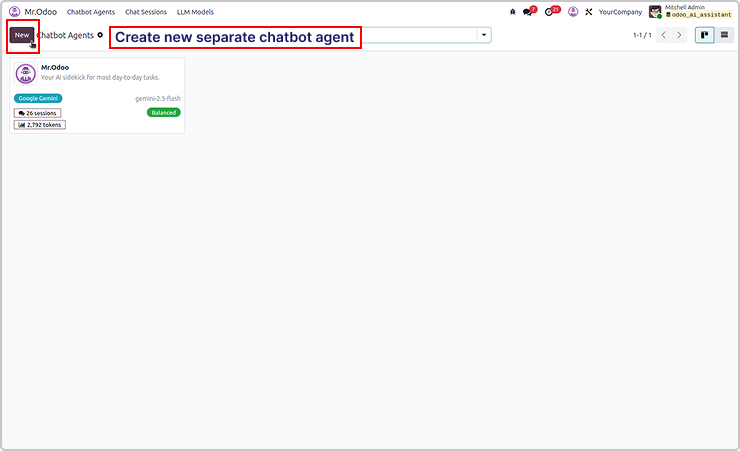
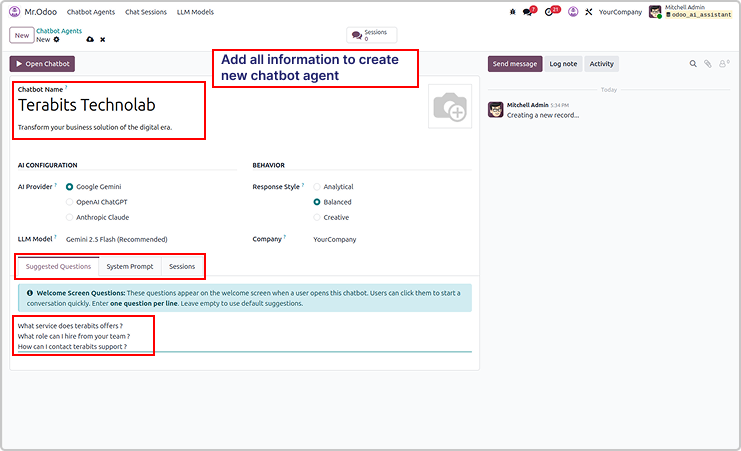
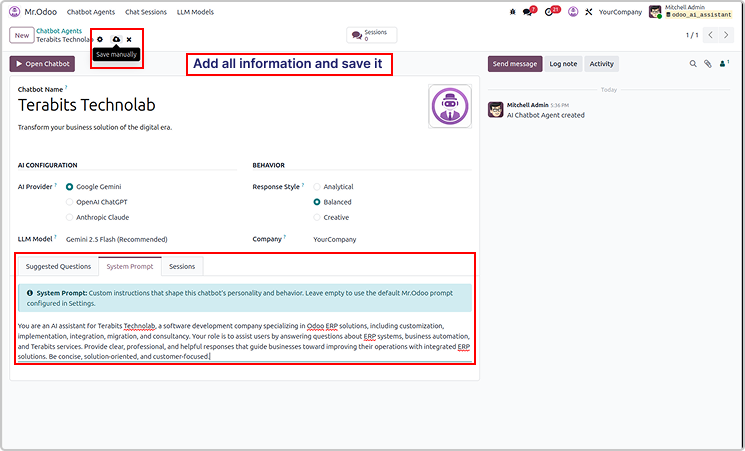
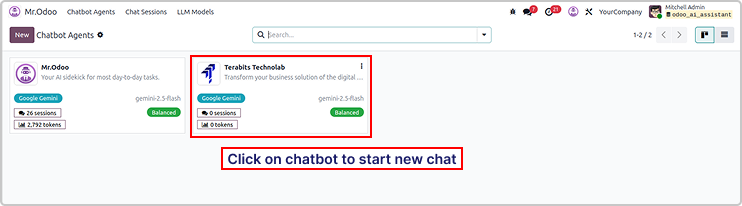
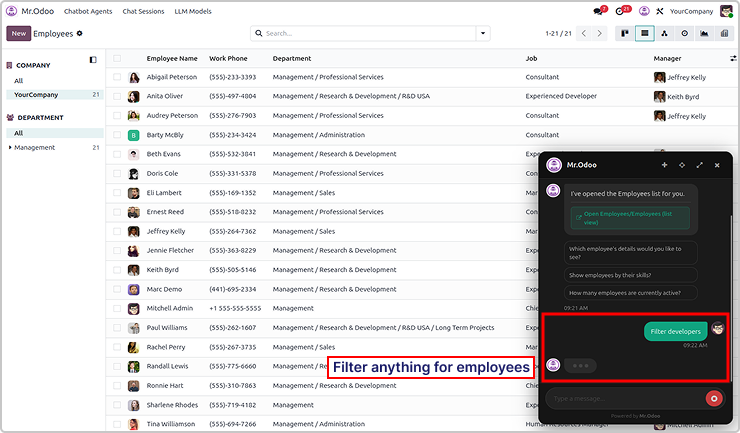
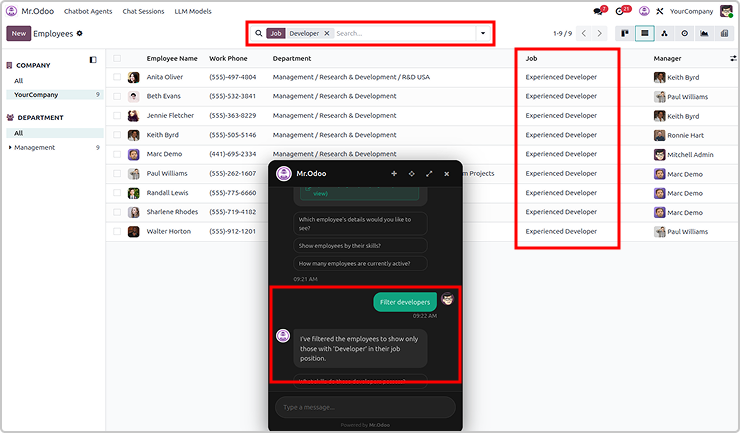
You can create multiple AI agents as shown below.
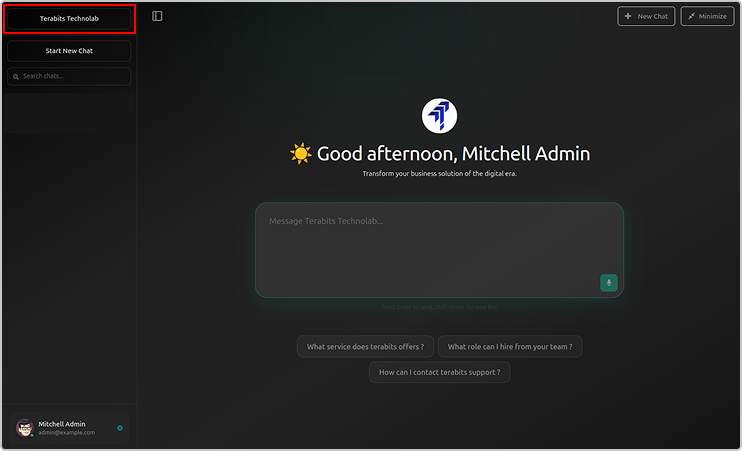
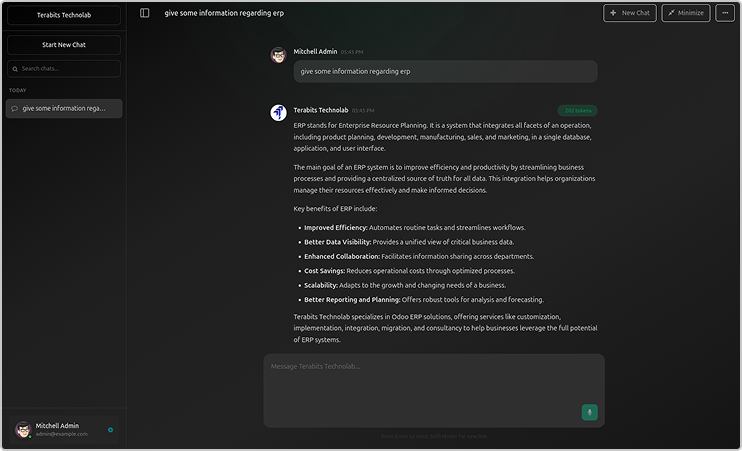
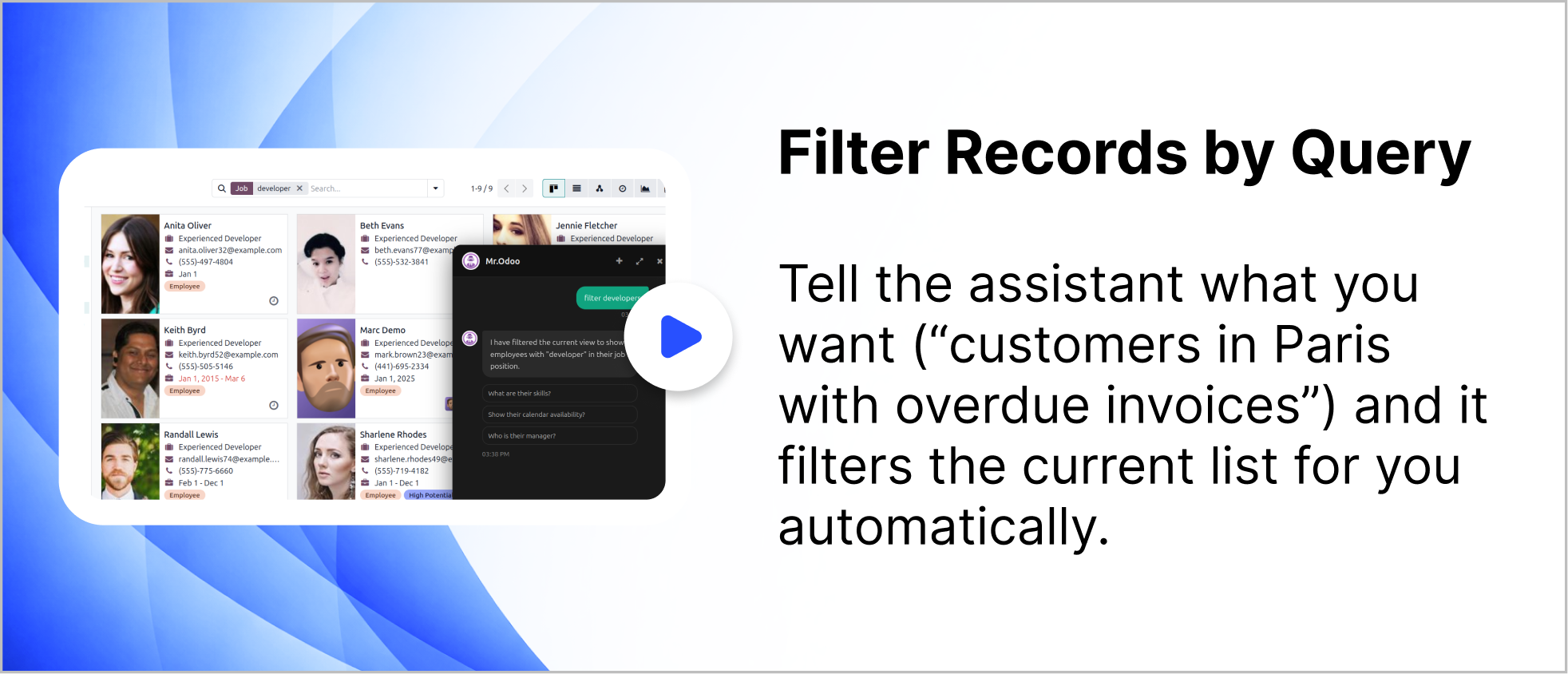
You can filter records using query for any requested records.
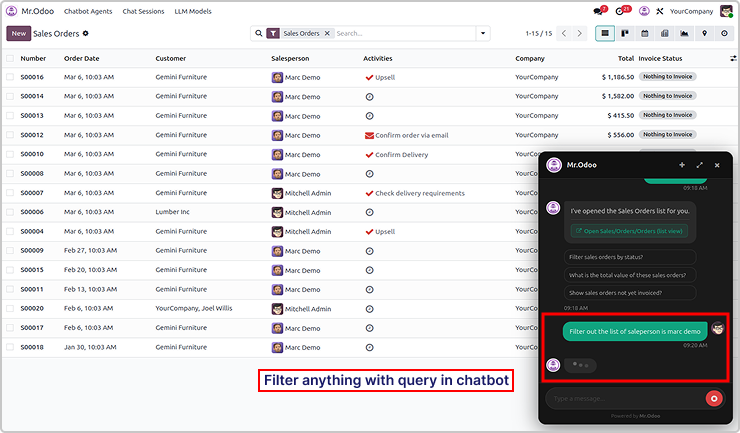
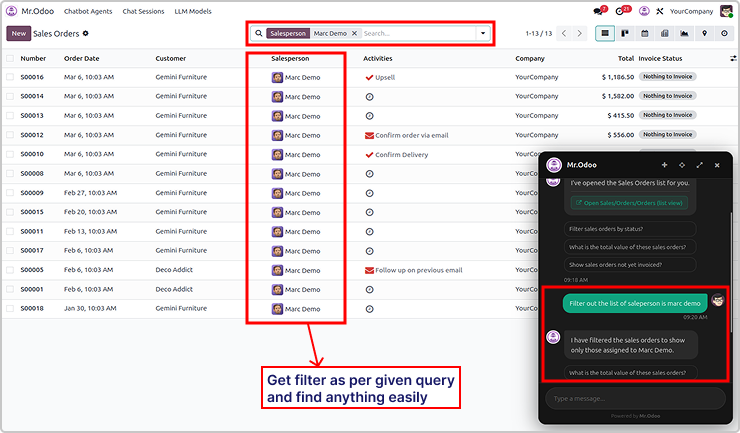
Here is the example 2

Need Help ?
You can instantly find the answer you need here when
you're looking for a quick solution.

Odoo Ai insights supports multiple AI models including ChatGPT, Gemini, and Claude. Users can switch between models depending on their needs for performance, cost, or response quality.
Yes. Odoo Ai insights follows Odoo's built-in security and access control rules. The AI assistant only shows data that the current user has permission to access, ensuring your business data remains secure.
Odoo Ai insights supports multiple AI models including ChatGPT, Gemini, and Claude. Users can switch between models depending on their needs for performance, cost, or response quality.
Odoo Ai insights can work with many Odoo modules such as Sales, CRM, Inventory, Accounting, and more. It helps users quickly search records, open views, and get insights from their ERP data through simple conversations.
Yes, I do provide free support for 90 days for any queries or any bug/issue fixing.
In case of if any bug raised in the listed features of this module, I am committed to providing support free of cost. You will need to provide me server ssh access or database access in order to solve the issue.
Changelog(s)
Each update brings improvements to make the
app work better for you.

Recommended Apps