To use, go to events > Switch to 'Tree' View
> Select any event and add the websites
you need to load your events or leave it
empty to load the event to all the websites.
- All products
- Event Multi Website Selection | Multiple Websites per Event | Multi website selection for Event | Bulk Website Assign
- All products




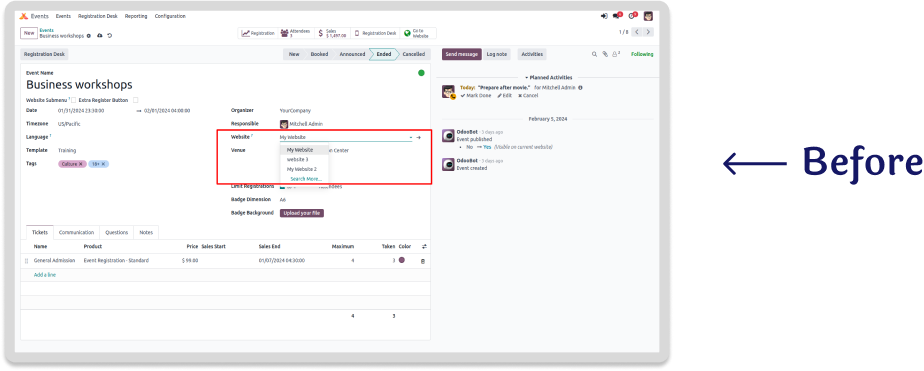
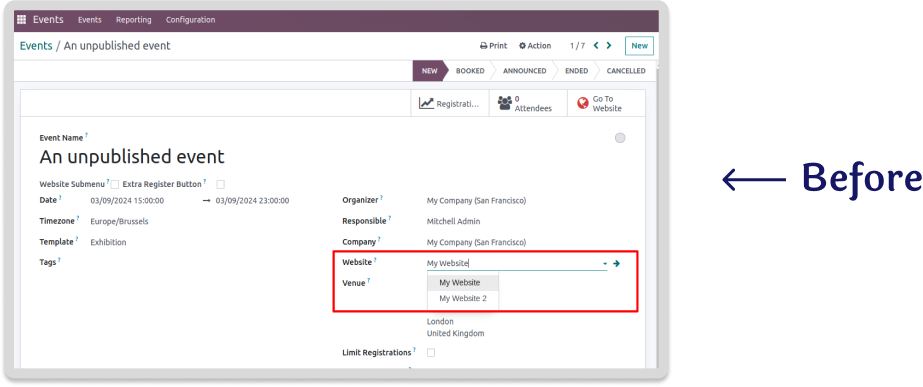
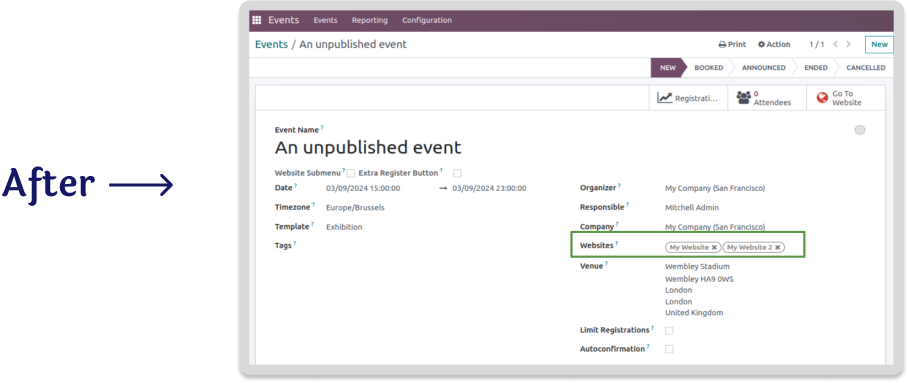
Multiple websites per event
"Now you can select 2 or more websites per event"
Odoo's base multi website feature only allows you to select either one
website
per event or none, but it doesn't allow you to select 2 or more websites
per
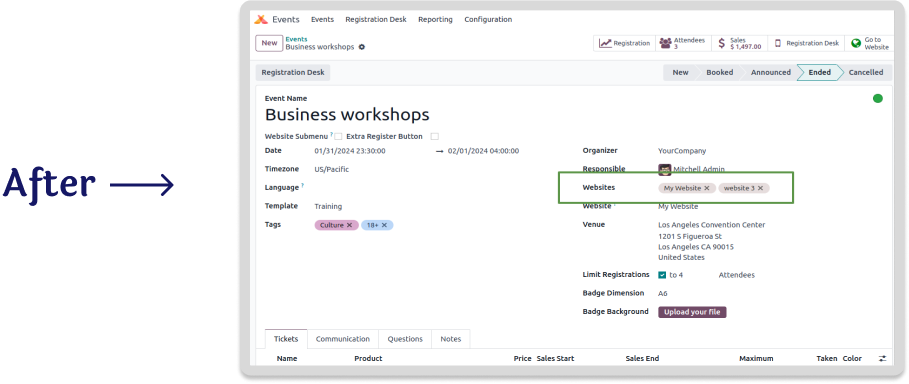
event if required. With this app you can add a event to several websites
instead of just one or none at the time.

Features
- Select a single website to a event.
- Select 2 or more websites to a event.
- Select all websites to a event (leave empty).
- Bulk website assign for multiple events.


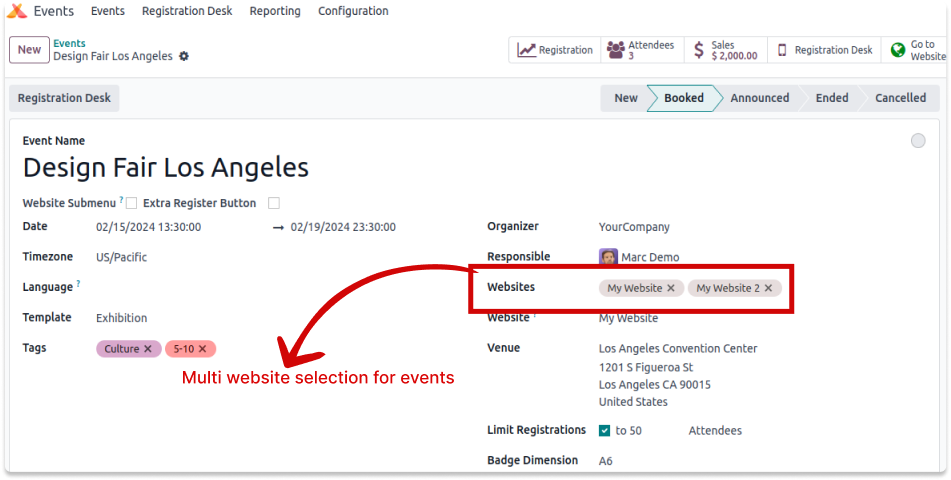
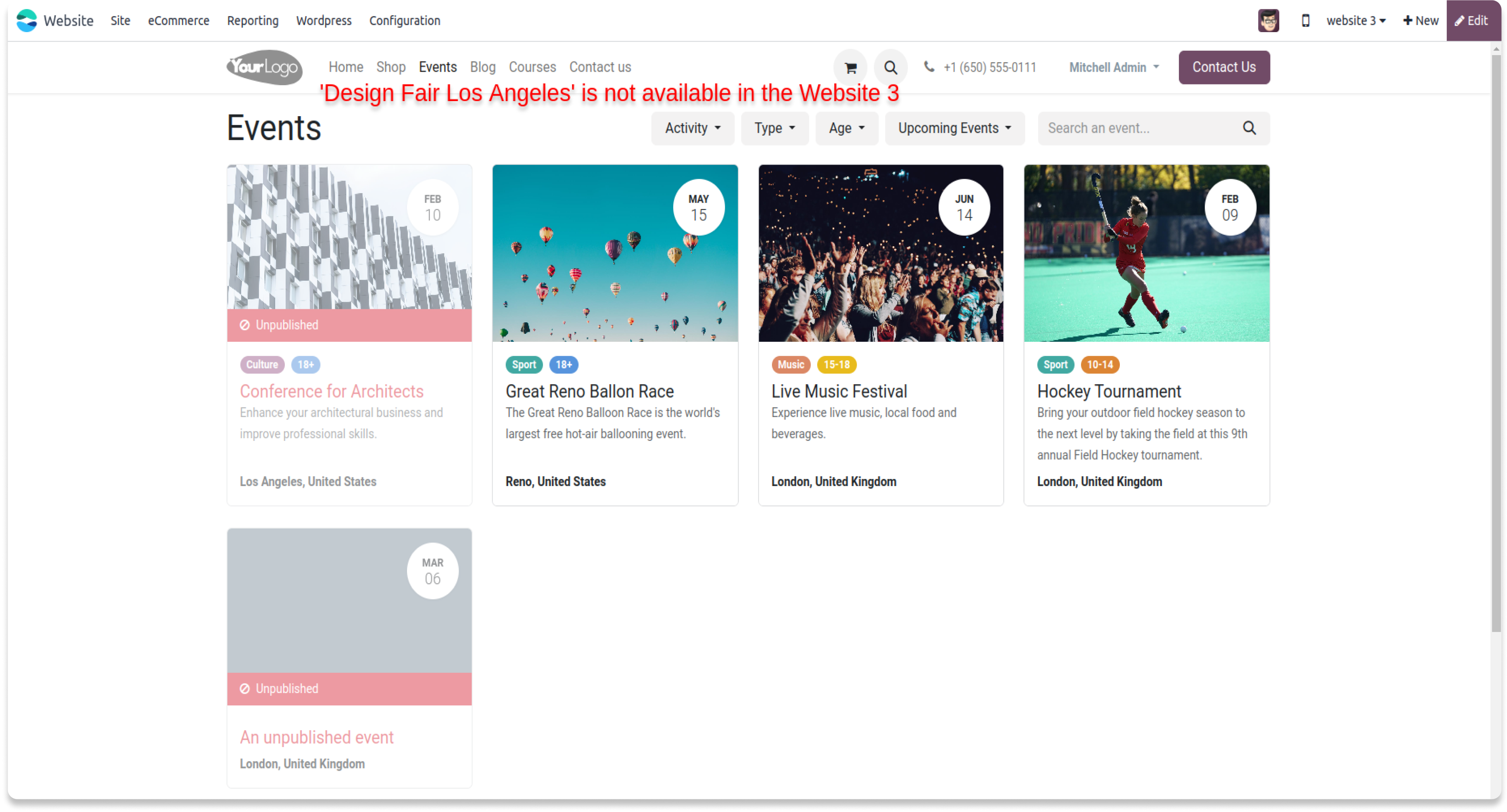
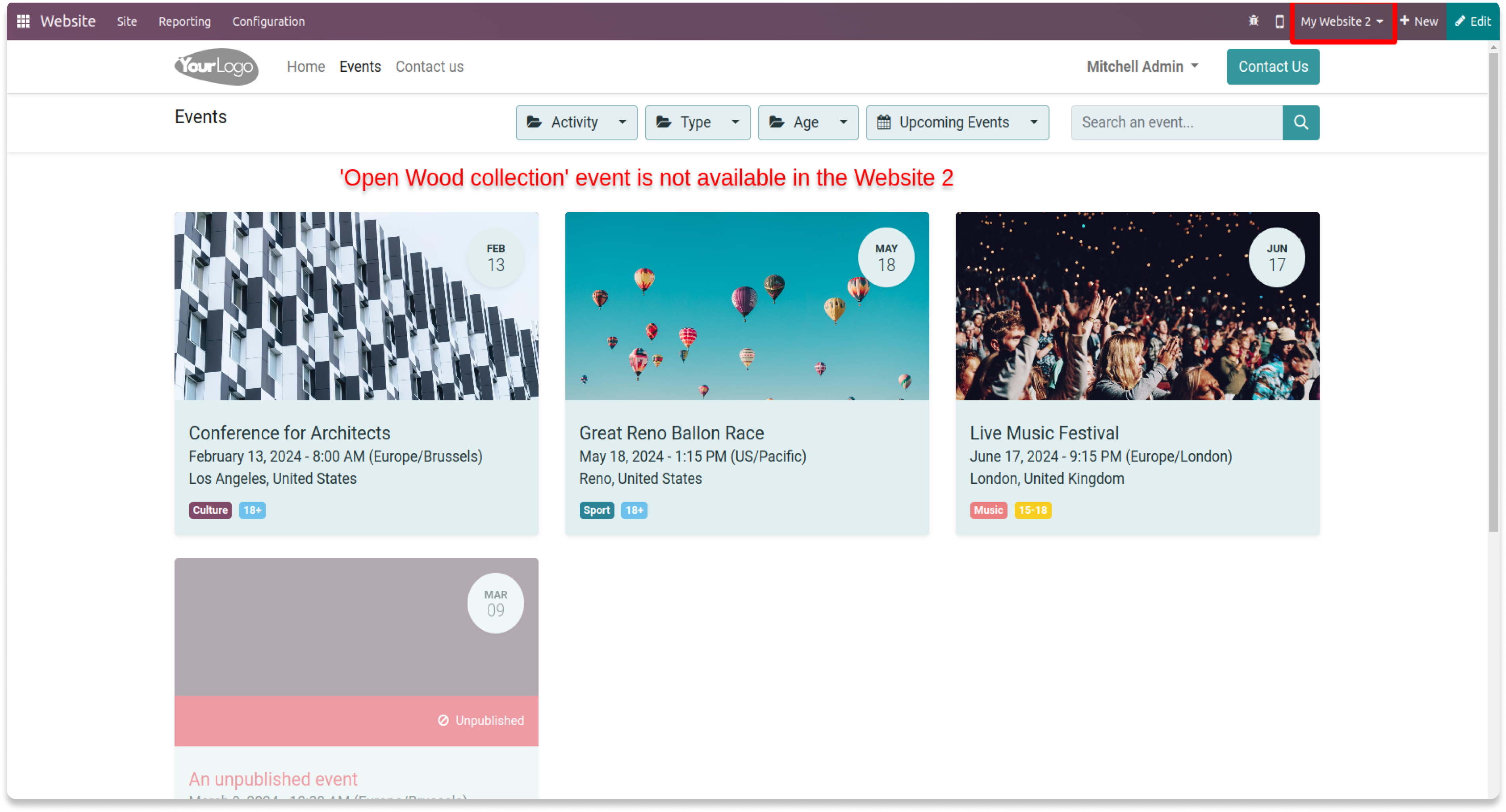
My website & website 3 will loads the event - OpenWood Collection Online Reveal
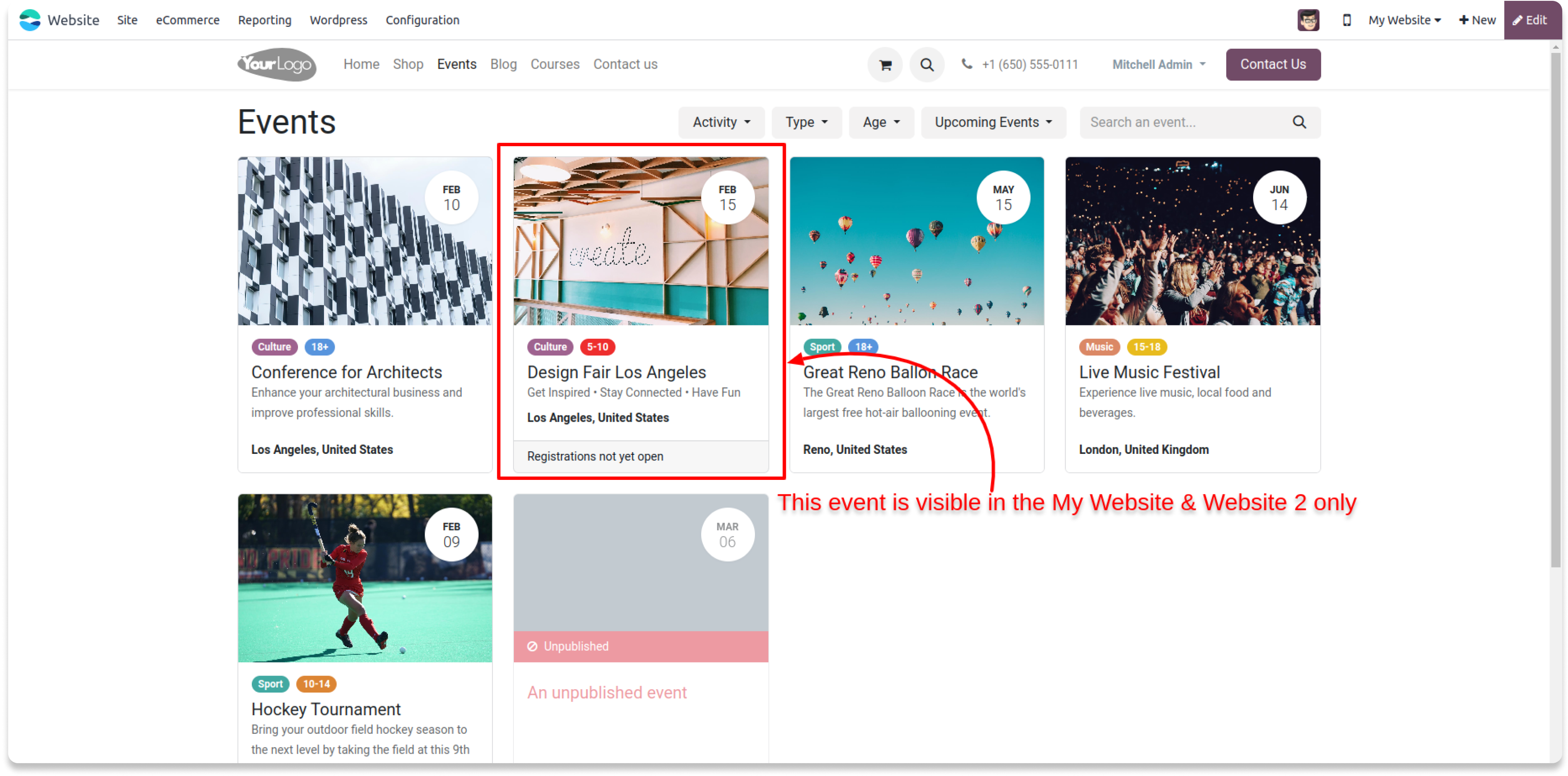
Website 3 will not load the event - OpenWood Collection Online Reveal
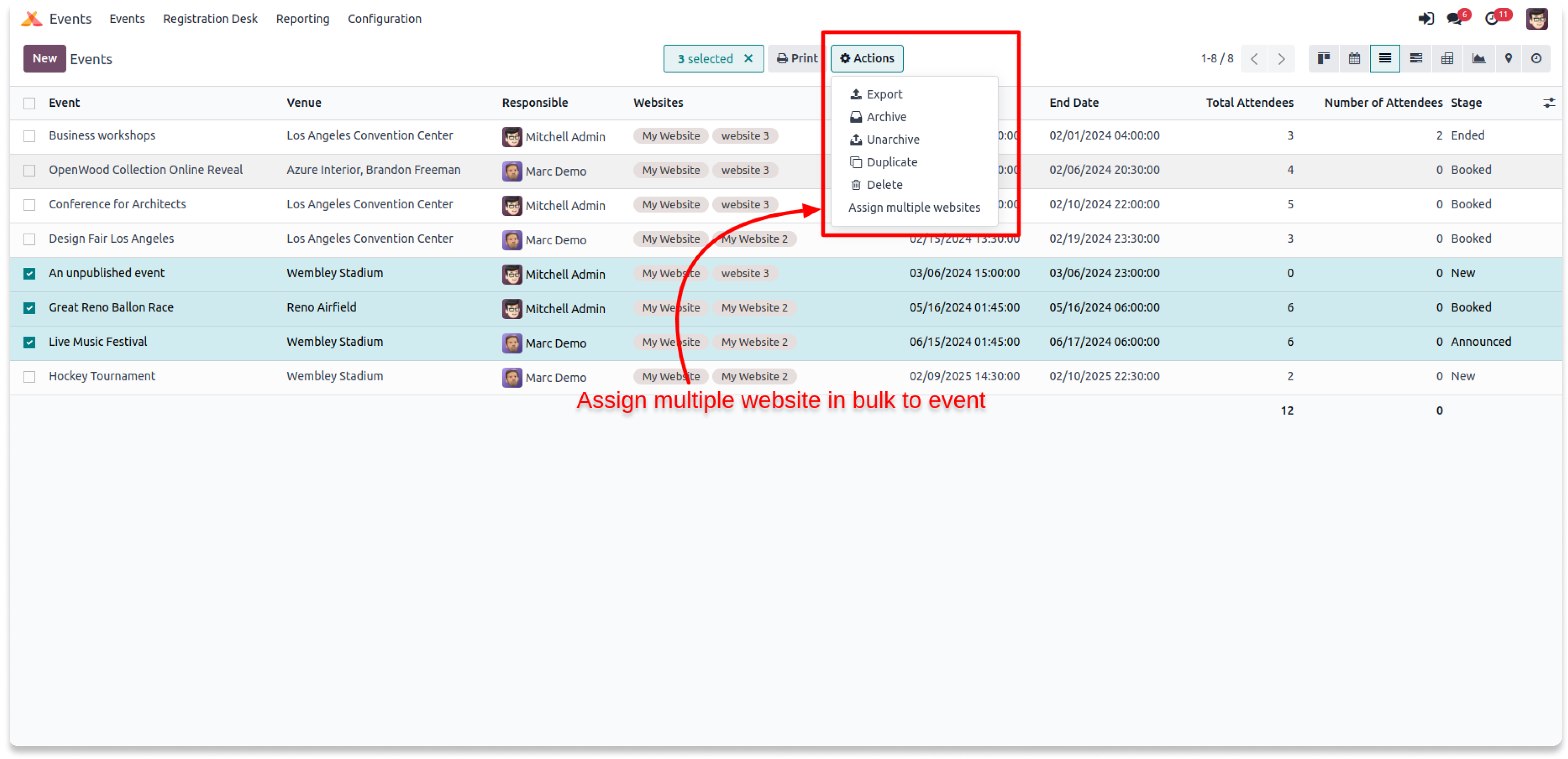
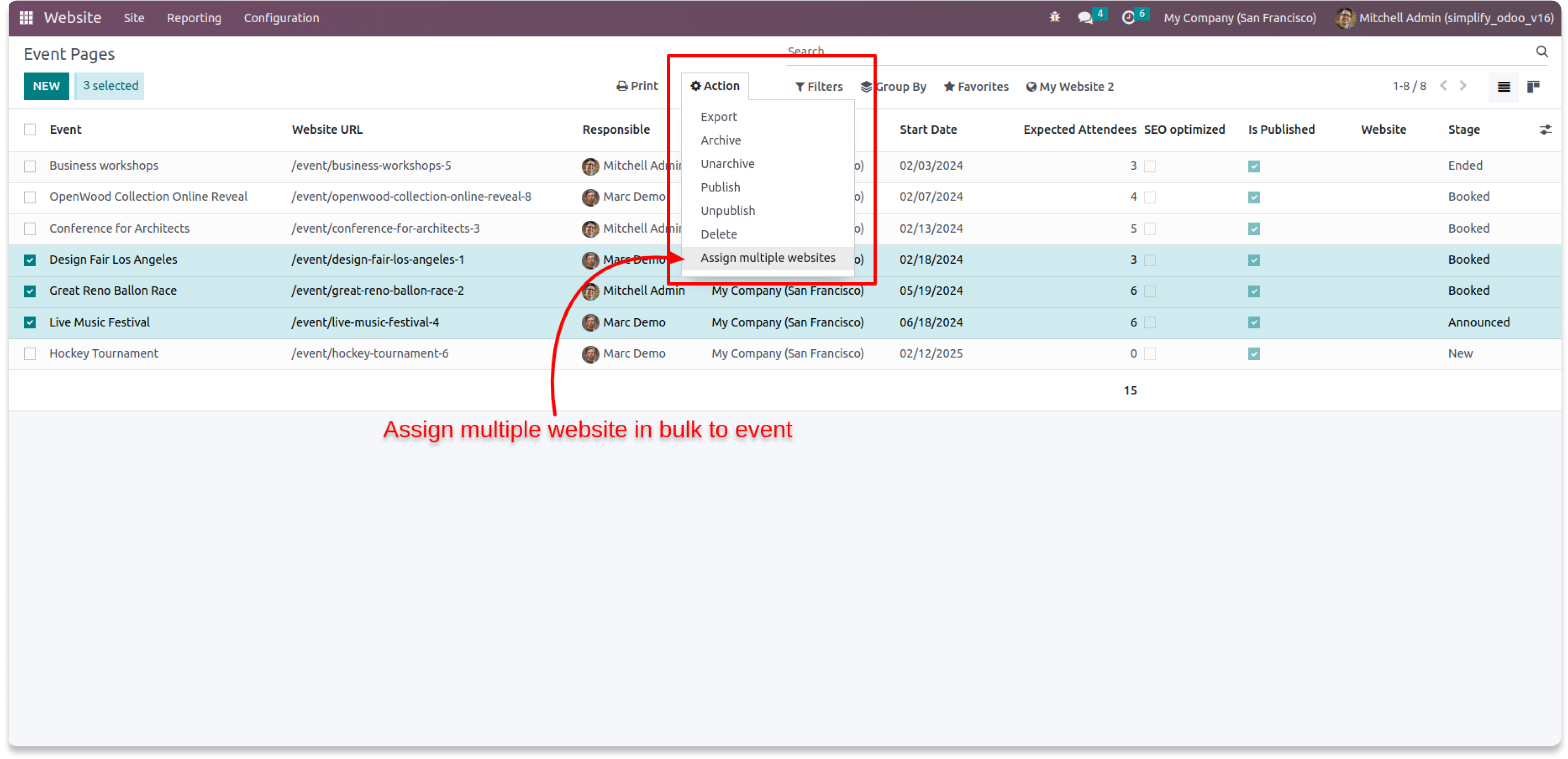
Module also supports the bulk website
selection for multiple events at once to
save the time.
Just select the multiple events and click
Action > Assign multiple websites
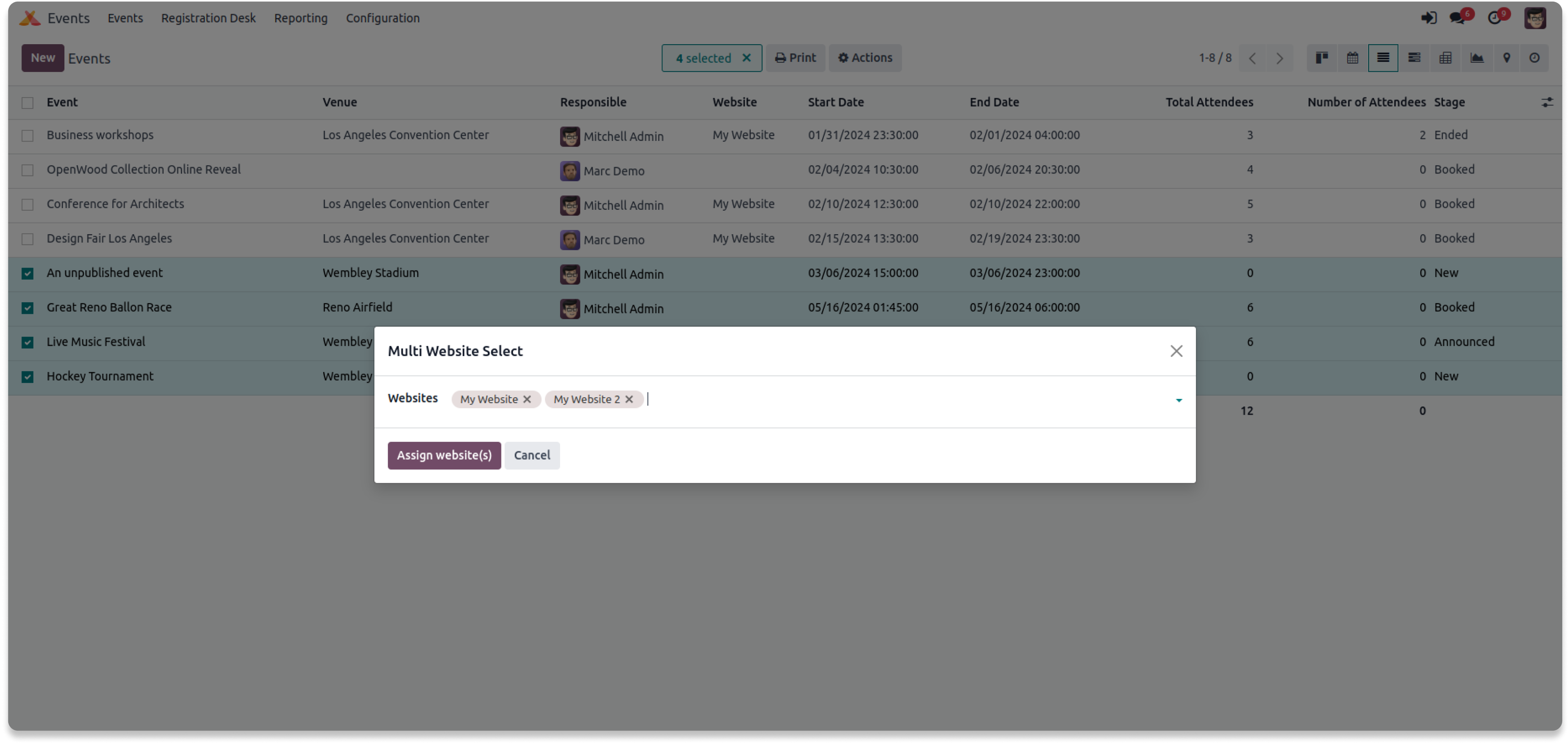
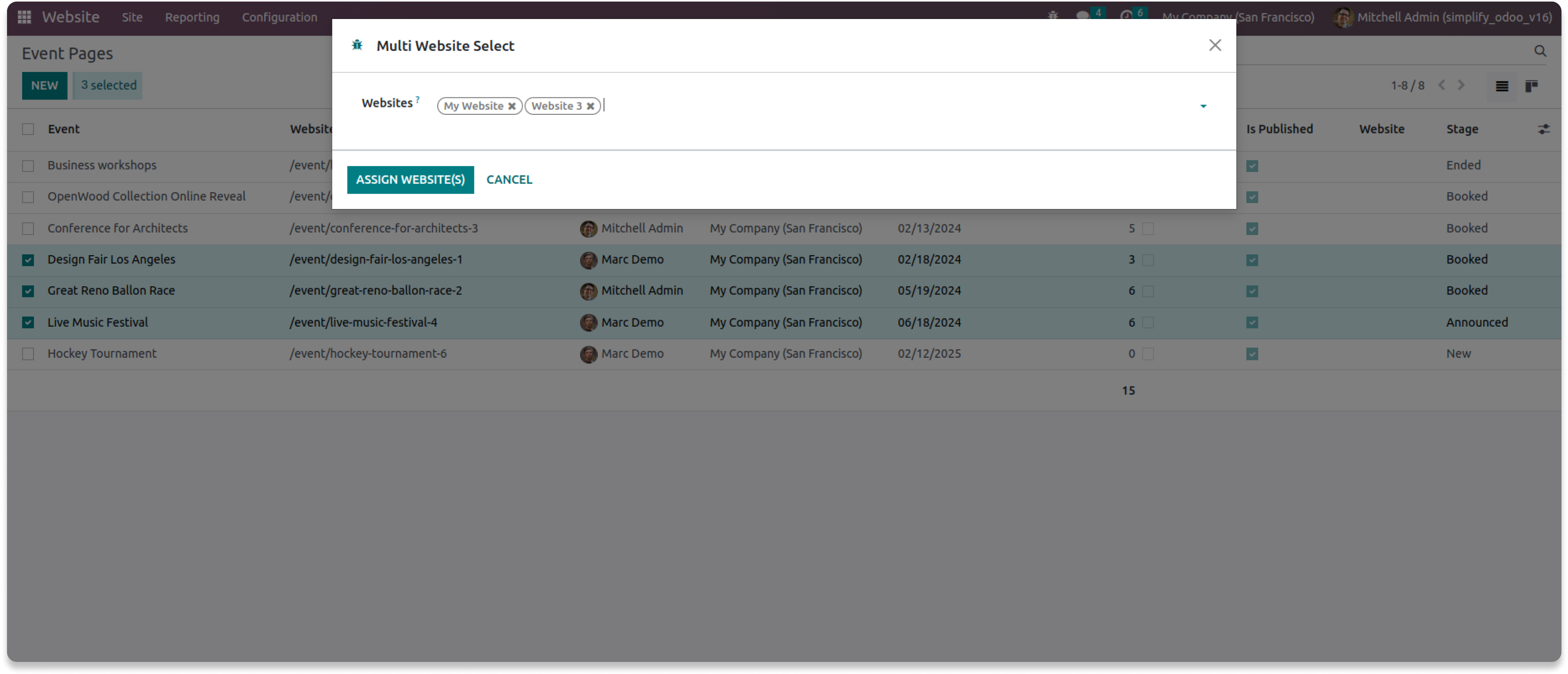
Select the website(s) you want to assign to those selected events
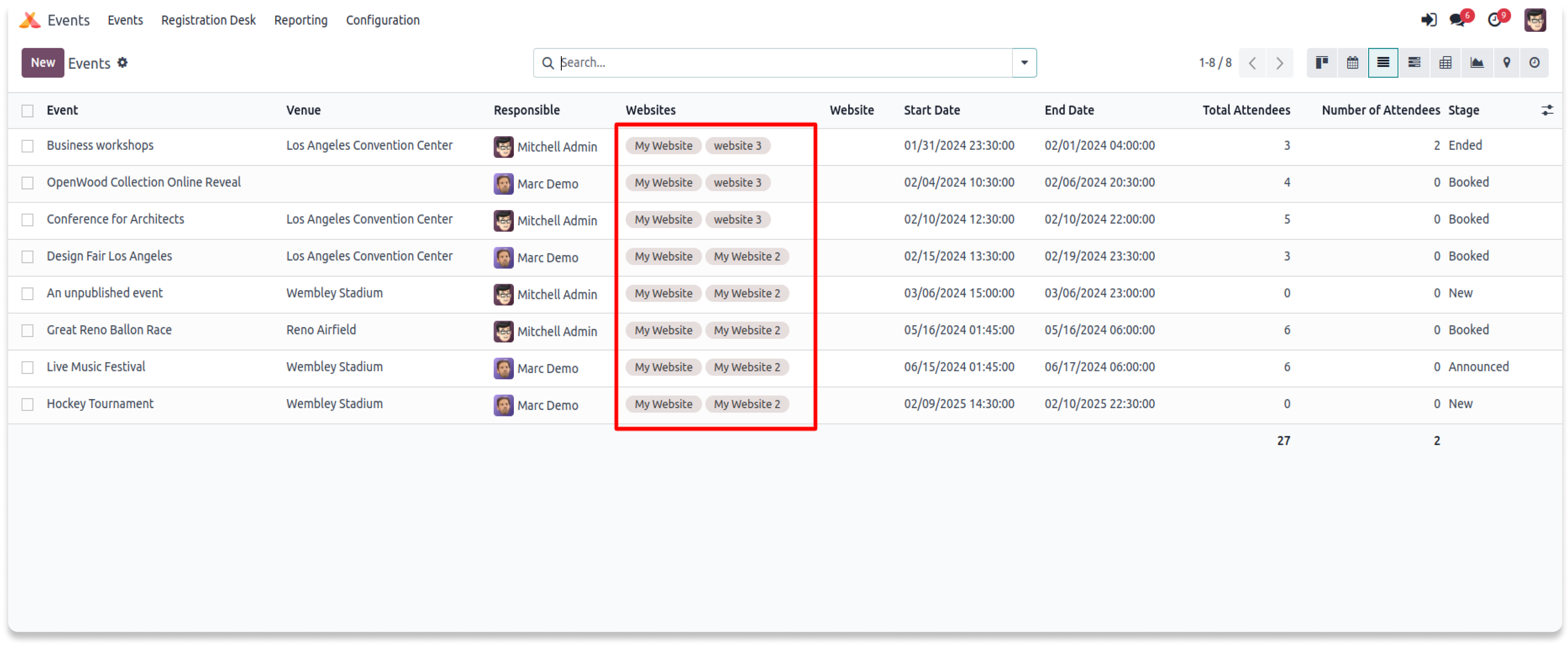
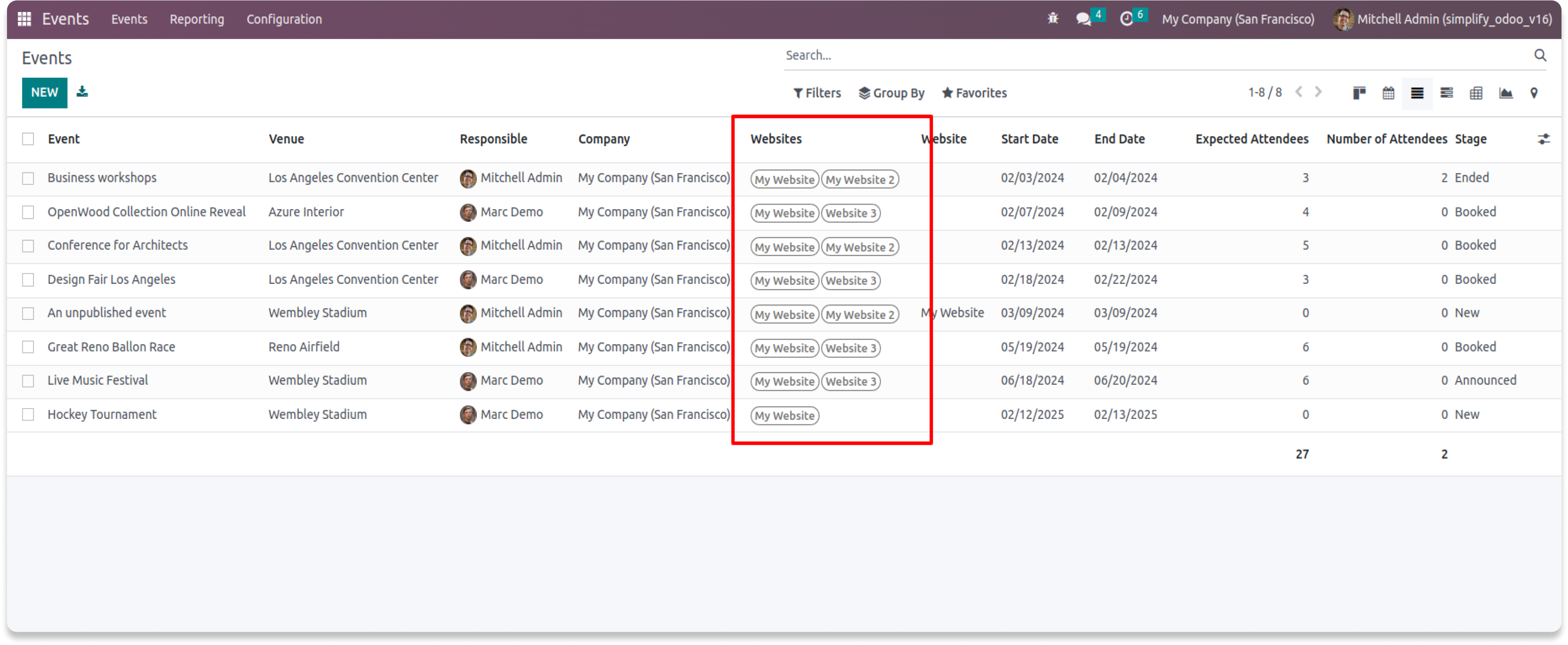
Multiple websites will now assign to those selected events.

Need Help ?
You can instantly find the answer you need here when
you're looking for a quick solution.

Odoo's core multi website feature only allows you to select one website per course or none, but it doesn't allow you to select 2 or more websites per course or eLearning course. If you are using odoo multi website feature and want to add a course on multiple websites, or restrict a prodcut in some websites, then this is a hands on app for you.
Please drop an email at info@terabits.xyz or raise a ticket through the Odoo store itself.
Yes, we do provide free support for 90 days for any queries or any bug/issue fixing.
In case of if any bug raised in the listed features of this module, We are committed to providing support free of cost. You will need to provide me server ssh access or database access in order to solve the issue.
Changelog(s)
Each update brings improvements to make the
app work better for you.

Recommended Apps


Need any help for this module?
Contact us info@terabits.xyz for your queries


Multiple websites per event
"Now you can select 2 or more websites per event"
Odoo's base multi website feature only allows you to select either one
website
per event or none, but it doesn't allow you to select 2 or more websites
per
event if required. With this app you can add a event to several websites
instead of just one or none at the time.

Features
- Select a single website to a event.
- Select 2 or more websites to a event.
- Select all websites to a event (leave empty).
- Bulk website assign for multiple events.


To use, go to events > Switch to 'Tree' View
> Select any event and add the websites
you need to load your events or leave it
empty to load the event to all the websites.
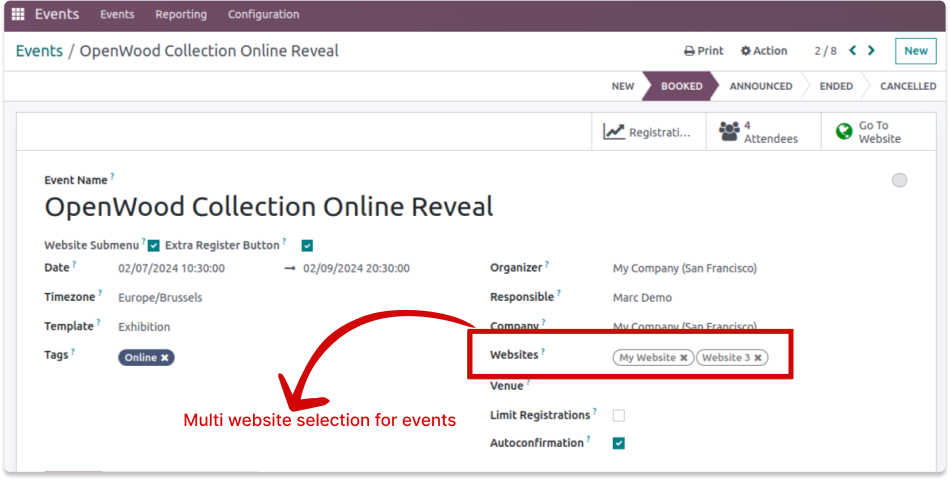
My website & website 3 will loads the event - OpenWood Collection Online Reveal
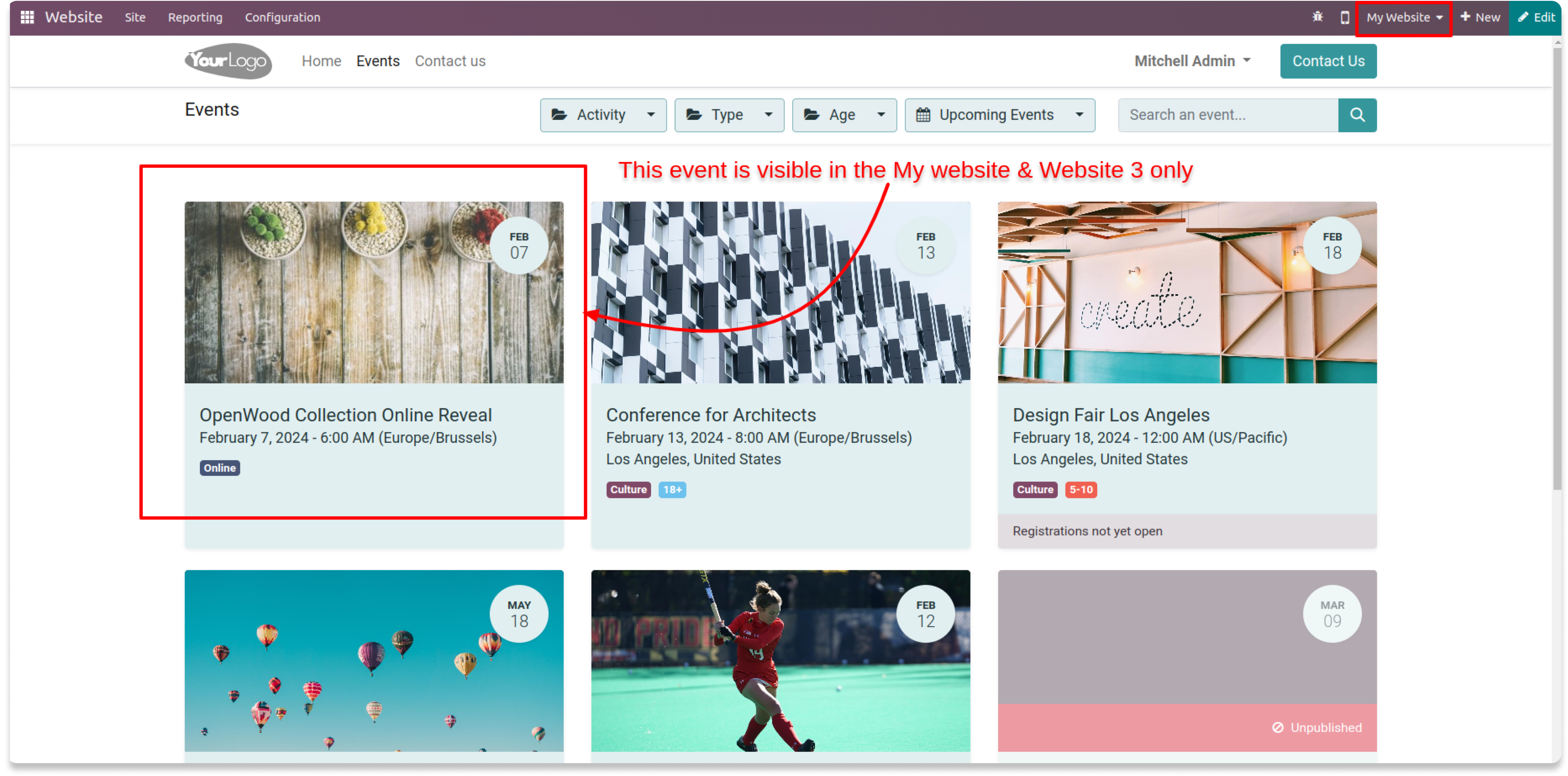
Website 2 will not load the event - OpenWood Collection Online Reveal
Module also supports the bulk website
selection for multiple events at once to
save the time.
Just select the multiple events and click
Action > Assign multiple websites
Select the website(s) you want to assign to those selected events
Multiple websites will now assign to those selected events.

Need Help ?
You can instantly find the answer you need here when
you're looking for a quick solution.

Odoo's core multi website feature only allows you to select one website per course or none, but it doesn't allow you to select 2 or more websites per events.
If you are using odoo multi website feature and want to add a course on multiple websites, or restrict a events in some websites, then this is a hands on app for you.
Please drop an email at info@terabits.xyz or raise a ticket through the Odoo store itself.
Yes, I do provide free support for 90 days for any queries or any bug/issue fixing.
In case of if any bug raised in the listed features of this module, I am committed to providing support free of cost. You will need to provide me server ssh access or database access in order to solve the issue.
Changelog(s)
Each update brings improvements to make the
app work better for you.

Recommended Apps